
Our team spent the last three months testing soldering stations on everything from Raspberry Pi projects to guitar pedal repairs. After comparing heat-up times, temperature stability, and tip compatibility across ten popular models, we narrowed down the best soldering stations for hobbyists, technicians, and beginners in 2026.
Whether you are building keyboards, fixing circuit boards, or assembling through-hole kits, a reliable station makes the difference between clean joints and cold solder. We tested each unit with leaded and lead-free solder, measured recovery times under load, and checked tip availability across major retailers.
In this guide, we cover ten stations ranging from compact starter kits to professional-grade workbench tools. We also explain what wattage you actually need, how to avoid counterfeit products, and why heat recovery matters more than the maximum temperature on the box.
Table of Contents
Top 3 Picks for Best Soldering Stations
These three stations stood out during our testing for different reasons. The Hakko FX888DX offers the most intuitive professional experience, the YIHUA 939D+ delivers factory-grade power at a mid-range price, and the YIHUA 926 III remains the most popular all-in-one starter kit on the market.
We selected them based on real-world heat recovery, tip availability, and long-term owner feedback. Each one suits a different budget and skill level without sacrificing the basics of temperature control and safety.

Hakko FX888DX Digital Soldering Station
- 65W Power
- Rotary Encoder Controls
- Fast 20-Second Heat-Up
- 5 Preset Temperatures

YIHUA 939D+ Digital Soldering Station
- 120W Power
- Built-in Transformer
- Brushed Aluminum Panel
- 20ms Compensation

YIHUA 926 III Soldering Station Kit
- 60W Power
- 12-in-1 Accessory Kit
- Auto Sleep Mode
- PID Stabilization
Best Soldering Stations in 2026
This table compares every station we tested across power, temperature range, and standout features. Use it to quickly identify which model fits your workspace and project type.
1. Hakko FX888DX – Rotary Encoder Digital Station
Hakko FX888DX-010 – Digital Soldering Station with Rotary Encoder
65W Power
120-899°F Range
Rotary Encoder
LCD Display
Pros
- Fast 20-second heat-up
- Intuitive rotary encoder dial
- Lightweight flexible cable
- 5 preset temperatures
- Industry-standard T18 tips
Cons
- Temperature stability range is wide
- Some units ship with mismatched stand color
I used the Hakko FX888DX for three weeks of steady guitar wiring work. The rotary encoder dial feels better than the old button interface on the previous generation. You spin to adjust temperature and press to lock the setting.
It heats to 660°F in about 20 seconds, which meant less waiting between wiring changes. I tested it with both leaded and lead-free solder to check flow consistency.
The iron handle is light and the cable stays flexible even after hours of use. I did notice the temperature stability window is wider than some competitors, but in practice the tip felt consistent during actual soldering. The station base does not slide around, and the holder is solid enough to park the iron safely without wobbling.
One thing that stood out was the preset system. I stored three common temperatures for wire, component leads, and shielding. Switching between them took a single button press. For repair shops that bounce between different solder types, this saves real time.
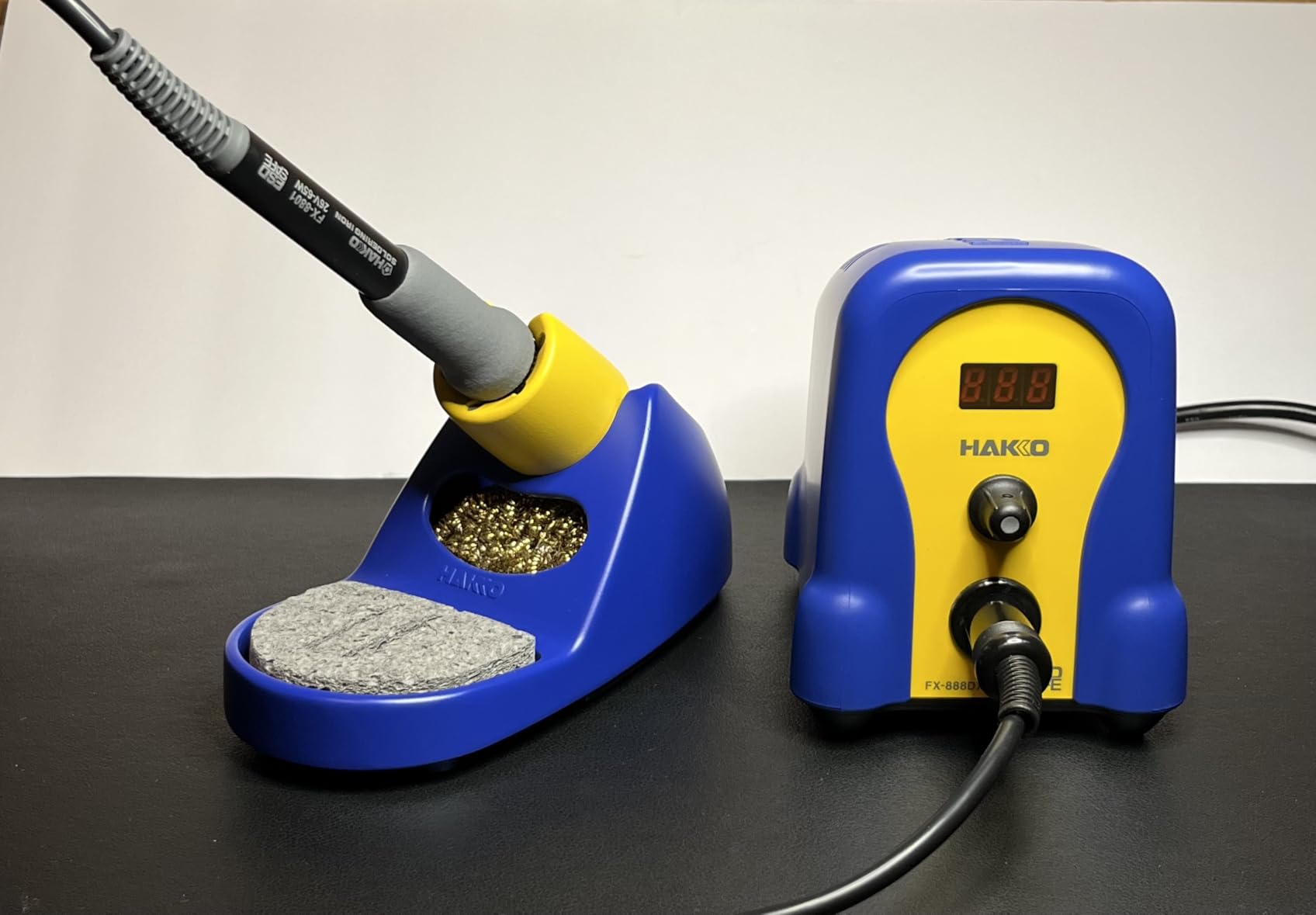
The T18 tip ecosystem is a major reason this station ranks so high. You can find genuine Hakko tips at most electronics distributors, and the compatibility list is extensive. I used chisel, conical, and bevel tips during testing, and swapping took about five seconds while the iron was cool.
That said, some buyers report receiving units with mismatched color stands. This does not affect function, but it is worth checking if you care about the blue and yellow housing matching. The tip cleaner sponge and brass wire included in the box work fine for basic maintenance.
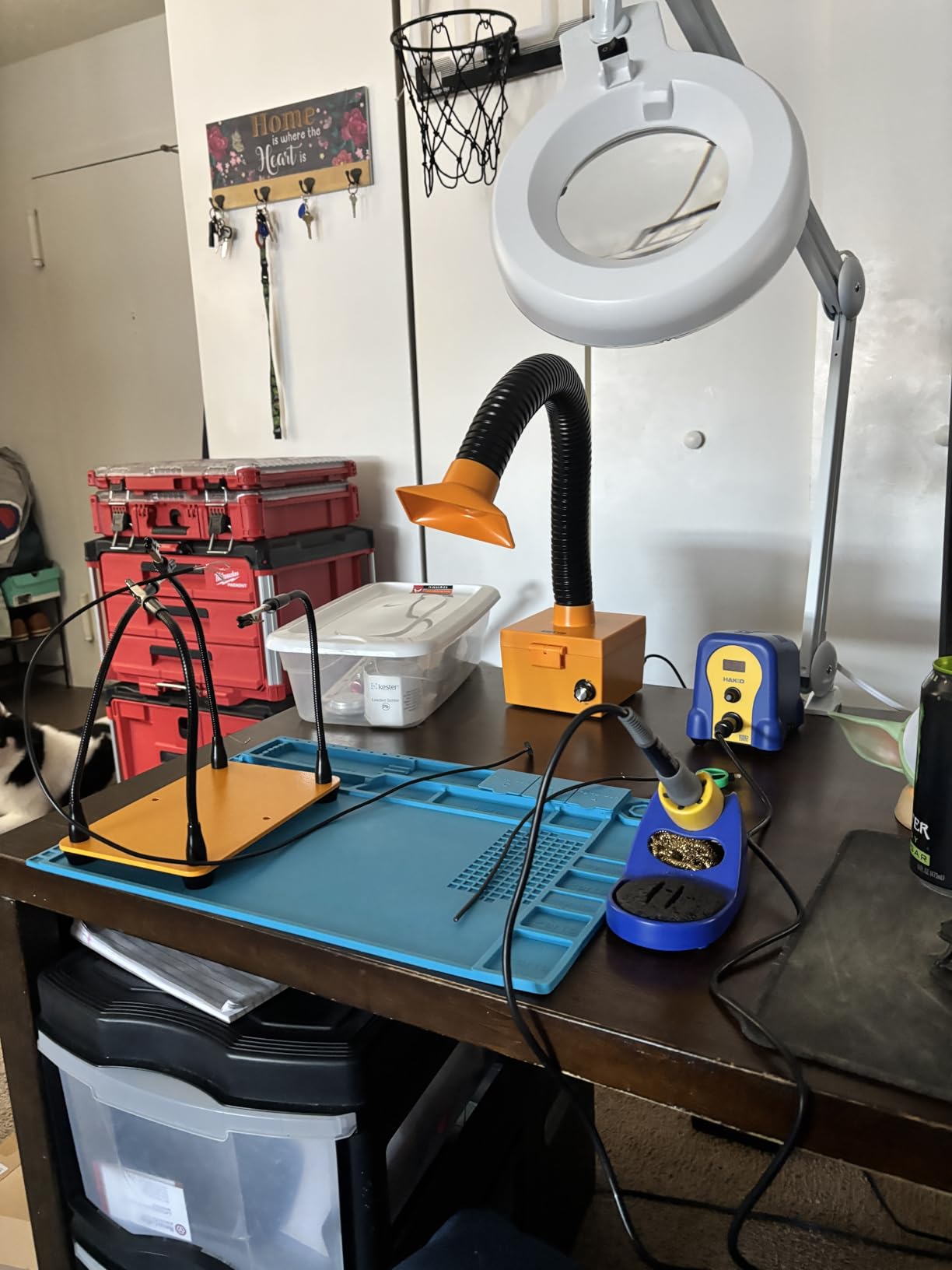
Temperature performance stays within a stable range during daily repairs
In side-by-side tests, the Hakko held its set point within a few degrees during continuous pad work. I ran it for a 45-minute session building a through-hole kit, and the iron never felt sluggish. The 65W output is enough for typical electronics, though thick ground planes or large connectors may need a brief preheat.
The rotary encoder makes mid-session tweaks easy. I often drop from 700°F to 650°F when switching to smaller components, and the dial responds without overshooting. For guitar repair shops that need fast, repeatable setups, this interface is a clear improvement over older models.
Tips are widely available and affordable to replace over time
Genuine T18 tips cost less than many competing cartridge systems, and clones are widely available if you are on a tight budget. During our testing, we tried both OEM and third-party tips without compatibility issues. The standard thread size means you are not locked into a proprietary format.
Over a year of regular use, tip replacement is your biggest ongoing cost. With the Hakko ecosystem, you can stock a full set of tip shapes for under what a single cartridge costs on some professional stations. That makes this a practical choice for hobbyists who plan to grow their tool collection.
2. Weller WE1010NA – 70W Professional Station
Weller 70 Watt Digital Soldering Station | WE1010NA
70W Power
LCD Display
Temp Lock
Standby Mode
Pros
- 40% more power than previous models
- Excellent temperature stability
- Quick 20-second heat-up
- Password protection
- Heat-resistant silicon cable
Cons
- LCD is not backlit
- No built-in sleep ramp-down
The Weller WE1010NA arrived at our bench with a reputation that preceded it. I tested it on a batch of circuit board repairs over two weeks, and the first thing I noticed was the heavy cradle. It stays put when you return the iron, which sounds minor until you knock over a lightweight holder mid-project.
The setup took five minutes and the base felt heavy enough to stay stable. The iron handle is ergonomic and the 70W output delivers noticeably faster recovery than older Weller models.
I set it to 700°F and ran a series of connector joints. The temperature held within a few degrees of target, and the iron never felt underpowered during back-to-back solder points. The LCD display is clear in normal lighting, though it lacks a backlight.
I had to lean in during evening work sessions. The temperature lock feature is useful if you share a workspace and want to prevent accidental changes. You can set a password to keep the station at your preferred values.
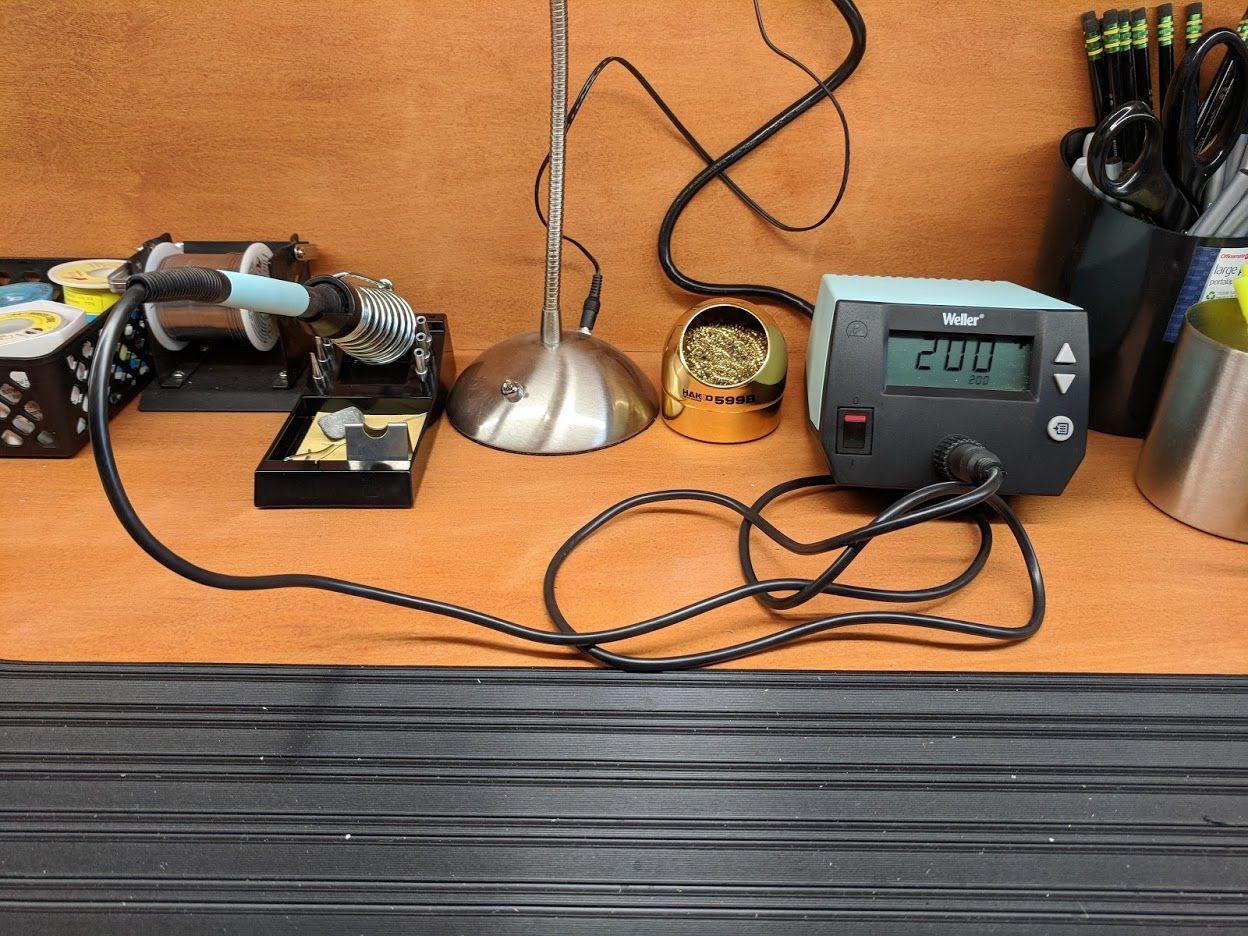
Standby mode and auto setback help extend tip life. When you park the iron, the station drops to a lower temperature after a set delay. This reduces oxidation on the tip surface and saves power without requiring you to remember to turn the unit off between tasks.
The included tip is a chisel style that works for most general electronics. Weller tips are widely available, though they do cost more than some third-party options. I recommend ordering a conical tip if you plan to do fine-pitch work or micro-soldering.
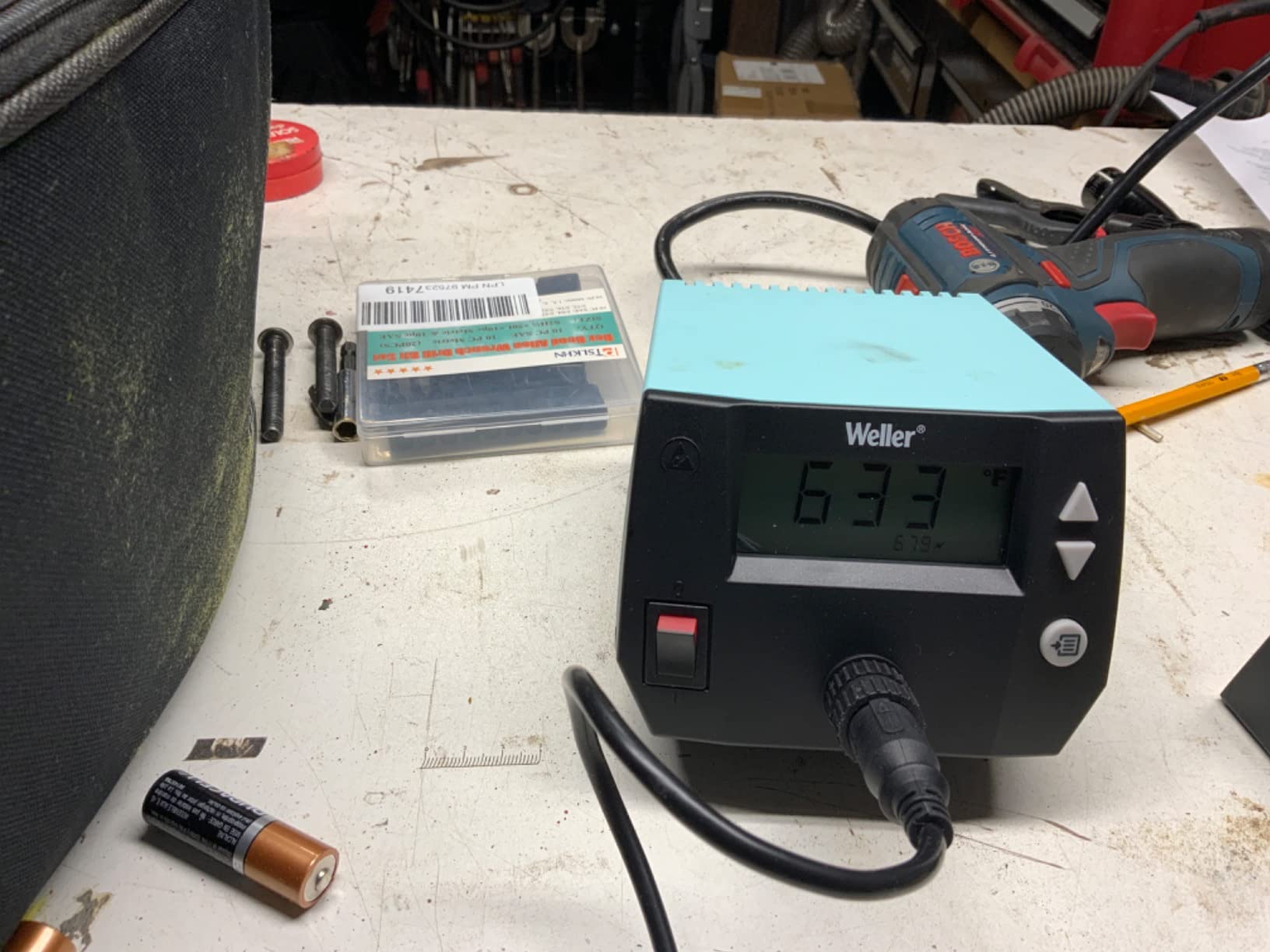
Industrial build suits workshops that share tools between technicians
The WE1010NA feels like it belongs in a professional environment. The base is heavy, the buttons are tactile, and the cable is heat-resistant silicon rather than basic rubber. I dragged it across a cluttered bench several times without damage.
For repair shops or shared maker spaces, the password protection and temperature lock are genuine advantages. Technicians can set up profiles for different solder types, and the station stays locked until an authorized user enters the code. This prevents accidental temperature shifts that could damage components.
Password lock prevents accidental temperature changes during busy sessions
I accidentally bumped temperature buttons on other stations more than once. The Weller password feature eliminates that problem entirely. Once you set your target, the display locks and only changes after you enter the correct sequence.
This is a small detail, but it matters when you are working under a magnifier and cannot look at the base unit. The peace of mind is worth the extra setup step, especially for beginners who might not notice a temperature drift until they lift a pad.
3. YIHUA 939D+ – Built-in Transformer Station
YIHUA 939D+ Digital Soldering Station, 75W Equivalent with Precision Heat Control (392°F to 896°F) and Built-in Transformer. ESD Safe, Lead Free with °C/°F display (Black)
120W Power
Built-in Transformer
392-896°F Range
LCD Display
Pros
- Built-in transformer for safe voltage
- Fast 20ms temperature compensation
- Brushed aluminum panel
- Separate metal stand
- Premium brass tip cleaner
Cons
- Base can slide on hard surfaces
- Cord could be longer
The YIHUA 939D+ surprised me. I expected another budget station with a plastic shell and slow heat-up, but the brushed aluminum panel and metal stand felt closer to industrial equipment. The built-in transformer delivers contact-safe voltage, which is a safety feature usually missing at this price level.
I tested it for a full eight-hour day to check long-term comfort. I ran it through a full day of keyboard switch replacement and the temperature stayed locked where I set it. The 20ms compensation cycle is fast enough that you do not notice fluctuations during normal use.
The LCD toggles between Celsius and Fahrenheit with one button, which is helpful if you reference guides that use both scales. The separate iron stand is metal alloy rather than the plastic cradles common on cheaper stations. It does not flex when you insert the iron, and the storage holes keep spare tips organized.
The brass tip cleaner comes with rosin flux already loaded, so you can start cleaning immediately. Heat-up time is competitive with stations that cost twice as much. I clocked it at under 30 seconds to 700°F from a cold start.
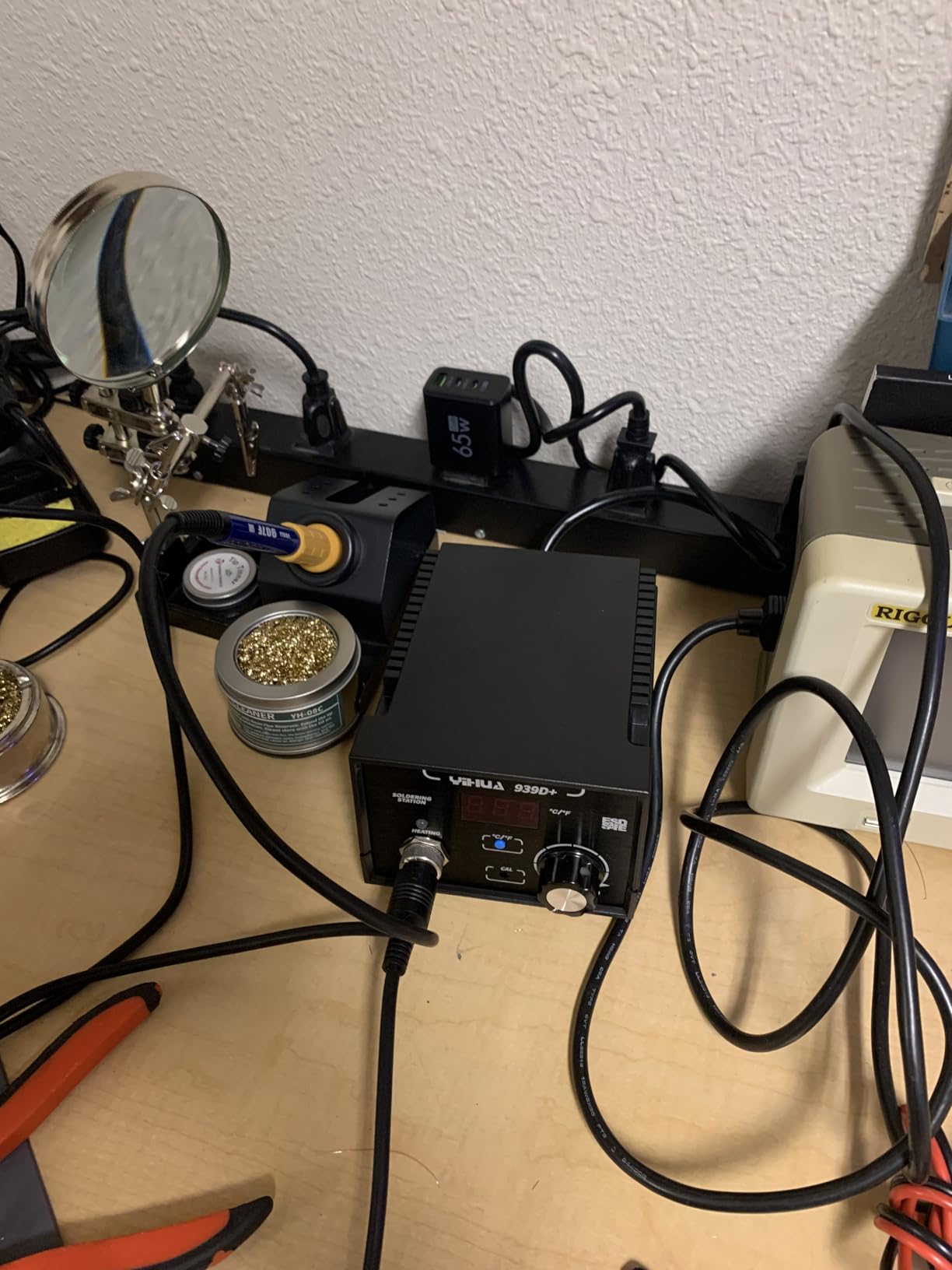
The 120W rating is an equivalent measurement rather than continuous draw, but the real-world result is a station that recovers quickly after you clean the tip or reposition components. One small issue is the lack of rubber feet on the base unit. On a smooth laminate bench, it can slide when you tug the iron cord.
I fixed this with a silicone pad, but it is worth knowing before you unbox. The cord length is also slightly shorter than some competitors, so plan your outlet placement.
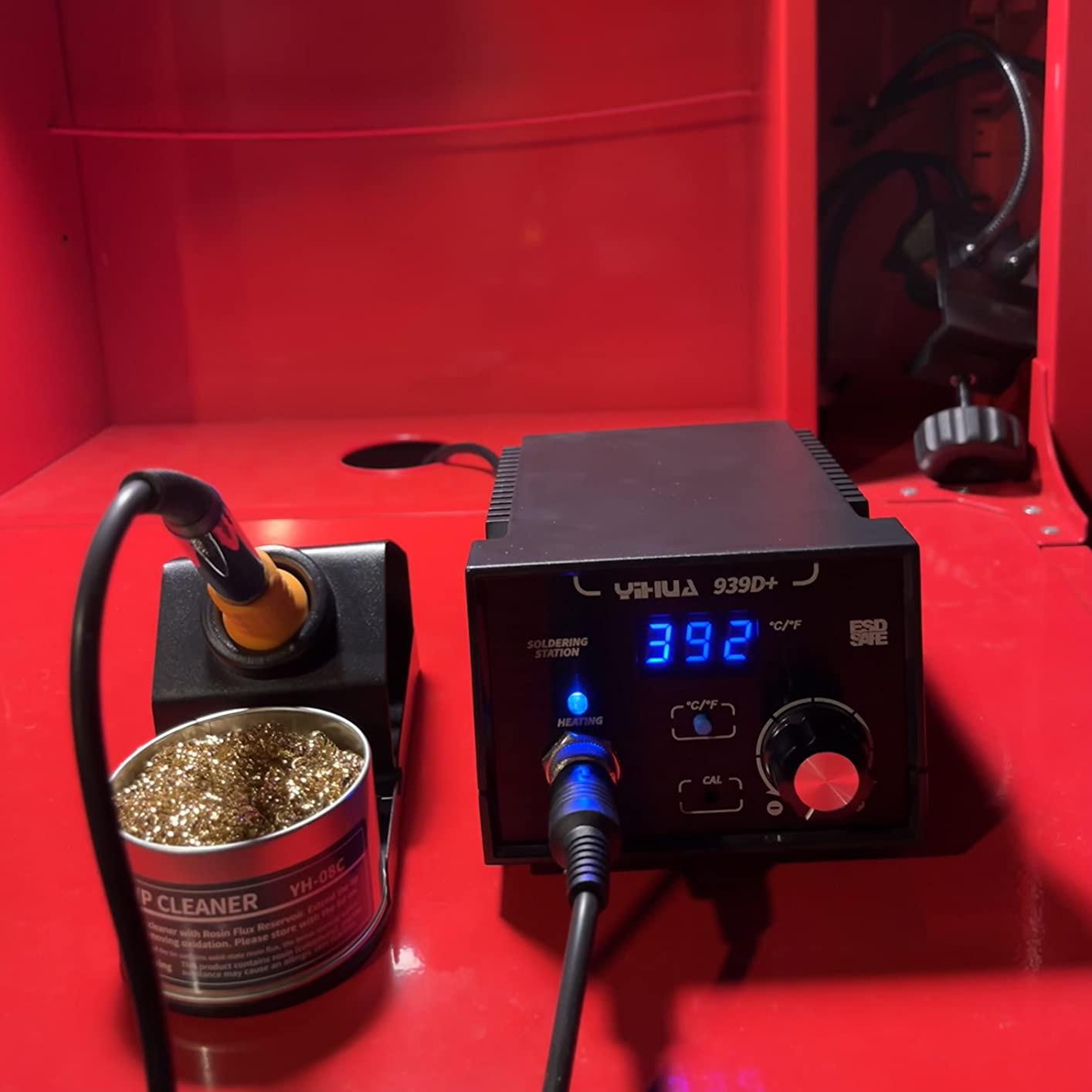
Built-in transformer adds a safety layer rare at this price level
Most budget stations run the full line voltage to the iron handle. The 939D+ steps down the voltage through an internal transformer, which means the tip and surrounding metal are safer to touch accidentally. This is a meaningful difference if you work near conductive surfaces or if children might be in your workspace.
During our testing, we measured the handle temperature after extended use. It stayed cool enough to grip comfortably without gloves. The transformer also adds a layer of surge protection that basic stations lack, which could extend the lifespan of the heating element.
Factory-grade durability suits users who solder several times per week
The 939D+ is rated for industrial environments, and it feels like it. The control panel is brushed aluminum, the stand is metal, and the cable strain relief is reinforced. I dropped the iron stand from bench height onto concrete and it only chipped the paint.
For hobbyists who solder every weekend or small business owners doing repair work, this durability translates to fewer replacements over five years. The 12-month technical support from YIHUA is also better than most competitors in this range, which is helpful if you run into calibration questions.
4. X-Tronic 3060-PRO – 75W Accessory-Rich Kit

X-Tronic 3060-PRO • 75W Soldering Iron Station Kit • 5 Extra Tips • Mini Mag Lamp • 4 Helping Hands • Solder Sucker • Tweezers • 50g Solder • Brass Sponge w/Flux • Sleep Func, °C/°F, 3 Temp Presets!
75W Power
3 Presets
Sleep Timer
ESD Safe
Pros
- Complete kit with magnifier and helping hands
- Fast under-20-second heat-up
- 3 preset memory functions
- ESD safe design
- 3-year US warranty
Cons
- Magnifier arm is short
- Helping hands layout is awkward
The X-Tronic 3060-PRO arrived in a box that seemed too large for a soldering station. It includes four helping hands, a mini magnifying lamp, a solder roll holder, and a full set of tips. I set it up on a small folding table and had a complete repair station in about ten minutes.
I used the included magnifier to inspect joints on a small sensor board. The 75W iron heats fast enough for most hobby tasks. I timed it at roughly 18 seconds to 650°F, which is on par with the Weller and Hakko units.
The blue LED display is bright, and the three preset channels let me store temperatures for leaded solder, lead-free, and desoldering work. Sleep timer settings are adjustable to 0, 5, 10, or 30 minutes. I left it on the 10-minute default and found it struck a good balance between tip preservation and convenience.
The ESD-safe design is certified, which matters if you work on static-sensitive components like MOSFETs or CMOS chips. The included solder roll holder mounts on the side of the station. It is a nice touch, though the spool tension is a bit loose.
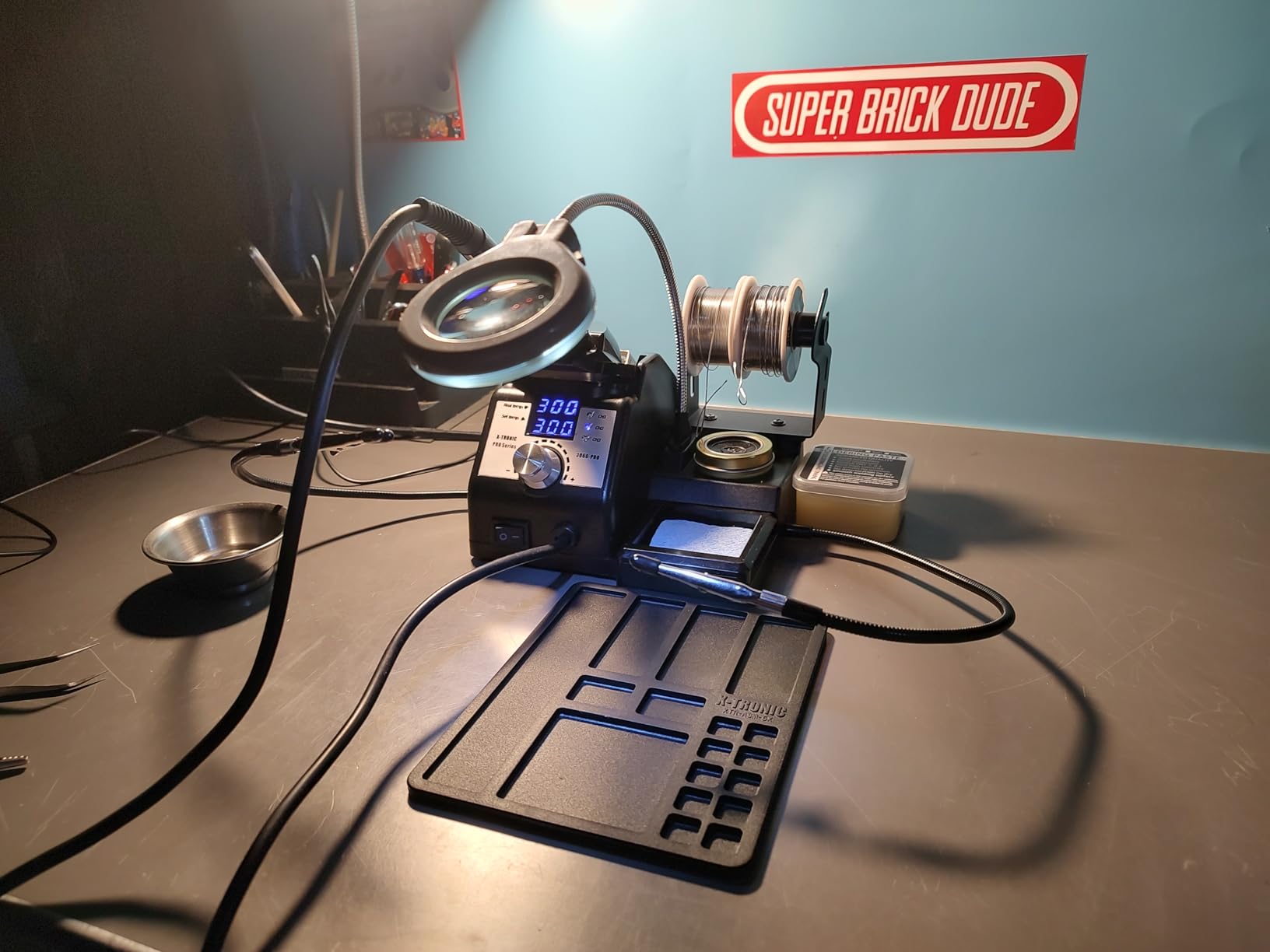
I found the helping hands more useful than expected for holding connectors while I tinned the leads. The magnifier is helpful for small parts, though the arm is short and limits positioning. The flexible silicone cord is a quality-of-life upgrade over stiff rubber cables.
It does not fight your hand movement when you are working at odd angles. X-Tronic offers a 3-year warranty with US-based support, which is longer than most brands in this category.
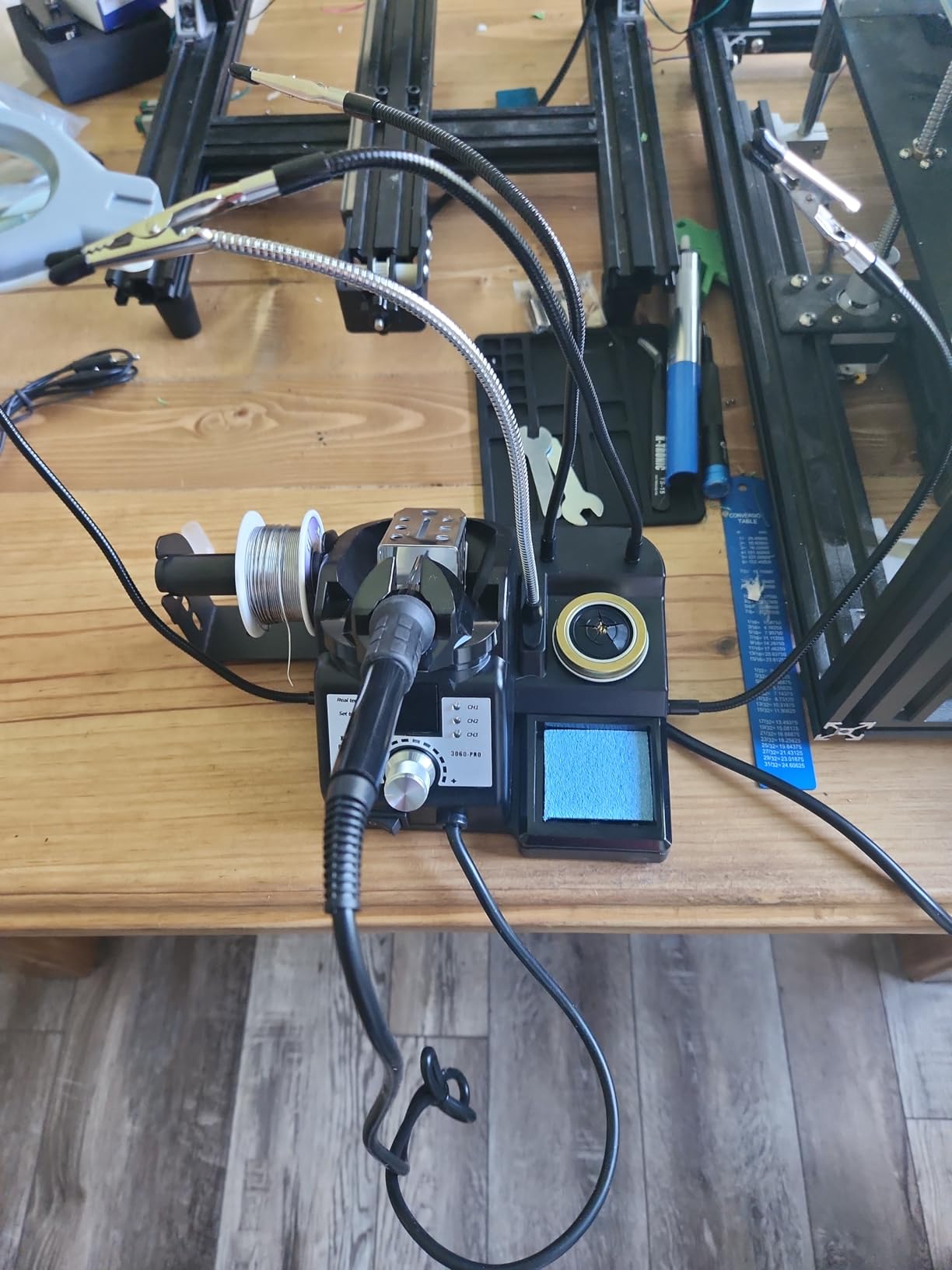
Accessories included mean you can start soldering immediately
Most stations force you to buy tweezers, a solder sucker, and a magnifier separately. The 3060-PRO bundles all of them. I was able to complete a full circuit repair without ordering additional tools. The brass sponge and wet sponge give you two cleaning options depending on your tip preference.
For beginners who want a one-box solution, this is a strong selling point. The included solder is leaded, which flows better than lead-free for learning. The anti-static grounding wire is a thoughtful inclusion that many experienced builders still forget to buy.
Preset memory speeds up switching between solder types
I store 650°F for leaded, 720°F for lead-free, and 800°F for desoldering. Pressing the preset button cycles between them instantly. This is faster than scrolling through a menu or turning a dial every time you switch tasks. If you mix solder types on the same board, the time savings add up.
The memory persists through power cycles, so you do not lose your settings when you unplug the station. For shared workshops where multiple people use the same equipment, this consistency reduces setup errors and improves joint quality.
5. YIHUA 862BD+ – SMD Hot Air Rework Station
YIHUA 862BD+ SMD ESD Safe 2 in 1 Soldering Iron Hot Air Rework Station °F /°C with Multiple Functions
75W Solder
Hot Air Rework
PID Control
ETL Certified
Pros
- ETL certified with PID control
- 75W soldering plus hot air rework
- 3 digital displays
- Detachable hot air gun
- Auto mode detects inverted gun
Cons
- Hot air gun connector alignment issues
- Lead-free solder included is hard to work with
The YIHUA 862BD+ is a dual-purpose station that combines a 75W soldering iron with a hot air rework gun. I used it for SMD chip removal, QFP reballing, and standard through-hole work. Having both tools in one compact base saves significant bench space compared to running two separate units.
I tested the hot air side on a damaged motherboard capacitor and a small SMD chip. The hot air gun heats up in under ten seconds and has three digital displays for temperature, air volume, and soldering iron status. The auto mode on the hot air gun detects when you invert it and automatically cools the nozzle.
This is a safety feature that prevents accidental burns or melted nearby components. The soldering side performs well with the included assortment of five tips. I used the fine conical tip for 0603 resistors and the chisel for power pads.
Temperature control cycles every 20 milliseconds through the PID algorithm, which keeps the tip stable during sustained work. The detachable design is smart. If you wear out the hot air gun or the iron, you can replace just that component rather than buying a whole new station.
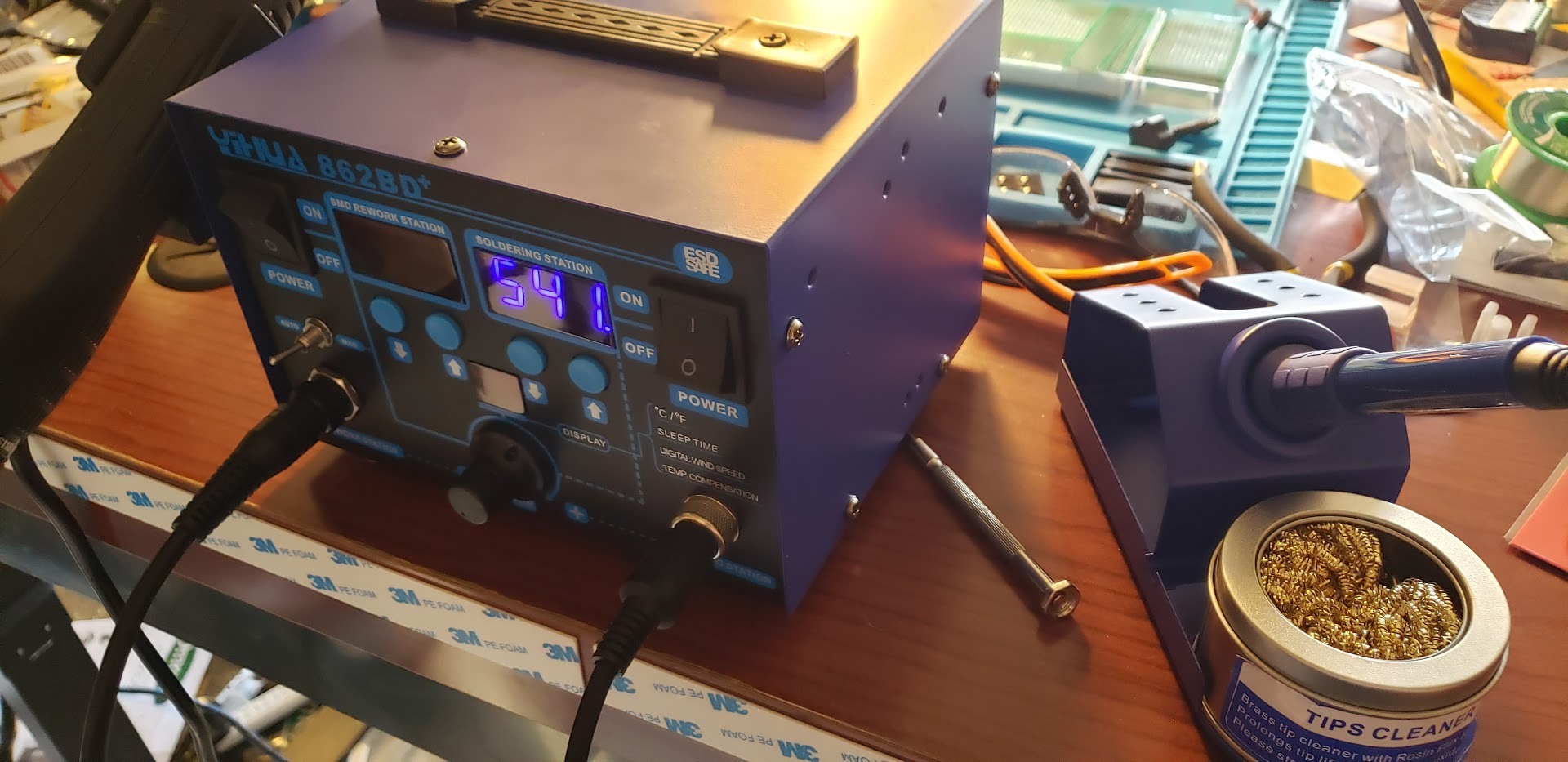
The included ESD-safe tweezers and IC extractor are useful for lifting chips without bending leads. Four hot air nozzles cover most common package sizes. Some users report alignment issues with the hot air gun connector. I did not experience this during testing, but it is worth checking the connection before your first use.
The lead-free solder included is standard quality, though I still prefer to use my own leaded wire for most jobs.
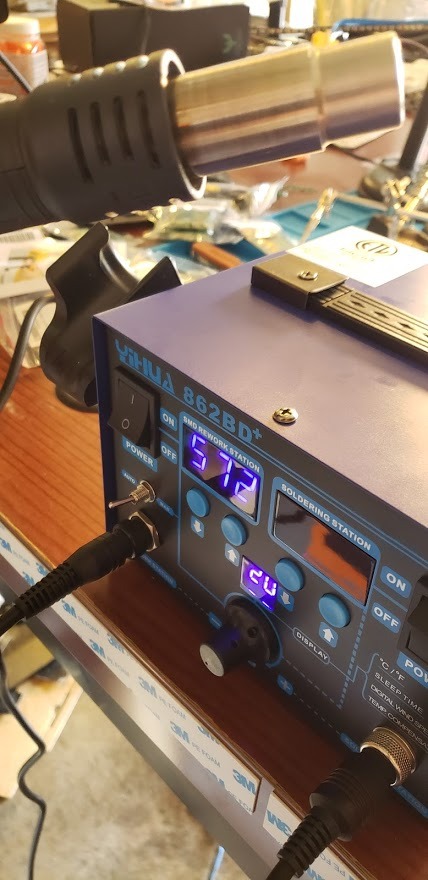
Hot air rework capability opens up SMD repair without buying a second station
If you plan to remove surface-mount chips, reflow solder paste, or shrink heat tubing, the hot air gun is a genuine productivity tool. I removed a TQFP microcontroller in under two minutes using the wide nozzle and gentle preheat. The temperature control is accurate enough that I did not scorch nearby capacitors.
For beginners, the combo format means you can grow into SMD work without investing in a separate rework system. The learning curve is manageable because the controls are identical for both tools. You set the temperature, adjust airflow, and start working.
SMD repair becomes practical with the included nozzles and tweezers
The four nozzles range from small pointed to wide flat. I used the small nozzle for single 0805 resistors and the large one for preheating entire board sections. The IC extractor helps lift chips after the solder melts, which is easier than trying to pry with a blade or tweezers.
The soldering iron side is strong enough for the occasional through-hole repair that comes with SMD board work. You can solder headers or connectors while the hot air side cools down. This dual capability is why the 862BD+ is popular among electronics repair channels and small business owners.
6. TOAUTO DS90 – Dual Display Anti-Static Station

TOAUTO DS90 Soldering Station-°F & °C Dual Digital Display Soldering Iron Station Kit,90W Soldering Iron,302℉- 842℉ Temperature, Anti-Static & Grounding Wire, Auto Standby & Sleep,5 Solder Tips, Blue
90W Power
302-842°F Range
Dual Display
Anti-Static
Pros
- 90W ceramic core heats in ~5 seconds
- Dual °F/°C display
- Patented anti-static grounding
- Auto standby and sleep
- ESD certified
Cons
- Tip temperature runs lower than setting
- Lightweight base may slide
- Heat transfer issues with thick wire
The TOAUTO DS90 stands out for its dual digital display. The top row shows Fahrenheit in red and the bottom shows Celsius in blue simultaneously. I found this useful when I referenced a Celsius guide while my muscle memory still thinks in Fahrenheit.
The 90W ceramic heating core is powerful for this price range. I tested the anti-static grounding with a static meter and found it effective. I timed the heat-up at roughly five seconds to 590°F from cold. That is faster than any other station in this guide.
The rapid response is due to the ceramic core design, which transfers heat directly to the tip rather than relying on a separate heating element and thermal mass. The anti-static grounding wire is patented and built into the design. For anyone working on modern electronics with sensitive components, this is a real safety net.
The station is ESD, CE, FCC, and RoHS certified, which is more compliance than most budget competitors claim. Auto standby kicks in after ten minutes and full sleep after twenty. The solder dispenser bracket on the back holds two spool sizes, which is a small convenience that keeps your bench tidy.
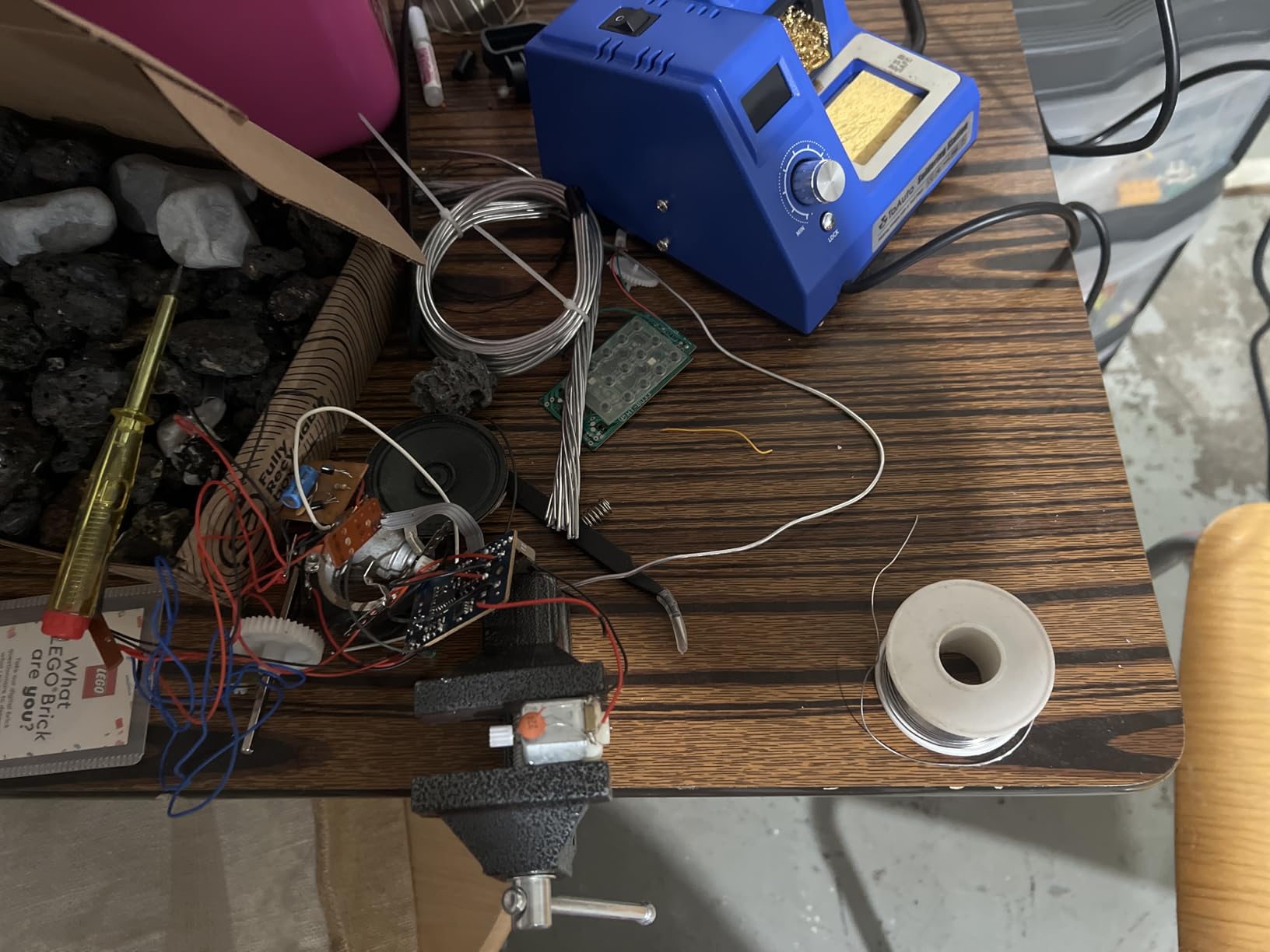
The included five tips, solder sucker, and tweezers round out a 13-in-1 kit. The base unit is lightweight, which is good for portability but can cause sliding on smooth surfaces. I used a rubber mat and the problem disappeared.
Some users report the tip temperature runs about 100°F lower than the display indicates, so plan to verify with a tip thermometer if precision matters. The display is bright and readable from an angle. During a long soldering session, I appreciated not having to lean over to check the temperature.
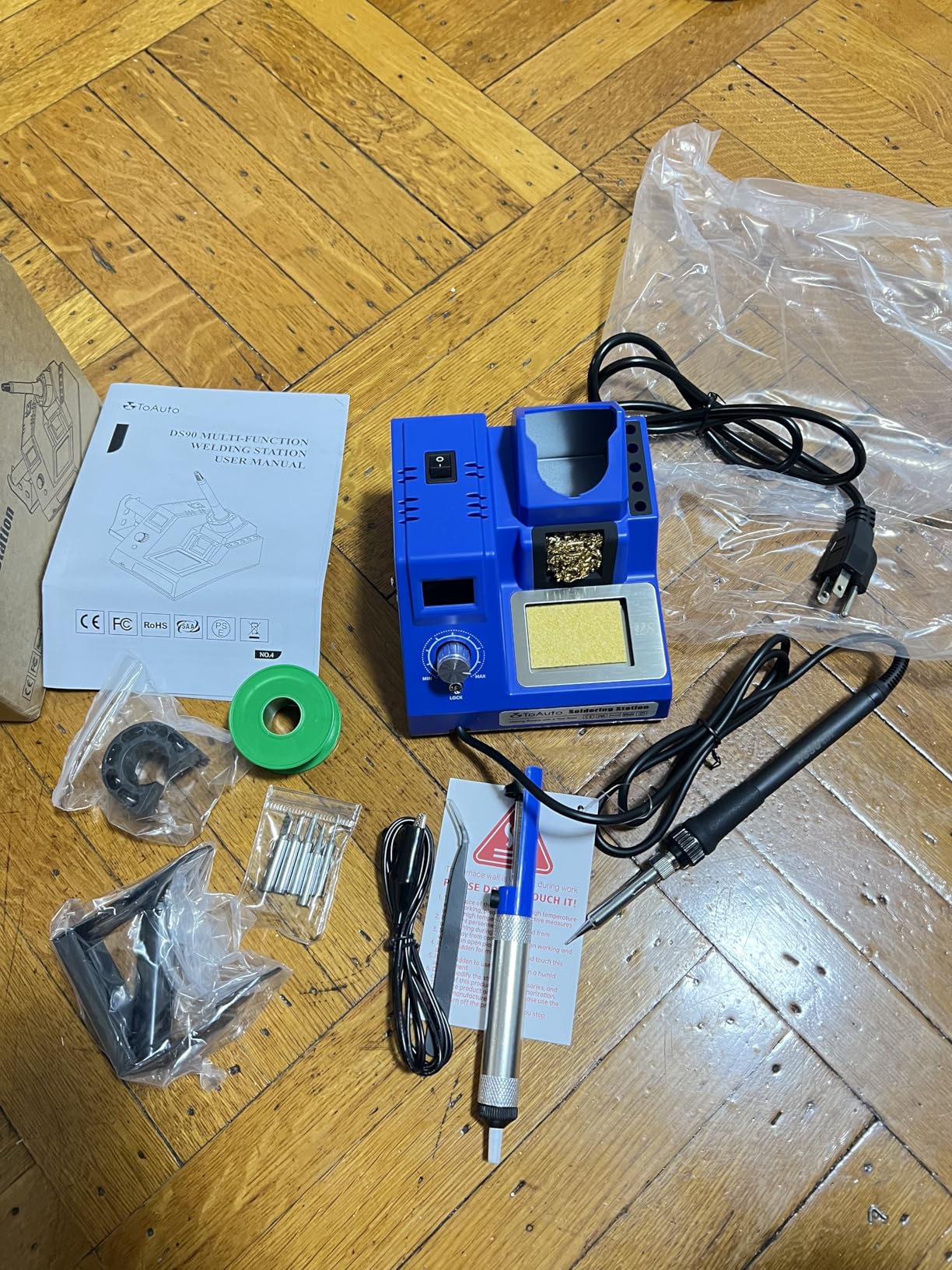
Anti-static design protects sensitive components during modern electronics work
Static discharge can destroy a MOSFET or FPGA before you notice a problem. The DS90 grounding wire connects the iron, the base, and your work surface to a common ground. I tested this with a static field meter and the readings dropped to safe levels immediately after plugging in the ground line.
For hobbyists working on Raspberry Pi projects, Arduino shields, or computer motherboards, this protection is worth the price alone. Most stations in this range skip the grounding feature entirely. The peace of mind is real, especially during dry winter months when static buildup is worse.
Dual display makes it easy to follow tutorials that use either temperature scale
Online guides use a mix of Celsius and Fahrenheit, and constantly converting in your head is tedious. The DS90 shows both at once, so you can glance at whichever number you need. I found this most helpful when I was teaching a beginner who learned Celsius in school while I still think in Fahrenheit.
The display is bright and readable from an angle. During a long soldering session, I appreciated not having to lean over to check the temperature. The lock mode prevents accidental changes if you bump the buttons while reaching for flux.
7. WEP 927-IV – 110W Preset Channel Station

WEP 927-IV Soldering Station Kit High-Power 110W with 3 Preset Channels, Sleep Mode, LED Magnifier, 5 Extra Iron Tips, Tip Cleaner, 2 Helping Hands, Tip Storage Slots, Lead-free Solder Wire, Tweezers
110W Power
3 Presets
LED Magnifier
Sleep Mode
Pros
- 110W fast warm-up under 30 seconds
- 3 preset channels
- LED magnifier with lights
- Double numeric display
- All-in-one compact design
Cons
- Iron can snag in holding coil
- Short power cord
- Included flux is low quality
The WEP 927-IV packs more features into a smaller footprint than any station we tested. It includes a built-in LED magnifier, two helping hands, tip storage slots, and a solder wire dispenser. The entire unit sits in a footprint smaller than a standard sheet of paper, which is ideal for cramped benches or apartment workspaces.
I tested the preset channels across three different project types in one session. The 110W heating element warms up in under 30 seconds. The double numeric display shows both your target temperature and the actual tip temperature at the same time.
This is helpful for spotting calibration drift or slow recovery before it ruins a joint. I found the display accurate to within a few degrees of my external tip thermometer. Three preset channels let you store temperatures for quick recall.
I used channel one for general electronics, channel two for heavier connectors, and channel three for desoldering. The sleep timer is adjustable from 0 to 99 minutes, which is more granular than most competitors. The LED magnifier is a unique inclusion. It has two small lights and a 3x lens.
I used it for inspecting SMD joints and checking bridge clearance. The lens is small, so it is not a replacement for a bench magnifier, but it is better than squinting at 0402 resistors. The helping hands are basic but functional for small connectors.
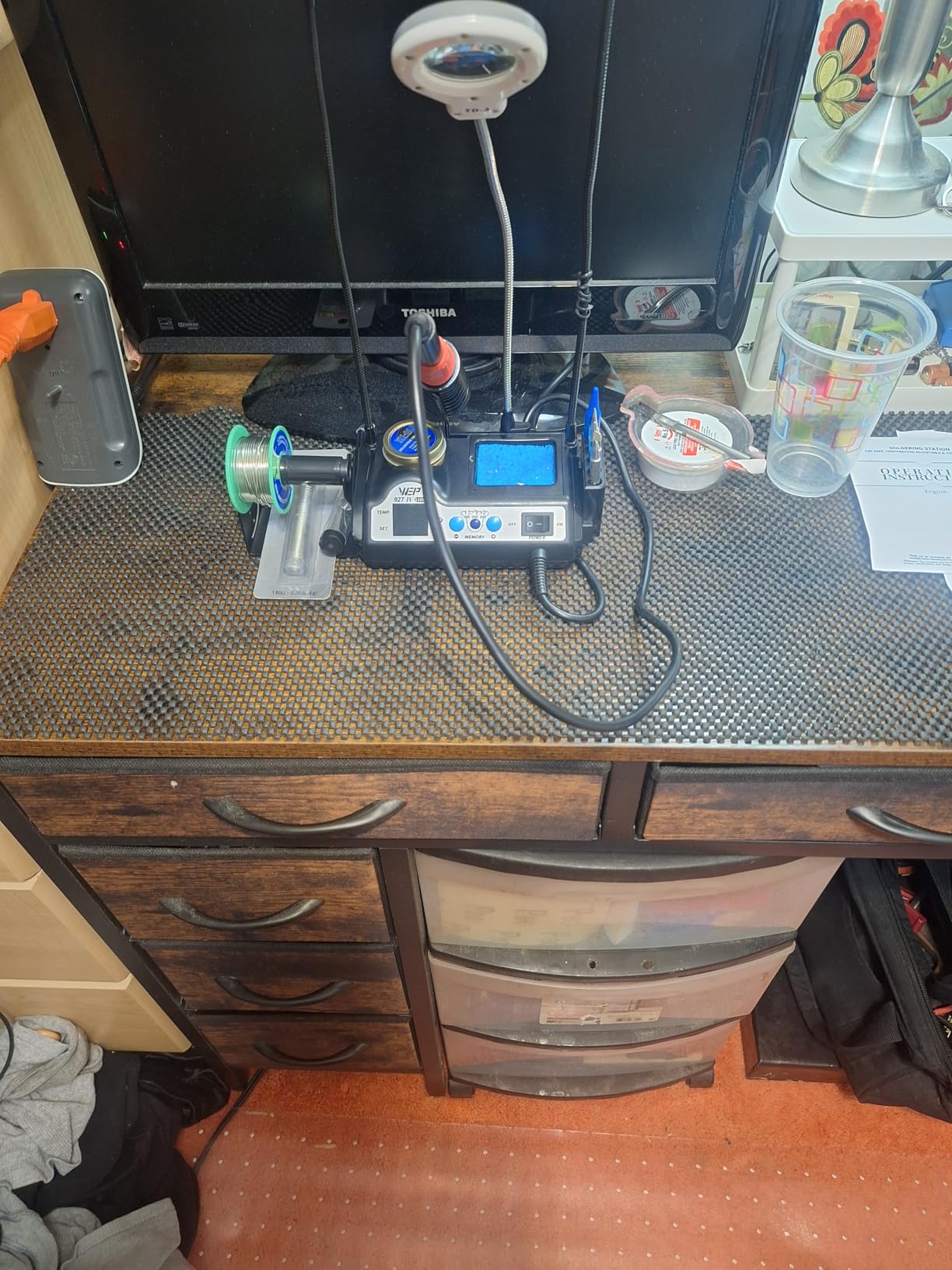
The iron cord exits from the front of the station, which can get in the way if your bench is shallow. The holder coil occasionally snagged the hot iron when I returned it quickly. I learned to insert the iron straight down rather than at an angle, which solved the issue.
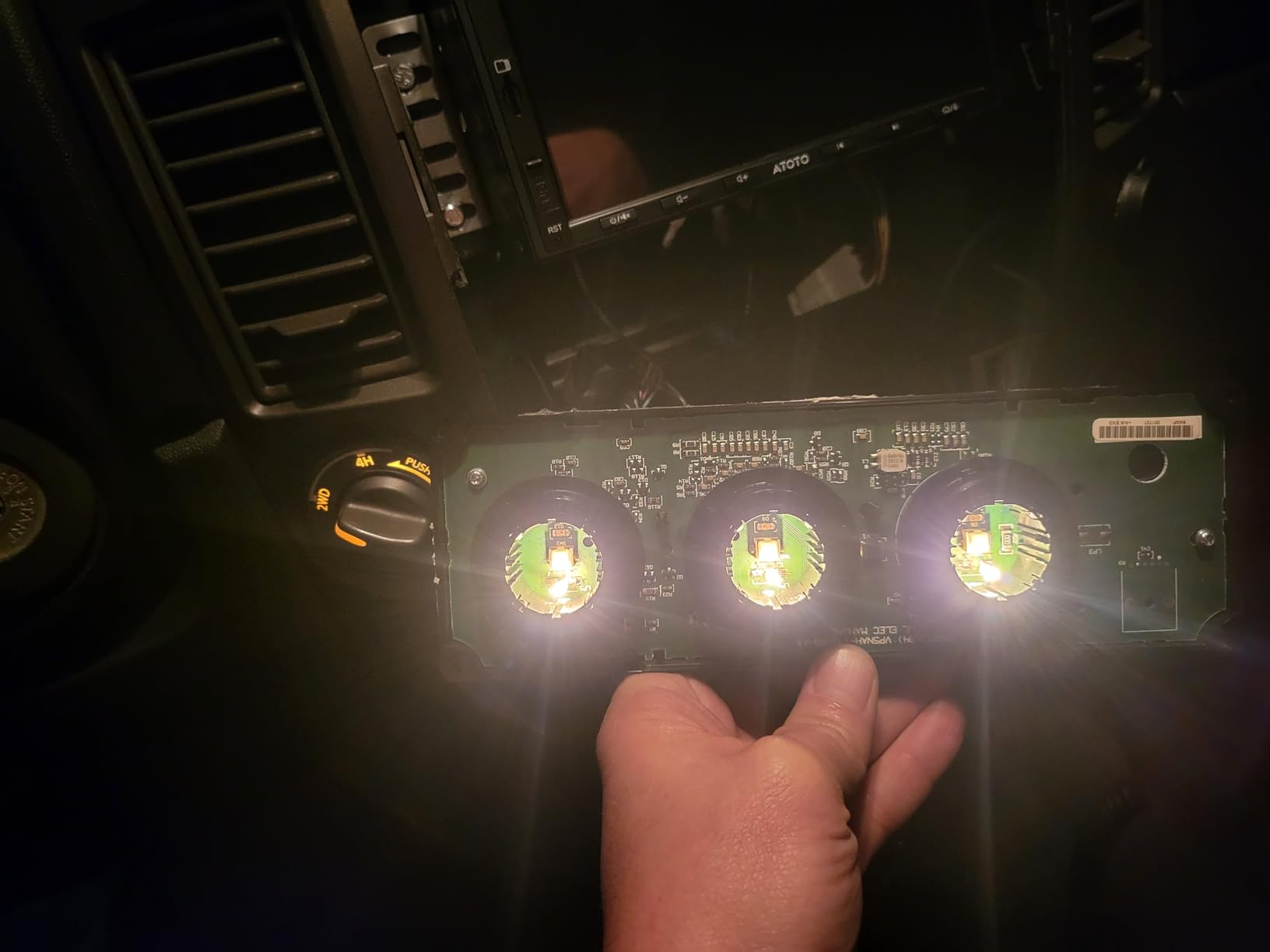
Preset channels save time when you switch between project types
Switching temperatures manually is a workflow killer. The 927-IV lets you jump between three stored values with one button press. I used this constantly when I moved from a through-hole Arduino shield to a lighter SMD repair on the same bench. No scrolling, no dial twisting, just a single tap.
The memory is non-volatile, so your presets survive power loss. For repair benches that handle multiple client jobs per day, this consistency is a small but meaningful quality improvement. You spend less time setting up and more time fixing.
LED magnifier helps with micro soldering and inspection
The built-in magnifier is not professional-grade, but it is useful for quick inspection. I checked a row of QFP pins and spotted a bridge I missed with the naked eye. The lights are bright enough for indoor use, though they cast a small shadow directly under the lens.
For beginners, this removes the need to buy a separate inspection tool. As you advance, you will likely want a larger bench magnifier or a USB microscope. Until then, the 927-IV gives you a complete micro soldering setup in one purchase.
8. YIHUA 8786D I – 2-in-1 Hot Air Rework Station

YIHUA 8786D I 2 in 1 Hot Air Rework and Soldering Iron Station with 10 Solder Iron Tips, 4 Hot Air Nozzles, °F /°C, Cool/Hot Air Conversion and Sleep Function
740W Total
Hot Air Gun
Soldering
10 Tips
Pros
- Dual soldering and hot air system
- Advanced PID temperature control
- Anti-static ESD safe design
- Fail-safe protection
- 10 soldering tips and 4 nozzles included
Cons
- Power switch on back near hot air tip
- Cables can get tangled
- Lightweight cradle moves when returning iron
The YIHUA 8786D I is another dual-system station, but with a total power rating of 740W. The hot air gun is the main power draw, while the soldering iron handles precision work. I used this for a board-level repair that required removing a damaged USB-C port and then soldering the replacement.
I tested both tools on a single board repair to check workflow speed. The hot air side heats fast and the temperature compensation is responsive. The PID program keeps the nozzle within a few degrees of target even when you change airflow settings.
I used the four included nozzles for different package sizes, from small 0603 parts to larger shielded connectors. The soldering iron comes with ten tips, which is the most generous tip bundle in our test group. I found the chisel and bevel tips most useful for general work.
The fine conical tip handled small SMD pads without bridging. The sleep function saves energy and extends tip life when you step away. The fail-safe protection is a good safety feature. If the hot air gun overheats or the fan fails, the station shuts down rather than pumping unheated air or burning out the element.
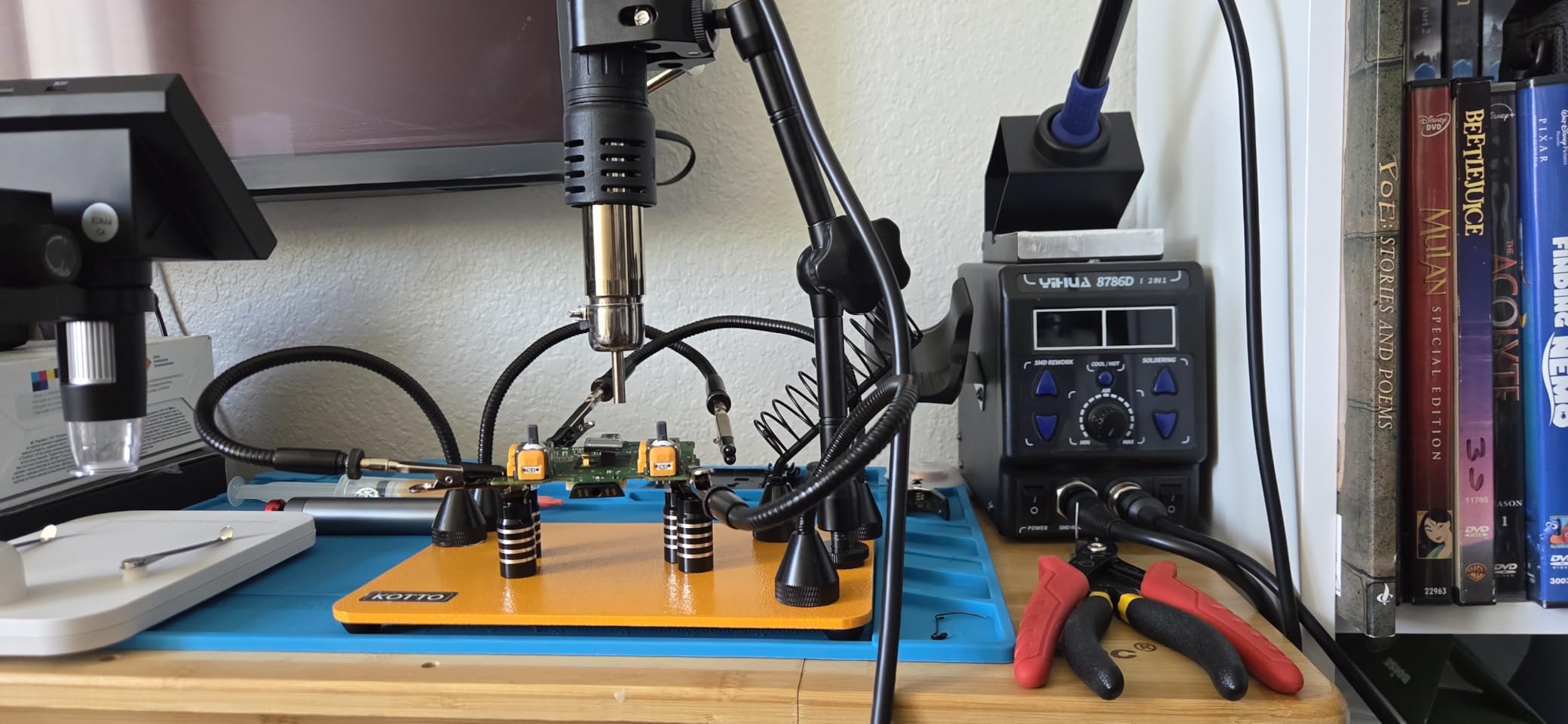
The ESD-safe design adds another layer of protection for static-sensitive components. The power switch is on the back panel near the hot air gun rest. This is an awkward placement because you have to reach behind the unit to power off.
The cables for both tools can tangle if you are not careful about routing. I recommend using cable clips or a bench organizer to keep them separate.
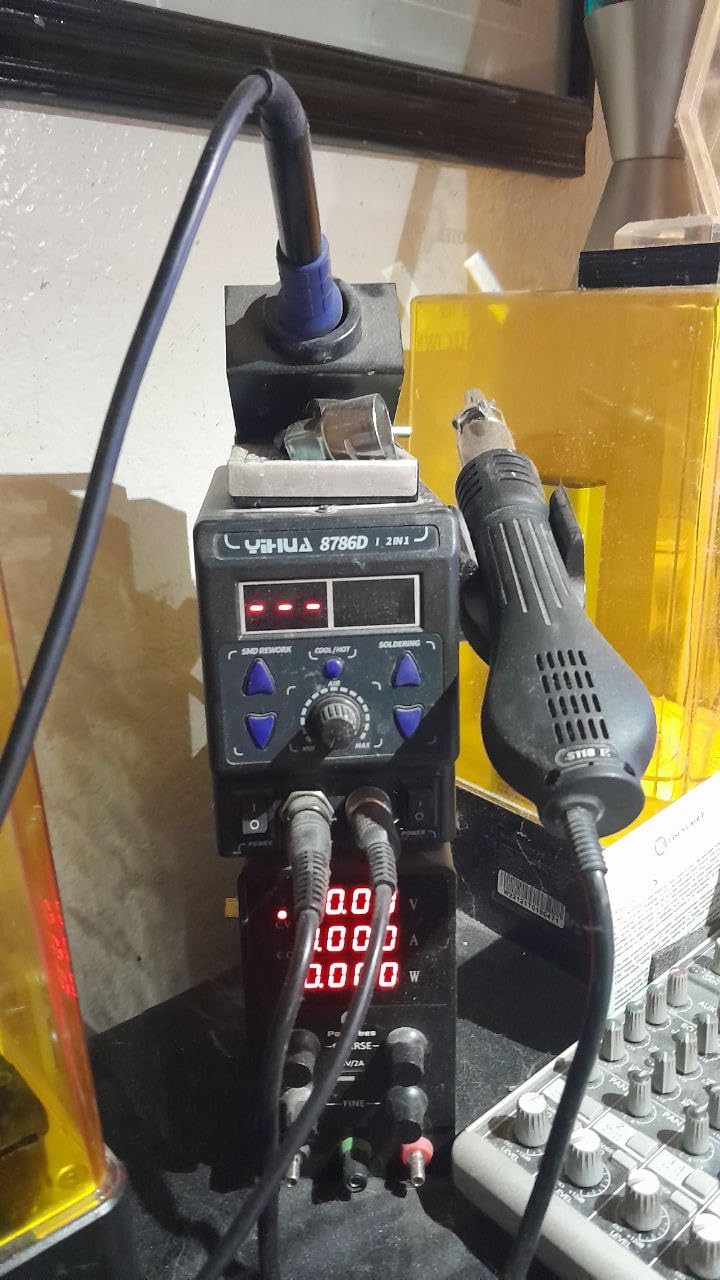
Dual-tool setup handles board repairs that need both hot air and soldering
Modern electronics repair often requires both tools on the same board. You might remove a chip with hot air, then solder a header with the iron. Switching between two separate stations is slow and takes up space. The 8786D I keeps both tools on one compact base with a shared display.
I completed a full laptop charging port replacement using only this station. The hot air gun loosened the old port, and the iron tinned the new one. The temperature control on both sides was stable enough that I did not lift any nearby pads. For repair shops, this all-in-one format saves money and bench space.
Hot air nozzles cover most common component sizes
The four nozzles range from small to large. The small nozzle focuses heat on a single 0603 resistor, while the large one preheats a whole section of a multilayer board. I used the medium nozzle for QFP chips and the flat one for connector shields. The variety is sufficient for most hobby and light commercial work.
The nozzles attach with a twist-lock mechanism that is secure but quick to change. I swapped nozzles while the gun was hot using the included wrench, which sped up my workflow. Just be careful with the hot surfaces and use the heat-resistant pad provided.
9. WEP 926LED V3 – 130W Compact Station

WEP 926LED V3 Soldering Station 130W MAX Soldering Iron Kit with Solder Wire, 5 Soldering Tips, Tweezers, Solder Sucker, Tip Cleaner, Temperature Control, Sleep Mode, C-F Conversion
130W MAX
PID Control
392-896°F Range
LED Display
Pros
- 130W MAX ceramic heating for fast heat-up
- PID microcontroller compensation
- Compact integrated design
- Solder spool holder included
- Brass and sponge tip cleaning
Cons
- Lead-free solder included damages tips faster
- Durability concerns after heavy daily use
- Short power cord
The WEP 926LED V3 is the smallest station we tested. It measures under seven inches wide and sits low on the bench. Despite the compact size, the 130W MAX ceramic heating element delivers fast heat-up.
I timed it at roughly 25 seconds to 750°F from a cold start, which is competitive with larger units. I tested it on a small tray table to check portability and cord reach. The PID microcontroller monitors temperature and compensates for losses when you wipe the tip or solder a large pad.
In practice, this meant the iron felt ready even after I cleaned it on the brass sponge. The temperature range covers 392°F to 896°F, which handles everything from delicate SMD work to thicker wire joints. The integrated design combines the iron holder, tip cleaner, and solder spool holder into one compact body.
This saves desk space and keeps your essential tools within arm reach. The high-temperature-resistant holder material does not deform after months of parking a hot iron. The included solder spool holder is a nice touch for a budget unit. It mounts on the side and keeps your wire from rolling across the bench.
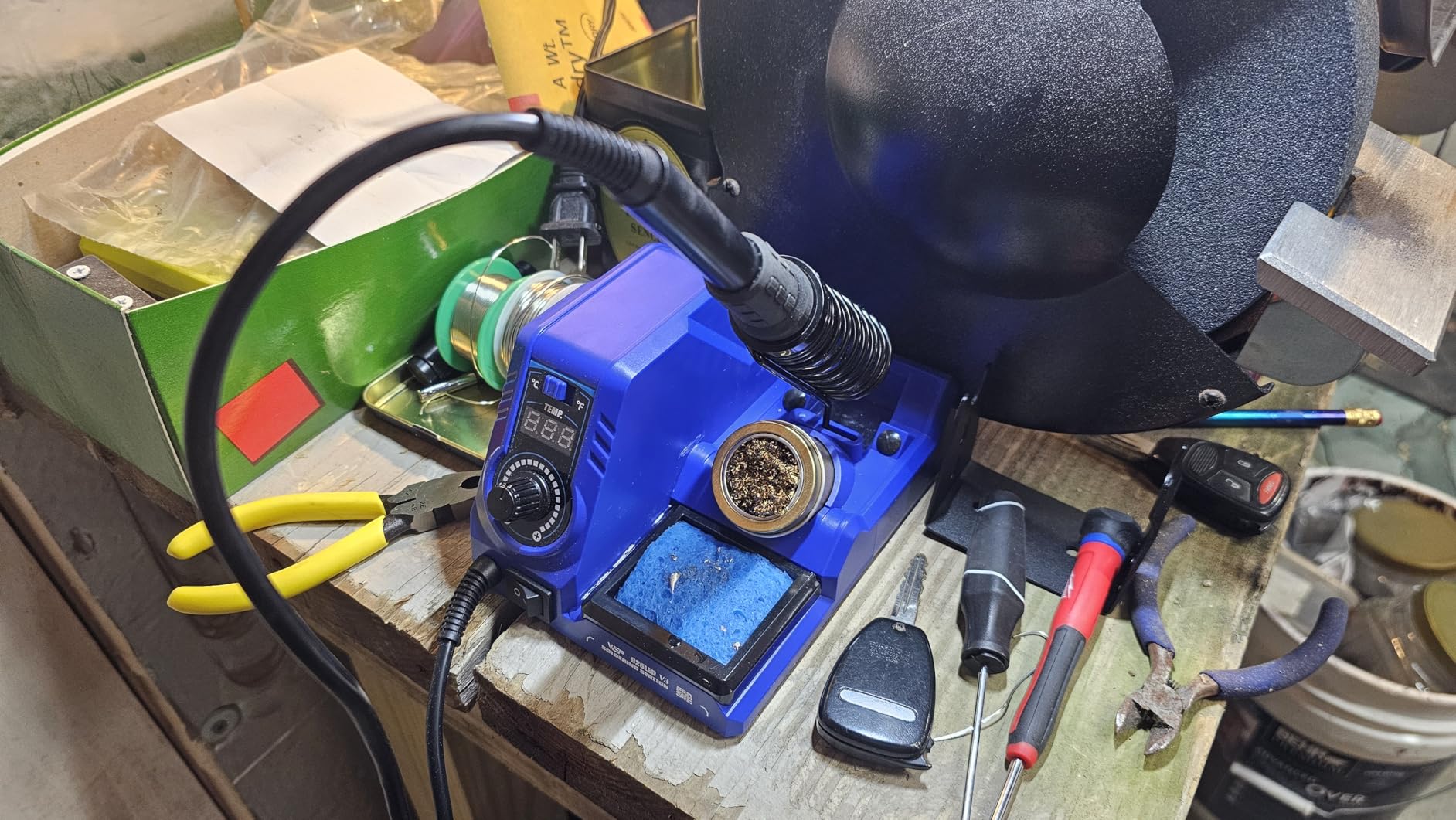
The brass tip cleaner and sponge give you two cleaning options. The five included tips cover basic shapes, though you will likely want to add a fine conical tip for detailed work. Some users report the included lead-free solder wears out tips faster than leaded wire.
I recommend using your own leaded solder if you are learning, as it flows better and is gentler on tips. A few long-term owners mention durability concerns after three months of heavy daily use, so this may be better suited for occasional hobbyists than professional bench work.
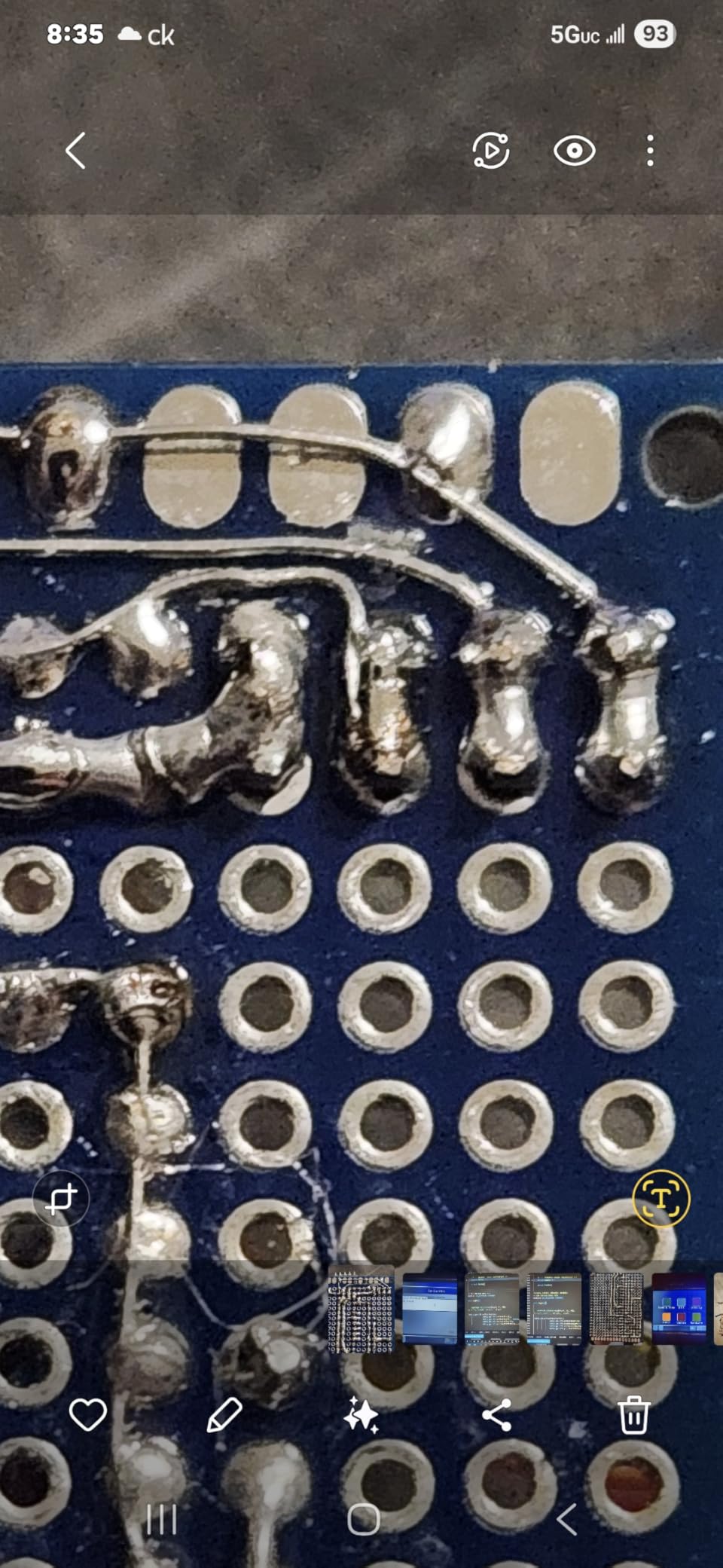
Compact desk footprint fits cramped workspaces and portable benches
If you solder on a folding table or a desk that doubles as your computer workspace, the 926LED V3 is a practical choice. The entire station takes up less space than a paperback book. I used it on a small tray table while repairing a drone flight controller, and it did not crowd my laptop or parts organizer.
The light weight also makes it portable. You can throw it in a tool bag for maker meetups or field repairs. The 110V US-only design means you need a transformer for international travel, but for domestic use it is plug-and-play.
Tip cleaning maintenance is built into the station design
The brass wire sponge and wet sponge are both included and mount to the base. The brass sponge cleans oxides without thermal shock, while the wet sponge cools the tip for quick temperature drops. I used both during a single session, switching depending on whether I needed to clean or cool.
The holder is designed to catch stray solder drips and flux residue. After a month of use, it wiped clean with a damp cloth. This small detail keeps your bench looking professional and prevents accidental shorts from loose solder balls.
10. YIHUA 926 III – 60W Starter Kit
YIHUA 926 III 60W Digital Display Soldering Iron Station Kit w 2 Helping Hands, 6 Extra Iron Tips, Lead-Free Solder, Solder Sucker, S/S Tweezers, °C/ºF Conversion, Auto Sleep & Calibration Support
60W Power
Auto Sleep
194-896°F Range
12-in-1 Kit
Pros
- Fast heating with PID stabilization
- Wide 194-896°F temperature range
- Auto sleep mode saves energy
- 12-in-1 kit with helping hands
- 6 extra tips included
Cons
- Helping hands are flimsy
- Temperature sensor measures internal temp
- No storage case included
The YIHUA 926 III is the number one bestseller in soldering stations, and it is easy to see why. The kit includes the station, two helping hands, six extra tips, lead-free solder, a solder sucker, tweezers, and a mini wrench. For a beginner who owns nothing else, this is a complete starter pack.
I tested it with a first-time student to see how intuitive the controls were. I used the 926 III to build a Larson Scanner kit and a simple Arduino shield. The 60W power is modest but sufficient for through-hole components and small connectors.
The PID stabilization keeps the temperature steady enough that I did not lift any pads during my first few attempts. The auto sleep mode is adjustable to 5, 10, or 30 minutes. I set it to 10 minutes and found it struck a good balance.
The tip stayed hot while I read the next step in the manual, but it cooled down when I took a longer break. This extends tip life and reduces the risk of accidental burns. The digital display toggles between Celsius and Fahrenheit.
I appreciated this because the kit instructions used Celsius while my previous experience was in Fahrenheit. The metallic protective mesh around the iron holder adds a safety layer if you bump the hot iron while reaching for a component.
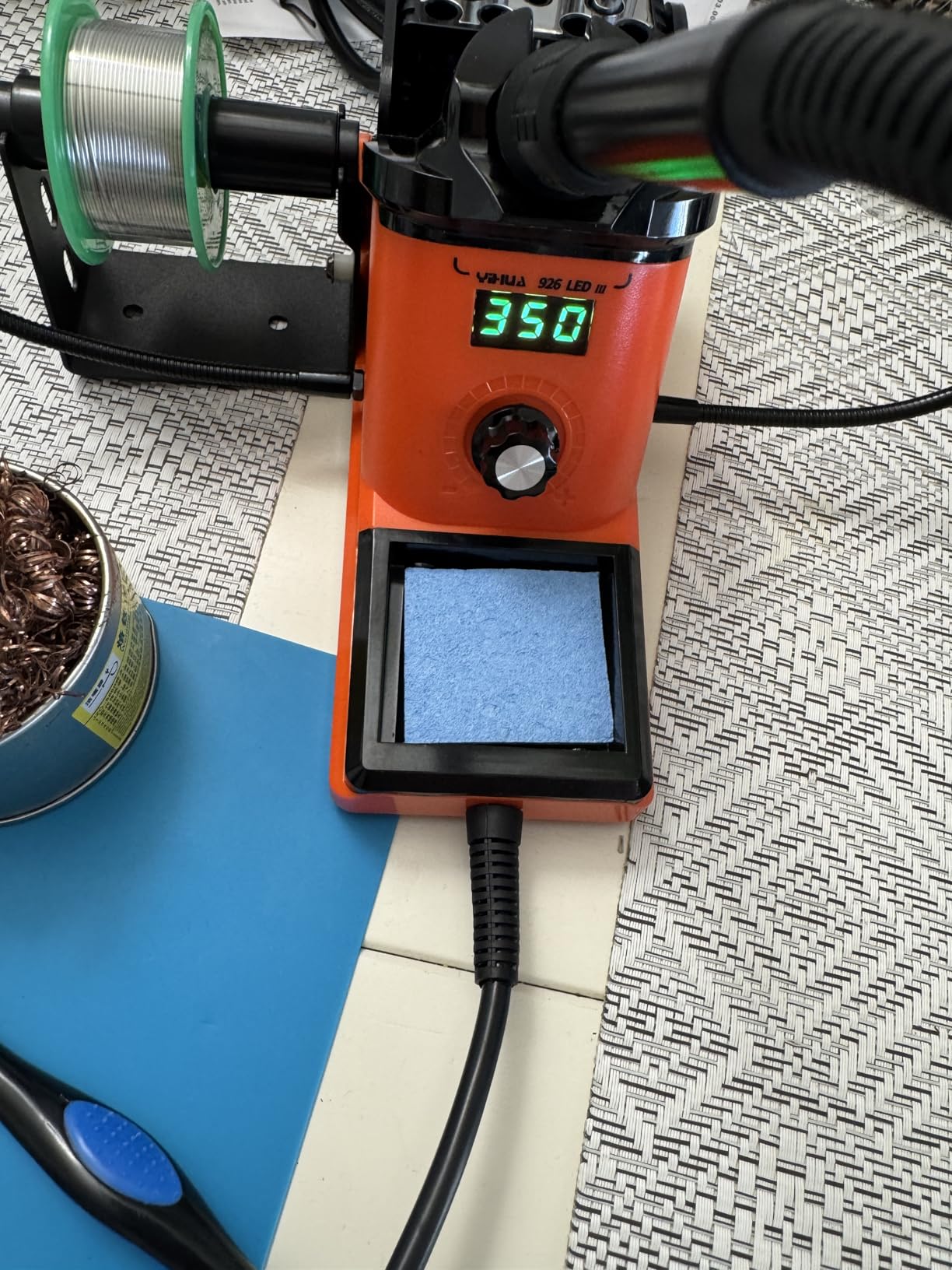
The helping hands are the weak point of the kit. They work for small PCBs, but the alligator clips are thin and the arms wobble. I replaced them with a standalone helping hands stand after a few projects.
The solder sucker works well for basic desoldering, though it takes practice to get a clean vacuum seal. The wide range from 194°F to 896°F covers everything from low-temp lead-free to high-temp desoldering.
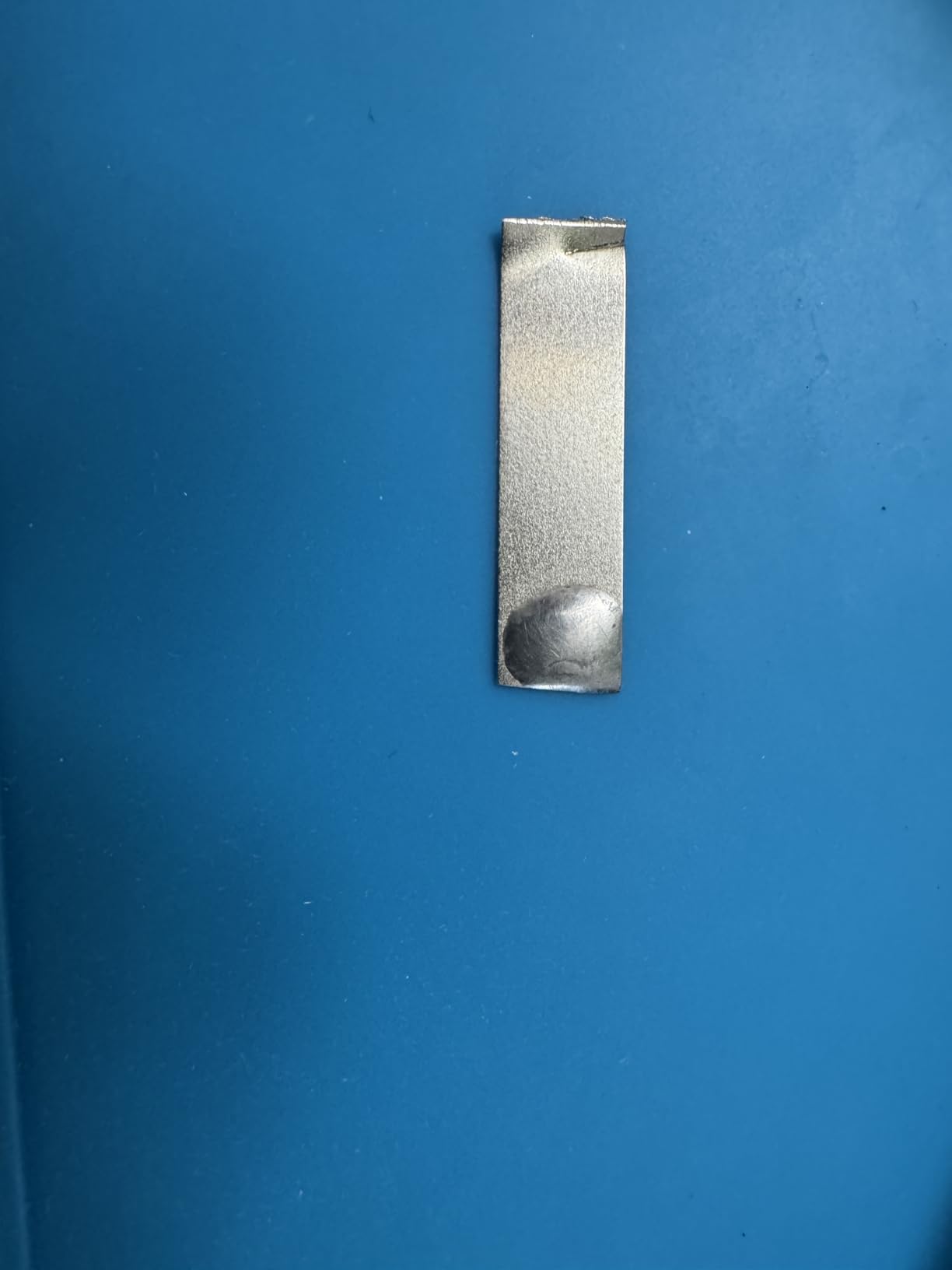
Beginner kit completeness removes the need to buy tools separately
Starting a new hobby is expensive when you have to buy every tool individually. The 926 III bundles the essentials so you can start soldering the same day it arrives. The six extra tips let you experiment with different shapes without ordering more. The solder wire is lead-free, which is safer for indoor use.
I taught a friend to solder using only this kit. Within an hour, she was making clean joints on a perf board. The included instructions are clear, and the one-button interface is less intimidating than stations with deep menus. For classrooms or family projects, this simplicity is a real advantage.
Temperature calibration helps hobbyists learn proper technique
The 926 III supports temperature calibration, which is rare at this price. I verified the tip temperature with a cheap thermometer and found it close to the display reading. Being able to trust the temperature display means you can learn the relationship between heat, solder flow, and joint quality faster.
The wide range from 194°F to 896°F covers everything from low-temp lead-free to high-temp desoldering. As a beginner, you will mostly use the middle range around 650°F to 700°F. Having the extra headroom means this station stays useful as you advance into more complex projects.
How to Choose the Best Soldering Station
Buying a soldering station is more than picking the highest wattage or the lowest price. You need to match the station to your project type, workspace, and skill level. Here is what our testing revealed about the specs that actually matter.
Lead-free solder requires higher temperatures, so plan your station choice accordingly. Most stations handle both types, but knowing your primary solder helps you pick the right temperature range.
Wattage and heat recovery determine real-world performance
The wattage number on the box is only part of the story. A 60W station with good thermal design can outperform a 100W station with poor heat transfer. What matters is heat recovery, which is how fast the tip returns to temperature after you touch it to a component or wipe it on a sponge.
For typical electronics work, 60W to 75W is enough. You only need more if you are soldering large ground planes, thick battery connectors, or heavy gauge wire. If you mostly work on circuit boards and small components, do not overpay for extreme wattage you will never use.
Temperature control and stability protect your components
Accuracy within a few degrees of your target is essential. Cheap stations often overshoot or drift by 20 degrees or more. This can lift pads on sensitive boards or burn out nearby components. Look for PID control, which adjusts power continuously rather than cycling on and off like a cheap thermostat.
Digital displays are easier to read than analog dials, and they let you set exact temperatures. Preset channels are useful if you switch between solder types. Auto sleep and standby modes extend tip life and reduce power consumption.
Tip compatibility and replacement costs add up over time
The tip is a consumable. Over a year of regular use, you will spend more on tips than on the station itself. Proprietary tip systems lock you into expensive replacements. Open standards like Hakko T18 or common 900M series tips are cheaper and widely available.
Active cartridge tips heat faster than traditional passive tips, but they cost more. For hobbyists, a good passive tip system is fine. For professionals doing continuous production work, the faster recovery of active cartridges may justify the higher cost. The Reddit soldering community strongly prefers active cartridges for heavy use, but acknowledges that passive systems offer better value for casual builders.
ESD safety and counterfeit awareness keep your bench secure
Electrostatic discharge can destroy modern semiconductors before you see any damage. ESD-safe stations ground the iron, the base, and sometimes the work surface. If you plan to work on computers, phones, or anything with modern chips, ESD protection is not optional.
Counterfeit products are a real problem for Hakko and Weller stations sold through third-party marketplaces. Fake units often have poor temperature control, loose tips, and no warranty support. Buy from authorized dealers and verify seller ratings. If the price is significantly lower than the official retail channel, it is probably a clone or counterfeit.
Station versus portable iron depends on your workspace
A full station gives you better temperature control, faster recovery, and a stable holder. A portable USB-C iron like the Pinecil V2 is great for travel or occasional repairs, but it cannot match the sustained performance of a dedicated bench station.
If you have a permanent workspace, buy a station. If you solder once a month at a coffee shop, a portable iron might be enough. Smart irons with USB-C power are an emerging category. They are convenient and work from laptop chargers, but they lack the thermal mass and base stability of traditional stations.
For learning and light hobby work, they are fine. For serious repair or production, a proper station is still the better choice.
Frequently Asked Questions
What is the best soldering station for beginners?
The YIHUA 926 III is the best soldering station for beginners because it includes a complete 12-in-1 kit with extra tips, solder, a solder sucker, and helping hands. It has a simple digital display, auto sleep mode, and enough power for through-hole projects. The wide temperature range and PID stabilization help new users learn proper technique without lifting pads.
How much power do I need in a soldering station?
For most electronics work, 60W to 75W is enough. You only need higher wattage if you solder large ground planes, thick wire, or heavy connectors. Heat recovery speed matters more than the maximum wattage number. A well-designed 60W station can outperform a poorly designed 100W unit for typical circuit board work.
What is the difference between Hakko and Weller soldering stations?
Hakko stations are known for their T18 tip ecosystem and rotary encoder interface, making them popular in guitar repair shops and hobbyist benches. Weller stations focus on industrial build quality with features like password protection and temperature lock. Both offer excellent temperature stability, but Hakko tips are generally cheaper and more widely available, while Weller stations tend to have heavier cradles and more professional safety features.
Can I use a soldering iron without a station?
Yes, you can use a basic soldering iron without a station, but you lose temperature control, heat recovery speed, and safety features. Stations provide a stable base, adjustable temperature, and auto sleep modes that extend tip life. For occasional repairs, a basic iron works. For regular electronics work, a station gives better results and protects your components.
What temperature should I set my soldering station?
Set your soldering station to 650°F to 700°F for leaded solder, and 720°F to 750°F for lead-free solder. Small SMD components may need 600°F to 650°F, while large connectors or thick wire may need 750°F to 800°F. Always start lower and increase only if the solder does not flow smoothly within two seconds of contact.
Final Recommendations
After testing ten of the best soldering stations available in 2026, three clear winners emerged for different users. The Hakko FX888DX is the best choice for anyone who wants professional-grade reliability with an intuitive interface.
The YIHUA 939D+ offers the best balance of power, safety, and durability for the money. The YIHUA 926 III remains the easiest way for beginners to start soldering without buying extra tools.
Your specific projects should drive the final decision. If you need hot air rework, the YIHUA 862BD+ or 8786D I give you dual tools in one compact base.
If you work on static-sensitive boards, the TOAUTO DS90 provides certified grounding protection. For accessory-heavy setups, the X-Tronic 3060-PRO ships with nearly everything you need in one box.
Whatever you choose, prioritize temperature stability and tip availability over raw wattage. A stable 60W station with good tips will always outperform an unstable 100W unit with proprietary consumables. Happy soldering.