

Finding the best network cabinets for your home lab, small office, or IT closet can feel overwhelming when every brand claims their enclosure is the one you need. After digging through thousands of customer reviews on Amazon and community threads on Reddit’s r/HomeNetworking and r/homelab, I noticed the same complaints repeating: cabinets too shallow for enterprise gear, fans loud enough to drown out conversations, and racks that look big until you actually start loading equipment into them.
A network cabinet (also called a server rack or network enclosure) is a specialized housing designed to mount, organize, and protect 19-inch IT equipment like switches, routers, patch panels, and servers. The best network cabinets balance three things: enough U-size for your gear today plus room to grow, sufficient mounting depth so your cables are not jammed against the door, and ventilation that keeps temperatures down without sounding like a leaf blower in your hallway.
In this guide, I walk through 10 network cabinets I evaluated across price points from under $90 budget wall mounts up to $1,279 premium floor-standing units. I cover the buying factors that actually matter (U-size, depth, weight rating, cooling, security), share what real buyers reported after months of use, and end with a FAQ targeting the questions that pop up most in search and forum threads. Whether you are building a UniFi stack in a closet or outfitting a small server room, this guide should help you pick a cabinet you will not regret in 2026.
Table of Contents
Top 3 Picks for Best Network Cabinets
Before diving into the full lineup, here are my three standout picks based on real-world feedback, build quality, and value for money. These cover the editor’s choice, best value, and budget categories so you can quickly narrow down your search.

StarTech 42U 4-Post Server Rack
- Open frame
- 1323 lbs capacity
- Adjustable 22-40 inch depth
- Mobile or floor mount


Tecmojo 6U Wall Mount Cabinet
- Lockable glass door
- Cooling fan included
- Wall mount template
- Under $110
Best Network Cabinets in 2026
The comparison table below lists all 10 cabinets side by side so you can scan U-size, depth, mounting style, and key features at a glance. I ordered the products from smallest wall-mounted units up to the largest floor-standing racks, which mirrors how most people actually shop for an enclosure based on available space.
| Product | Specifications | Action |
|---|---|---|
| StarTech 42U 4-Post Server Rack |
|
Check Latest Price |
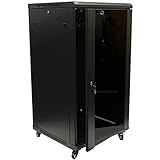 NavePoint 22U Server Cabinet NavePoint 22U Server Cabinet |
|
Check Latest Price |
| Tecmojo 6U Wall Mount |
|
Check Latest Price |
| Tecmojo 12U Wall Mount |
|
Check Latest Price |
 NavePoint 12U Server Cabinet NavePoint 12U Server Cabinet |
|
Check Latest Price |
 VEVOR 6U Wall Mount Cabinet VEVOR 6U Wall Mount Cabinet |
|
Check Latest Price |
 Tecmojo 18U Wall Mount Tecmojo 18U Wall Mount |
|
Check Latest Price |
 VEVOR 22U Server Rack VEVOR 22U Server Rack |
|
Check Latest Price |
 VEVOR 12U Open Frame Rack VEVOR 12U Open Frame Rack |
|
Check Latest Price |
 Sysracks 42U Floor Standing Sysracks 42U Floor Standing |
|
Check Latest Price |
Buying Guide: How to Choose the Right Network Cabinet
Before spending anything on a network cabinet, work through the six factors below. These are the same criteria I used to rank the 10 products in this guide, and they address the pain points that come up over and over in forum threads from r/homelab and r/HomeNetworking.
1. U-Size: Always Go Bigger Than You Think
U-size (rack units) measures vertical space inside the cabinet. One rack unit equals 1.75 inches. A 6U cabinet fits roughly six 1U devices stacked, a 12U fits twelve, and so on up to 42U which is full data-center height.
The single most common complaint from buyers is buying too small. Reddit users consistently recommend a minimum of 9U to 12U even for a basic UniFi setup with a router, switch, patch panel, and a small UPS. Add a NAS or a 1U server and you are already filling a 12U rack.
My rule of thumb: tally the U-height of every device you plan to mount, then add 30 to 50 percent for cable management panels, blanking panels, shelves, and future expansion. That buffer is what separates a cabinet you outgrow in six months from one that lasts for years.
2. Mounting Depth: The Hidden Deal-Breaker
Depth is the spec that bites the most buyers. A cabinet listed as 17.7 inches deep often has a usable mounting depth of only 14.2 inches after the door and cable management clearance. Enterprise switches, NAS units, and rackmount servers routinely need 24 inches or more.
For home AV gear and shallow network switches, 14 to 18 inches of depth usually works. For rack servers, deeper enterprise switches, or anything with rear cable arms, look for 23.6 inches or deeper. The NavePoint 12U and 22U cabinets in this guide hit that 23.6 inch mark, which is why they get recommended in homelab communities.
3. Wall Mount vs Floor Standing
Wall-mount cabinets save floor space and work well in closets, hallways, and small offices. They typically max out around 18U and 110 pounds of gear because the wall can only support so much. Floor-standing racks handle heavier loads, deeper equipment, and taller U-sizes up to 42U.
If you are wall-mounting, confirm your wall can handle the loaded weight and that studs align with the mounting points. The Tecmojo cabinets include a cardboard template for drilling, which several reviewers said was the feature that made installation painless.
4. Ventilation and Cooling
Enclosed cabinets trap heat. Without active airflow, a closed cabinet in a warm closet can cook your equipment. Look for built-in fans, ventilation vents, or mesh doors depending on your thermal load.
The trade-off is noise. Several reviewers of the NavePoint cabinets noted that the included fans sound like leaf blowers and swapped them for quieter Noctua units. If the cabinet sits in a living space or home office, factor in fan noise or look at open-frame designs like the StarTech 42U which rely on passive airflow.
5. Security and Locks
Lockable doors and side panels matter in shared spaces, rental properties, and offices where you want to keep hands off your gear. Most enclosed cabinets in this guide ship with keys for the front door and side panels.
One reviewer of the Tecmojo 6U pointed out a useful detail: the locking mechanism lets you close and latch the cabinet without the key, while many competitors require the key every time. That sounds small until you are closing up the cabinet multiple times a week.
6. Weight Capacity and Build Quality
Check both static weight capacity (what the cabinet holds when floor-mounted) and wall-mount capacity (always lower). Cold-rolled or alloy steel construction is standard across the products here. The StarTech 42U leads with a 1,323-pound rating, and the Sysracks 42U is rated for 1,500 pounds, both of which handle fully loaded server deployments.
For wall-mount cabinets, pay attention to whether the weight rating is for wall-mount or ground-mount use. The VEVOR 6U lists 200 pounds ground-mounted and 100 pounds wall-mounted, which is more honest than brands that only quote the higher number.
1. StarTech 42U 4-Post Server Rack – Best Overall for IT Rooms
StarTech 42U 4-Post Server Rack, 19in Open Frame Rack with 40in (101cm) Mounting Depth and 1323lb (600kg) Weight Capacity, Mobile or Floor Mount IT Rack
42U open frame
1323 lbs capacity
Adjustable 22-40 inch depth
Alloy steel
Mobile or floor mount
Pros
- Massive 1323 lb weight capacity
- Adjustable depth from 22 to 40 inches
- Open frame design for maximum airflow
- Reversible parts make assembly forgiving
- Nearly 2000 customer reviews
Cons
- Open frame offers no security or dust protection
- Assembly instructions can be hard to read
- Heavy and ships in a large box
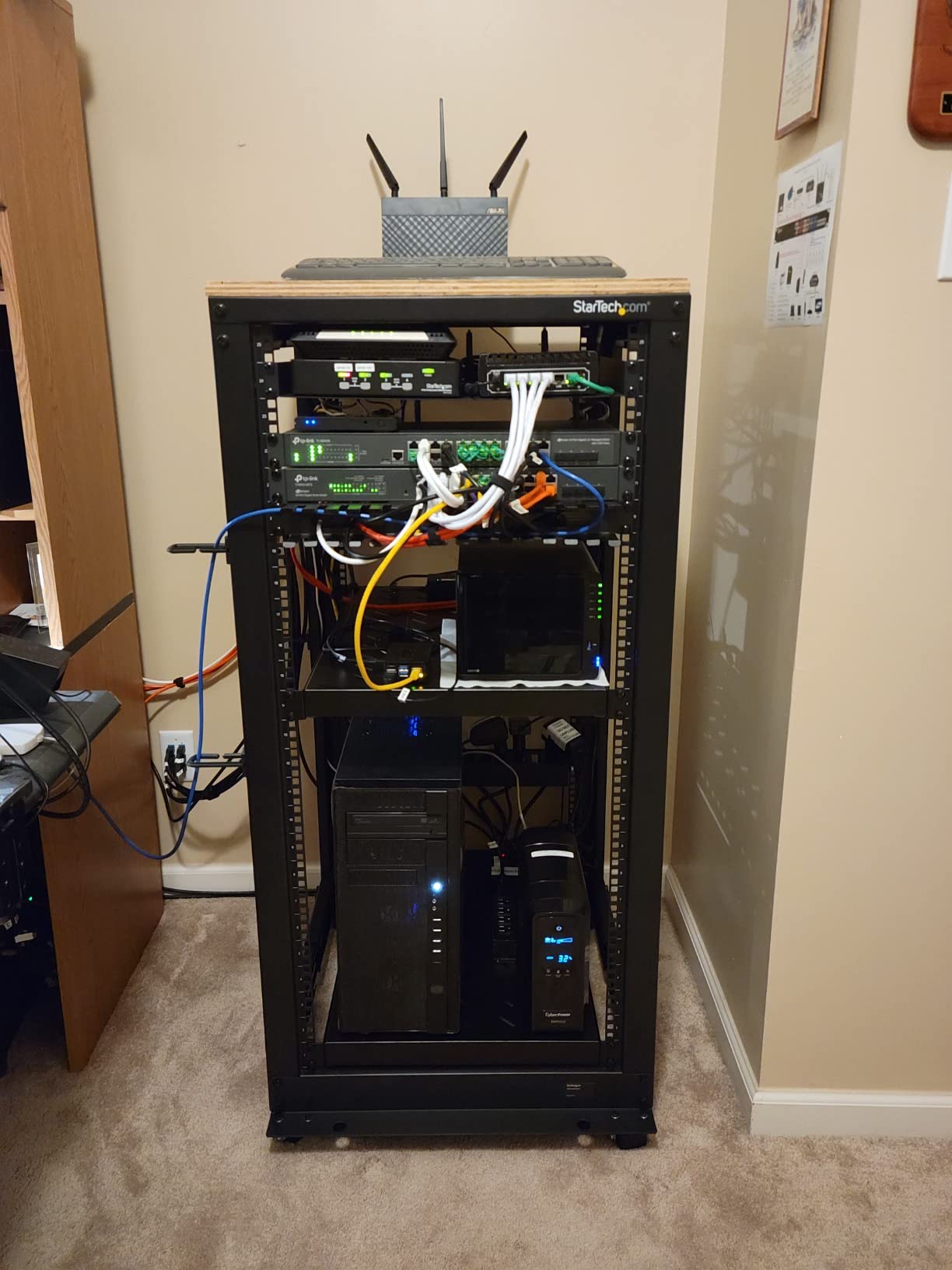
The StarTech 42U 4-Post Server Rack is the cabinet I would pick if I were outfitting a small server room or a serious home lab. It is an open-frame design, which means no doors or side panels, but that trade-off buys you serious airflow and a 1,323-pound weight rating that can handle multiple rack servers, UPS units, and switching gear without breaking a sweat.
I was impressed by how many reviewers called out the build quality. One buyer described it as heavy gauge steel with captive nuts riveted in almost everywhere, and noted that many of the parts are reversible so it is hard to assemble wrong. Another reviewer who runs two PowerEdge R620 servers plus networking gear said the clutter of stacking equipment disappeared the moment everything was racked properly.
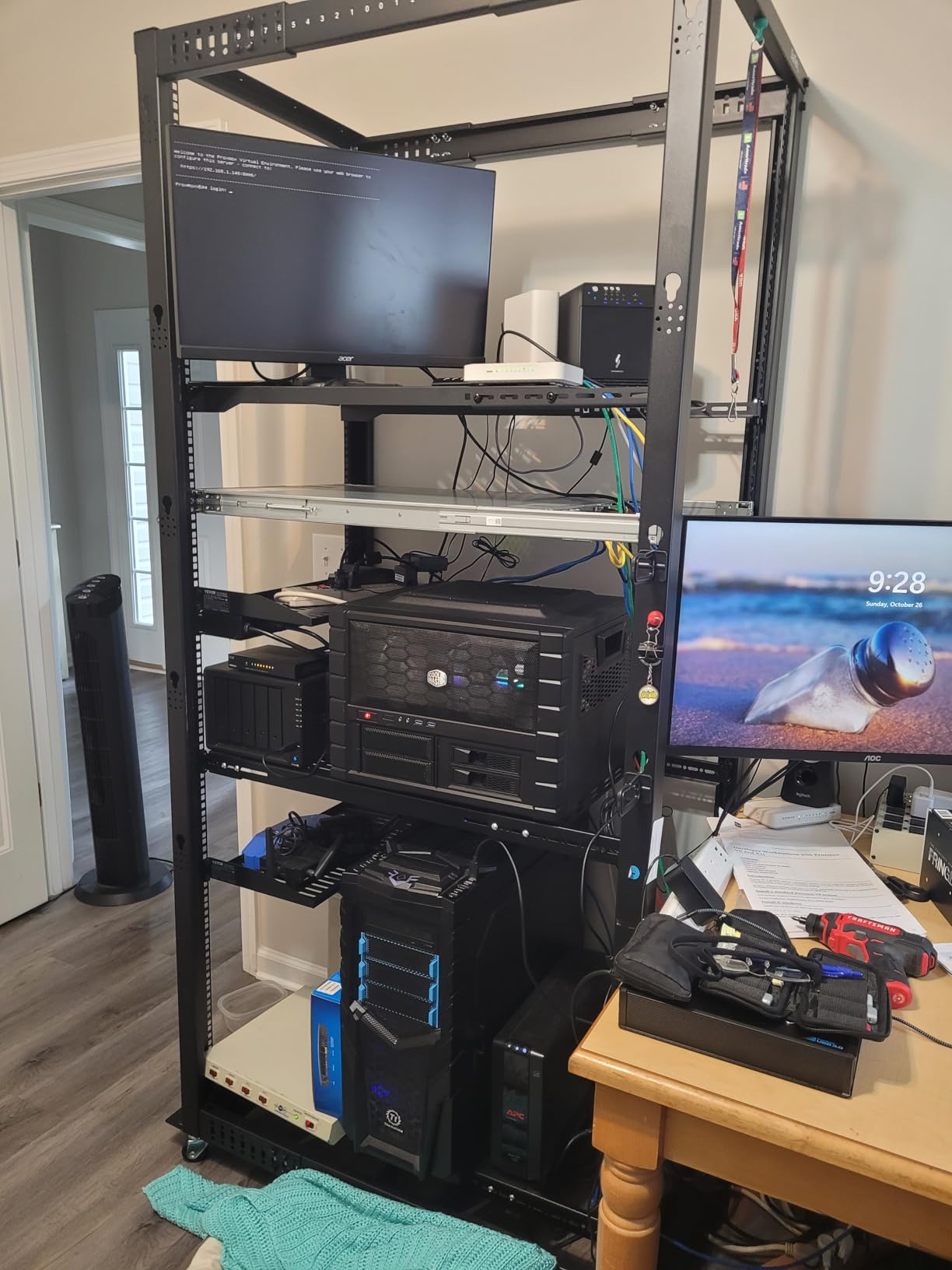
The adjustable mounting depth is a standout feature. You can set the rails anywhere from 22 to 40 inches, which means shallow AV gear and deep rack servers both fit without compromise. The rack ships with casters so you can roll it into place before loading it, then drop the leveling feet once positioned.
The main trade-off is the open-frame design. If you need physical security, dust protection, or noise containment, this is not the cabinet for you. Several reviewers mentioned the outer Amazon box showed shipping damage, but the inner OEM packaging protected the parts.
Best Use Case for This Rack
This rack shines in dedicated IT closets, small server rooms, and home labs where airflow and weight capacity matter more than a lockable door. If you are running actual rack servers rather than just network switches, the depth and load rating here beat every enclosed wall-mount cabinet on this list.
What to Watch Out For
Assembly takes time and the printed instructions have small images that some buyers found hard to follow. Plan for two people during assembly since the frame is heavy and awkward alone. Also, since it is open frame, you will want to budget for cable management arms and vertical organizers separately.
2. NavePoint 22U Server Cabinet – Best Value Enclosed Rack
NavePoint 22U Server Cabinet Wall Mount Rack Enclosure with Caster Wheels, 2 Fans, Locking Glass Door, Removable Side Panels – 22U Network Cabinet 23.6” Deep, 19” Server Rack for A/V Equipment
22U enclosed
130 lbs capacity
23.6 inch depth
2 cooling fans
Caster wheels
Locking glass door
Pros
- Deep 23.6 inch mounting fits enterprise gear
- Two built-in cooling fans
- Locking glass door and removable side panels
- Caster wheels for mobility
- 1
- 300-plus reviews over years of use
Cons
- Included fans are loud
- Factory assembly required for full load
- Wall-mount at this weight is risky
The NavePoint 22U Server Cabinet hits a sweet spot between price, depth, and capacity that makes it my pick for best value. At 23.6 inches deep, it actually fits enterprise switches and deeper gear that the cheaper 17.7-inch cabinets choke on. The enclosed design with a locking glass door gives you security and dust protection the open-frame StarTech cannot match.
Multiple reviewers described it as built like a tank. One buyer running a homelab in their living room noted that once loaded with gear it pushed close to the 130-pound weight limit and they were grateful it shipped on wheels rather than as a pure wall-mount. The two included top fans move serious air through the cabinet.

The fan noise is the most common complaint. The factory fans are industrial-grade metal units that one reviewer compared to a leaf blower. If the cabinet lives in a closet or basement, that is fine. If it sits in a home office or living space, budget time to swap the fans for quieter aftermarket units.
NavePoint has been selling variations of this cabinet for years, and the 1,352-review track record gives you confidence that long-term durability is solid. The instructions include a diagram error on page 3 that several buyers flagged, so pay attention during assembly.
Best Use Case for This Cabinet
This is my top pick for homelabs and small business IT closets where you want an enclosed cabinet that fits real enterprise gear. The depth, the casters, and the locking door combine to make it the most versatile all-rounder in this guide for the price.
What to Watch Out For
NavePoint lists this as wall-mountable, but at 130 pounds loaded I would not trust standard residential walls with it. Use it as a rolling floor unit. Also plan to replace the fans if noise matters in your space, since the stock fans are genuinely loud.
3. Tecmojo 6U Wall Mount Cabinet – Best Budget Pick
Tecmojo 6U Wall Mount Server Cabinet IT Network Rack Enclosure Lockable Door and Side Panels Black, Cooling Fan, Standard Glass Door, 450mm Depth, for 19” IT Equipment, A/V Devices
6U wall mount
110 lbs capacity
450mm depth
Cooling fan included
Locking glass door
Alloy steel
Pros
- Excellent price for a fully enclosed cabinet
- Lockable without needing key every time
- Includes cooling fan
- Cardboard mounting template included
- PCI and HIPAA compliant design
Cons
- Front door can rattle after assembly
- Only 6U of space fills up fast
- 450mm depth too shallow for some gear
The Tecmojo 6U Wall Mount Server Cabinet is the budget pick I recommend for anyone who needs a basic enclosed cabinet for a router, switch, patch panel, and maybe a small UPS. For well under what most enclosed cabinets cost, you get a lockable glass door, a built-in cooling fan, and a mounting template that several reviewers praised.
One buyer who used it to secure a router, camera DVR, network switch, and UPS said the included locks for both the sides and front set it apart from more expensive cabinets that skip side locks. Another reviewer highlighted the clever latching mechanism that lets you close the cabinet without the key, which is rare at this price.
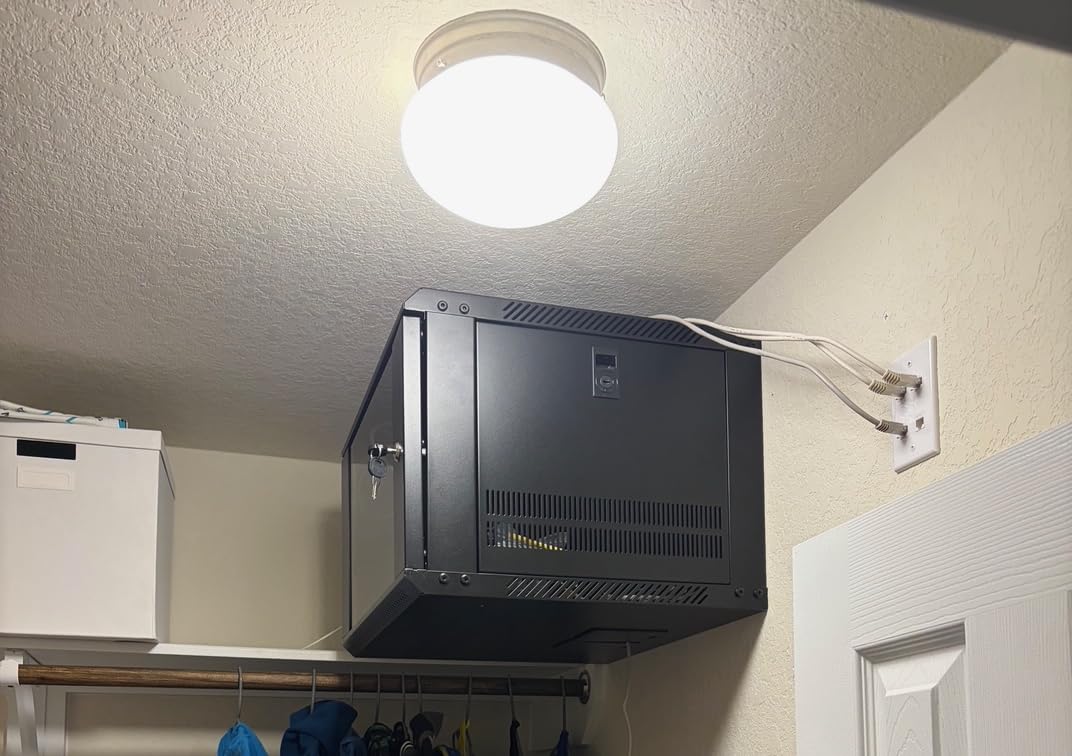
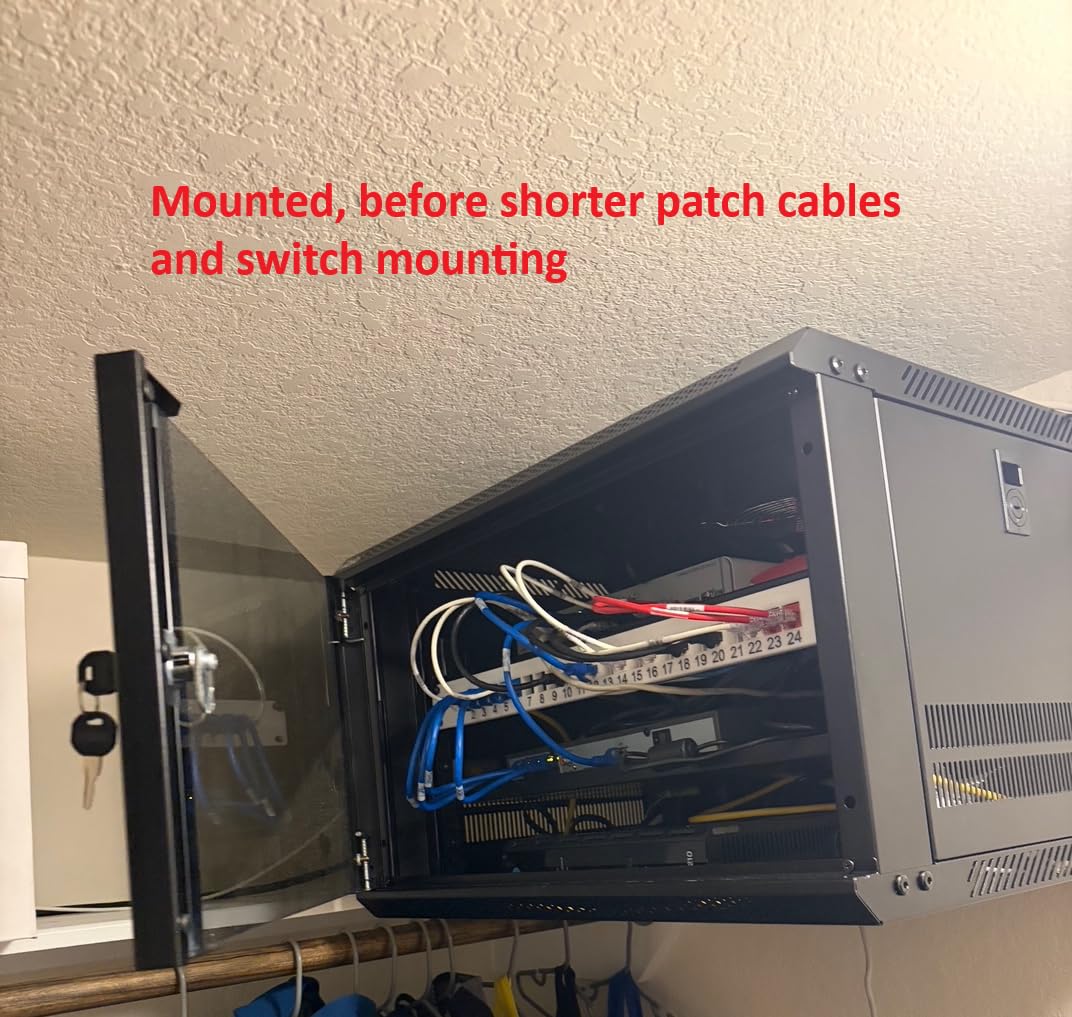
Assembly was consistently described as straightforward. One reviewer recommended waiting to fully tighten screws until the end since some parts needed slight alignment adjustment. The finished cabinet feels sturdy and clean once loaded with gear.
The main complaint is door rattle. One buyer said the front door bangs around after assembly and makes noise if the cabinet is bumped. The 6U size also fills up faster than expected, so measure your gear before committing if you think you might add equipment later.
Best Use Case for This Cabinet
This is the cabinet to buy for a small apartment network, a basic home office setup, or a single-closet AV install where you need to lock up a handful of 1U devices. It is the cheapest way to get a glass-door enclosed cabinet with a fan and locks.
What to Watch Out For
The 450mm (about 17.7 inch) outer depth means usable mounting depth is tighter. If you have deeper switches or any rear-cabled gear, check your measurements carefully. Also, consider adding a small strip of weather stripping to quiet the door rattle that some buyers reported.
4. Tecmojo 12U Wall Mount Cabinet – Best Mid-Size Wall Mount
Tecmojo 12U Wall Mount Server Cabinet IT Network Rack Enclosure Lockable Door and Side Panels Black,Cooling Fan,Glass Door,17.7inch Depth,for 19” IT Equipment,A/V Devices
12U wall mount
110 lbs capacity
17.7 inch depth
Cooling fan
Locking glass door
Mounting template
Pros
- 12U of vertical space for growing labs
- Built-in cooling fan
- Cardboard template for easy wall install
- Lockable door and side panels
- Same build quality as the 6U at larger size
Cons
- 17.7 inch depth is shallow for some switches
- Inner mountable depth only 14.2 inches
- Door rattle reported by some buyers
The Tecmojo 12U Wall Mount Server Cabinet is the bigger sibling of my budget pick and the one I would recommend for a serious home network that needs more vertical room. Twelve rack units is enough for a UniFi dream machine pro, a 24-port switch, a patch panel, a 1U NAS, and still have space for cable management and future expansion.
The included cardboard mounting template is the feature that gets praised most. One reviewer who installed it on sheetrock using toggle screws said the template made wall mounting painless. Another reviewer flipped the cabinet upside down so the fan exhausts out the bottom, which they said improved airflow for their setup.
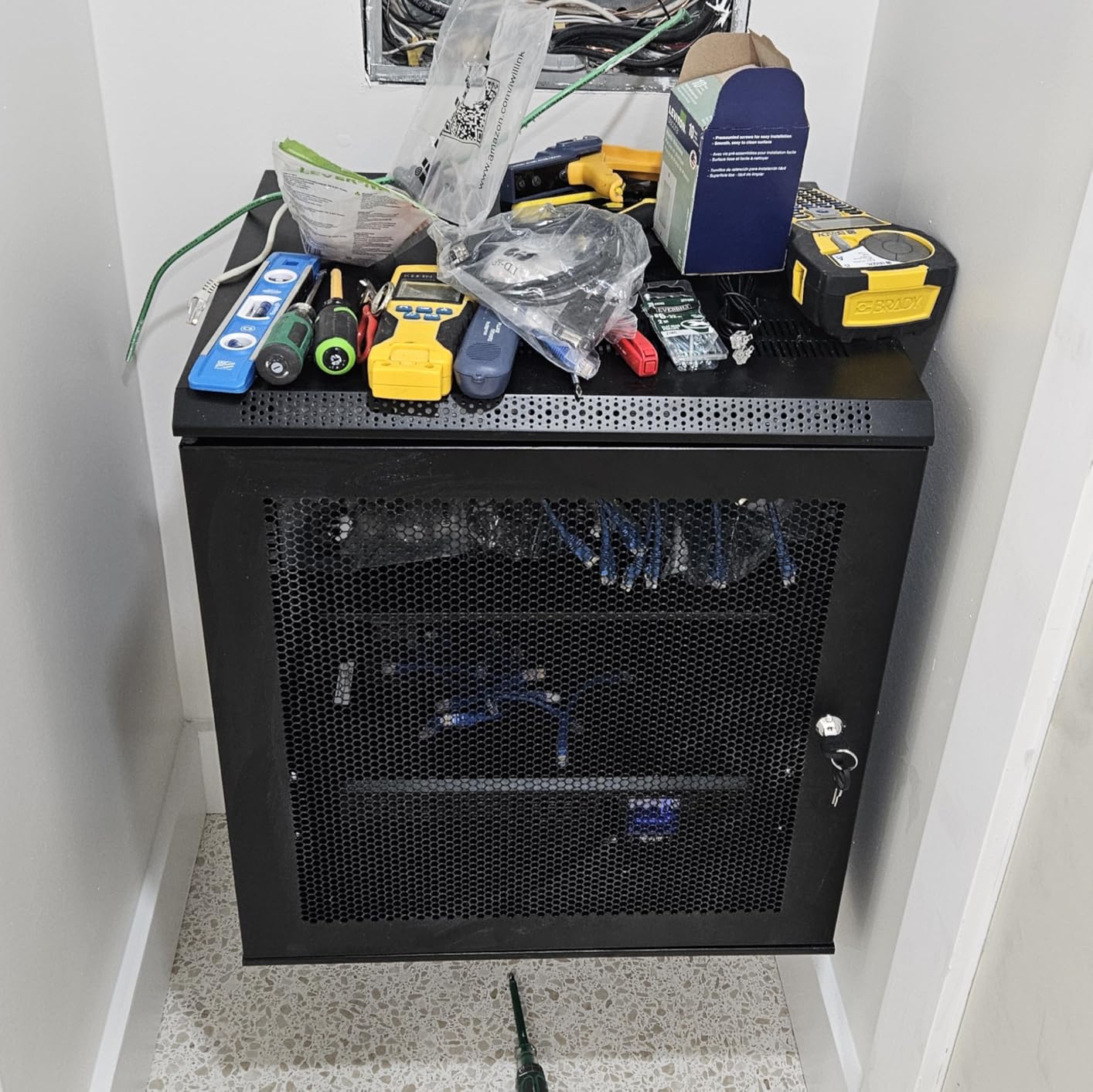
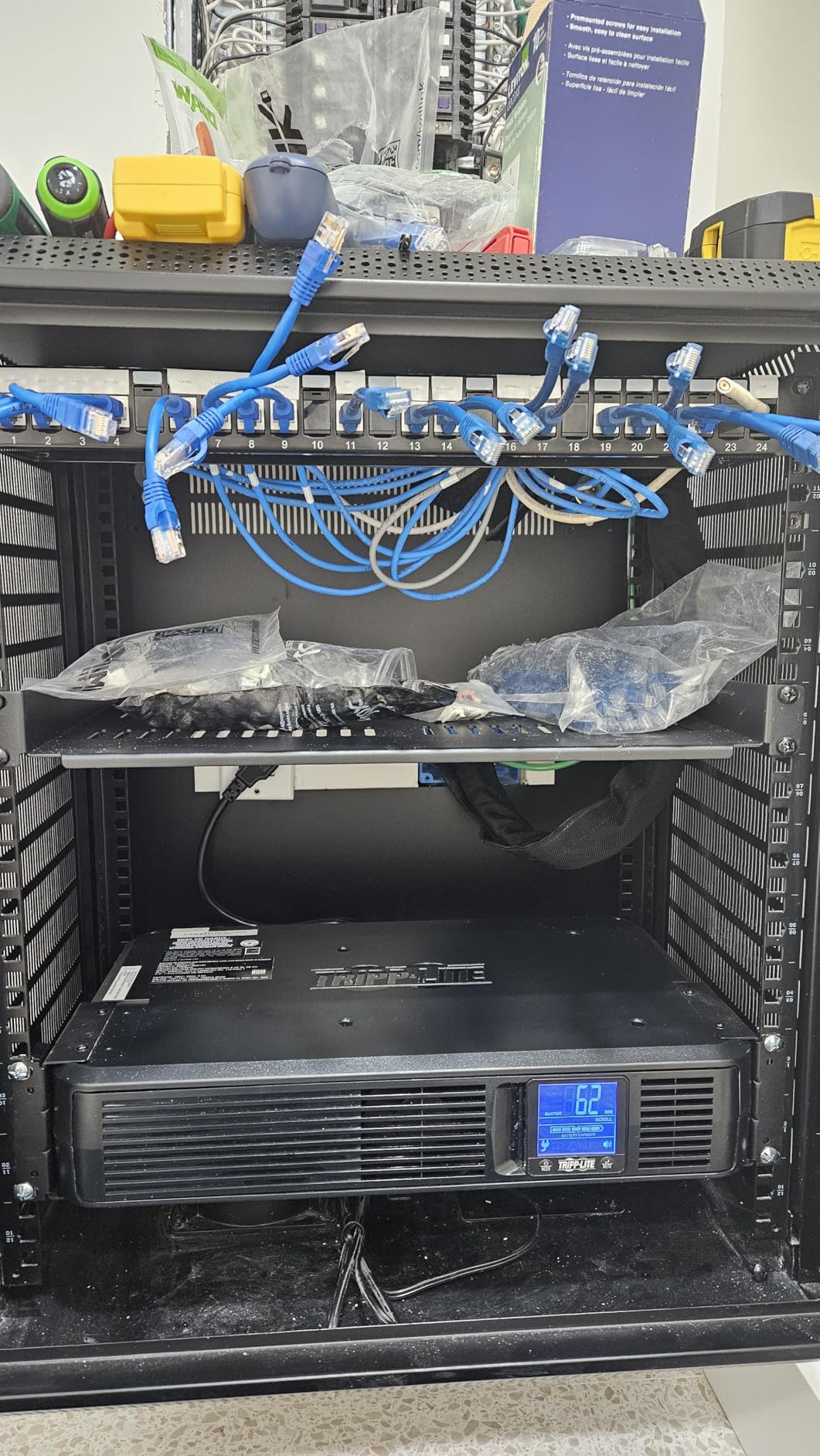
The build quality matches the smaller 6U Tecmojo. Buyers called the steel construction durable and noted that the rack handled heavy hardware without flexing. The locking glass door and side panels give the same security as the rest of the Tecmojo lineup.
The depth is the limitation. One buyer using it for AV equipment in a living room said they wished for another four inches of depth, which is a common theme across 17.7-inch Tecmojo cabinets. The inner mountable depth of 14.2 inches rules out some deeper enterprise switches and rack servers.
Best Use Case for This Cabinet
This is my pick for a growing home network or a small business network closet where wall mounting is required but you need more than 6U of space. Pair it with shallow switches and patch panels and it will serve you well.
What to Watch Out For
Check your equipment depth before buying. The 14.2-inch usable depth is the real number to compare against, not the 17.7-inch outer dimension. If you have any gear deeper than 14 inches, step up to the NavePoint 12U which offers a full 23.6-inch depth.
5. NavePoint 12U Server Cabinet – Best Deep 12U Enclosure
NavePoint 12U Server Cabinet Wall Mount Rack Enclosure Includes 2 Fans, Locking Glass Door, Removable Side Panels – 12U Network Cabinet 23.6” Deep, 19 Inch Server Rack for IT and A/V Equipment
12U enclosed
130 lbs capacity
23.5 inch depth
2 cooling fans
Locking glass door
Removable side panels
Pros
- Deep 23.5 inch depth fits enterprise switches
- Two built-in top fans
- Locking glass door with removable side panels
- Same proven NavePoint build as the 22U
- 130 lbs capacity
Cons
- Fans loud enough to need swapping in living spaces
- Higher price than Tecmojo 12U
- Instruction diagram error on page 3
The NavePoint 12U Server Cabinet solves the depth problem that the Tecmojo 12U has. At 23.5 inches deep, it fits enterprise-grade switches, deeper patch panels, and rackmounted NAS units that the shallow 17.7-inch cabinets simply cannot handle. If you want a 12U enclosed cabinet and depth is a concern, this is the one to get.
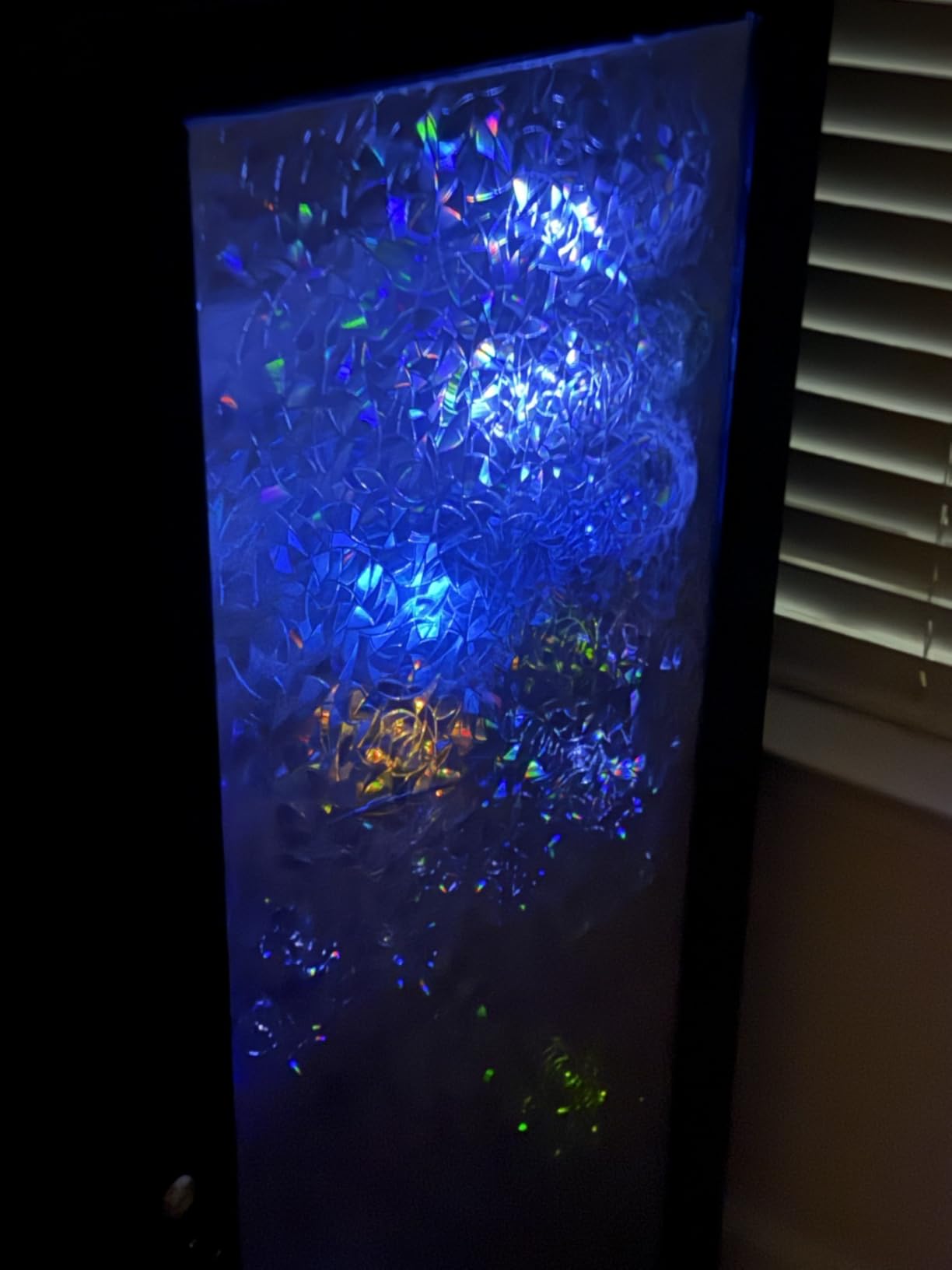
Reviewers who came from cheaper racks described the NavePoint as a clear step up in materials and finish. One buyer who had never worked with networking equipment before said assembly was still approachable and the cabinet felt sturdy once wall-mounted. The two top fans move serious air and exhaust outward.

As with the larger NavePoint 22U, the fans are the main complaint. Buyers running homelabs in living rooms consistently swap them for quieter aftermarket fans because the stock units are industrial-grade and loud. Plan for that swap if noise is a factor in your space.
The locking glass door and removable side panels make for easy equipment access during maintenance. NavePoint has a multi-year track record with this cabinet design, and the 1,300-plus reviews across their 12U and 22U variants give you confidence in long-term durability.
Best Use Case for This Cabinet
Buy this if you need a wall-mountable 12U enclosed cabinet that actually fits enterprise switches and deeper gear. It is the right pick when the Tecmojo 12U is too shallow but you do not need to jump all the way to a 22U cabinet.
What to Watch Out For
The price is higher than the Tecmojo equivalent, which stings given that the fans still need swapping for quiet environments. Also watch for the instruction diagram error on page 3 that several buyers flagged during assembly.
6. VEVOR 6U Wall Mount Cabinet – Budget Alternative to Tecmojo
VEVOR 6U Wall Mount Network Server Cabinet, 15.5” Deep, Server Rack Cabinet Enclosure, 200 lbs Max. Ground-Mounted Load Capacity, with Locking Glass Door Side Panels, for IT Equipment, A/V Devices
6U wall or ground mount
200 lbs ground capacity
15.5 inch depth
Vented panels
Locking glass door
Alloy steel
Pros
- Thick gauge steel for the price
- 200 lbs ground-mounted capacity
- Vent panels on top bottom and rear
- Can mount on wall or sit on ground
- Honest dual weight ratings
Cons
- Quality control issues with dents and scratches
- One of three locks arrived broken for a buyer
- Assembly directions link to video rather than text
The VEVOR 6U Wall Mount Network Server Cabinet is the budget alternative to the Tecmojo 6U. It costs a bit less and uses thicker gauge steel than buyers expected for the price. VEVOR lists it for both wall-mount and ground-mount use with separate weight ratings, which is more transparent than competitors that only quote the higher number.
One reviewer who had previously bought a cheaper rack that bent easily said the VEVOR metal did not flex at all and the glass looked nicer than expected. The vent panels on the top, bottom, and rear provide passive airflow even without a fan.
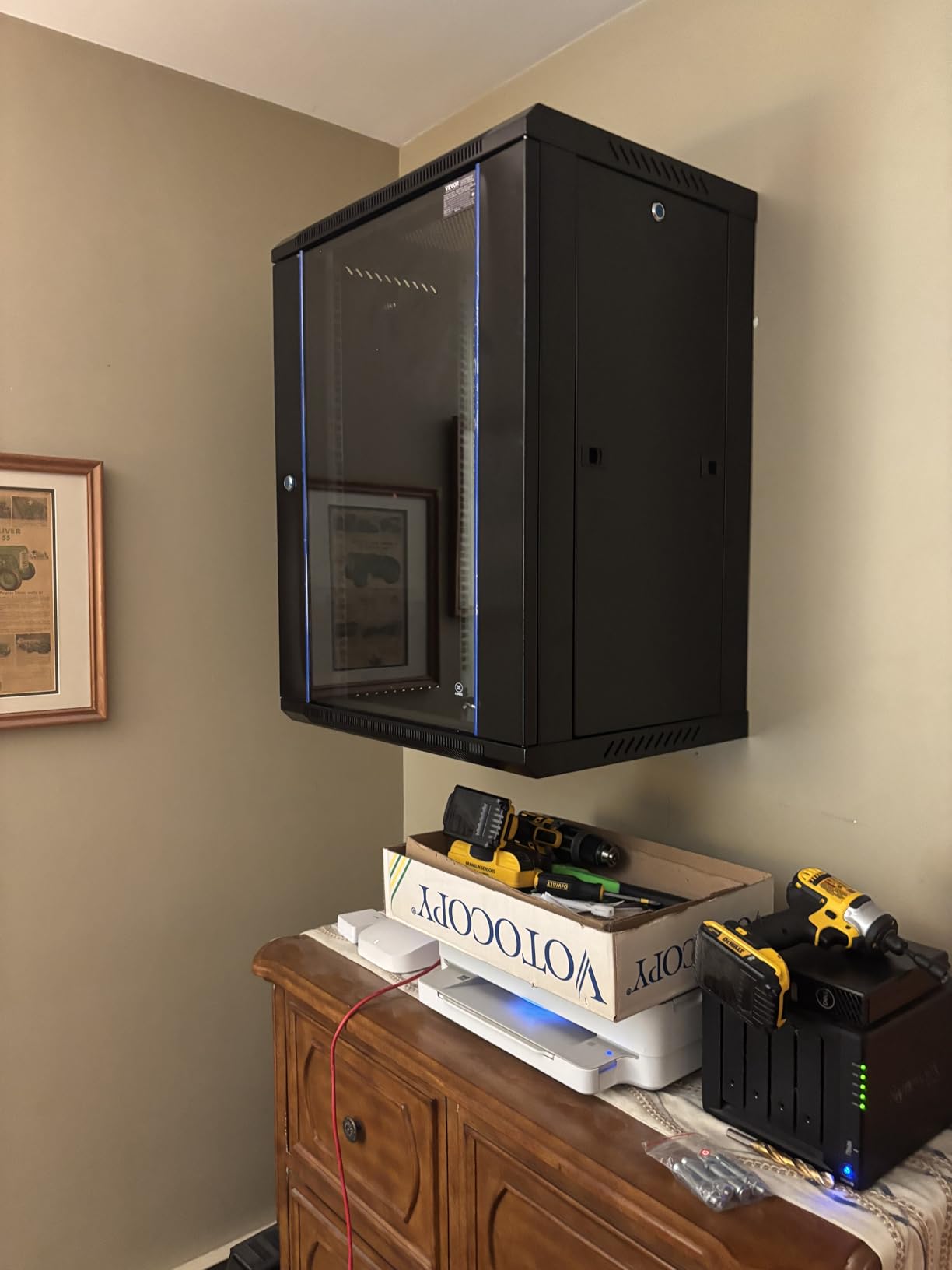
Quality control is the main concern. Multiple reviewers reported scratches, dents, and broken locking tabs on arrival. One buyer had a broken lock but said the seller responded immediately and shipped a replacement. Another reviewer noted the assembly directions link to a video rather than clear text instructions, which caused some backward assembly.
If you get a clean unit, the build quality for the price is hard to beat. If you get a damaged one, you are dealing with returns and replacements. Buyer reviews suggest VEVOR packaging is the weak link rather than the product design itself.

Best Use Case for This Cabinet
This is the cabinet to buy if you want to spend as little as possible on a fully enclosed 6U cabinet with locking doors and vents. It works for the same small network and AV installs as the Tecmojo 6U, just at a lower price with some packaging risk.
What to Watch Out For
Inspect the box on arrival and photograph any damage immediately. The quality control complaints are consistent enough that you should budget time for a potential return. The assembly video is helpful but the written directions are rough.
7. Tecmojo 18U Wall Mount Cabinet – Best Large Wall Mount
Tecmojo 18U Wall Mount Rack Network Cabinet for 19″ IT Equipment,with Lockable Glass Door and Side Panels,Cooling Fan,Black,17.7inch Depth for AV/Computer/Electronics Equipment Data Rack
18U wall mount
110 lbs capacity
17.7 inch depth
Cooling fan
Locking glass door
Mounting template
Pros
- 18U is serious vertical space for a wall mount
- Same proven Tecmojo build quality and locks
- Built-in cooling fan
- Cardboard mounting template
- PCI and HIPAA compliant
Cons
- 17.7 inch depth still shallow for enterprise gear
- Loaded weight on a wall is a real concern
- Door rattle same as smaller Tecmojo models
The Tecmojo 18U Wall Mount Cabinet is the largest wall-mount option in this guide and the pick for buyers who need serious vertical space but cannot fit a floor-standing rack. Eighteen rack units is enough for a substantial network setup with multiple switches, patch panels, a NAS, and room for expansion.
Buyers consistently praised the packaging and the absence of damaged corners despite rough shipping. One reviewer noted that the hardware feels strong and not cheap, and another said the included template made wall installation straightforward. A buyer who compared it to a Middle Atlantic rack called it the best budget option they had worked with.
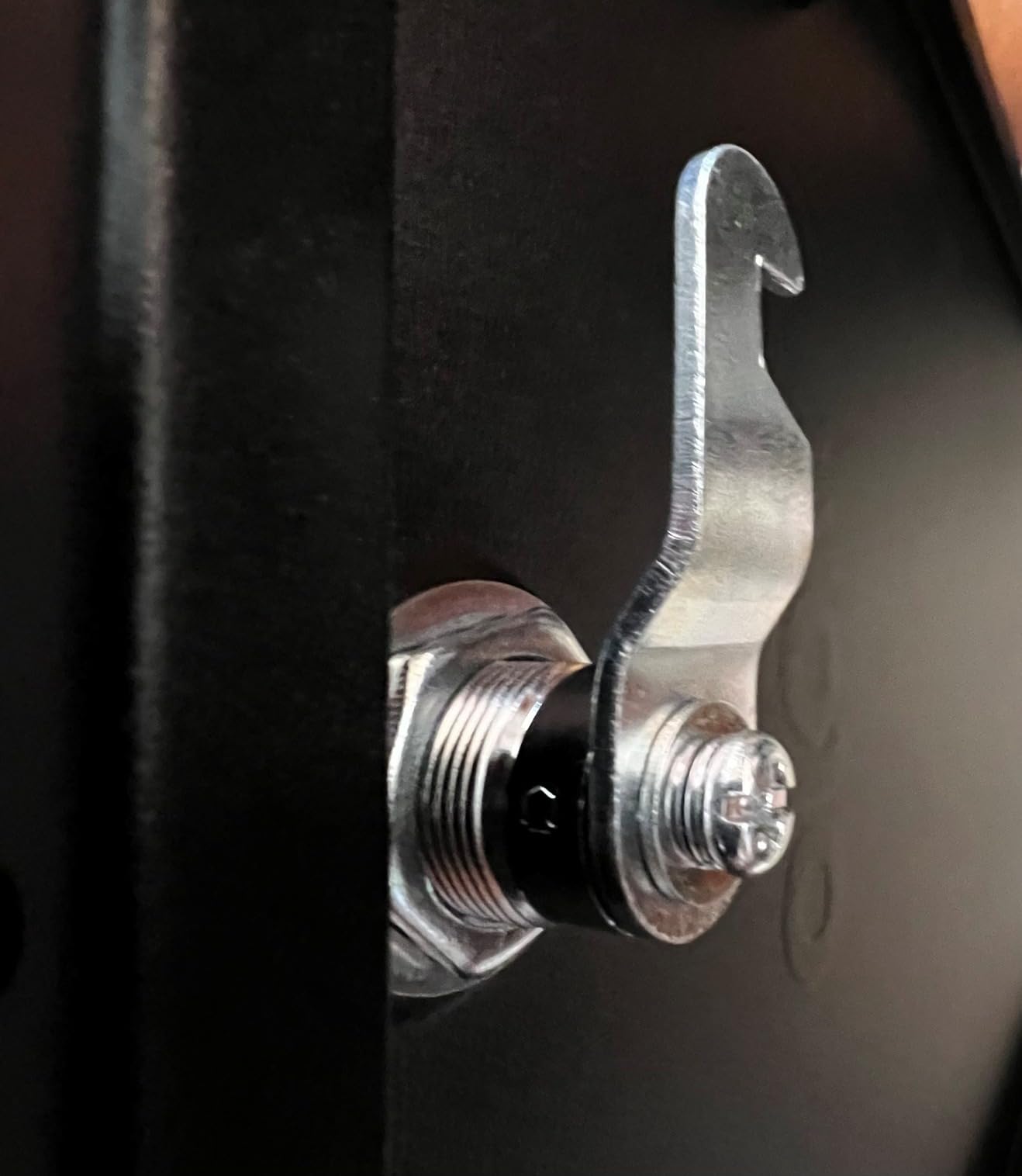
The build quality matches the smaller Tecmojo cabinets, which means the same locking glass door, side panel locks, cooling fan, and alloy steel construction. If you already own a Tecmojo 6U or 12U and need more space, the 18U is a natural upgrade.
The same caveats apply. The 17.7-inch outer depth means usable mounting depth is around 14.2 inches, which rules out deeper enterprise switches and rack servers. At 18U loaded with gear, wall mounting gets risky on standard residential studs, so verify your wall can handle the weight.
Best Use Case for This Cabinet
This is the cabinet for a large home network or a small business IDF where wall mounting is required and you need more than 12U of vertical space. It bridges the gap between small wall mounts and full floor-standing racks.
What to Watch Out For
Wall mounting an 18U cabinet loaded to 110 pounds is not trivial. Make sure you are mounting into studs or a reinforced backboard, not drywall anchors. And again, verify your gear fits the 14.2-inch usable depth before ordering.
8. VEVOR 22U Server Rack Cabinet – Budget Large Enclosure
VEVOR 22U Server Rack Cabinet, Network Cabinet Wall Mount, 23.6 in Depth, Network Rack Enclosure with Locking Tempered Glass Door, 4 Casters, Side Panels, for 19’’ IT Equipment, A/V Devices
22U wall or floor
300 lbs capacity
23.6 inch depth
4 casters
Locking tempered glass door
Ventilation
Pros
- 22U at a much lower price than NavePoint
- 23.6 inch depth fits enterprise gear
- 300 lbs capacity
- 4 casters for mobility
- Tempered glass locking door
Cons
- Multiple reports of bent and warped pieces
- Alignment issues with side doors
- Bottom panel can be unscrewed bypassing lock
The VEVOR 22U Server Rack Cabinet is the budget alternative to the NavePoint 22U. It offers the same 22U vertical space and 23.6-inch depth at a meaningfully lower price, with a 300-pound capacity and four casters for mobility. On paper it is a strong value.
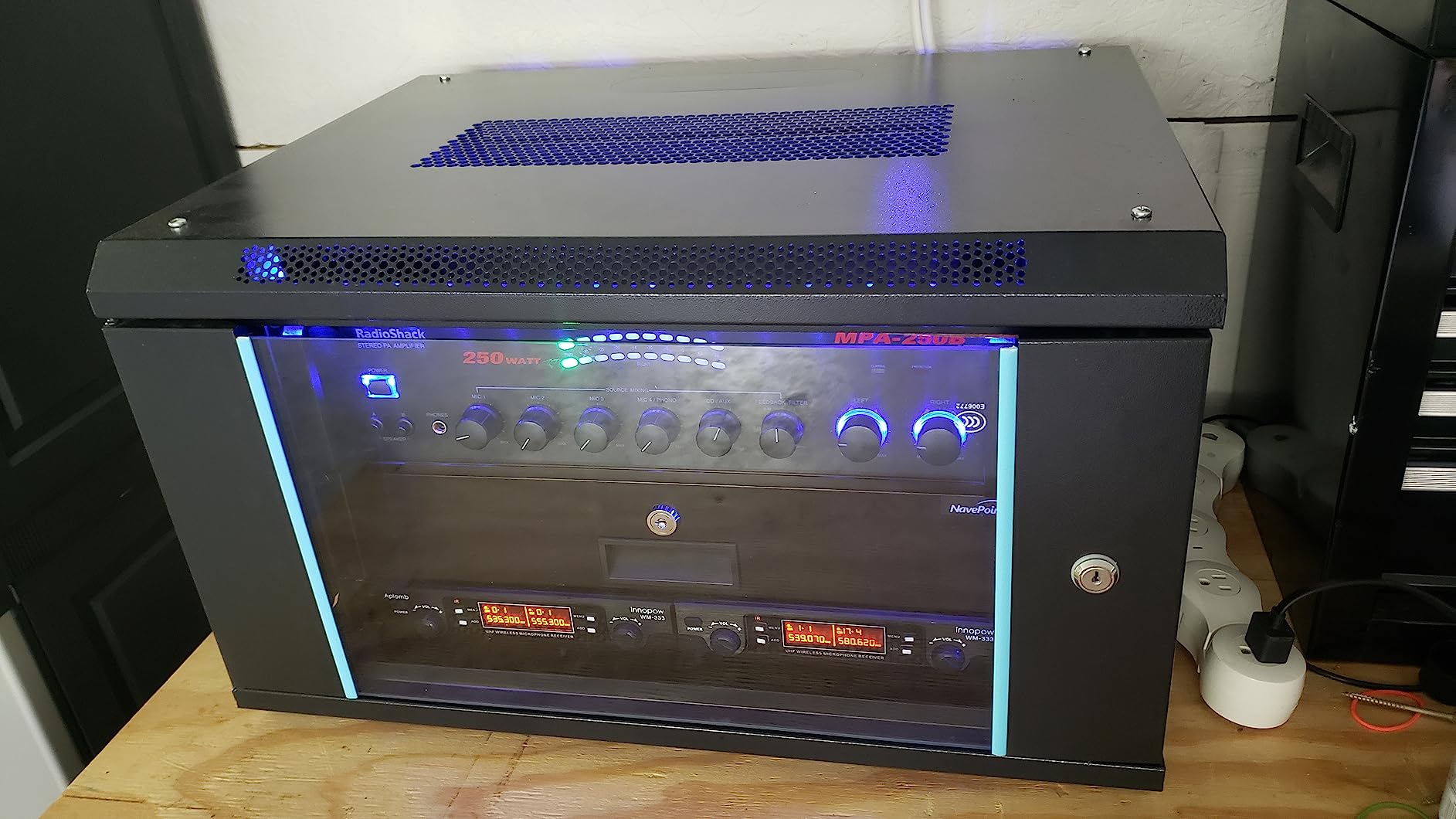
One reviewer who bought the smaller 6U VEVOR version for a garage karaoke system said the quality exceeded expectations for the price and assembly was straightforward for an average DIYer. The tempered glass door and vented panels match what you get on more expensive cabinets.
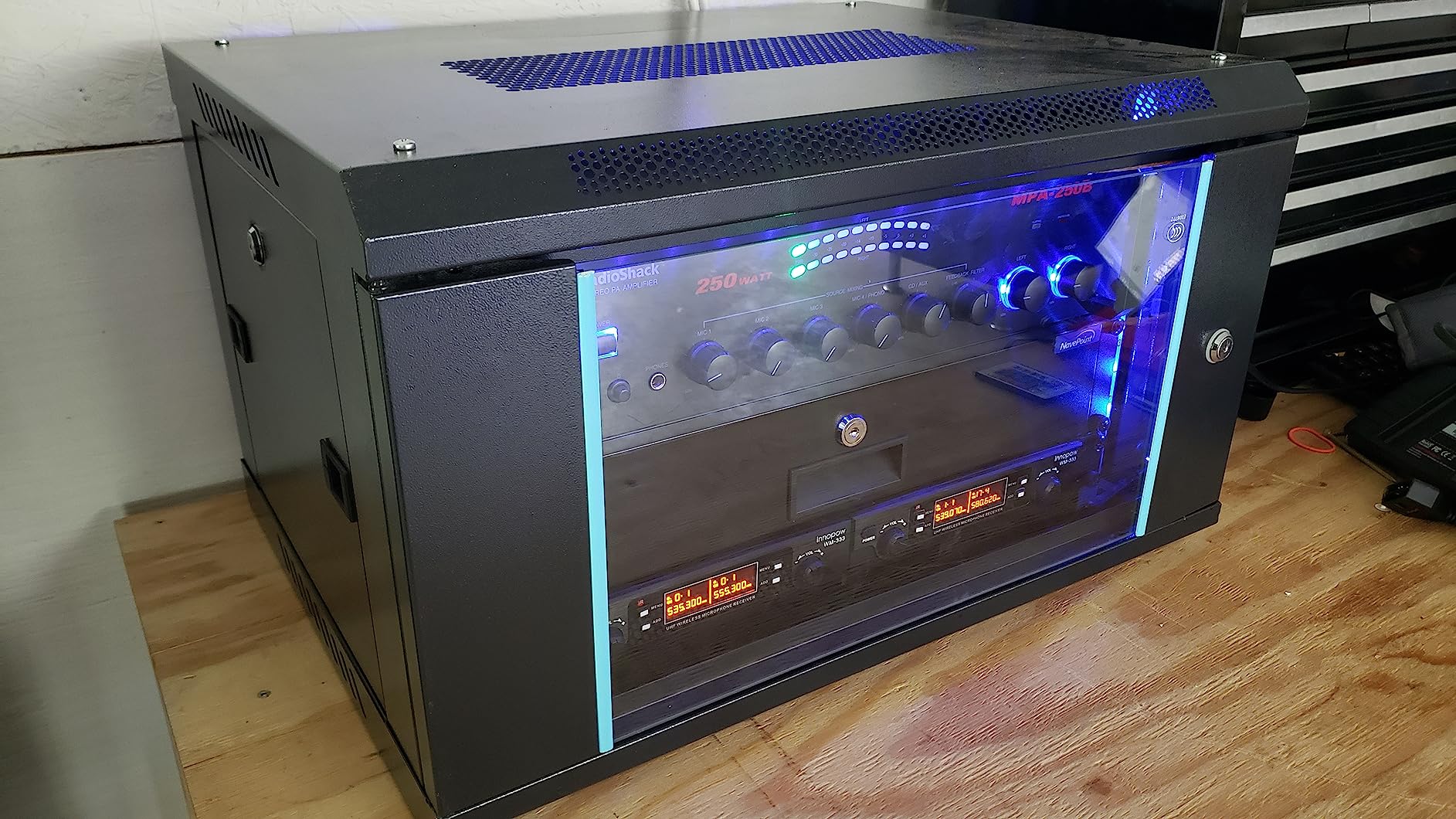
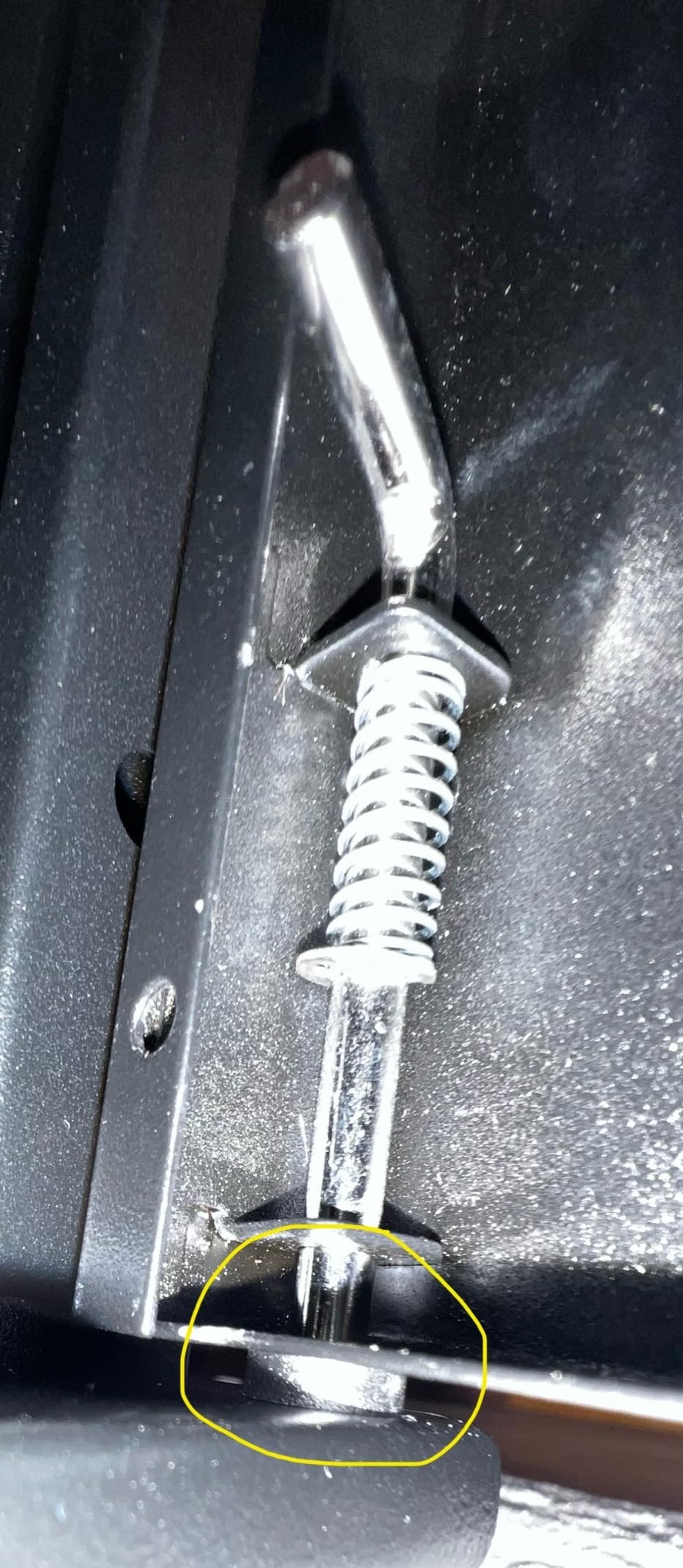
The quality control issues are more serious here than on the smaller VEVOR 6U. Multiple 22U buyers reported bent frames, warped panels, side doors that do not fit squarely, and locks that are difficult to operate. One reviewer pointed out that the bottom panel can be unscrewed to access the cabinet, which bypasses the keyed lock entirely.
That last point matters if security is a priority. For a rental property or a shared office, the bypass vulnerability is a real concern. For a personal homelab in a private space, it is less of an issue.
Best Use Case for This Cabinet
Buy this if budget is the deciding factor, you need 22U of enclosed space, and security is not a top priority. It works for a private homelab where you are the only person with physical access.
What to Watch Out For
Plan for potential returns or manual straightening of bent panels. The alignment problems are consistent enough in reviews that you should not expect a perfect unit on the first try. And do not rely on the keyed lock for real security given the bottom-panel bypass.
9. VEVOR 12U Open Frame Rack – Best Open Frame on a Budget
VEVOR 12U Open Frame Server Rack, 23-40 in Adjustable Depth, Free Standing or Wall Mount Network Server Rack, 4 Post AV Rack with Casters, Holds All Your Networking IT Equipment AV Gear Router Modem
12U open frame
500 lbs floor capacity
Adjustable 23-40 inch depth
Carbon steel
Free standing or wall mount
4 casters
Pros
- 500 lbs floor capacity for the price
- Adjustable depth from 23 to 40 inches
- Open frame means maximum airflow
- Can be wall mounted or floor standing
- Casters included
Cons
- Assembly requires a power tool
- Self-tapping screws only work when holes align
- Instructions could be clearer
The VEVOR 12U Open Frame Server Rack is the budget open-frame pick and a genuine surprise in terms of capacity. With a 500-pound floor rating and adjustable depth from 23 to 40 inches, it offers specs that compete with the StarTech 42U at a fraction of the cost, just with less vertical space.
Reviewers who expected flimsy construction based on price were consistently impressed. One buyer called it a great rack for the money after initially hesitating based on reviews mentioning confusing instructions and difficult assembly. Another said all the parts fit together perfectly and the rack felt solid for a home lab or small business setup.
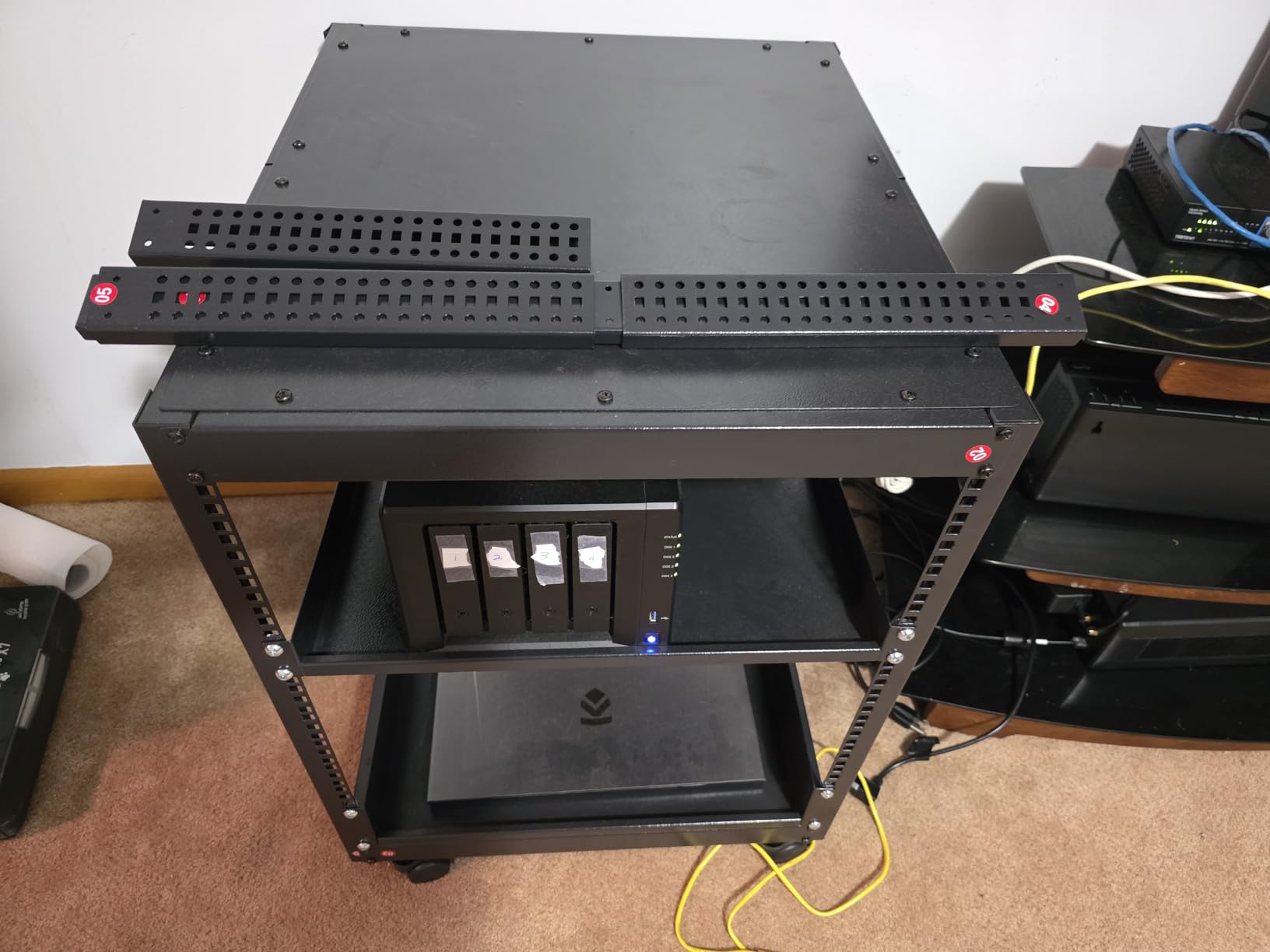
Assembly is the catch. Multiple reviewers warned that you need a high-torque screw gun because hand-driving the fasteners is not realistic. The M5 holes are not tapped, and the self-tapping screws only work when holes align perfectly, which they sometimes do not on the corner supports.
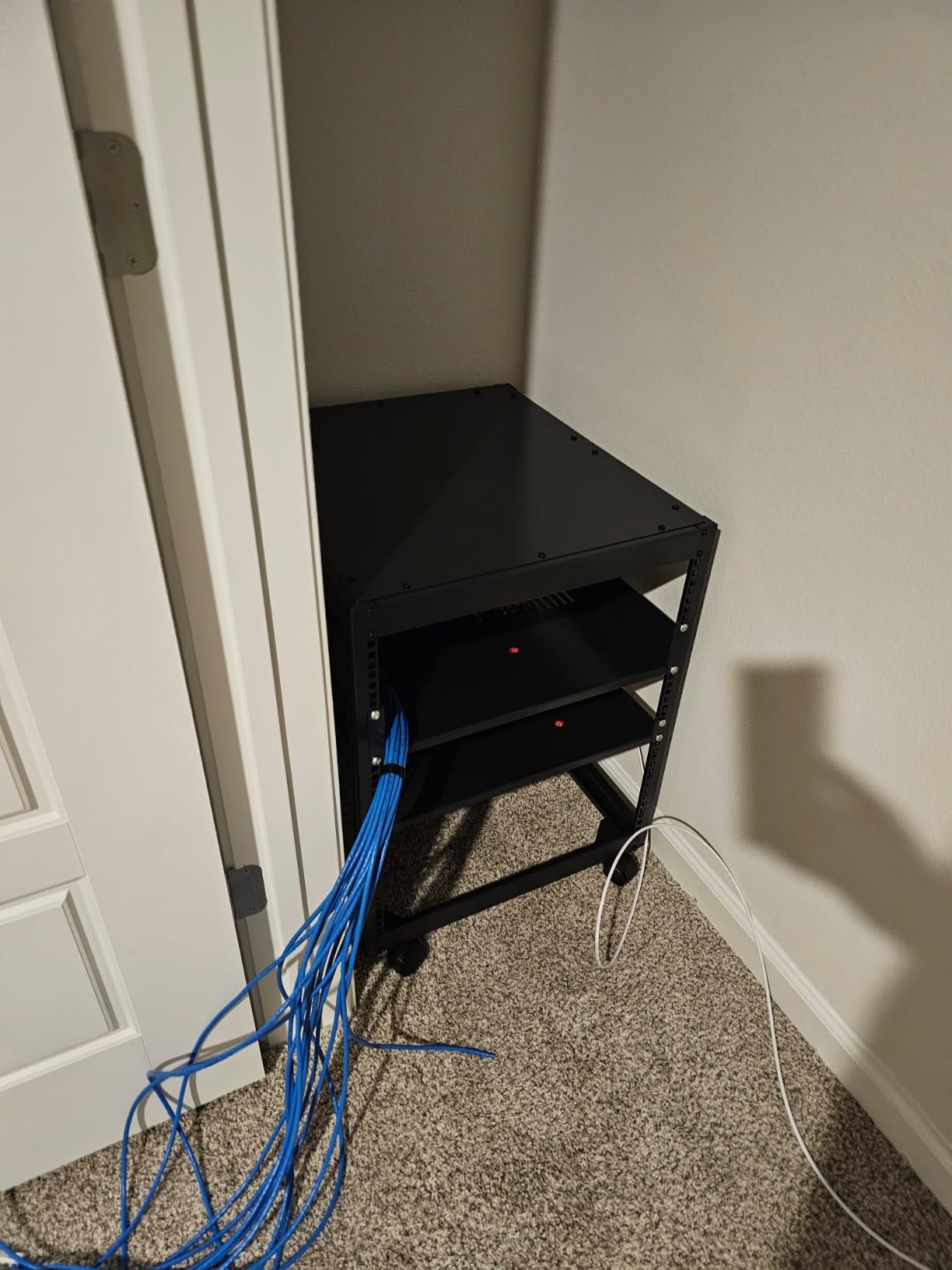
Once assembled, the open-frame design gives you unrestricted airflow and the adjustable depth handles everything from shallow network switches to deep servers. For a budget homelab rack, this is hard to beat if you are willing to wrestle with assembly.
Best Use Case for This Rack
This is the rack for a budget homelab or small business that wants open-frame airflow and adjustable depth without paying StarTech prices. Pair it with your own cable management and you have a capable 12U setup.
What to Watch Out For
Bring a power drill with adjustable torque. Leave fasteners loose until the entire frame is assembled, then tighten at the end. The instructions have known weak spots, so read through them fully before starting and watch for the height-includes-or-excludes-casters confusion that one reviewer flagged.
10. Sysracks 42U Server Rack Cabinet – Best Premium Floor-Standing
Sysracks 42U Server Rack Cabinet, 19” Floor Standing Enclosed Network Cabinet, 39” Deep IT Rack with Glass Door, 4 Fans, Temperature Control, PDU, Shelf
42U enclosed
1500 lbs capacity
39 inch depth
4 cooling fans with LCD temp control
PDU and shelf included
Floor standing
Pros
- 1500 lbs weight capacity for full server loads
- 4 fans with programmable LCD temperature control
- 39 inch depth fits deep enterprise gear
- Includes PDU and shelf
- Glass door with lock
Cons
- Premium price point
- Assembly instructions confusing per reviewers
- Handles have strange design per one buyer
The Sysracks 42U Server Rack Cabinet is the premium pick and the cabinet I would choose for a real small-business server room or a no-compromise homelab. It is a fully enclosed 42U floor-standing unit rated for 1,500 pounds, with four cooling fans, an LCD temperature controller, a PDU, and a shelf all included.
One buyer who bought it not expecting much for the price said it was as good or better than racks costing twice as much, and that every hole lined up perfectly. Another reviewer praised the airflow, the solid frame, and the clean look once fully assembled. The 39-inch depth accommodates deep enterprise servers without cable strain.

The programmable top fans with LCD temperature control are the standout feature that separates this cabinet from everything else in the guide. You can set temperature thresholds and let the fans ramp automatically, which is what you want for unattended server rooms.
The complaints are minor but worth noting. Assembly instructions are confusing according to multiple reviewers, with one saying there was not enough room to drive screws properly if you follow the official order. The handles drew criticism for strange operation and construction. Neither is a deal-breaker, but both are worth knowing going in.
Best Use Case for This Cabinet
This is the cabinet for a dedicated server room, a growing small business, or a serious homelab where you need full 42U capacity, active temperature-controlled cooling, and the included PDU and shelf. It is overkill for a closet network, but right-sized for real server deployments.
What to Watch Out For
The price is the obvious consideration. This is a premium product and you should only buy it if you actually need 42U and active cooling. Also, plan assembly time carefully and consider watching the assembly video on the Sysracks website before starting, since the printed instructions have known gaps.
Frequently Asked Questions
What is the best network cabinet for home use?
For most home networks and homelabs, a 12U wall-mount cabinet like the Tecmojo 12U or the deeper NavePoint 12U is the best balance of space, price, and installation ease. If you have a dedicated closet and want to wall-mount, the Tecmojo 6U works for a basic router-and-switch setup, while the NavePoint 22U on casters is the favorite for serious homelabs that need to fit enterprise gear.
How do I choose the right size network cabinet?
Tally the U-height of every device you plan to mount, then add 30 to 50 percent for cable management, blanking panels, shelves, and future expansion. A basic UniFi setup with router, switch, and patch panel typically needs 9U to 12U. Adding a NAS or server pushes you toward 15U to 22U. Full server rooms use 42U. Going bigger than you currently need is the most common advice from experienced buyers.
What is the difference between a server rack and a network cabinet?
A server rack is typically an open-frame 2-post or 4-post structure designed for maximum airflow and weight capacity, with no doors or side panels. A network cabinet is an enclosed unit with a locking door, side panels, and often built-in cooling fans, designed to protect and secure networking equipment. Open racks like the StarTech 42U prioritize airflow and load, while enclosed cabinets like the NavePoint and Sysracks prioritize security and dust protection.
What depth do I need for a network cabinet?
For shallow AV gear and small network switches, 14 to 18 inches of usable depth is usually enough. For enterprise switches, NAS units, and rack servers, look for 23.6 inches or deeper. Pay attention to usable mounting depth rather than outer cabinet depth, since the door and cable management can eat 3 to 4 inches. The NavePoint cabinets at 23.6 inches and the Sysracks 42U at 39 inches are the deeper options in this guide.
Should I get a wall-mounted or floor-standing network cabinet?
Wall-mount cabinets save floor space and work well for small networks in closets and hallways, typically maxing out at 18U and 110 pounds. Floor-standing racks handle heavier loads, deeper equipment, and taller U-sizes up to 42U, and they are easier to access from all sides. If you are running real servers or need more than 18U, go floor-standing. If you just need to organize a home network in a tight space, a wall-mount like the Tecmojo 12U is the better fit.
Final Verdict on the Best Network Cabinets for 2026
After working through all 10 cabinets, my recommendations break down cleanly by use case. For a dedicated server room or serious homelab where airflow and weight capacity matter most, the StarTech 42U 4-Post Server Rack is the editor’s choice and the cabinet I would buy first. For an enclosed cabinet that balances price, depth, and security, the NavePoint 22U Server Cabinet is the best value and the community favorite on Reddit for good reason. And for a tight budget or a small apartment network, the Tecmojo 6U Wall Mount Cabinet delivers a fully enclosed lockable cabinet with a fan at a price that is hard to beat.
Two principles from the forum research are worth repeating: always go bigger on U-size than you think you need, and always verify usable mounting depth against your actual gear rather than trusting the outer dimensions. Those two checks alone will save you from the most common buyer regrets that show up in reviews. Whatever you pick from this list of the best network cabinets, measure twice and you will end up with a cabinet that serves your network for years rather than months.