
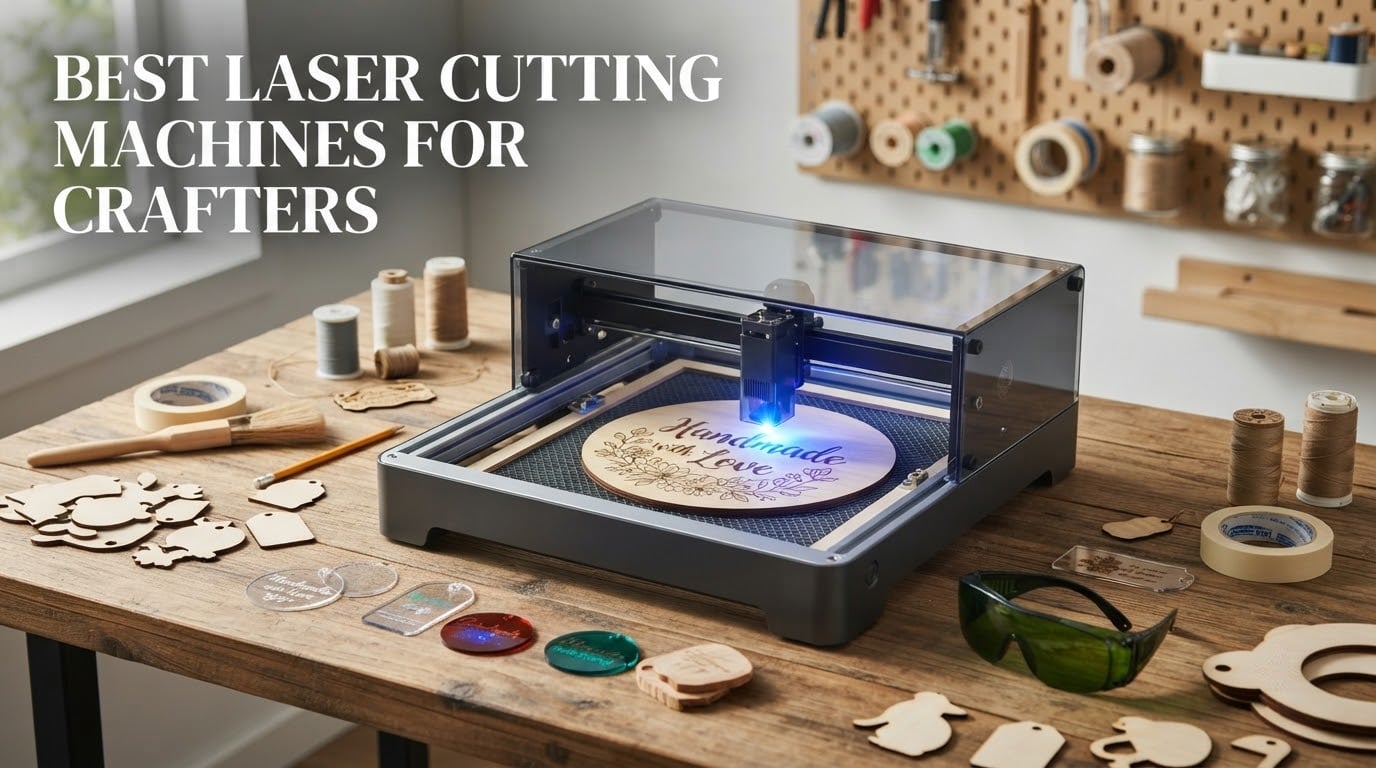
The short answer is the xTool S1 40W Laser Cutter and Laser Engraver. It is the only machine in this group that pairs a Class 1 enclosed cabinet with 40 watts of optical power, and it does it on a bed large enough to hold a full sheet of craft plywood. If your craft room has to double as a playroom, that combination matters more than any spec on a spec sheet.
That said, the best laser cutting machines for crafters are not one machine. They are a small set of tradeoffs, and the right one depends on three questions: what material do you actually cut, where does the machine live, and do you sell what you make. A crafter making engraved kraft tags in a spare bedroom has a different answer than someone cutting basswood signs for a Saturday market.
We spent weeks reading the spec sheets, digging through owner reviews, and comparing what each machine actually does with wood, acrylic, leather, and glass. Twelve machines made the list. Nine of them are open-frame lasers that need goggles, ventilation, and a fire watch, so we flagged every one of those clearly below.
One warning before we start. Almost every machine here is a blue diode laser, and a blue diode cannot cut clear acrylic, white acrylic, or blue acrylic. It will scorch them instead. If clear acrylic panels are part of your craft plan, you need a CO2 laser at 10600nm, and we explain that further down. This roundup does not include a CO2 machine because none of the twelve cleared the bar for home craft use.
If you also cut patterns in fabric, our guide to the best fabric cutting machines covers the blade-based side of the craft room.
Table of Contents
Top 3 Best Laser Cutting Machines for Crafters in 2026

xTool S1 40W Laser Cutter
- 40W cutting power
- Class 1 enclosed
- 23.93 x 15.16 inch bed
- Rotary bundle for tumblers

Ortur Laser Master 2 S2
- 10W diode
- Cuts 30mm acrylic and 20mm wood
- 390 x 410mm area
- LaserGRBL and LightBurn

The xTool S1 takes the top spot because it is the only enclosed machine here rated Class 1 while still delivering enough power to slice 18mm of cherry wood in one pass. Five flame sensors, a lid-open stop, and an emergency stop button mean it can sit in a room with children.
The Ortur Laser Master 2 S2 takes the value slot on the strength of its review history alone. At 1474 reviews it is the most proven machine on this list by a wide margin, roughly triple the volume of the next machine, and it cuts thicker material than anything else near its tier.
The Twotrees TTS-55 Pro is the smoothest first purchase. It is small, it works over Wi-Fi, and it runs both LaserGRBL and LightBurn, so nothing you learn on it is wasted on a bigger machine later.
All 12 Machines Side by Side (October 2026)
| Product | Specifications | Action |
|---|---|---|
| xTool S1 40W Laser Cutter |
|
Check Latest Price |
| Ortur Laser Master 2 S2 |
|
Check Latest Price |
| Twotrees TTS-55 Pro |
|
Check Latest Price |
 ATOMSTACK A20 Pro V2 20W ATOMSTACK A20 Pro V2 20W |
|
Check Latest Price |
 Creality Laser Falcon 10W 17 Inch Creality Laser Falcon 10W 17 Inch |
|
Check Latest Price |
 LONGER Ray5 10W LONGER Ray5 10W |
|
Check Latest Price |
 Creality Falcon A1 10W Enclosed Creality Falcon A1 10W Enclosed |
|
Check Latest Price |
 ACMER S1 2.5W ACMER S1 2.5W |
|
Check Latest Price |
 ATOMSTACK Swift 12W ATOMSTACK Swift 12W |
|
Check Latest Price |
 Creality Falcon 10W 15.7 Inch Creality Falcon 10W 15.7 Inch |
|
Check Latest Price |
 SCULPFUN S9 5.5W SCULPFUN S9 5.5W |
|
Check Latest Price |
 WAINLUXPRO K10 5W WAINLUXPRO K10 5W |
|
Check Latest Price |
Every machine above runs on standard control software. All twelve speak LaserGRBL, and all twelve also support LightBurn, which is the tool most serious crafters end up using.
1. xTool S1 40W Laser Cutter and Engraver: The Best Overall
xTool S1 40W Laser Cutter and Laser Engraver for Tumblers, 23.93″ x 15.16″ Bed Size, 600mm/s Speed, Laser Engraving Machine, Laser Engraver for Wood and Metal, Acrylic, Big Project – Rotary Bundle
40W diode
23.93 x 15.16 inch bed
600mm/s
Class 1 enclosure
Rotary bundle
Pros
- Only Class 1 enclosed machine above 10W here
- Cuts 18mm cherry wood in one pass
- 600mm/s engraving speed
- Pin-point positioning for 3D curved work
- Bundled rotary for tumblers and mugs
Cons
- Heavy at about 87 pounds and needs a dedicated spot
- XCS software can feel fiddly for original artwork
- Air assist unit and feeder sold separately
This is the machine I keep coming back to. The xTool S1 pairs 40 watts of optical output with a fully closed cabinet that filters 99% of the laser light, and it carries the highest rating in the group at 4.6 across 233 reviews. That combination of enclosure and power is not repeated anywhere else on this list.
The bed measures 23.93 by 15.16 inches, which is the largest working area of the twelve and the only one that swallows a full sheet of craft plywood. At 600mm/s engraving speed, a batch of 50 keychain blanks finishes before you refill the water tray.
Owner photos show the kind of finished work that made us rank it first: multi-layer wood signage, engraved cutting boards, and a run of stainless tumblers done on the included rotary attachment. The Pin-point Positioning system holds focus across a curved surface, which is what makes tumblers and painted metal spoons practical rather than a headache.
Safety is the real differentiator. Five flame sensors, an emergency stop, and a lid-open kill switch mean a stray ember or a knocked lid stops the beam. If you craft around kids or a curious cat, that changes the decision more than an extra two watts of power would.
What we liked working with
The rotary bundle turns it into a tumbler and mug machine out of the box, which no other enclosed option here offers. AutoPassthrough technology stretches the usable length past the bed to projects up to 3000mm, provided you add the feeder. xTool Creative Space ships pre-tuned parameters for more than 400 materials and includes AI design tools for people who have never opened a vector editor.
The aluminium frame is 3mm aerospace-grade plate, and the whole unit is built to sit still for years. For a crafter moving from occasional gifts to weekly production, that build quality is the difference between a tool and a toy.
Where it falls short
At roughly 87 pounds it is not a machine you carry down to a craft fair, and it needs ventilation running whenever the lid is open for a long job. The air assist unit and the passthrough feeder are separate purchases, so the accessory budget is higher than the box suggests.
Some owners prefer LightBurn to XCS for original artwork, and the spring-loaded Z probe can return false focus readings on soft or uneven material like foam. Neither is a dealbreaker, both are worth knowing before your first job.
2. Ortur Laser Master 2 S2 LU2-10A: The Best Value Workhorse
ORTUR Laser Master 2 S2 LU2-10A Laser Engraver Laser, 10000mW Engraving Cutting Machine, Class 4 High Accuracy Laser Cutter, DIY Laser Marking for Metal
10W diode
390 x 410mm area
Cuts 30mm acrylic
LaserGRBL and LightBurn
G-sensor safety
Pros
- Most reviewed machine in the group at 1474 reviews
- Cuts 30mm acrylic and 20mm wood
- 15 minute modular assembly
- G-sensor and auto laser-off safety
- Fits LaserGRBL and LightBurn
Cons
- Open-frame Class 4 needs goggles and ventilation
- LightBurn is a paid add-on for some workflows
If you read one review section for this roundup, read this one. The Ortur Laser Master 2 S2 has 1474 reviews behind it, which is three times the volume of anything else on this list. Long owner histories are the closest thing to a reliability record you can get, and this machine has one.
The module delivers 10000mW from a 235g head with dual-fan cooling, and the compressed spot measures 0.05 by 0.1mm. That is enough to push through 30mm of acrylic or 20mm of wood, which puts it well ahead of the 10W machines that stop at 3mm of acrylic.
Owner images show thick acrylic stacks and layered plywood projects, and the review pattern backs it up. Sixty-seven percent of ratings are five stars and sixteen percent are four stars, which is a broad base of happy owners rather than a spike of perfect scores with a long tail of complaints.
Assembly is a genuine highlight. Owners report 10 to 15 minutes from unboxing to first cut, and the full-metal industrial frame is modular, so a bent rail or a dead module can be replaced rather than the whole machine.
Why crafters keep it for years
The frame is the reason. A modular full-metal chassis with replaceable parts survives the move to a new craft room, while glued plastic frames crack. It runs on LaserGRBL out of the box and on LightBurn when you want more control, on Windows and macOS alike.
The built-in air assist interface is a nice touch even though the compressor itself is an extra. Air assist is the single biggest factor in getting a clean edge on acrylic, and having the port already on the machine saves you from a tape-and-hope workaround.
What to plan around
This is a Class 4 open-frame laser. That means eye protection, an exhaust route to the outside, and a clear burn area while the beam is live. The included cover filters 98% of UV and the goggles come in the box, but they do not make an open frame safe to leave running in a family room.
The G-sensor motion cutoff and the automatic laser-off on idle are good safety engineering for the class, and the practical criticism owners raise is that LightBurn is a paid program if you want its workflow rather than LaserGRBL.
3. Twotrees TTS-55 Pro: The Best First Laser Machine
Twotrees TTS-55 Pro Laser Engraver 5500mW Laser Engraving Machine
5.5W diode
300 x 300mm bed
0.08 x 0.46mm spot
Wi-Fi and TF card
Pros
- 4.4 rating across nearly 500 reviews
- 300 x 300mm bed suits small craft pieces
- Built-in Wi-Fi plus offline TF card
- Supports LaserGRBL and LightBurn on Windows macOS Linux
Cons
- First assembly can test complete beginners
- Not a metal engraver despite some listing language
This is the machine we would hand someone who has never owned a laser and is not sure they will keep one. It is 5.5 watts, it cuts 5mm plywood and 3mm acrylic, and it weighs 8.23 pounds, which means it lives on a desk instead of a dedicated table.
The rating is 4.4 across 494 reviews, the second highest average in the group. Seventy-two percent are five stars and twelve percent are four stars. For a machine at this level, that consistency says the design is well matched to what it does.
Owner photos lean toward the small-craft end of the hobby: engraved leather patches, plywood shapes, keychain blanks, and monogrammed tags. The 300 by 300mm bed is big enough for a batch of coasters and small enough that you will actually use all of it.
The 23mm short focal length with LD, FAC, and C-Lens compression gives a spot of 0.08 by 0.46mm and up to 0.1mm engraving accuracy, which is plenty for jewellery-scale work and light engraving on wood.
Why it works well for a first machine
Control is the quiet strength. You can run it over the network through the built-in Wi-Fi, over USB, or offline from a TF card, which means a market stall or a shared studio does not tie you to one router. A dual-core 32-bit controller pushes speeds up to 30,000mm/min.
Because it speaks both LaserGRBL and LightBurn on Windows, macOS, and Linux, nothing you learn here is wasted. Move up to a bigger machine in two years and your files, your settings, and your habits all still work.
What new owners should expect
The first assembly is the sticking point. Reviewers mention having to reassemble a few times before the frame sat square, so budget an hour rather than ten minutes on the first evening.
Second, some listing language suggests metal engraving capability, and that is misleading. This is a blue diode machine for wood, paper, leather, and acrylic. Engraving bare reflective metal is not on the list.
4. ATOMSTACK A20 Pro V2 20W: The Best for Wood Signs
ATOMSTACK 20W Laser Engraver, A20 PRO V2 Laser Cutter, High Accuracy Laser Engraving Machine for Personalized Gifts, Business Cards, Wood, Metal, Acrylic, Leather
20W diode
400mm/s
LightBurn compatible
Tilt alarm and magnetic cover
Pros
- 20W handles thick wood and coated metal with sharp detail
- Linear guide motion cuts fast at 400mm/s
- Assembly takes about 20 minutes with picture guide
- Free faulty part replacement and 24/7 support
Cons
- Bundled software is very basic and LightBurn is the real option
- Almost no documentation beyond assembly
- Gantry cables sit outside drag chains and can snag
If your craft is signage, this is the machine to look at. Twenty watts of optical output with 0.01mm engraving accuracy handles plywood, solid wood, and coated metal without the multiple passes a 10W module needs on the same job.
The independently developed motherboard and integrated linear guide motion system are the engineering story here. Linear rails run faster and hold tolerance better than the belt-driven gantries that dominate this price range, and owners notice the difference in finished edges.
The 400mm/s engraving speed is real rather than a headline number, and the review set reflects it. Seventy percent five-star ratings with the complaints landing in a 14 percent three-star cluster, which is where documentation issues usually show up.
Safety features include a cross-line light, a tilt-angle alarm that beeps past 15 degrees, built-in limit switches, and a removable magnetic cover. Rated lifespan is quoted at up to 10,000 hours for the module.
What makes it good for signage batches
Twenty watts is the practical threshold for one-pass work on thicker craft plywood, and a sign shop run out of a spare room will feel the difference immediately. It also engraves painted and anodised metal, which covers keychains, badges, and plant markers.
The aluminium alloy frame is modular with built-in limit switches, so a failed part is a replacement rather than a write-off. Support includes 24/7 contact and free replacement of faulty parts within the warranty year.
Where the friction is
The bundled ATOMSTACK app and PC software are minimal, and owners are consistent that LightBurn is the practical choice once you start making your own designs. That is an added cost if you have not paid for it before.
Documentation is thin beyond the picture-based assembly guide, which takes about 20 minutes and works. The gantry cables are not held in drag chains, so they can catch on a workpiece, and the belt drive loses a little accuracy on very large pieces. A few machines arrive with defects, which is why the one-year warranty matters here.
5. Creality Laser Falcon 10W 17 x 16 Inch: The Best Budget Bed Size
Creality Laser Engraver Machine 10W Output Power, 72W DIY Laser Engraving Machine 0.06mm High Precision Laser Cutter and Engraver for Wood and Metal, Paper, Acrylic, Glass, Leather etc, 17″ x 16″
10W output
17 x 16 inch bed
0.06mm spot
10,000mm/min
Class IIIa
Pros
- 17 x 16 inch bed is rare at this tier
- One pass through 5mm basswood or 3mm black acrylic
- Tool-free focusing plate
- One year free parts replacement plus lifetime support
Cons
- Open-frame Class IIIa needs eye protection and ventilation
- One-star share of about 11 percent on setup and documentation
The Falcon 10W with the 17 by 16 inch bed answers a specific complaint about cheap lasers: you spend more time feeding small pieces in than cutting them. This one holds a large sign blank, a full sheet of basswood, or a batch of ornaments without a second pass.
The compressed spot focus is 0.06 by 0.06mm, accuracy is within 0.004 inches, and repositioning stays under 0.007 inches. For a 10W machine that is a genuinely tight optical specification, and it holds up on detailed engraving.
At 10,000mm/min it is fast enough for batch craft runs, and owner images show the bed filled with small parts rather than one large piece. Anti-UV filter acrylic cuts 97 percent of UV rays, and the all-aluminium frame uses a steel shaft wheel guide rail.
The rating sits at 4.2 across 223 reviews with 67 percent five stars. Buyers single out bed size and cut speed as the two reasons they would buy again.
Where the big bed pays off
Craft shows and small production runs are the case. Cut a full sheet of basswood, a sheet of black acrylic, or a panel of leather in one layout rather than rearranging the design four times. The same logic applies to wedding signage, where a single large board beats four small ones.
Control options cover Wi-Fi, USB, and SD card transfer, so you can run it from a laptop, a phone on the network, or a card with no device connected at all. Assembly takes 10 to 20 minutes.
What to watch out for
This is a Class IIIa open-frame machine. Eye protection, a vent route, and a clear workspace are non-negotiable, and the anti-UV acrylic shield helps with reflections but does not contain the beam.
About 11 percent of ratings are one star, and those cluster on setup and documentation rather than output quality. Check the gantry is square before your first real job, and use LightBurn rather than LaserGRBL once you move past simple jobs.
6. LONGER Ray5 10W: The Best With a Touchscreen
LONGER Ray5 Laser Engraver and Cutter Machine,10W Laser Engraver, 400×400mm
10W dual-beam
400 x 400mm bed
3.5 inch touchscreen
24000mm/min
Pros
- Integrated 3.5 inch touchscreen for parameter changes
- 400 x 400mm bed
- 24000mm/min speed with a 0.06mm spot
- One controller can drive multiple machines
Cons
- Firmware flashing and screen updates are often buggy
- Laser Burn is a paid companion program
- Loud cooling fan on the laser head
The Ray5 is the machine for someone who does not want a laptop in the loop. The 3.5-inch touchscreen on the front lets you watch progress, change power and speed, and start a job without opening a design package, which is exactly what you want at a market table or a craft class.
The bed is 400 by 400mm square, which is unusually generous for a 10W open-frame unit, and owners report clean cuts through eighth-inch material with air assist running. The spot is 0.06 by 0.06mm with 0.01mm accuracy.
The ESP32 multi-core processor runs at 240MHz and one controller can drive multiple machines, which matters if you ever expand to a two-machine setup for production. Speed reaches 24,000mm/min for engraving.
Connection options cover USB, TF card, Wi-Fi, and app control, and the software list includes LaserGRBL, LightBurn, and LONGER’s own LaserBurn build. An emergency stop, motion protection, and overheat detection are built in.
Why the screen changes the workflow
On every other open-frame machine here, changing a parameter means stopping the job and moving to the computer. On the Ray5 it is a tap. That single feature removes most of the friction from a live demonstration, which is why it earns a place in a roundup aimed at crafters rather than fabricators.
The square 400mm bed also suits tiles, coasters, and jewellery components better than the long narrow beds common at this power level.
Where the software gets in the way
The 4.0 rating across 176 reviews has a specific cause. Firmware flashing and screen updates are frequently buggy, and the documentation sometimes describes hardware that did not ship in the box. Fifteen percent of ratings are one star, and that cluster traces back to setup friction rather than cutting results.
Owners who get it running are happy: the complaint set also includes a loud cooling fan on the laser head, and Laser Burn as a paid companion program if you want LONGER’s software instead of standard LightBurn. Some machines also report homing faults and LightBurn alarm errors.
7. Creality Falcon A1 10W Enclosed: The Best Enclosed for a Home Shop
CREALITY FALCON A1 10W Laser Engraver, 80W Enclosed Laser Cutter and Engraver Machine with Air Assist, Smart Camera Positioning, 600mm/s Speed, Smart Material Recognition, Ideal for Wood & Metal
Class 1 dual-door
10W output
381 x 305mm work area
600mm/s CoreXY
Pros
- Class 1 fully enclosed design filters 99 percent of laser radiation
- Integrated HD camera removes positioning guesswork
- 600mm/s CoreXY motion
- Air assist and material presets included
Cons
- 381 x 305mm area is small for larger craft sheets
- Cannot cut acrylic or engrave mirror-finished materials
- 43.6 pound build is a heavy commitment
Where the xTool S1 wins on power, the Falcon A1 wins on setup. The pre-calibrated HD camera looks at the full work area and pulls your artwork into registration, so you are not guessing at material placement with a set of kitchen rulers.
It is also genuinely quiet and sealed. The dual-door Class 1 enclosure filters 99 percent of laser radiation while blocking noise and smoke, with auto-lock, emergency stop, and smoke control as standard. That is a machine you can put in a converted closet and leave.
CoreXY motion with a dual-motor power system reaches 600mm/s, which is roughly triple what a typical diode gantry manages, and the review set confirms the speed difference shows up in batch work. Graphic outline extraction converts artwork into engraving paths directly from the camera view.
Sixty-eight percent of the 157 ratings are five stars. The positive thread in the reviews is the camera: owners describe removing a whole category of setup frustration.
What the enclosure actually buys you
Air quality and light control. With the doors shut, the 99 percent filtration means fumes stay inside the machine while the exhaust handles the rest, and the enclosure blocks the blue glow that makes open-frame lasers unpleasant to work near at night.
Air assist is included, along with pre-set optimal material parameters, so first-time users get a workable cut without hunting for settings. Falcon Design Space, LightBurn, LaserGRBL, and Cutlabx are all supported.
The material limits you need to know
This machine does not cut acrylic. That restriction is stated in the documentation and repeated by owners, along with a ban on highly reflective and mirror-finished materials. It is an engraving and wood-cutting machine in an enclosed shell.
The 381 by 305mm work area is the other constraint, and it is smaller than several open-frame machines here. At 43.6 pounds it also needs a table that can take the weight. The 500 by 500mm honeycomb panel does not fit the working area, so plan your bed layout accordingly.
8. ACMER S1 2.5W: The Budget Pick for First Projects
ACMER S1 Laser Engraver Machine, 2500mW Lazer Cutter for Wood and Acrylic
2500mW diode
130 x 130mm area
0.01mm repeat accuracy
2kg aluminium body
Pros
- Lowest cost in the roundup with a 4.3 rating
- 99 percent preassembled so you cut within minutes
- 2kg aluminium body is easy to store and carry
- Free Acmerstudio software included
Cons
- 130 x 130mm area limits batch cutting
- 2.5W is slow on etching and thin on thick material
- Some owners report false out-of-range positioning alarms
The ACMER S1 exists for a specific moment: you have watched enough laser videos to want to try, but you are not yet ready to commit to a machine that needs a table of its own. At 2kg and 9.84 inches square, it is a desktop unit you can put away in a cupboard when the experiment ends.
The setup story is the reason it is on this list. It arrives 99 percent preassembled and only the laser head needs fitting, which removes the most common source of first-day frustration. Acmerstudio is free and included, and LightBurn and LaserGRBL both work if you outgrow it.
The 455 plus or minus 5nm wavelength and 2mm focal length give a 0.01mm repeatable positioning accuracy, and speed reaches 10,000mm/min. The rating is 4.3 across 233 reviews with 73 percent at five stars, which is a strong result for the lightest machine tested.
Compatibility covers macOS, Windows, and Linux, and the warranty runs 12 months with support available around the clock.
What 2.5 watts actually gets you
Engraving, mostly. Thin craft plywood, card, thin leather, and small engraved tags are all comfortably in range, and the tight spot makes it a decent engraver for jewellery-scale pieces despite the low wattage.
The honest limit is throughput. 2.5W is slow on etching, and thicker material is out of reach, so a batch of 40 coasters is an evening job rather than a coffee break.
Where it frustrates owners
The 130 by 130mm work area is small. It fits a few small blanks at once and nothing generous, which means more manual loading than you would like if you plan to sell in quantity.
A minority of owners report inconsistent homing position and false out-of-range alarms on first use, and the 2.5W figure disappoints people who expected the marketing language to reflect cutting ability. Buy it to learn, not to produce.
9. ATOMSTACK Swift 12W: The Best for Leather and Craft Tags
ATOMSTACK Swift 12W Laser Engraver Cutter for Wood & Metal
12W output
400mm/s speed
300 x 300mm area
Double pressure point coupling
Pros
- 12W with 400mm/s is a strong step up from 5 to 10W units
- 300 x 300mm area suits tags plywood and leather
- Quick assembly and clear accessory ecosystem
- Works with standard LightBurn and LaserGRBL workflows
Cons
- Class 4 open-frame operation needs goggles and ventilation
- About 16 percent one-star share points to quality control
Twelve watts is a sweet spot that rarely gets its own category. It is meaningfully faster than a 10W module on repeat jobs and meaningfully cheaper and lighter than the 20W and 40W machines, and for leather, plywood, and craft tags it does everything most hobby makers need in one pass.
The Swift uses a double pressure point coupling with a 0.06 by 0.08mm point size, which is tight enough for clean detail work. A built-in screw rod and long focal length combine cutting and precision engraving on the same machine.
At 400mm/s it is quick on engraving, and owner photos show batches of laser-cut leather tags and small plywood blanks, which is the workload this machine is built for. The 300 by 300mm area is the standard hobby footprint.
Sixty-seven percent of ratings are five stars and eleven percent are four stars. Buyers cite value and speed for the power class as the main reasons.
Where 12 watts sits between the tiers
Compare it with the 10W machines on this list. The Swift has roughly 20 percent more optical power, and on repeated cutting jobs that difference compounds. Leather in particular benefits: thicker hides that stall a 10W module go through on the first pass.
Software is standard, with the ATOMSTACK app and PC software alongside LightBurn and LaserGRBL. Type-C and USB handle file transfer, and there is a removable magnetic cover plus safety glasses.
What the review split is telling you
About 16 percent of ratings are one star, and that is a higher share than most machines here. Those reviews concentrate on quality control on occasional deliveries rather than on output quality, so the one-year warranty and the 24/7 service matter.
The safety profile is the same open-frame Class 4 story as the rest of the group. Goggles, a vent route, and a clear burn area are required, and the magnetic cover helps with reflections but does not contain the beam.
10. Creality Falcon 10W 15.7 x 16.3 Inch: The Best for Basswood and Birch
Creality Falcon 10W Laser Engraver Machine, 0.06mm High Precision Laser Engraving Machine 72W Laser Cutter and Engraver Machine for Wood Metal Acrylic Leather, 15.7″×16.3″ Workspace
10W output
15.7 x 16.3 inch bed
Cuts 12mm wood
10000mm/min
97 percent UV filter
Pros
- 400 x 415mm bed is large for a 10W diode
- Single-pass cuts from 1.5mm to 6mm basswood
- Free Falcon Design Space for Windows and macOS
- About 15 minutes to assemble
Cons
- Bilingual manual with weak English and thin illustrations
- Steep software learning curve for first-time users
- Some buyers report frame alignment issues on early units
This Falcon covers 200 or more materials including leather, fabric, wood, acrylic, and metal, and its single-pass cutting spec of 12mm on wood board is the strongest in the 10W group here. For thin basswood and birch, that is the difference between one pass and three.
The work area is 15.7 by 16.3 inches, or 400 by 415mm, running at 10,000mm/min. The compressed spot is 0.06 by 0.06mm with accuracy inside 0.004 inches and repositioning under 0.007 inches.
Owner photos show engraved birch panels and layered wood ornaments, and seventy percent of the 181 ratings are five stars. Long-term owners describe it as a capable machine at a good price, which is the phrase you want from a crafter’s workhorse.
Anti-UV filter acrylic reduces 97 percent of UV and goggles are included. LightBurn and LaserGRBL both work, along with offline operation from an SD card when the network is not an option.
Why the bed size helps with wood
Sheet goods are where a square-ish area beats a long narrow one. A 400 by 415mm bed fits a full small sheet of birch plywood with room around the edge, which means one layout for a set of ornaments instead of four separate placements.
Falcon Design Space is free for Windows and macOS, and the software learning curve owners complain about is largely front-loaded. Assembly takes roughly 15 minutes.
The onboarding complaints to expect
The manual is bilingual with weak English and thin illustrations, and that is the single most repeated negative. Plan one evening for setup and learning rather than assuming it will be obvious.
Some buyers report frame alignment issues and rough lines on early machines, which is a quality-control note worth weighing against the cost. There is also no Bluetooth despite occasional expectations, so use USB, SD card, or the bundled software.
11. SCULPFUN S9: The Best Upgradable Frame
SCULPFUN S9 Laser Engraver 90W,Eye Protection,Compression Focus Laser Spot,15mm Wood Cutting,for Wood Metal Jewelry DIY Design Model Nameplate Puzzle
5.5W real module
410 x 420mm area
0.06mm focus
Extendable frame
Pros
- Large 410 x 420mm area with axis graduation lines
- Full-metal frame steadies engraving accuracy
- Extendable frame and replaceable laser heads allow upgrades
- Protective cover lets you watch without goggles
Cons
- Headline says 90W while actual output is 5.5W
- Class IV open-frame needs goggles and ventilation
- About 12 percent one-star share on value
The S9 is the one machine here you can grow with. The frame extends and the laser heads are replaceable, which means a machine bought as a 5.5W engraver can take a larger module later instead of being retired when you outgrow it.
The working area is 410 by 420mm, the largest near-square bed of the twelve, and it carries precision graduation lines on both axes. That sounds minor until you are measuring a sign blank at a market table with no ruler.
Owner feedback is broadly positive on the frame. The full-metal body is the reason engraving accuracy holds up over time compared with lighter plastic-and-alu builds, and the A4 protective plate under the bed catches overshoot.
Read the model name carefully
This is the most important thing in this review. The listing headline says 90W, but the laser output is 5000mW. The 90W figure describes the machine chassis marketing, not what comes out of the head. Judge cutting claims by the 5.5W module and the 0.06mm compressed focus, not the headline.
Marketing claims list 15mm wood and 10mm acrylic, and owners report that it behaves like a competent 5.5W machine with a very good frame. Software support is broad, with LaserGRBL, LightBurn, Benbox, GrblController, and LiteFire.
Safety and value
The cover filters 98 percent of UV so you can watch the job without goggles, but this is still a Class IV open-frame machine and the same ventilation and fire awareness apply as to the rest of the group.
About 12 percent of ratings are one star, and those complaints cluster around value for what you get rather than build quality. The listing has 130 reviews across multiple countries, which makes it one of the longer-standing products in the roundup.
12. WAINLUXPRO K10 5W: The Best for Kids and Pets
WAINLUXPRO K10 5W Laser Engraver, Class 1 Enclosed Engraving Machine
Class 1 enclosed
5W laser
80 x 80mm area
1.9kg body
Wi-Fi and TF card
Pros
- Fully enclosed Class 1 design is safe around kids and pets
- Ready to engrave within minutes of unboxing
- 1.9kg body can be placed over larger objects
- Consistent results on wood leather glass and painted metal
Cons
- 80 x 80mm area is tiny and cannot be centred
- Cutlabx software reduces image quality during processing
- 5W will not cut most materials unaided
The K10 is the smallest and safest machine here, and its reason to exist is simple. At 1.9kg with a fully enclosed Class 1 certified cabinet, you can hand it to a curious eleven-year-old with the same confidence you would hand them a pair of scissors. No goggles, no open beam, no vent route required.
Safety glasses come in the box anyway, it runs a one-year warranty, and works over USB, Wi-Fi, or offline from a TF card. LightBurn, LaserGRBL, and the free Cutlabx app are all supported.
Clever uses for a small footprint
The 1.9kg body is light enough to lift and place over a larger object, which opens up work on things that will not fit in the 80 by 80mm bed. Owners use it on furniture pieces and even on a katana blade. Smart memory recalls the last file, so repeat jobs at a market table take one button.
The engraving precision is quoted at 0.01mm and it cuts 3mm basswood. For wood, leather, glass, and painted metal, owner photos show sharp and consistent marks despite the low power.
What the small bed costs you
An 80 by 80mm area is genuinely tiny and cannot be centred, so you are working in one fixed corner of the machine. Plan one piece at a time rather than batches.
Cutlabx reduces image quality while processing, which matters for detailed artwork, so use LightBurn for anything you care about. At 5W it will not cut most materials unaided, and leather tends to twist during burning unless it is held down. Sixteen percent one-star ratings reflect the small bed and limited app more than the machine itself.
How to Choose a Laser Cutting Machine for Your Craft Niche
Start with the material, not the wattage. Every machine in this roundup is a blue diode at roughly 455nm, which means it cuts and engraves wood, paper, leather, cardboard, and dark or opaque acrylic. None of them cut clear, white, or blue acrylic, because those materials absorb blue light poorly and the beam just scorches them. If your project list is full of clear acrylic stands and signs, stop here and look at a CO2 laser instead.
Next, pick your power tier by batch size. A 2.5W to 5.5W machine handles engraving, thin plywood, and craft tags, and it is the right choice for learning. A 10W to 12W module is the practical middle: one-pass cuts on 5mm to 12mm wood and 3mm to 5mm black acrylic, which covers most small craft production. A 20W to 40W machine cuts thick wood and plywood in one pass and is what you want if you are making furniture-scale signage or producing in batches.
Bed size decides how much you can lay out at once. A 130 by 130mm area fits a handful of small blanks, a 300 by 300mm area fits coasters and tags, and a 400 by 415mm or larger area fits a small sheet of plywood. Crafters who cut sheet goods should optimise for area rather than a single long dimension.
Enclosure versus open frame is a household decision. Class 1 enclosed machines, like the xTool S1, the Creality Falcon A1, and the WAINLUXPRO K10, filter the beam and can sit in a room with children and pets. The other nine are open-frame machines rated Class 4 or Class IIIa, and all of them need eye protection, an exhaust route, a fire watch, and a dedicated workspace. If you are not honest with yourself about that, buy the enclosure.
Software matters more than buyers expect. LaserGRBL is the free standard on almost every diode machine, and LightBurn is the paid upgrade that most serious crafters end up buying for layer control, multi-copy output, and better file handling. Check that the machine supports LightBurn before you buy, because some bundles only support LaserGRBL and you will have to relearn your settings when you upgrade.
Do not forget the accessories. Air assist, an exhaust fan, a honeycomb bed, a rotary attachment for tumblers, and a fire suppression unit are all separate purchases on most of these machines, and a first-year budget that ignores them is a budget that will not hold.
Diode, CO2, and Dual-Beam: What Your Beam Can and Cannot Cut
All twelve machines here are diode lasers. That is the single most important fact in this roundup, because wavelength determines materials more than power does. A diode fires blue light near 455nm, which is absorbed efficiently by wood, paper, leather, and dark pigments in acrylic.
Clear acrylic contains no pigment to absorb blue light, so the beam passes through it and turns to heat at the surface. The result is a brown, charred edge instead of a clean cut. The same applies to white and blue acrylic. If a crafter tells you a cheap blue diode cuts clear acrylic beautifully, they are describing a CO2 machine or they are describing a scorch mark.
A CO2 laser operates at 10600nm, far into the infrared, and every common craft plastic absorbs it. That is why clear acrylic cutting requires a CO2 laser, and why CO2 machines dominate the sign-making and jewellery niches. None of the twelve machines here is a CO2 laser, and we did not include one because desktop CO2 units of this class need a vent route, often a chiller, and a two-person lift.
Fiber lasers at 1064nm handle metal marking, and affordable hobby machines of this class engrave coated and anodised metal only. Cutting steel or aluminium properly needs far more power than anything on this list. UV lasers at 355nm work by cold ablation, which is useful for delicate glass engraving, and none of these twelve is a UV machine either.
Dual-beam machines, where an infrared module sits alongside the diode, expand what you can mark without changing the cutting behaviour. The LONGER Ray5 carries this naming, and the practical benefit is extra metal and coated-surface marking rather than thicker cuts.
Leather and fabric are worth a separate note, because they are the two materials most crafters assume every laser handles well. Leather engraves beautifully on a diode once you mask it with masking tape and use air assist, and cuts cleanly at 10W and above on thin hides. Fabric behaves more like paper: expect clean vector cuts on cotton and thin synthetic material, and treat thicker denim or fleece as a two-pass job. If fabric is a large part of your output, a dedicated blade cutter will still beat a laser on speed and edge finish, and our guides to the best fabric cutting machines and the best leather cutting machines cover that side properly.
One category laser machines do not replace. Anything that needs a clean die-cut edge from an outline, a seal, or a repeat shape is a die cutting job rather than a laser job, and our picks for the best die cutting machines are the right reference there. Most craft rooms end up owning one of each.
Ventilation and Safety in a Home Craft Room
The single most common regret reported by first-time laser buyers is underestimating fumes. Cutting acrylic releases a distinctly unpleasant smell and cutting PVC releases something you should not breathe at all, so the exhaust route is not optional.
For an enclosed Class 1 machine, filter the air through the machine and vent it outside or to a filtration unit. For open-frame Class 4 machines, a duct running out of the room is the right answer, and a small inline fan costs far less than replacing a smoke-stained craft table.
Material rules are simpler than the manuals make them sound. Never cut PVC or vinyl, because the fumes are toxic. Cut a small test corner of anything unfamiliar first. Keep a bowl of water, a metal tray, and a fire extinguisher near the machine, and never leave an open-frame laser running unattended.
Around children and pets, treat an open-frame laser the way you would treat a sewing machine with a needle: real, useful, and not something to leave out. The enclosed Class 1 models on this list exist precisely for that reason.
If you cut leather regularly, watch for the odour there too. Faux leather and bonded leather can contain PVC backing, so test an offcut before a full run.
One last habit worth building early. Keep a simple log of power, speed, and material for every setting that works. It takes two minutes per job and it is the fastest way to stop re-testing settings you already solved last month.
Total Cost of Ownership for a Home Laser Cutter
The machine is the part of the budget everyone looks at and the part that usually matters least over a year of regular use. A hobbyist cutting four hours a week adds up to a few hundred hours a year, and at that rate the accessories and consumables line items cost more than people expect.
Air assist is the first purchase on every open-frame machine on this list. An air pump or compressor with a nozzle improves edge quality on acrylic more than any other single upgrade, and it turns a scorch-prone job into a clean one. Without it, owners often assume the machine is underpowered when the real problem is debris sitting on the surface.
Exhaust is the second. An inline fan with a duct to the outside costs a fraction of the machine and protects your craft room, your workbench, and your lungs. Skip it and you will be filtering that smoke yourself, and the acrylic smell lingers in fabrics and furniture for months.
A honeycomb bed comes next. It holds light materials flat, which stops warped plywood from riding up onto the lens, and it dramatically reduces the fire risk of laser-cut wood chips sitting on a slatted bed. On the machines with small working areas, a laser comb or a spoilboard is the equivalent fix.
Consumables add up quietly. Lens and mirror protection windows need replacing when they yellow or pit, typically every few hundred hours of heavy cutting. Adhesive bed sheets, air nozzles, and cleaning wipes are recurring. Blanking masks and transfer tape for leather, if that is your material, are a steady small cost.
Rotary attachments are the optional big-ticket item. The xTool S1 bundle includes one, which is part of why it makes sense for a tumbler business. If tumblers and mugs are core to your shop, budget for the rotary from the start rather than discovering later that the machine needs a specific mount.
Electricity is the item people forget and it is genuinely small. A diode machine pulls a modest fraction of a kilowatt while cutting and nothing at all while idle, so a few hours a week of use does not move a household bill in a way you will notice. Fibre and CO2 machines with chillers and compressors are a different story.
Software is the last line. LaserGRBL is free and covers most hobby work. LightBurn is a one-time purchase that most makers make once they start producing in batches, and it is the better investment of the two for anyone selling finished goods.
Craft Show and Pop-Up Market Setup for Portable Machines
Bringing a laser to a market is where a lot of hobbyists stall, because most of the machines on this list are not built to be carried around. The xTool S1 weighs about 87 pounds and the Creality Falcon A1 sits at 43.6 pounds, and both need a dedicated surface rather than a folding table.
Lightweight options do exist. The ACMER S1 at 2kg and the WAINLUXPRO K10 at 1.9kg can both go in a car boot between market stalls. The K10 goes further, because its enclosed Class 1 cabinet means you can work at a booth beside shoppers without eye protection and without someone walking through an exposed beam.
When you do take a machine to a show, the setup checklist is short. Confirm your venue has a dedicated grounded outlet within reach, because extension leads under a table are the first thing that fails. Bring the air assist pump and a short duct run that ends outside the tent, or plan a booth where the exhaust noise and smell are acceptable.
Pre-load your designs onto the machine before you leave home. Over Wi-Fi is convenient at home and unreliable at a crowded event hall with hundreds of devices on the same channels. A TF card or SD card in the machine, with the queue already loaded, is the reliable approach and every machine in this roundup supports offline operation.
For on-demand personalisation, the Ray5’s 3.5-inch touchscreen is the standout feature on this list. You can change power and speed, swap files, and restart a job without a laptop, which is exactly the situation at a market table where the customer’s name is spelled differently than you expected.
Plan your inventory around what the machine can actually make in a session. A 300 by 300mm bed with a 12W module produces tags and blanks quickly, while a 20W machine with a large bed is better for signage. Whichever you bring, bring finished samples and a price list, because the machine is a demo, not a product.
Frequently Asked Questions
Which laser engraver is the easiest to use for beginners?
The WAINLUXPRO K10 is the easiest to use because it ships fully assembled, enclosed, and Class 1 certified, so there is no goggles, no ventilation, and no alignment. The ACMER S1 is the easiest open-frame option at 99 percent preassembled. For a machine you may keep for years, the Twotrees TTS-55 Pro supports both LaserGRBL and LightBurn, so nothing you learn transfers badly to a bigger machine.
What laser cutter cuts clear acrylic?
Only a CO2 laser cuts clear acrylic cleanly. The machines in this roundup are all blue diode lasers at roughly 455nm, and they cut wood, paper, leather, and dark or opaque acrylic but scorch clear, white, and blue acrylic. If clear acrylic is central to your project list, look at a vented desktop CO2 machine instead of a diode.
Does Cricut make a laser cutter?
No. Cricut machines such as the Maker, Explore, and Venture are blade-based cutters for vinyl, paper, cardstock, fabric, and thin materials. They do not cut wood or acrylic and they do not engrave metal. Laser cutting and engraving requires a dedicated laser machine from a manufacturer such as xTool, Creality, ATOMSTACK, or Ortur.
Can you make money with a laser cutter?
Yes, and the machine is usually not the bottleneck. Personalised gifts, wedding signage, engraved tumblers, keychains, and leather tags all sell well because they are custom. The realistic constraint is batch throughput, so a 20W to 40W machine with a large bed earns back its cost faster than a 2.5W desktop unit. Start with one product line you can repeat to order.
What safety gear do I need for a laser cutter?
For an open-frame Class 4 machine you need wavelength-matched safety glasses, an exhaust fan ducted out of the room, a fire extinguisher, a metal or water tray, and a clear burn area where nobody walks while the beam is live. Never cut PVC or vinyl. Enclosed Class 1 machines such as the xTool S1 reduce the eyewear requirement, but you still need ventilation.
How long do laser tubes and modules last?
Diode laser modules are solid-state and rated in hours of use rather than in calendar years. The ATOMSTACK A20 Pro V2 quotes a module lifespan up to 10,000 hours, which for a hobbyist cutting a few hours a week is many years. Expect more maintenance on CO2 tubes, which degrade with use and need replacing, along with periodic mirror and lens cleaning and alignment.
The Verdict: Which Laser Cutter Should You Buy?
Buy the xTool S1 40W if you want one machine that handles signs, tumblers, and production batches without taking over the house. It is the only enclosed Class 1 option here above 10W, it has the largest bed in the group, and it carries the highest rating of the twelve at 4.6. The 87-pound weight and the separate air assist purchase are real costs, but neither is a problem in a dedicated craft room.
Buy the Ortur Laser Master 2 S2 if you want proven longevity on a budget. With 1474 reviews behind it and the ability to cut 30mm of acrylic or 20mm of wood, it is the workhorse pick, provided you are willing to treat an open-frame Class 4 machine properly.
Buy the Twotrees TTS-55 Pro if this is your first machine and you are not sure how deep the hobby will go. It is small, quiet in footprint, Wi-Fi capable, and it speaks both LaserGRBL and LightBurn so nothing is wasted later.
Whatever you choose in 2026, match the wattage to your thickest regular material and the bed to your largest typical project, and give the ventilation question an honest answer before the machine arrives.
If you are still cutting fabric alongside wood and vinyl, our picks for the best fabric cutting machines cover the other half of a well-equipped craft room.