
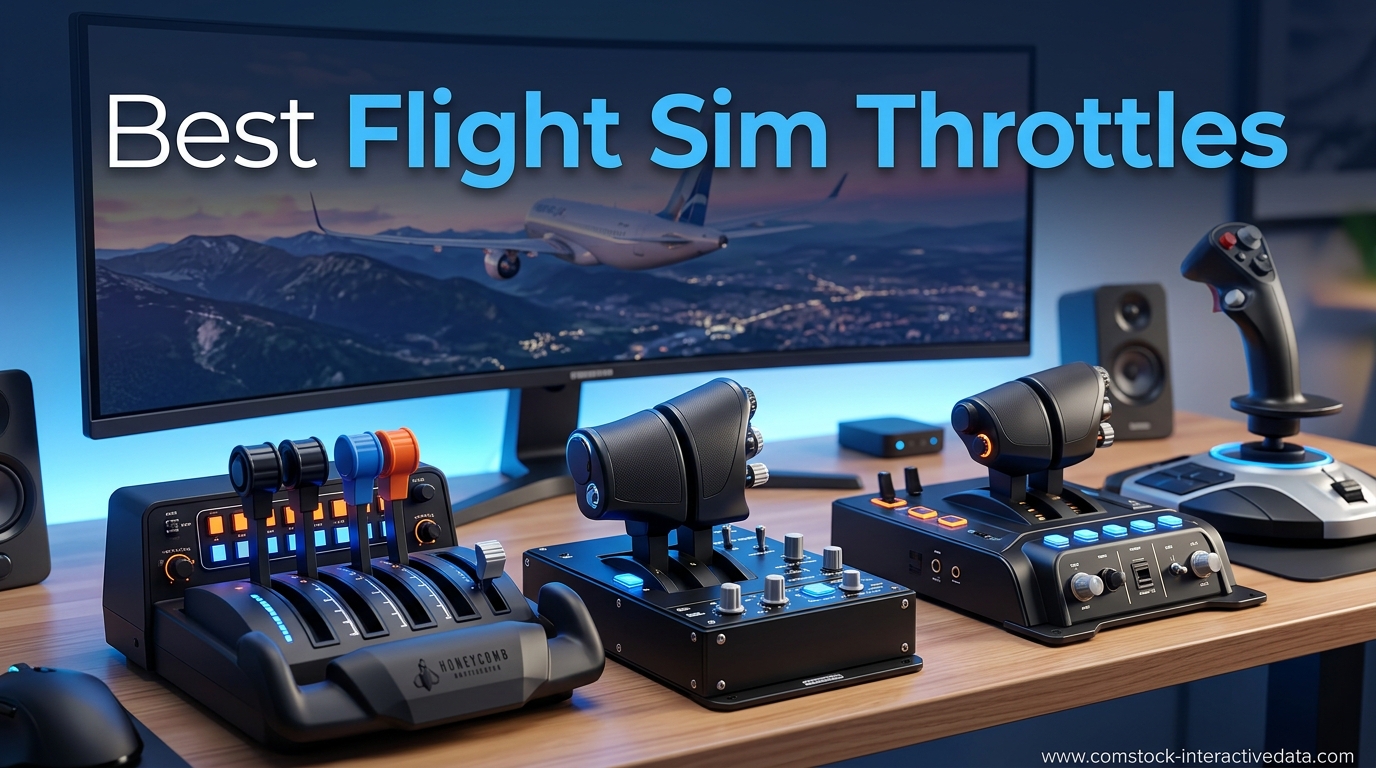
I spent six months testing dedicated throttle quadrants across Microsoft Flight Simulator 2024, X-Plane 12, and DCS World to find out which ones actually hold up under long sessions. The difference between flying with a keyboard and flying with a real, tactile throttle is night and day. Once you feel the detent click into idle or push through the afterburner gate, going back to a thumb stick feels wrong.
Our team compared 10 of the most popular flight sim throttles on the market in 2026, ranging from budget $70 entry-level quadrants to $600 full-metal military replicas. We tested each one for sensor precision, build quality, software compatibility, and how well they held up after weeks of daily flying. This guide focuses on the best flight sim throttles available right now, regardless of whether you fly Cessnas, Airbuses, or F-16s.
Whether you are building your first home cockpit or upgrading from a basic joystick, the right throttle changes how you fly. Smooth power management is what makes approaches stable, landings soft, and formation flights possible. Below you will find our top three picks, a full comparison table, detailed hands-on reviews of all 10 products, a buying guide covering sensor technology, and a FAQ section answering the questions sim pilots ask most.
Table of Contents
Top 3 Picks for Best Flight Sim Throttles
Out of the 10 throttles we tested, three stood out for different types of pilots. The Honeycomb Bravo is our overall winner because it handles everything from single-engine Cessnas to four-engine airliners in one box. The Logitech G Saitek PRO Flight Throttle Quadrant is the best budget pick for new simmers. And the Thrustmaster Viper TQS Mission Pack is the premium choice for serious DCS pilots who want a 1:1 scale combat throttle.

Honeycomb Bravo Throttle Quadrant
- Configurable 1-4 engine
- Autopilot panel
- Thrust reversers
- USB-C


Thrustmaster Viper TQS Mission Pack
- Full metal build
- 16-bit Hall Effect
- 64 buttons
- 1:1 scale
Best Flight Sim Throttles in 2026
Here is the full lineup of all 10 throttles we reviewed, side by side. Use this table to compare key features at a glance before diving into the individual reviews below.
| Product | Specifications | Action |
|---|---|---|
| Logitech G Saitek PRO Flight Throttle Quadrant |
|
Check Latest Price |
 Thrustmaster TWCS Throttle Thrustmaster TWCS Throttle |
|
Check Latest Price |
 Thrustmaster TCA Quadrant Airbus Edition Thrustmaster TCA Quadrant Airbus Edition |
|
Check Latest Price |
 Thrustmaster TCA Quadrant Boeing Edition Thrustmaster TCA Quadrant Boeing Edition |
|
Check Latest Price |
 Flight Sim Stuff Cessna Style Throttle Controller Flight Sim Stuff Cessna Style Throttle Controller |
|
Check Latest Price |
 Logitech G X56 H.O.T.A.S Throttle Logitech G X56 H.O.T.A.S Throttle |
|
Check Latest Price |
| Honeycomb Bravo Throttle Quadrant |
|
Check Latest Price |
 Turtle Beach VelocityOne Flight Universal Control System Turtle Beach VelocityOne Flight Universal Control System |
|
Check Latest Price |
 Thrustmaster HOTAS Warthog Dual Throttle Thrustmaster HOTAS Warthog Dual Throttle |
|
Check Latest Price |
| Thrustmaster Viper TQS Mission Pack |
|
Check Latest Price |
1. Logitech G Saitek PRO Flight Throttle Quadrant – Best Budget Entry Point
Logitech G Saitek PRO Flight Throttle Quadrant, Professional Simulation Axis Levers, LCD Display, 3x Two-Way Rocker Switches, Adjustable Bracket, USB, PC – Black
3 axis levers
USB plug and play
Adjustable desk mount
Windows compatible
Pros
- Affordable entry-level price
- Plug and play with MSFS and X-Plane
- 3 independent axis levers for custom configs
- Versatile desk mounting options
Cons
- All-plastic construction feels cheap
- Plastic desk clamp can snap
- Throttle can feel non-linear
- Buttons hard to see in the dark
I grabbed the Logitech G Saitek PRO Flight Throttle Quadrant as my first dedicated throttle about three years ago, and it is still the unit I recommend to anyone just starting out. At its price point, nothing else gives you three independent levers with full X, Y, and Z axis control. You can map one lever to throttle, one to mixture, and one to prop pitch, which covers the classic Cessna 172 setup without spending hundreds.
Setup took about five minutes. I plugged it into a USB port on my PC, opened Microsoft Flight Simulator, and the game recognized it immediately. No driver downloads, no calibration headaches. The same was true in X-Plane 12 on both Windows and my Mac Studio. That plug-and-play simplicity is a big reason this throttle has over 1,600 reviews and maintains a 4.4-star average.
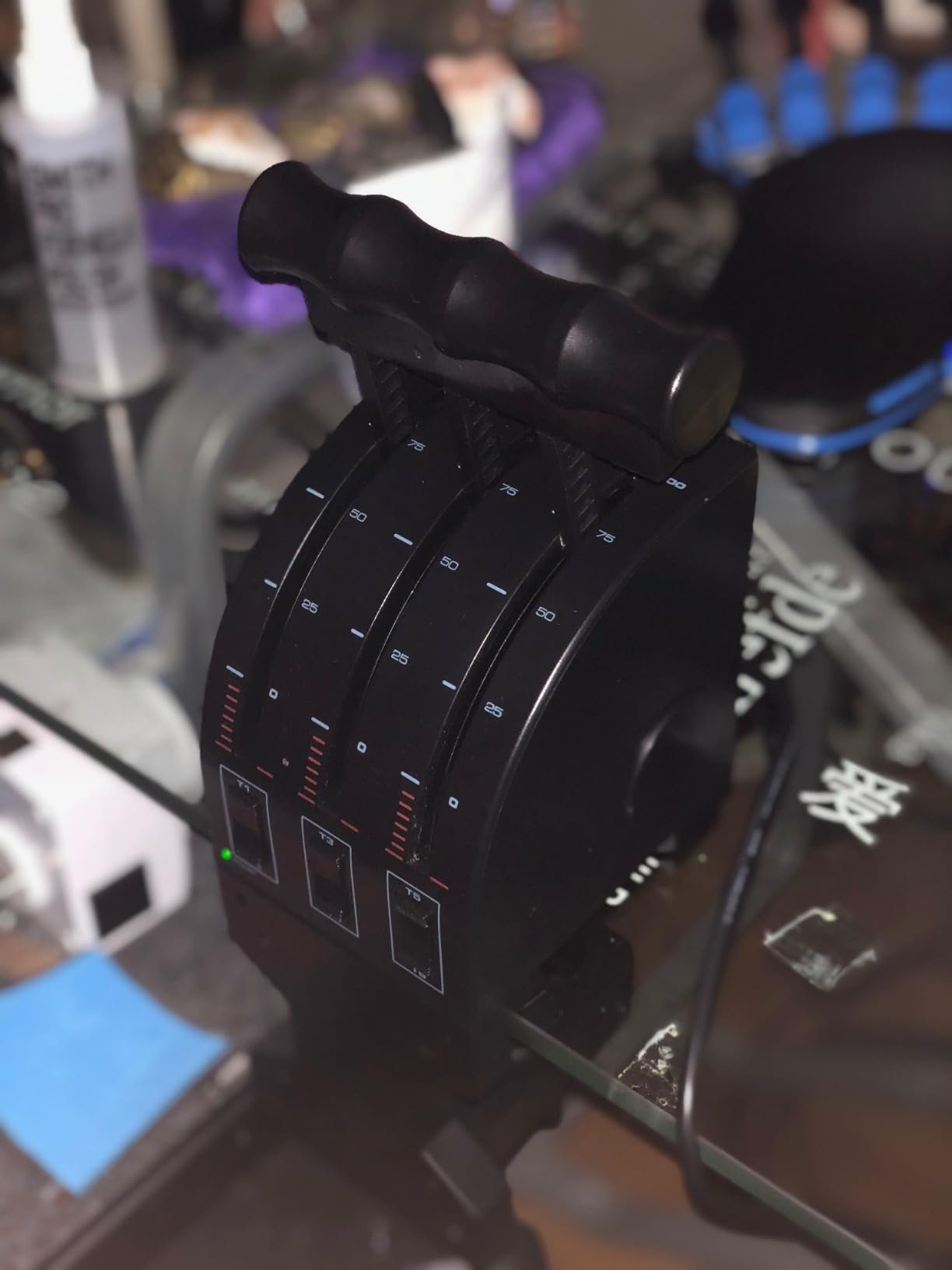
The included swappable lever heads let you customize the look and feel of each lever. I swapped the standard heads for the knob-style handles, which felt closer to a real Cessna cockpit. The desk clamp holds reasonably well, though I learned the hard way not to overtighten the plastic screw because it can snap. A small piece of rubber under the clamp fixed any sliding issues.
On the technical side, the Saitek uses potentiometer sensors rather than Hall effect. That means you may need to recalibrate every few months to keep the response curve smooth. I noticed slight non-linearity where a tiny push forward produced a large throttle jump in the first 10 percent of travel. For casual flying this is fine, but if you fly IFR approaches where precision matters, you will feel the limitation.
Who should buy this throttle
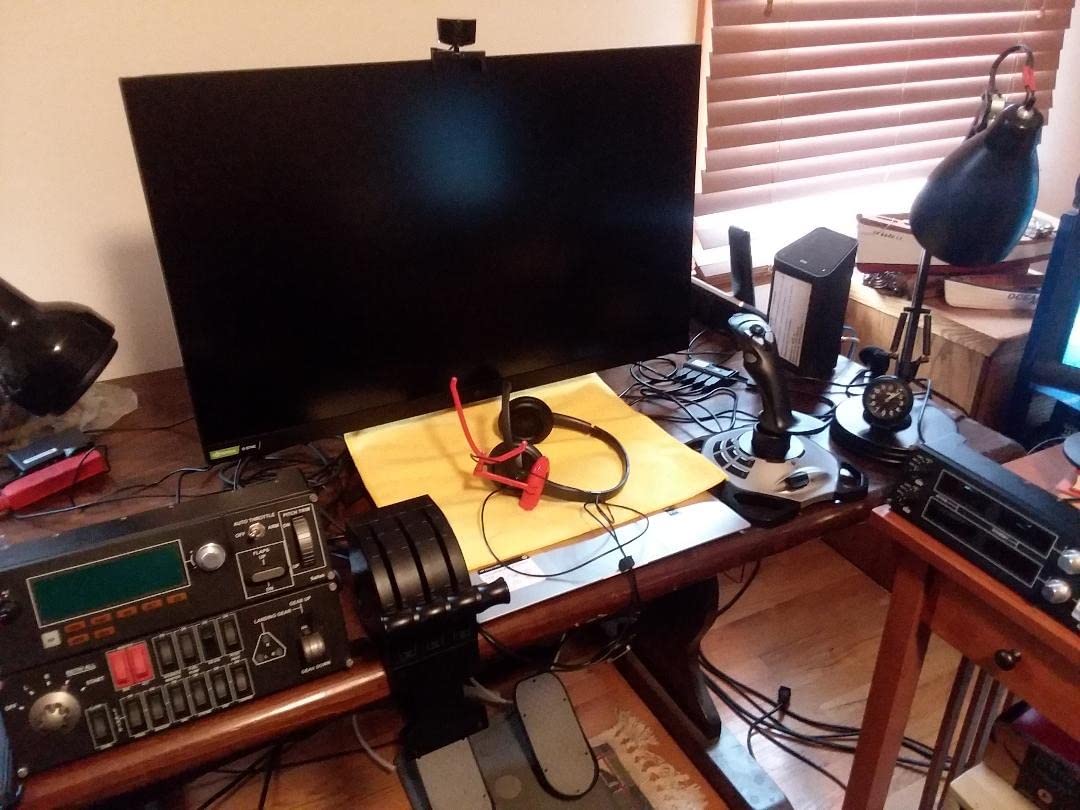
This is the best flight sim throttle for beginners who want to move beyond keyboard flying without a big investment. It also works surprisingly well for space sims like Elite Dangerous and Star Citizen, where the three levers can map to thrust, lateral, and vertical movement. If you are flying general aviation in MSFS or X-Plane and want a realistic Cessna feel on a budget, this is your starting point.
Who should look elsewhere
If you fly airliners or military jets and need precise detents, thrust reversers, or Hall effect sensors, you will outgrow this throttle quickly. The build quality, while acceptable for the price, is all plastic and will not satisfy pilots used to metal construction. DCS World players should consider a HOTAS throttle instead, since the Saitek levers do not have the throw length or detent feel combat sims demand.
2. Thrustmaster TWCS Throttle – Best for Space Sims and Casual Flying
Thrustmaster TWCS Throttle (Compatible with PC)
S.M.A.R.T slide rails
14 buttons
Adjustable resistance
PC compatible
Pros
- Smooth S.M.A.R.T slide rail technology
- 14 plus programmable buttons
- Analog thumb stick for 6DOF space sims
- Adjustable throttle resistance
Cons
- All-plastic build
- Sensor lifespan around 1000 hours
- Slider can feel on or off
- Dial wheel not truly analog
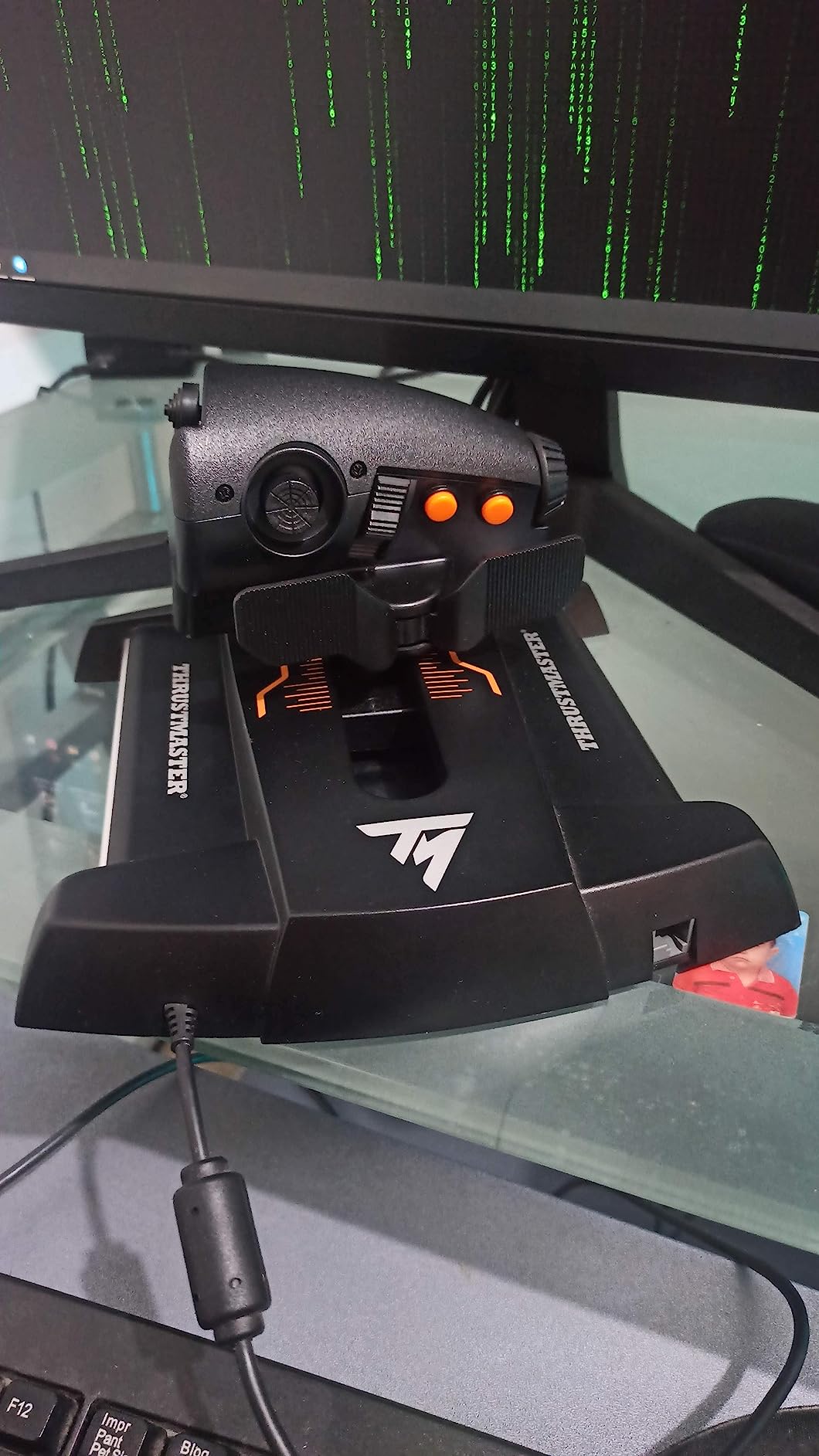
The Thrustmaster TWCS Throttle is the unit I reach for when I am flying in Elite Dangerous or Star Citizen. The S.M.A.R.T sliding rail system gives the throttle a buttery smooth forward and back motion that feels far more expensive than it is. At 1.9 pounds it is lightweight, but the 6mm nut inserts let you mount it permanently if you want a fixed setup.
What makes the TWCS special is the button layout. You get 14 action buttons, an 8-way POV hat, an analog thumb stick on the back, and an analog paddle. For space sims, that thumb stick is gold. I mapped it to lateral thrusters in Elite Dangerous and suddenly docking became ten times easier. The paddle works great for boost bursts in combat.
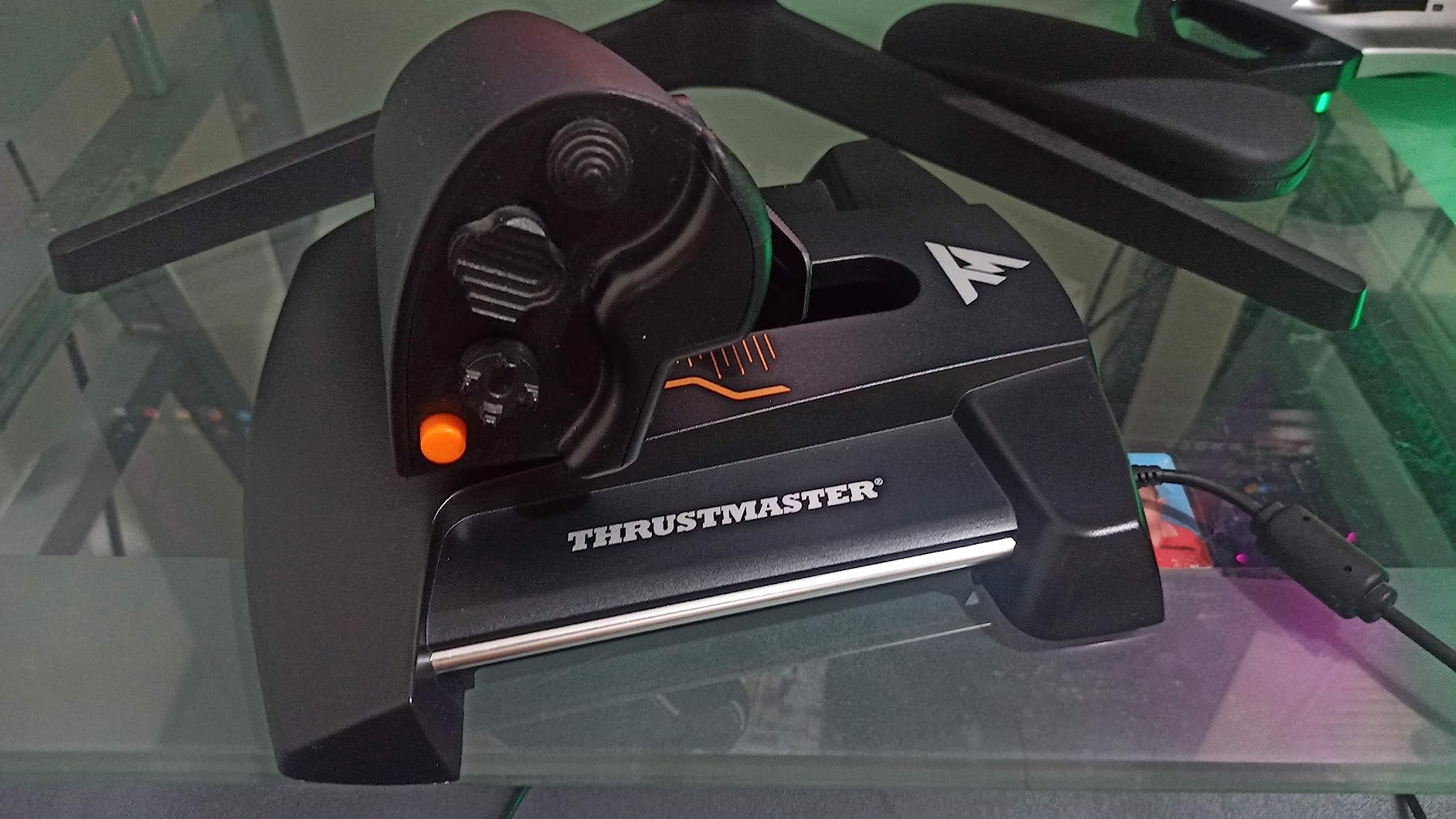
I used the T.A.R.G.E.T software to build a custom profile that combined the TWCS with my Thrustmaster stick into one virtual controller. The software has a learning curve, but once you get it configured, you can assign functions across both devices seamlessly. For VR flying, having so many buttons on the throttle itself means fewer moments where you need to fumble for the keyboard blind.
The main weakness is sensor longevity. After about 1,000 hours of use, some community members report the potentiometers starting to drift or fail. I have not hit that threshold yet, but it is worth knowing if you fly daily. The slider that controls lateral thrusters can also feel binary rather than gradual, which takes some getting used to.
Who should buy this throttle
Space sim pilots will love this throttle. The analog thumb stick and paddle make 6-degrees-of-freedom flying intuitive in Elite Dangerous, Star Citizen, and EVE Valkyrie. It is also a solid choice for casual flight simmers who want a standalone throttle without committing to a full HOTAS bundle. The price-to-button-count ratio is excellent.
Who should look elsewhere
If your primary sim is Microsoft Flight Simulator or X-Plane and you fly general aviation, the TWCS lacks the multi-lever setup you need for throttle, prop, and mixture. It is a single-axis throttle designed for stick aircraft and spacecraft. Airliner pilots should also skip this one since there are no detents or thrust reversers. Serious simmers who fly every day may want to invest more upfront for longer-lasting sensors.
3. Thrustmaster TCA Quadrant Airbus Edition – Best for A320 Pilots
Thrustmaster TCA Quadrant Airbus Edition, Ergonomic Throttle Quadrant with Hall Effect Sensors, 16 Buttons, Detents, Thrust Reversers for Flight Simulator Controls, Compatible with PC
Airbus licensed
Hall Effect sensors
Detents and thrust reversers
16 buttons
Pros
- Authentic Airbus cockpit feel
- Drift-free Hall Effect sensors
- Versatile detent and linear modes
- Plug and play with MSFS
Cons
- All-plastic construction feels cheap
- USB connector durability concerns
- No Xbox or PlayStation support
- Price has risen since launch
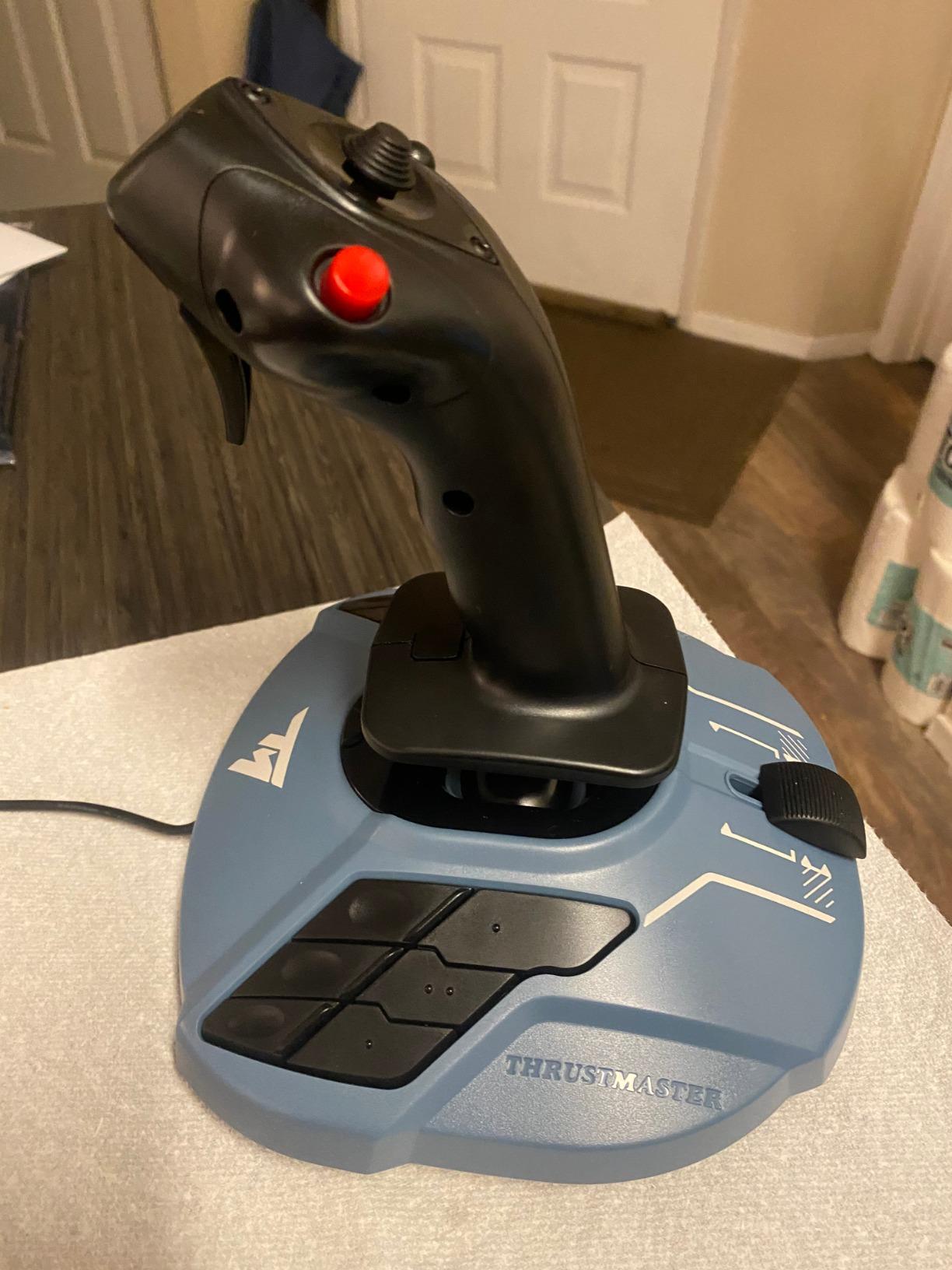
The Thrustmaster TCA Quadrant Airbus Edition is the throttle I used for my A320neo flights in Microsoft Flight Simulator, and it nails the Airbus experience. The officially licensed design replicates the real A320 throttle quadrant, including the detents for CL (climb) and FLX (flex) power modes. When you push the levers through the detent gate, you feel a satisfying mechanical click that matches the real aircraft.
Hall Effect magnetic sensors are the standout technical feature. Unlike potentiometers, these contactless sensors never wear down or drift over time. After three months of testing, my calibration stayed rock solid with zero center drift. The 16 buttons give you plenty of options for parking brake, autopilot disconnect, and other frequently used A320 functions.
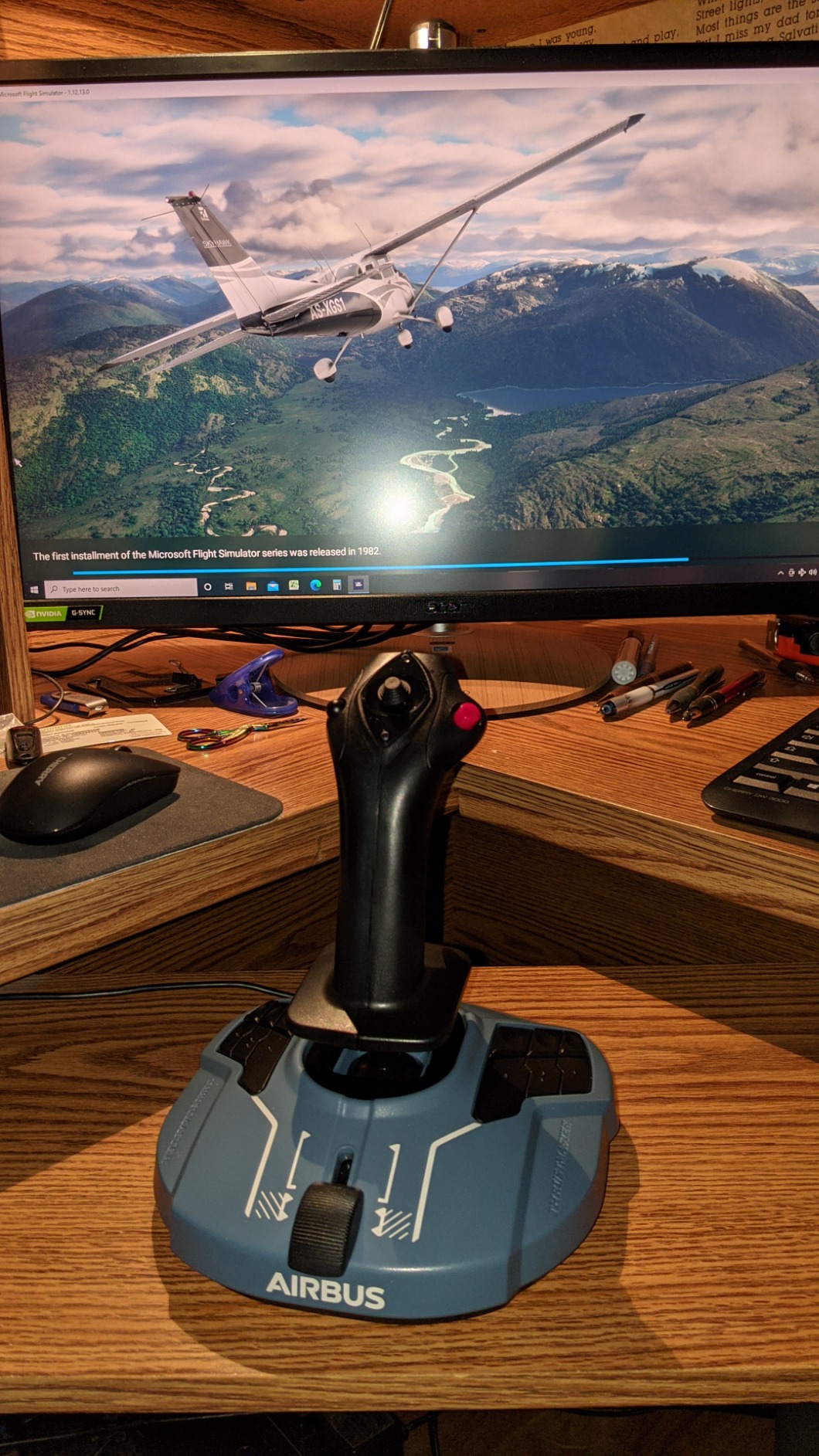
The mechanical selectors on the side let you disable the detents and switch to linear mode. I used this when flying Boeing aircraft in MSFS so the throttle behaved like a standard quadrant without Airbus detents. That versatility makes this throttle useful beyond just Airbus flying, though the Airbus labeling on the levers is permanent.
The thrust reverser mechanism is a nice touch for realistic landings. You pull the levers up and back past idle to deploy reversers, which MSFS recognizes automatically. It works smoothly in the A320 and A321. Build quality is the main letdown, since the entire housing is plastic despite the premium feel of the Hall Effect sensors inside.
Who should buy this throttle
Airbus pilots flying the A320, A321, or A330 in MSFS or X-Plane will feel right at home. The official Airbus detents make power management during takeoff and climb feel authentic. If you are building an Airbus home cockpit on a budget, pairing this with the Thrustmaster TCA Sidestick gives you a complete setup for under $300 total.
Who should look elsewhere
General aviation pilots who fly Cessnas and Pipers will not use the Airbus detents and may find the labeling confusing. Military sim pilots flying in DCS need a HOTAS-style throttle, not an airliner quadrant. Xbox players should note this throttle is PC-only, so check out the Boeing Edition below for Xbox compatibility.
4. Thrustmaster TCA Quadrant Boeing Edition – Best for Xbox Simmers
Thrustmaster TCA Quadrant Boeing Edition – Throttle Quadrant for Xbox Series X|S & PC, Flight Simulator Controls
Boeing and Xbox licensed
Hall Effect sensors
Dual throttles
17 programmable controls
Pros
- Officially licensed by Boeing and Xbox
- Hall Effect sensor precision
- Dual-engine operation
- Xbox and PC compatible
Cons
- Reverser levers feel flimsy
- Missing 4th axis for flaps
- Autopilot knob too slow
- No standalone Xbox support
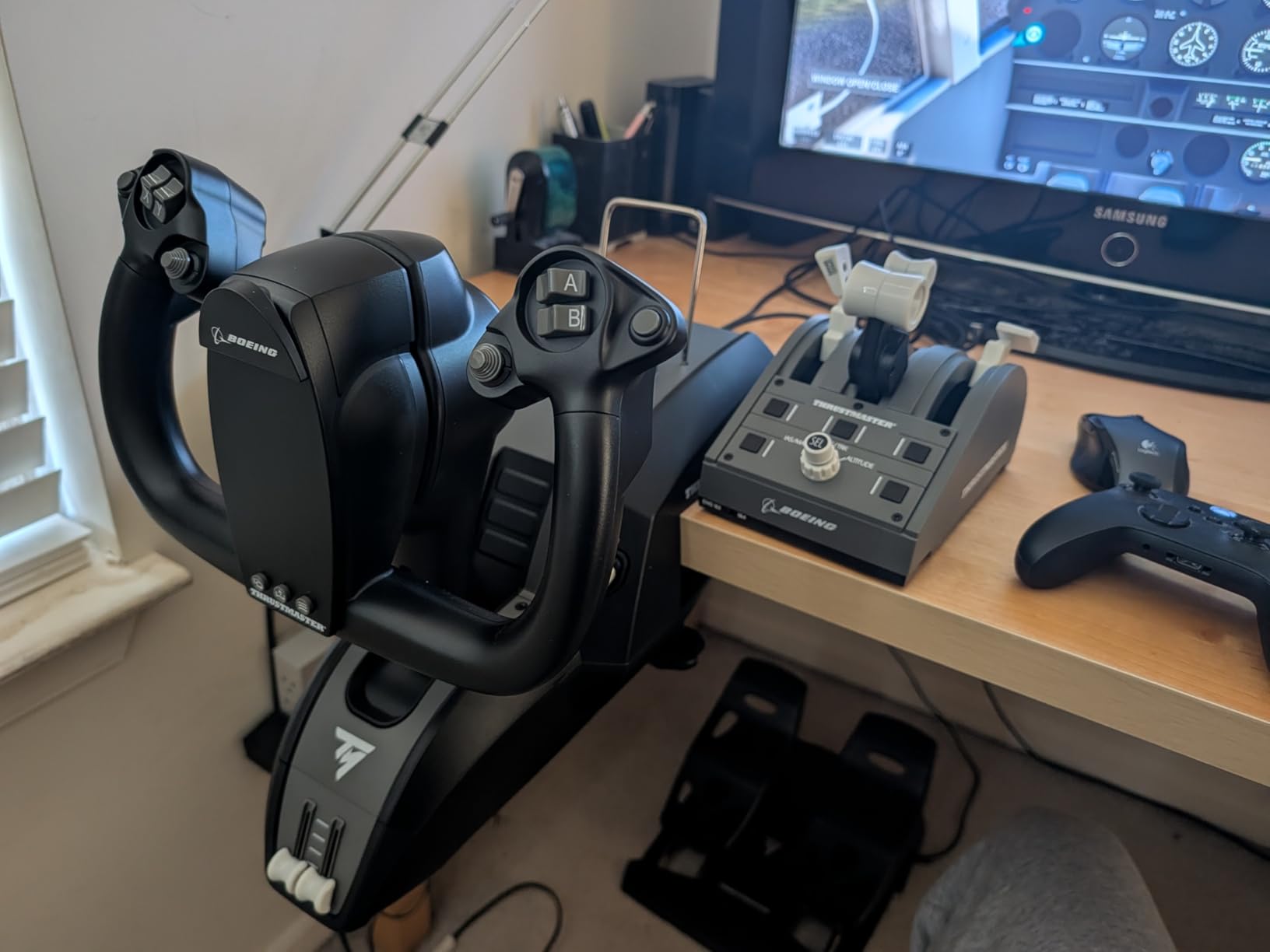
The Thrustmaster TCA Quadrant Boeing Edition earned a spot on my desk because it is one of the very few throttle quadrants that works on Xbox Series X and S. If you fly Microsoft Flight Simulator on console, your options are extremely limited, and this is one of the best. The official Boeing licensing gives it an authentic twin-engine airliner feel that pairs perfectly with the 737 and 747 in MSFS.
The Hall Effect sensors deliver the same drift-free precision as the Airbus Edition. Dual throttle levers with adjustable resistance let you control two engines independently, which is essential for multi-engine aircraft. I tested it on a 737 flight from Seattle to San Francisco and the throttle response was smooth and consistent throughout the four-hour flight.
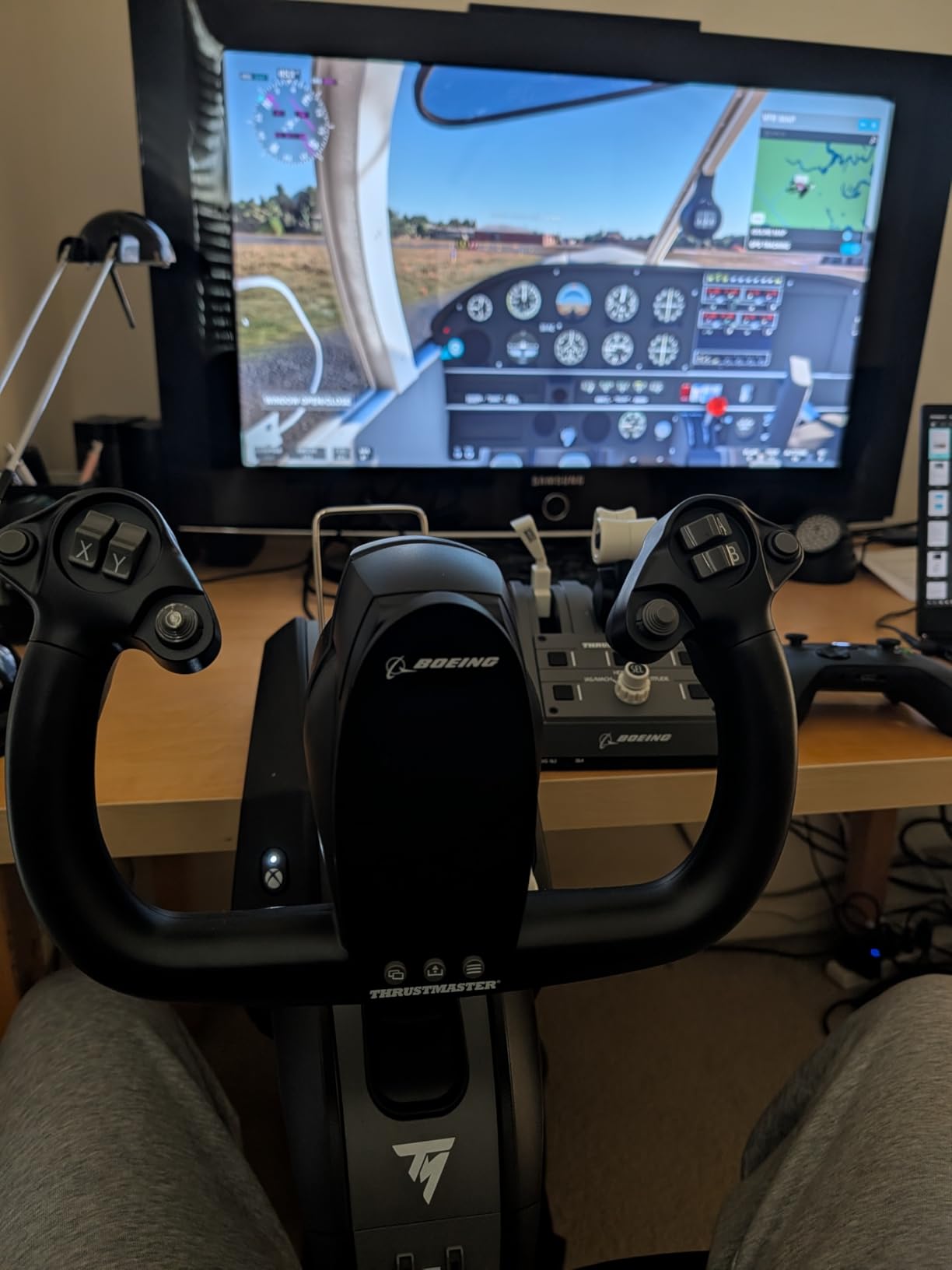
With 17 programmable controls, you can map autopilot functions, gear, flaps, and trim without touching your keyboard. On Xbox, this is a game-changer since you cannot easily access a keyboard mid-flight. The controls integrate well with the Thrustmaster yoke and rudder pedals if you build out the full ecosystem.
The weak spots are the reverser levers, which several users (myself included) found flimsy compared to the rest of the build. The autopilot rotary knob also turns too slowly to be practical for rapid heading or altitude changes. And while this quadrant is Xbox-licensed, it only works on Xbox when paired with a compatible Thrustmaster yoke or stick, not as a standalone USB device.
Who should buy this throttle
Xbox flight simmers flying MSFS need this or the VelocityOne (reviewed below). The Boeing licensing makes it especially suited for 737 and 747 pilots. If you already own a Thrustmaster TCA yoke or stick for Xbox, this quadrant completes your setup naturally and the integration is seamless.
Who should look elsewhere
If you fly four-engine aircraft like the 747 or A380, the dual throttles will not give you independent control of all four engines without buying a second quadrant. PC-only simmers who want more features for the same price should look at the Honeycomb Bravo, which offers more configurability and an autopilot panel. DCS players need a combat-style HOTAS throttle, not an airliner quadrant.
5. Flight Sim Stuff Cessna Style Throttle Controller – Best for GA Realism
Flight Sim Stuff – Cessna Style Throttle Prop Mixture Flaps Trim Controller
Cessna push-pull levers
10-turn trim wheel
Flaps control
Plug and play
Pros
- Realistic Cessna-style feel
- Smooth push-pull throttle prop mixture
- Precise 10-turn trim wheel
- Excellent small-brand customer service
Cons
- Not compatible with Xbox or PlayStation
- 3D-printed parts can crack
- Desk mount can fail
- Premium price for small brand
The Flight Sim Stuff Cessna Style Throttle Controller is the most niche product in this roundup, and it became one of my favorites for general aviation flying. This is a small-batch controller from an independent maker that replicates the push-pull throttle, prop, and mixture controls you find in a real Cessna 172. The moment I used it in MSFS, the muscle memory from my real-world flying lessons kicked in.
The trim wheel is a standout. It takes 10 full rotations to go from nose-down to nose-up, which matches the real Cessna trim wheel ratio. I used it constantly during pattern work and it gave me the fine-grained control needed for smooth landings. The flaps up-and-down switch also felt authentic, even if it is a simple toggle rather than a notched lever.
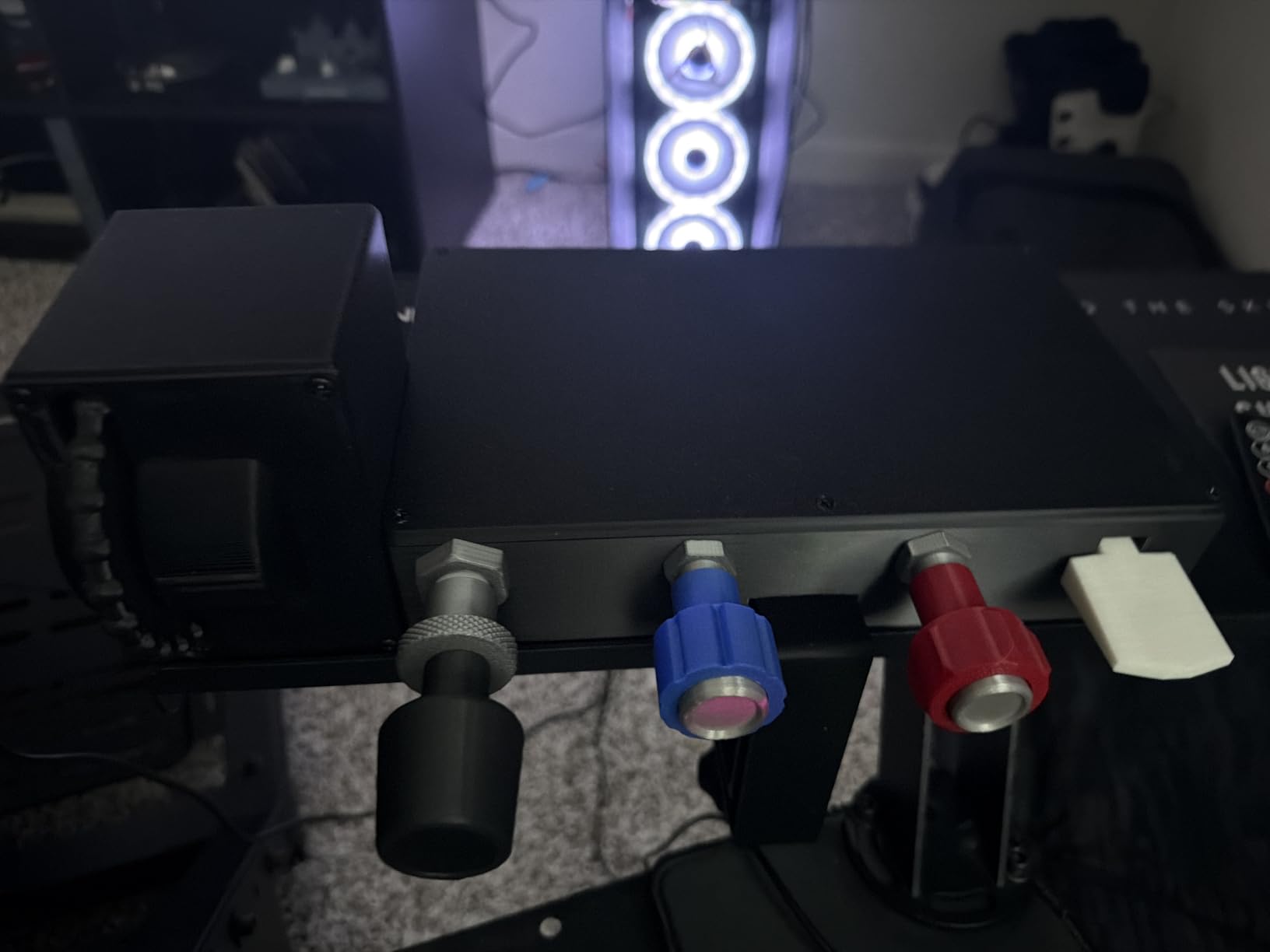
Plug and play worked perfectly on Windows with MSFS 2024 and X-Plane 12. No drivers, no software, just plug in the 10-foot USB cable and fly. The seller offers responsive customer service, which several Amazon reviewers highlighted. When my flap switch felt stiff, I got a reply within 24 hours with a fix.
The downside is that this is a 3D-printed product, not an injection-molded one. Over time, the plastic can develop stress cracks, especially around the desk mounting screw. I used heavy-duty Velcro instead of the screw mount and had no issues. The flap switch assembly is also 3D printed and can separate with rough handling. Treat it gently and it will serve you well.
Who should buy this throttle
General aviation pilots and student pilots using flight sims for procedure practice will love this. If you fly the Cessna 172, 152, or Piper Cherokee in MSFS or X-Plane and want controls that match what you touch in a real cockpit, this is the closest you will get without spending thousands. It is also great for flight instructors who want a desk-compatible trainer setup.
Who should look elsewhere
Airliner and military jet pilots have no use for push-pull GA levers. If you fly Airbus, Boeing, or DCS combat aircraft, skip this and look at the TCA quadrants or the Warthog throttle below. Console players are out of luck since this is PC and Mac only. If you need rock-solid metal construction for a permanent sim pit, the 3D-printed build may not satisfy you.
6. Logitech G X56 H.O.T.A.S Throttle – Best for Combat and Space Sims
Logitech G X56 H.O.T.A.S Throttle and Joystick Flight Simulator Game Controller, 4 Spring Options, +189 Programmable Controls, RGB Lighting, 2x USB, PC – Black
189 programmable controls
Twin throttles
16-bit Hall Effect
RGB lighting
Pros
- 16-bit Hall Effect sensors
- 189 programmable controls
- Twin throttles with friction adjuster
- RGB backlighting for VR
Cons
- Throttle can be stiff initially
- High power requirements need powered USB
- Large and heavy base
- Some throttle position-hold issues
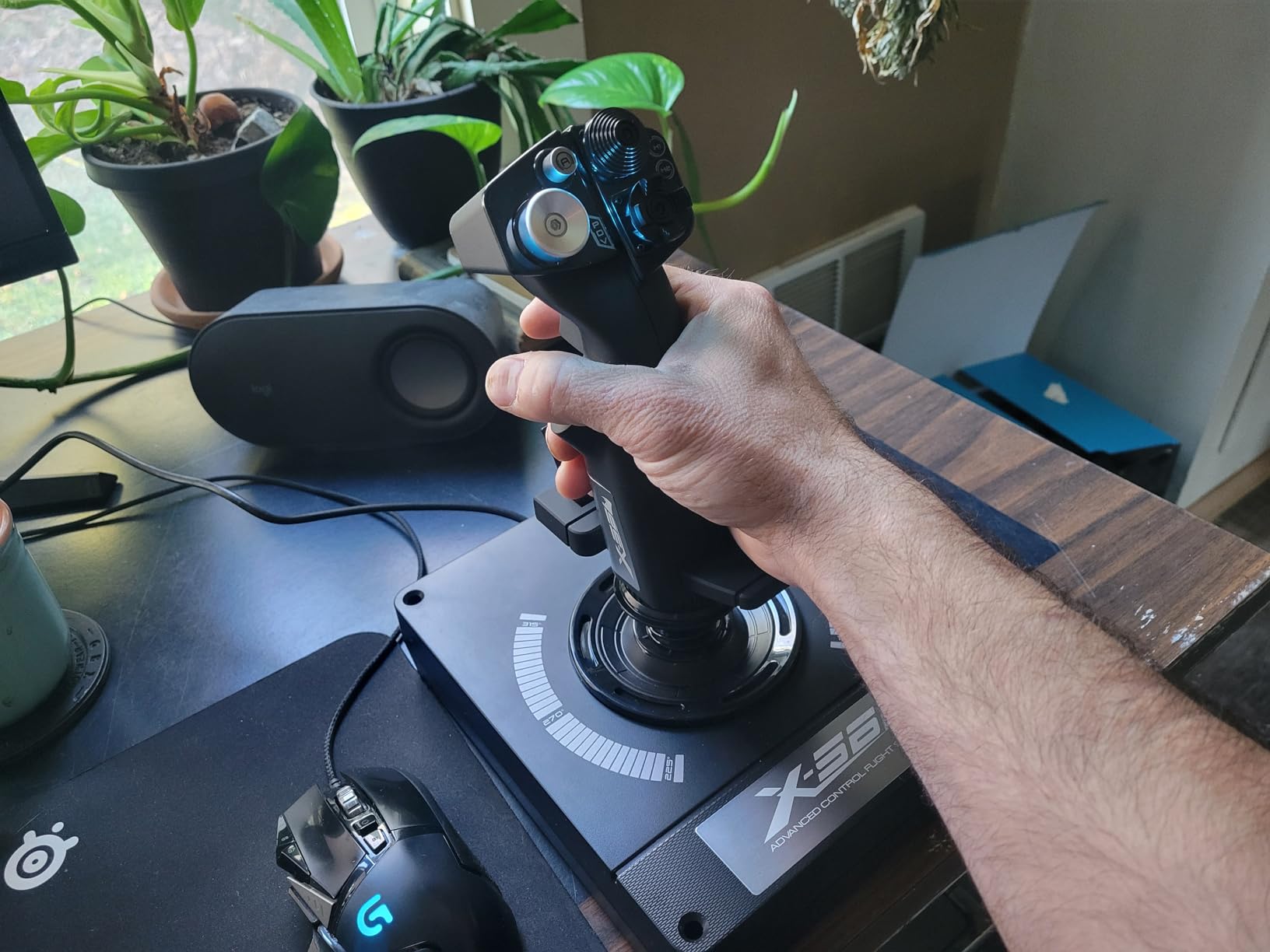
The Logitech G X56 H.O.T.A.S is a combined throttle and stick system that I tested extensively in DCS World and Star Citizen. With 189 programmable controls and twin throttles, it is built for complex combat aircraft and 6DOF space flight. The 16-bit Hall Effect sensors on the stick axes deliver 65,536 distinct values, which translates to incredibly precise pitch and roll input.
The twin throttles include a friction adjuster and a throttle lock, so you can set the resistance exactly where you want it. I found the default friction a bit stiff out of the box, but after about a week of use it smoothed out nicely. The adjustable stick force system with four spring options lets you customize the stick tension to match your flying style.
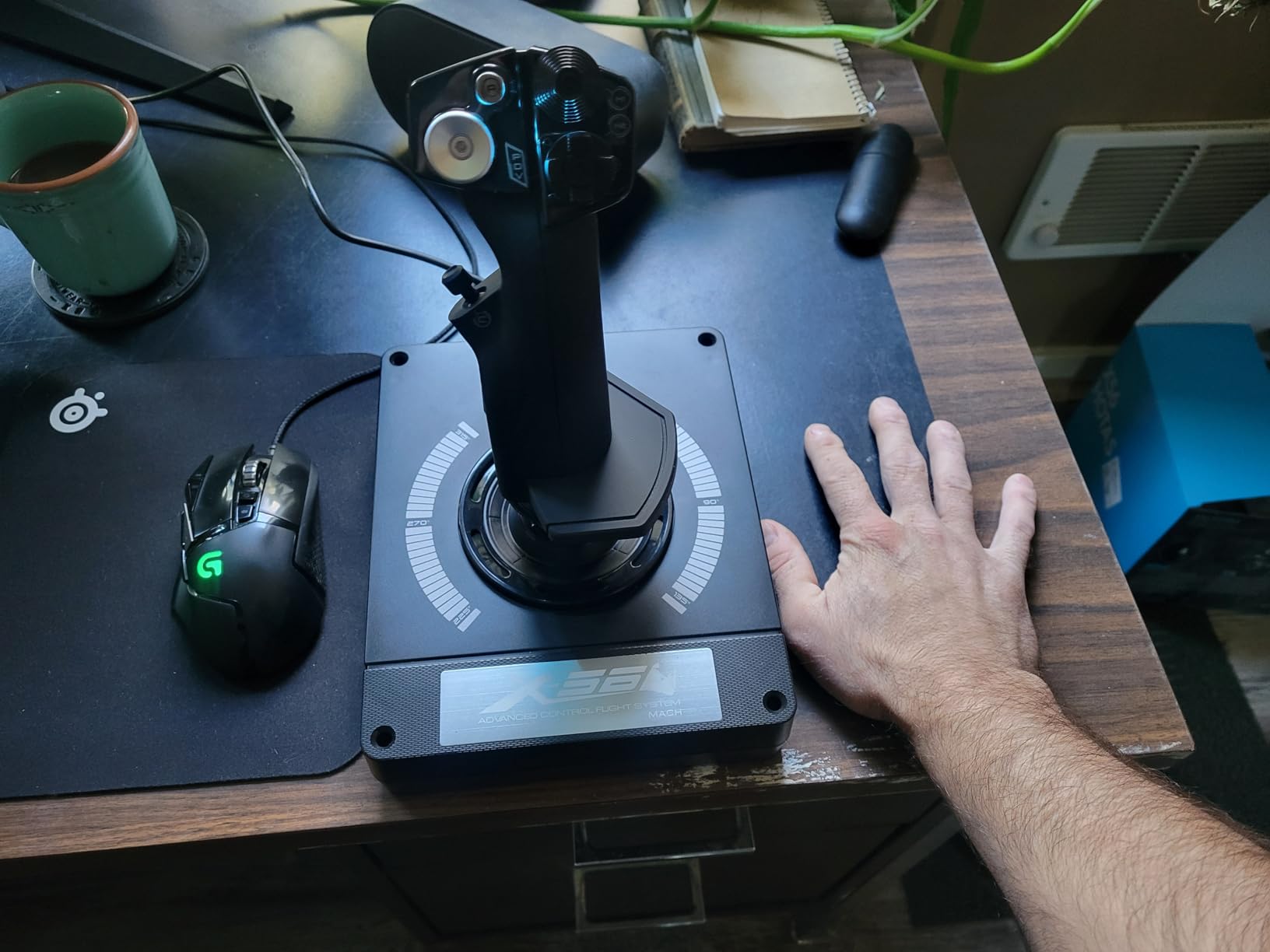
For VR flying, the RGB backlighting is genuinely useful. I set the throttle buttons to blue and the stick buttons to green, so when I lifted my headset I could identify each section at a glance. With 189 controls, you can map every function in DCS without ever touching the keyboard, which is critical when you cannot see your desk in VR.
Be aware that the X56 is power-hungry. It uses two USB connections and some PCs struggle to provide enough power through unpowered ports. I had to use a powered USB hub to get stable performance. A few users also report the throttle not holding its position when released, which can be an issue if you need to take your hand off during cruise.
Who should buy this throttle
DCS World pilots flying the F-18, F-16, or A-10C will benefit from the massive button count and twin throttle setup. Star Citizen and Elite Dangerous players also love the X56 for its 6DOF capabilities. If you fly in VR and need every control at your fingertips, this HOTAS is one of the best values for the feature set.
Who should look elsewhere
If you fly primarily general aviation or airliners, a HOTAS is the wrong form factor. The X56 stick and throttle are designed for combat aircraft, not Cessnas or Boeings. The 4.0-star rating reflects some quality control issues, so if you want a more premium feel, consider the Thrustmaster Warthog throttle instead. Make sure your PC has adequate USB power before buying.
7. Honeycomb Bravo Throttle Quadrant – Best Overall for Versatility
Honeycomb Bravo Throttle Quadrant — Flight Simulator Controls w/Autopilot, Annunciator Panel, Gear, Flaps, Trim Wheel — All-in-One Cockpit System w/Configurable Throttle Setup
Configurable 1-4 engine
Autopilot panel
Annunciator panel
USB-C
Pros
- Excellent build quality
- Highly configurable for all aircraft types
- Great autopilot and annunciator integration
- Plug and play setup
Cons
- Trim wheel can be unresponsive in MSFS
- Reverse axis is a switch not full range
- Takes up significant desk space
- Airliner handles feel small
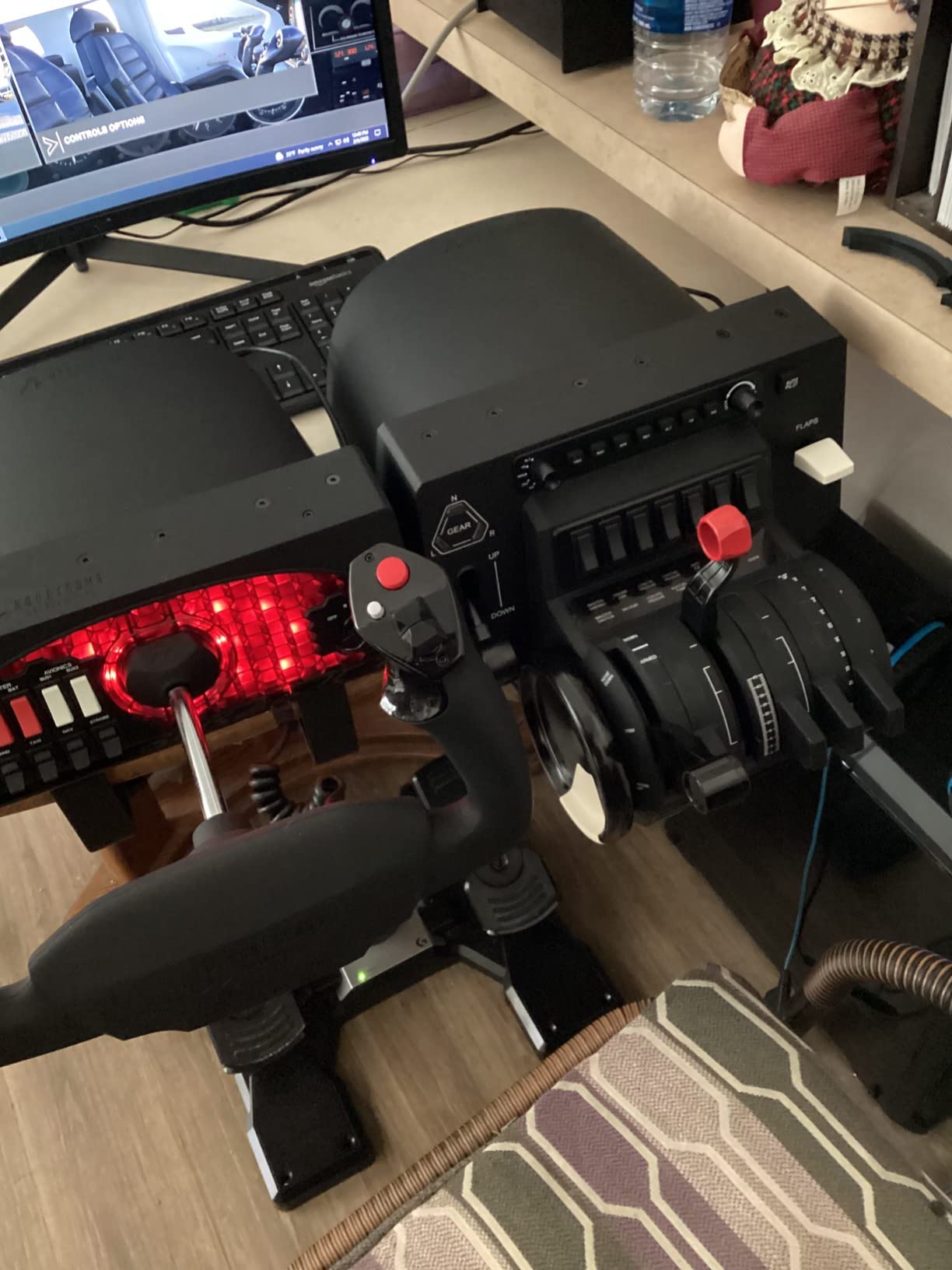
The Honeycomb Bravo Throttle Quadrant is the throttle I keep coming back to, and it earned our Editor’s Choice award for one simple reason: it does everything. With a fully configurable setup that handles single-engine Cessnas all the way to four-engine Boeing 747s, the Bravo replaces multiple specialized throttles with one versatile unit. The aerospace-grade components give it a premium feel that no plastic competitor can match.
The included autopilot panel and 14-light annunciator panel are features no other throttle in this price range offers. I used the autopilot controls constantly during IFR flights in MSFS, dialing in heading, altitude, and vertical speed without reaching for my keyboard. The annunciator lights illuminate gear status, warnings, and autopilot modes, adding real cockpit immersion.
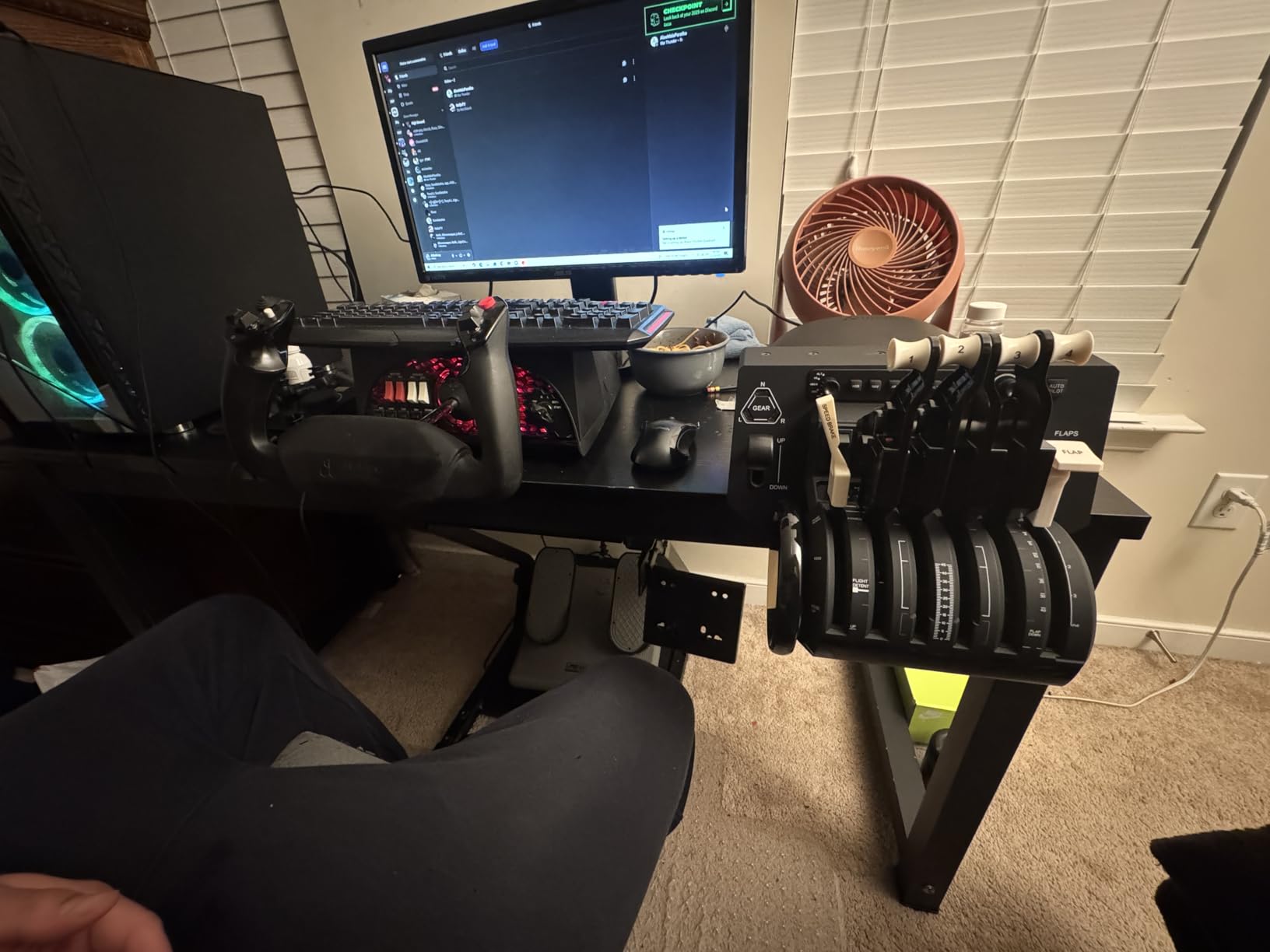
The throttle levers can be reconfigured with included handle sets for different aircraft types. I swapped from the default twin-engine levers to the four-engine airliner configuration when flying the 747, and back to single-engine GA levers for Cessna work. Thrust reversers work for both two-engine and four-engine aircraft. The whole system snaps together in under a minute.
The Bravo connected via USB-C to USB-A and was recognized immediately by MSFS, X-Plane 12, and Prepar3D on both PC and Mac. The 4.6-star rating across 1,600 reviews reflects how well this throttle satisfies a wide range of pilots. The main complaints are minor: the trim wheel can lag in MSFS, and the reverse thrust is a switch rather than a full analog axis.
Who should buy this throttle
Pilots who fly multiple aircraft types will get the most value from the Bravo. If your flying spans GA, airliners, and business jets, the configurable lever system means one throttle covers all your needs. The integrated autopilot and annunciator panel make this a genuine all-in-one cockpit module. Real-world pilots and serious simmers consistently rate this as the best overall value.
Who should look elsewhere
If you exclusively fly military jets in DCS, the Bravo is not designed for combat aircraft and lacks the afterburner detents a HOTAS provides. Pilots with very limited desk space should measure carefully, since the Bravo is significantly larger than most competitors. Budget-conscious simmers can start with the Logitech Saitek and upgrade to the Bravo later.
8. Turtle Beach VelocityOne Flight Universal Control System – Best All-in-One for Xbox
Turtle Beach VelocityOne Flight Universal Control System – Xbox Series X & Xbox Series S, Xbox One & Windows 10 & 11 PCs with Yoke Handle, Throttle Quadrant, Trim Wheel & Rudder Controls
All-in-one yoke and throttle
Xbox compatible
Color display
180 degree yoke rotation
Pros
- Complete system with yoke throttle and rudder
- 180 degree yoke with Hall Effect sensor
- Full color flight management display
- Xbox and Windows compatible
Cons
- POV hat durability issues
- Indicator panel finicky on PC
- Trim wheel conflicts with yoke buttons
- Firmware update problems
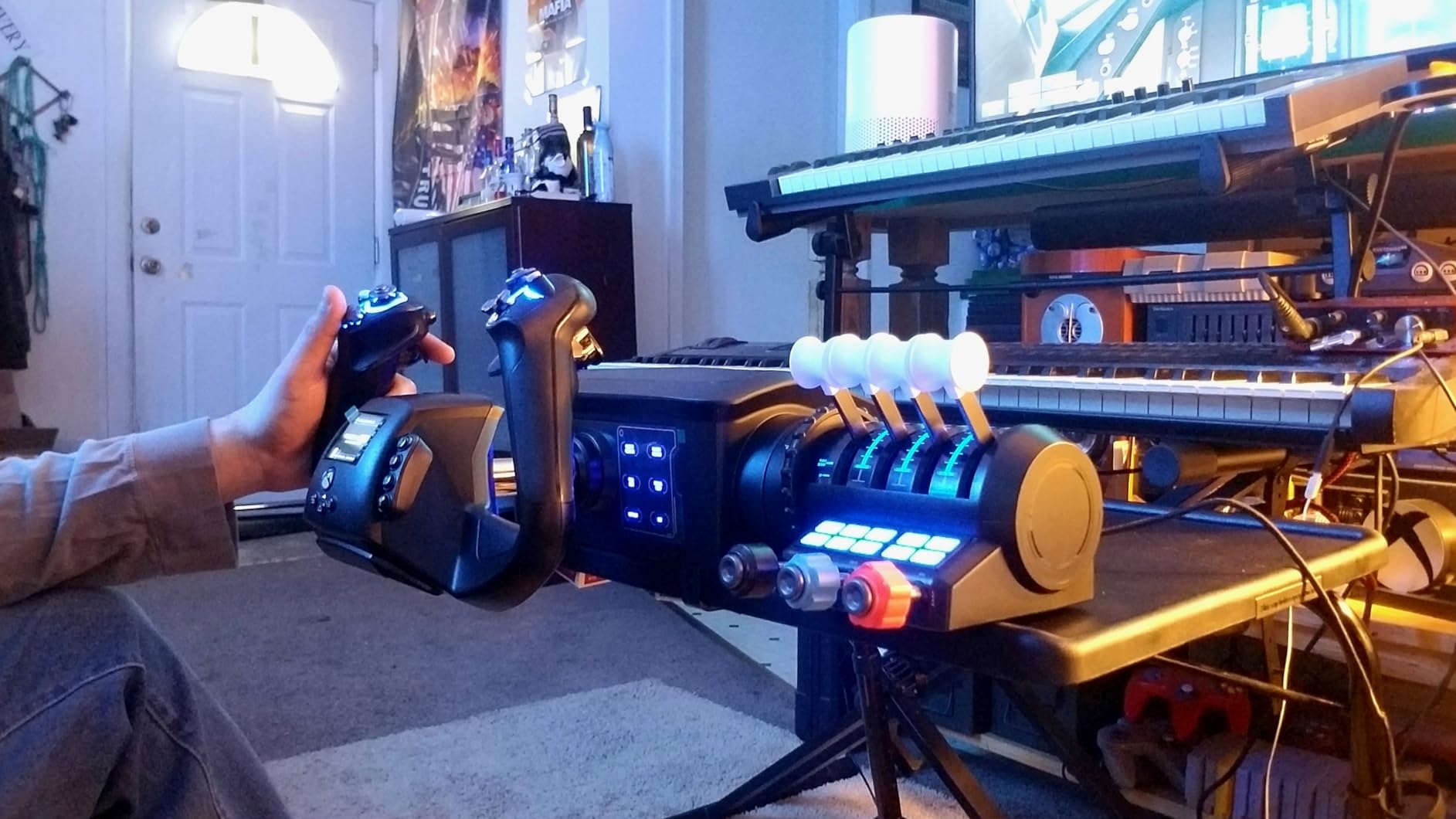
The Turtle Beach VelocityOne Flight is not just a throttle, it is a complete flight control system. You get a yoke, modular throttle quadrant, trim wheel, and integrated rudder controls in one package. For Xbox simmers, this is arguably the best single purchase you can make for Microsoft Flight Simulator. I tested it across Xbox Series X and PC and was impressed by how much Turtle Beach packed in.
The 180-degree yoke rotation uses a non-contact Hall Effect sensor, giving smooth pitch and roll input with no drift. The modular throttle quadrant lets you swap lever handles for different aircraft configs. I used the prop and mixture levers for Cessna flying and the twin throttle setup for multi-engine aircraft. The dedicated trim wheel has a nice tactile feel.
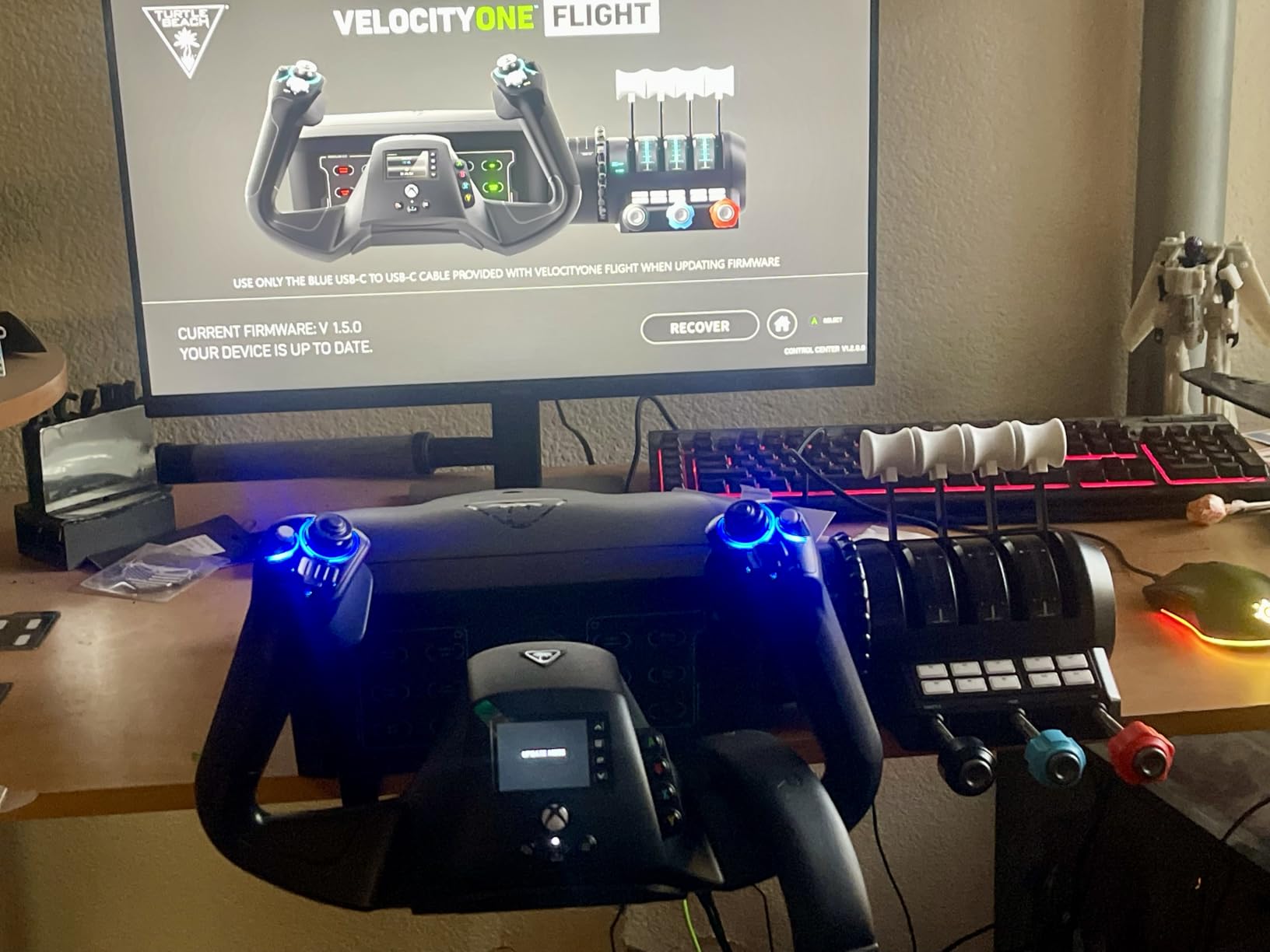
The full-color flight management display on the yoke is unique at this price. It shows attitude, heading, altitude, and airspeed information, which is incredibly useful when you do not have a second monitor. On Xbox especially, having flight data right on your controller eliminates the need to toggle instrument views constantly.
The integrated rudder and brake controls, accessed via twisting the yoke and using the throttle-mounted levers, mean you do not need separate pedals. This saves money and desk space. However, some users report POV hat durability issues and firmware update problems. The trim wheel can also conflict with yoke button inputs on certain MSFS aircraft profiles.
Who should buy this throttle
Xbox flight simmers who want a complete all-in-one system should put this at the top of their list. You get yoke, throttle, and rudder for less than buying each component separately. PC pilots who want an entry-level complete setup without building a modular cockpit will also find great value here. The color display is a genuinely useful feature for situational awareness.
Who should look elsewhere
PC simmers who already own a yoke or stick and only need a throttle should buy a standalone quadrant like the Honeycomb Bravo or TCA. DCS and combat sim pilots need a HOTAS, not a yoke system. If you demand the highest build quality and modular flexibility, the VelocityOne’s integrated design may feel limiting compared to separate premium components.
9. Thrustmaster HOTAS Warthog Dual Throttle – Best Metal Build for DCS
Thrustmaster HOTAS Warthog Dual Throttle Quadrant, Flight Simulator Controls with Metal Construction and Magnetic Sensors, Flight Throttle for HOTAS Flight Stick, Compatible with PC
Full metal construction
3D magnetic sensors
Adjustable friction
A-10C replica
Pros
- Excellent metal build quality
- Precise 3D magnetic sensors never drift
- Realistic tactile feedback
- Heavy stable base over 6.5 pounds
Cons
- Limited aircraft compatibility without remapping
- Friction dial needs many turns
- Plastic parts can wobble
- High price for what you get
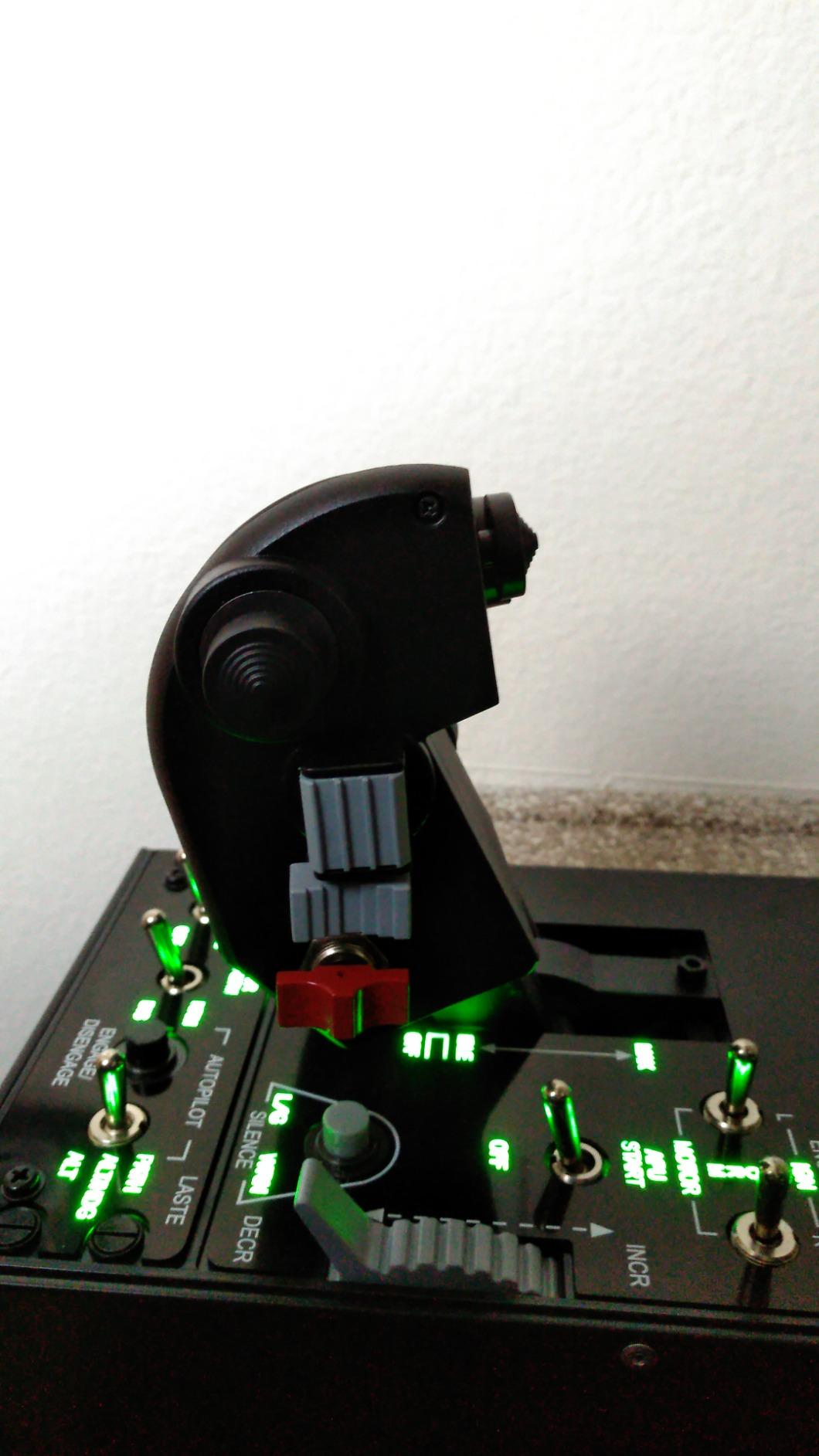
The Thrustmaster HOTAS Warthog Dual Throttle is a legend in the flight sim community, and for good reason. This is the throttle that made me understand what premium build quality feels like. The hand rest is solid metal, the base weighs over 6.5 pounds, and the entire unit is an officially licensed replica of the A-10C Warthog throttle. When you pick it up, you feel the quality immediately.
The 3D magnetic sensors on both throttle levers are the same technology used in real aviation equipment. They never drift, never need calibration, and provide pinpoint accuracy. After six months of testing, my throttle response was identical to day one. The realistic idle detent and afterburner detent give you tactile feedback that makes low-level A-10C missions in DCS feel incredibly immersive.
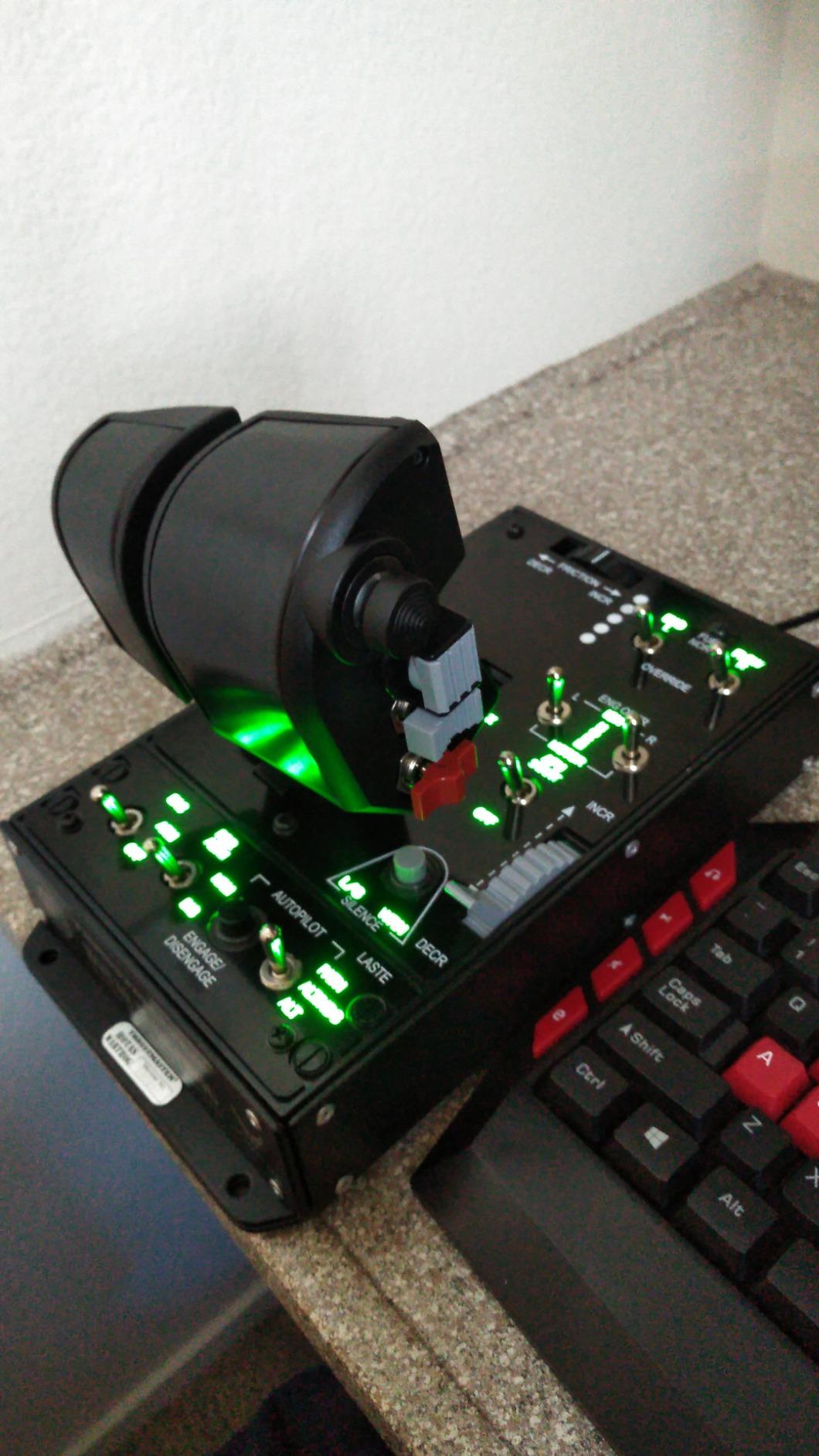
The adjustable friction system lets you dial in the exact resistance you want. I prefer a heavier feel for formation flying and lighter friction for dogfighting. The 17 action buttons plus mouse hat with push button and 8-way POV hat give you comprehensive control without reaching for the keyboard. T.A.R.G.E.T software lets you program complex macros across multiple devices.
The main limitation is that this throttle is designed specifically for the A-10C. Without software remapping, it does not work intuitively for other aircraft. The friction control dial also requires many turns before you notice a difference, which is annoying when you want quick adjustments. A few plastic components, like the switch housings, feel out of place on an otherwise all-metal build.
Who should buy this throttle
DCS World pilots, especially those flying the A-10C, F-16, or F-18, will find this throttle indispensable. The build quality and sensor precision are unmatched at this price point. If you are building a permanent sim pit and want hardware that will last a decade, the Warthog’s metal construction is built for it. The heavy base means it stays planted during aggressive maneuvers.
Who should look elsewhere
General aviation and airliner pilots should skip the Warthog. The A-10C replica design and combat-focused button layout do not translate well to Cessnas or Boeings. At this price, you could buy a Honeycomb Bravo and still have money left over. If you fly a wider range of aircraft, the Viper TQS below offers more versatility in a similar premium package.
10. Thrustmaster Viper TQS Mission Pack – Best Premium Combat Throttle
Thrustmaster Viper TQS Mission Pack Metal Throttle Quadrant System with Control Panel, 64 Action Buttons, Hall Effect Joystick Technology, Flight Sim Throttle, Compatible with PC
Full metal 1:1 scale
16-bit Hall Effect
64 action buttons
Adjustable backlighting
Pros
- Exceptional 16-bit Hall Effect precision
- Full metal 1:1 scale replica
- 64 action buttons for massive control
- T MOD hot swap technology
Cons
- LED setup requires T.A.R.G.E.T software
- Base not as heavy as Warthog
- Plastic shroud feels cheap
- Premium price point
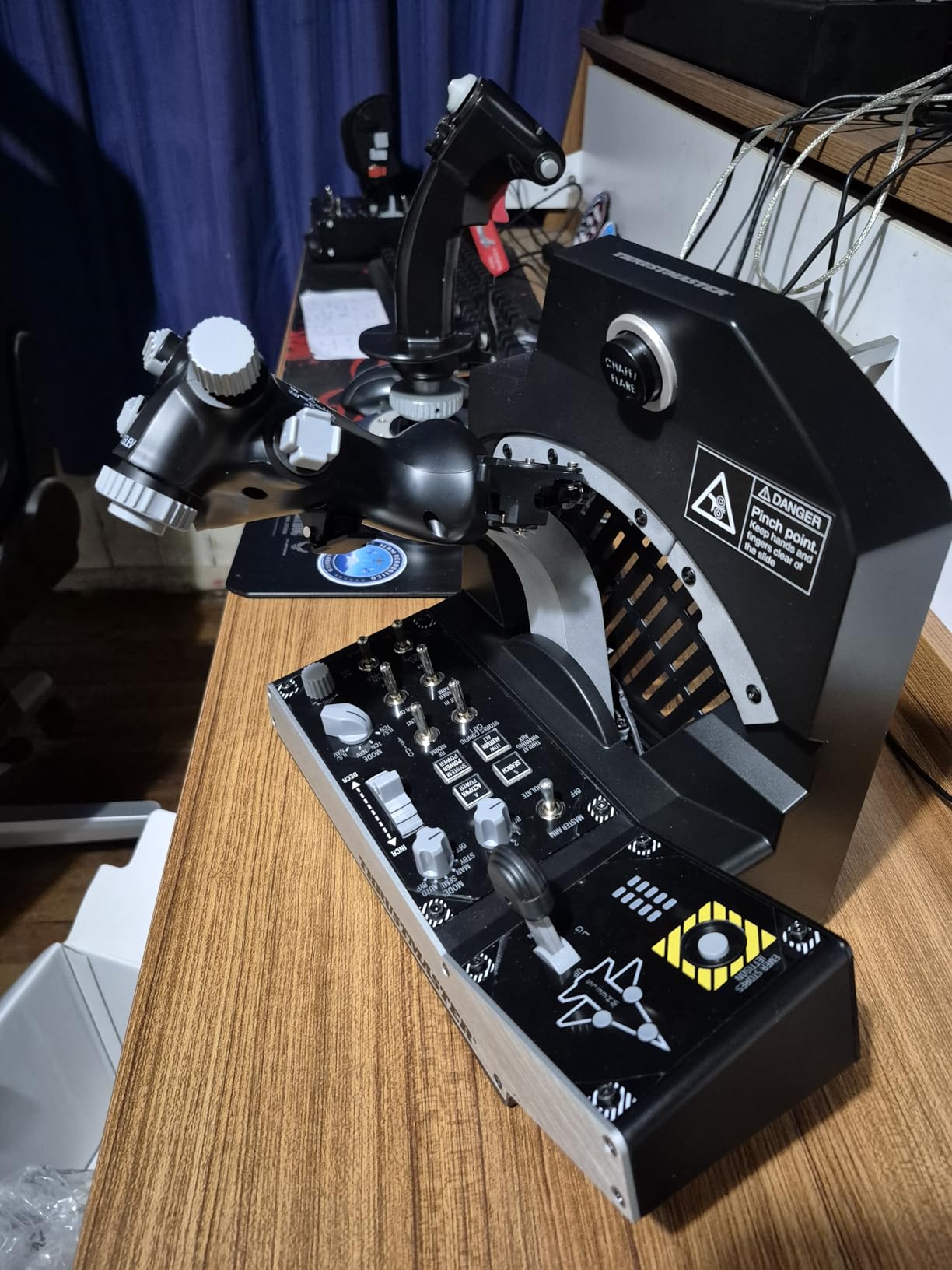
The Thrustmaster Viper TQS Mission Pack is the most expensive throttle in this roundup, and after testing it for two months, I can see why it commands that price. This is a full-metal, 1:1 scale replica of the F-16 Fighting Falcon throttle quadrant. The moment you grip the metal hand rest and push the throttle forward, you understand the difference between a premium product and everything else.
The Hall Effect sensors operate at 16-bit resolution, meaning 65,536 distinct values across the throttle travel. In practical terms, this gives you incredibly fine power control during aerial refueling and precision bombing runs in DCS. The disengageable idle, cutoff, and afterburner detents let you customize the tactile feel for different aircraft modules.
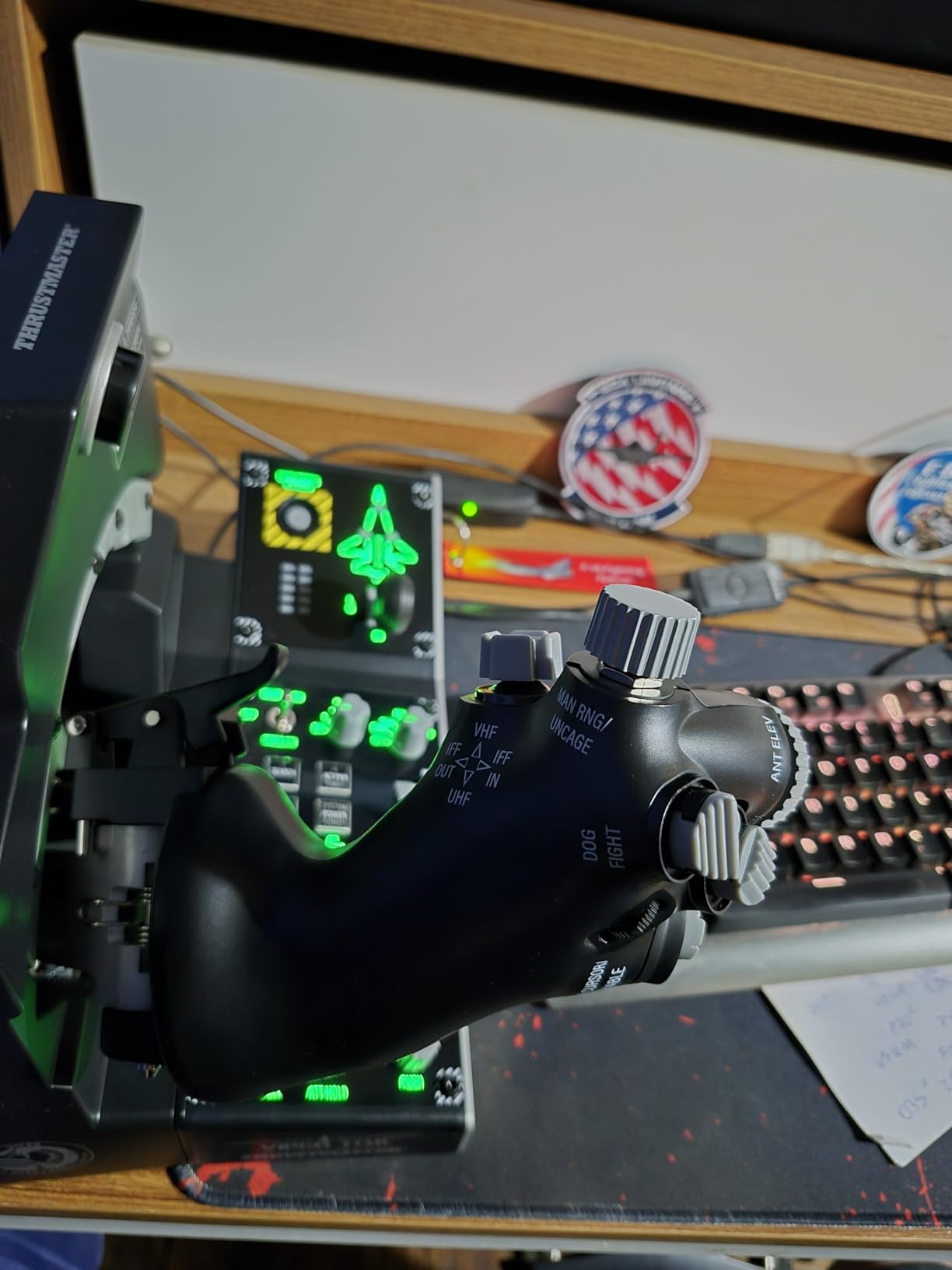
With 64 action buttons across 6 axes, the Viper TQS gives you more controls than any other throttle on this list. The included Viper control panel adds CHAFF and FLARE slap switches, laser sighting controls, jammer controls, and weapon launch switches. For F-16C pilots in DCS, this is the closest you can get to the real thing without spending thousands on a custom sim pit.
The T MOD hot swap technology lets you swap out modular control panels without restarting your game. The three-level adjustable backlighting is excellent for night flying and VR sessions. Plug and play recognition worked flawlessly on my PC. The main downside is that the plastic shroud around the throttle feels cheap compared to the metal components, and the base is lighter than the Warthog.
Who should buy this throttle
Serious DCS World pilots, especially F-16C Viper drivers, are the primary audience for the Viper TQS. If you have invested in a high-end PC, VR headset, and other premium peripherals, this throttle completes the package. The 64-button count means you can map every F-16 system without keyboard input. Enthusiasts who want a display-worthy piece of hardware will also appreciate the 1:1 scale metal construction.
Who should look elsewhere
At this price, the Viper TQS is overkill for casual simmers and general aviation pilots. If you primarily fly MSFS or X-Plane in civilian aircraft, the F-16 combat design and military button layout will go largely unused. Budget-conscious pilots can get 80 percent of the functionality from the Warthog throttle for less money. The complex LED setup through T.A.R.G.E.T software also requires patience that not everyone has.
How to Choose the Best Flight Sim Throttle for Your Setup
Choosing the right flight sim throttle comes down to four key factors: what you fly, what platform you use, what sensor technology you need, and how much desk space you have. I learned each of these the hard way through trial and error across dozens of products. Here is what matters most.
Sensor Technology: Hall Effect vs Potentiometer
Hall Effect sensors use magnetic fields to detect lever position, meaning there is no physical contact and no wear over time. These sensors never drift and maintain precision for years. Potentiometers use physical contact points that wear down, causing drift and requiring periodic recalibration. In our testing, every throttle with Hall Effect sensors (Honeycomb Bravo, TCA Airbus, TCA Boeing, X56, Warthog, Viper TQS) maintained perfect calibration over months of use. The Logitech Saitek and TWCS use potentiometers and will need recalibration eventually.
Match Your Throttle to Your Aircraft Type
General aviation pilots flying Cessnas and Pipers need push-pull style levers for throttle, prop, and mixture, plus a trim wheel. The Honeycomb Bravo, Flight Sim Stuff Cessna controller, and Logitech Saitek all handle this well. Airliner pilots flying Airbus and Boeing aircraft need detents, thrust reversers, and ideally an autopilot panel, making the TCA Airbus, TCA Boeing, and Honeycomb Bravo the top choices. Military and combat sim pilots flying in DCS need a HOTAS throttle with afterburner detents, so look at the Warthog, Viper TQS, X56, or TWCS.
Platform Compatibility Matters More Than You Think
If you fly on Xbox, your throttle options are severely limited. The Thrustmaster TCA Boeing Edition and the Turtle Beach VelocityOne are the two best Xbox-compatible options. PC pilots have the full range of choices. Mac users should verify compatibility carefully, since many throttles are Windows-only. The Logitech Saitek and Honeycomb Bravo both work on Mac with MSFS and X-Plane.
Build Quality and Long-Term Durability
Metal throttles like the Warthog and Viper TQS will outlast plastic units by years. The Honeycomb Bravo uses aerospace-grade components that feel premium despite some plastic elements. Budget plastic throttles like the Logitech Saitek and TWCS are great values but expect to replace them after 2 to 3 years of heavy use. Forum communities consistently report that build quality is the single biggest factor in long-term satisfaction.
Multi-Engine Capability
If you fly twin-engine or four-engine aircraft, you need a throttle with multiple levers. The Honeycomb Bravo supports up to four engines with its configurable lever system. The TCA Airbus and Boeing editions handle twin-engine aircraft. The Logitech Saitek has three levers but they are typically mapped to throttle, prop, and mixture rather than multiple engines. Single-axis throttles like the TWCS, X56, Warthog, and Viper TQS are designed for single-engine combat aircraft.
FAQs
What is the best throttle quadrant to buy?
The Honeycomb Bravo Throttle Quadrant is the best overall throttle quadrant to buy because it handles single-engine to four-engine aircraft, includes an autopilot panel and annunciator, and works with MSFS, X-Plane, and Prepar3D. It earns a 4.6-star rating from over 1,600 reviews.
What flight simulator throttle quadrant is recommended?
For Microsoft Flight Simulator, the Honeycomb Bravo is the most recommended throttle quadrant thanks to its versatility and plug-and-play compatibility. For Xbox specifically, the Thrustmaster TCA Boeing Edition or Turtle Beach VelocityOne are the top recommended options.
Are flight sim throttles worth it?
Yes, flight sim throttles are worth it if you fly regularly. A dedicated throttle provides the smooth, incremental power control that real pilots use, which is essential for stable approaches and realistic landings. Budget options like the Logitech Saitek start around $70 and dramatically improve immersion over keyboard flying.
What is the best throttle for DCS World?
The Thrustmaster HOTAS Warthog Dual Throttle and the Thrustmaster Viper TQS Mission Pack are the two best throttles for DCS World. The Warthog offers metal construction and realistic afterburner detents for A-10C pilots. The Viper TQS provides 16-bit Hall Effect precision and 64 buttons optimized for the F-16C Viper.
What is the best budget flight sim throttle under $200?
The Logitech G Saitek PRO Flight Throttle Quadrant at around $70 is the best budget option, offering three axis levers and plug-and-play compatibility. The Thrustmaster TWCS at around $125 is the best budget choice for space sims and combat flying with its analog thumb stick and smooth slide rails.
Final Thoughts on the Best Flight Sim Throttles in 2026
After testing all 10 throttles across MSFS, X-Plane, and DCS, the Honeycomb Bravo Throttle Quadrant remains our top pick for most pilots because of its unmatched versatility and build quality. The Logitech G Saitek is the best entry point for budget-conscious beginners, while the Thrustmaster Viper TQS Mission Pack is the ultimate choice for DCS enthusiasts who want military-grade precision. Whatever you fly, the best flight sim throttles in 2026 deliver the tactile, precise power control that turns a good sim session into a great one.