
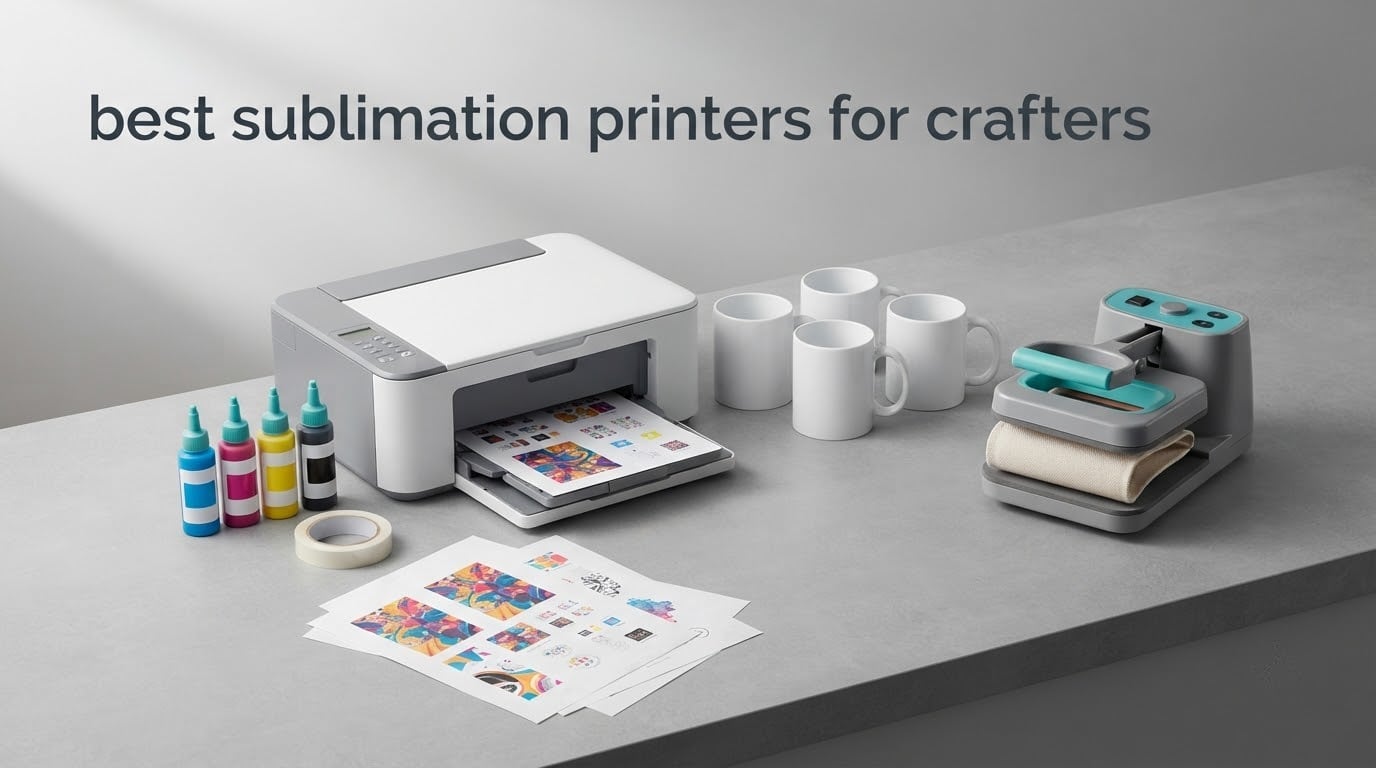
If you want the short version: the Epson SureColor F170 is the best sublimation printer for most crafters, the Brother SP-1 bundle gives beginners the most for their money, and a converted super-tank like the Pinckney model produces the cheapest prints per transfer. Pick the Epson if you want factory ink, a real warranty, and press-and-go color; pick the super-tank if ink cost per mug matters more to you than support.
A dye-sublimation printer is not a normal inkjet. It uses heat-activated dye that turns to gas under a heat press and bonds into polyester fabric or a polymer-coated surface. That is why the print will not crack, peel or wash out, and it is also why nothing happens on cotton or untreated ceramic. Every printer below was judged on the same four things: maximum sheet size, ink system, speed, and what the warranty actually covers after you start pressing.
One note before you read on. We did not lab-test these machines. Every pick is built from manufacturer specifications, the included feature list, and the pattern of complaints and praise that owners report in craft communities and on retailer review pages. Where owners disagree with the spec sheet, we side with the owners.
We also earn a commission when you buy through the links on this page, at no extra cost to you. That never changes which machine we recommend.
Table of Contents
Top 3 Best Sublimation Printer Picks for Crafters in 2026

Epson SureColor F170
- 5760 x 1440 dpi
- Factory Epson ink included
- 150-sheet auto-feed tray
- Wireless
- USB and Ethernet

Brother SP-1 Bundle
- Prints up to 45 seconds a sheet
- Extra ink plus 100 sheets of paper
- Built-in scanner
- Wi-Fi

Pinckney Super-Tank Bundle
- Cartridge-free ink tanks
- Sublimation ink bundle included
- Built-in scanner and copier
- 5760 x 1440 dpi
Best Sublimation Printers for Crafters at a Glance (October 2026)
All six machines below make dye-sublimation prints, but they split into two very different camps. Four are factory-built for sublimation, with manufacturer ink and support. One is a converted super-tank, which prints boldly but leaves you to handle color profiles and maintenance on your own. The sixth is a small-format printer-cutter for labels and stickers.
| Product | Specifications | Action |
|---|---|---|
| Epson SureColor F170 |
|
Check Latest Price |
| Brother SP-1 Bundle |
|
Check Latest Price |
 Liene PixCut S1 Liene PixCut S1 |
|
Check Latest Price |
 Epson SureColor F570 24 Inch Epson SureColor F570 24 Inch |
|
Check Latest Price |
| Pinckney Super-Tank Bundle |
|
Check Latest Price |
 Sawgrass Virtuoso SG500 Sawgrass Virtuoso SG500 |
|
Check Latest Price |
1. Epson SureColor F170 – Best Sublimation Printer for Most Crafters
Epson SureColor F170 Dye-Sublimation Printer – Compact 8.5″ x 11″ Format – Includes Genuine Epson Ink, User Guide & Power Cable – Original OEM Product with Full Manufacturer Support
5760 x 1440 dpi
Max sheet 8.5 x 11 inch
16 lb
150-sheet tray
Print only
Pros
- Genuine Epson ink set in the box
- PrecisionCore printhead
- 150-sheet auto-feed tray
- Closed dust-resistant paper tray
- Wireless USB and Ethernet
Cons
- Cannot be returned once ink is loaded
- No mobile device support
- 1 page per minute
This is the machine we point most people toward, and the reason is simple: it arrives with genuine Epson sublimation ink already in the tanks. There is no conversion, no flushing cycles, and no day spent wondering whether your warranty survived a firmware update. You unbox it, install the Epson software, and press something that afternoon.
Paper handling is better than the spec number suggests. The 150-sheet auto-feed tray means you can run a stack of transfer jobs without babysitting, and the closed dust-resistant tray matters more than it sounds, because fine dust in the air is a real cause of dull-looking prints. Connectivity covers wireless, USB, and Ethernet, so it drops into a home network or a shop counter without fuss.
Owners consistently praise the color coming off the plate and how little adjustment it takes to get a skin tone or a gradient right. The OEKO-TEX-certified inks are the reason you are not fighting a chemical smell on the finished mug, which matters if you are selling at craft fairs.
What the F170 handles well
It covers the entire letter-size craft market: 11 oz mugs, coasters, keychains, ornaments, neoprene mouse pads, and light-to-midweight polyester garments. At 5760 x 1440 dpi with PrecisionCore droplets, photos and fine line art both hold up.
The auto-stop ink bottles make refilling genuinely mess-free, and the sealed tray plus a real Epson warranty mean a failed print head is a support ticket rather than a cash expense. That is the difference we care about most between this machine and a converted super-tank.
Where the F170 frustrates you
One page per minute is the rated speed, and it is not a fast machine when you are filling a holiday order of 50 mugs. Budget your time rather than expecting production throughput.
Two smaller annoyances: it cannot be returned once the included ink is loaded, so read the manual before you power it up, and it has no mobile device support, which means no direct printing from a phone. If you are not running a Mac or Windows laptop nearby, this is not the one.
2. Brother SP-1 Sublimation Bundle – Best Value Starter Bundle
Brother Sublimation Printer, Color Ink Cartridge Set and 100 Sheets Sublimation Paper
1200 x 2400 dpi
Max sheet 8.5 x 11 inch
18.5 lb
100-sheet tray
Wi-Fi
Pros
- Up to 45 seconds per sheet
- Extra color cartridges plus 100 sheets of paper
- Built-in flatbed scanner
- Wi-Fi and automatic duplex
- Display screen
Cons
- Needs the Artspira app to operate
- No heat press included
The Brother SP-1 is the pick for anyone who wants to press on day one without a second shopping trip. The box includes an extra set of standard-yield color cartridges and 100 sheets of letter-size sublimation paper, which is a real head start when you are still working out press times and pressure.
Speed is the headline. Owners report up to 45 seconds per sheet with automatic duplex, which makes it the quickest letter-size machine in this list by a wide margin. The built-in flatbed scanner is a quiet extra, useful for copying artwork onto transfer paper without another device on your desk.
The Artspira app carries more than 100 sublimation designs and templates, so a beginner can produce a finished product without buying a design program first. The front display handles day-to-day operation once a job is queued.
Why the bundle appeals to beginners
It removes the two most common first-day mistakes. You cannot run out of ink before your first press, and you cannot get paper settings wrong with paper you already own. For a crafter moving over from vinyl or paper crafts, that removes a lot of friction.
The speed also makes it viable for small paid orders, since a batch of 20 coasters takes a fraction of the time it would on the Epson. Wi-Fi means you can start a print from a phone in the same room, which is closer to a modern craft workflow than a USB-only machine.
Where the SP-1 falls short
The app dependency is the main one. If you like to design in your own software and send files straight to the printer, verify the workflow before you commit, because some owners report friction between external design tools and the Artspira path.
No heat press is included, so budget for that separately regardless of brand. At 1200 x 2400 dpi the resolution is lower than the Epson F170, which shows most clearly on very fine text and dense photographic gradients.
3. Liene PixCut S1 – Best for Stickers, Labels and Small Gifts
Liene PixCut S1 Color Sticker Printer & Cutting Machine – All-in-One Sticker Maker for DIY Crafts, Custom Labels & Gifts. Thermal Dye-Sublimation Photo Printer, 300 DPI, Precise AI Auto-Cutting
300 dpi thermal dye-sub
4 x 7 inch media
6.2 lb
18-sheet tray
Bluetooth
Pros
- Prints and cuts in one step
- 300 dpi with 16.7M colors
- 50000+ free images in the app
- No subscription
- Waterproof scratch-resistant stickers
Cons
- 4 x 7 inch maximum media
- 18-sheet tray capacity
- 1 page per minute
This one is not a mug printer, and we want to be clear about that before you get excited. The PixCut S1 prints 4 x 7 inch media at 300 dpi using a thermal dye-sublimation process, then cuts the outline for you. For a crafter selling custom labels, sticker sheets, gift tags, or small photo panels, that combination is genuinely useful.
It is also the least intimidating machine here. Bluetooth pairing to a phone, an app with over 50,000 free images and more than 10,000 templates, and no subscription attached. Owners like the AI image extraction, which pulls a subject out of a photo and lays it on a cut path without manual masking.
At 6.2 pounds and under a foot wide, it is the only machine in this roundup you can carry to a market booth or a craft class in one bag.
What the PixCut S1 is good at
Waterproof, scratch-resistant four-layer stickers, product labels, and small photo panels. The print-and-cut step means you finish with a clean outline instead of hand-trimming, which is where most of the time goes for a small sticker seller.
The color depth is listed at 24 bpp across 16.7 million colors, which is plenty for illustrated labels and scrapbook-style photo cards. It also handles phone skins and custom badges, per the manufacturer feature list.
What it cannot make
Nothing on a mug, tumbler, or garment. With a maximum media size of 4 x 7 inches and a paper size of 4 x 7 inches, there is no path to a full shirt front or a 12 x 12 panel without tiling work that defeats the purpose.
The 18-sheet tray means frequent refills, and at 1 page per minute this is not a production machine. If your product line is drinkware or apparel, look at one of the other five instead.
4. Epson SureColor F570 24-Inch Bundle – Best Wide Format Option
Epson Surecolor F570 Bundle 24″ Desktop Sublimation Printer, Includes One Full Ink Set, User Guide, & Free Remote Install SCF570 (Printer & Inks)
24 inch roll and sheet
PrecisionCore MicroTFP head
151 lb
50-sheet tray with cutter
Ethernet and USB
Pros
- 24 inch wide roll and sheet printing
- Nozzle Verification Technology
- Epson Edge Print Pro included
- Built-in cutter
- Free remote installation
Cons
- 151 lb build needs its own space
- 1 page per minute rated speed
- Bundle is aimed at committed operators
This is the machine for someone whose product line no longer fits on a letter page. At 24 inches wide it prints full-front shirt designs, poster panels, and yard banners in one pass, on rolls or on individual sheets, which removes the tiling step that makes wide projects tedious on a home machine.
The bundle includes a full ink set and free remote installation, which for a machine of this class is the difference between a smooth setup and an afternoon on the phone. Epson Edge Print Pro comes with it, along with Adobe PostScript 3 and a PDF print engine.
What the F570 unlocks
Full-front apparel prints with no seams, oversized photo panels, and roll-fed material for volume runs. The 50-sheet tray has a built-in cutter, so roll jobs trim themselves once the driver is set up correctly.
Nozzle Verification Technology checks the PrecisionCore MicroTFP head and guards against the clogs that ruin a wide-format job mid-roll. The listed uses cover polyester fabrics, coated ceramics, and personalized awards.
What the F570 demands of you
It weighs 151 pounds and measures 32 by 38 inches. That is not a desk printer; it needs a dedicated table and clearance behind it. Plan the space before you order.
At 1 page per minute rated, it is not a fast machine relative to its capabilities, and the review volume on this listing is far thinner than the other picks, so owner reports are still limited. It is a business purchase, not a first machine.
5. Pinckney Super-Tank Sublimation Bundle – Best Budget Entry
Pinckney Cartridge-Free Super-Tank Printer with Sublimation Ink Bundle for Heat Transfers, Easy Fill, Built-in Scanner & Copier (White)
5760 x 1440 dpi
Letter size 8.5 x 11 inch
15.3 lb
100-sheet tray
Wireless
Pros
- Cartridge-free super-tank system
- Sublimation ink bundle included
- Auto-fill nozzle for refills
- Built-in scanner and copier
- Supports several paper sizes
Cons
- Converted machine rather than factory dye-sub
- Can need nozzle maintenance
- No factory ICC profile
The economics here are the whole argument. Cartridge-based dye-sublimation prints cost dollars per sheet to run, while a super-tank running bottled sublimation ink costs pennies. If you plan to press more than a few items a week, that gap pays for the machine several times over.
This listing is built on an ET-2800 class body, and it is sold with a sublimation ink bundle already in the tanks: 127 mL of black and 85 mL each of cyan, magenta, and yellow. The auto-fill nozzle means refilling does not involve a syringe and a mess on the desk.
It also has a flatbed scanner and copier built in, which no other budget machine in this roundup offers, and it prints up to 5760 x 1440 dpi at letter size.
Where the super-tank wins
Cost per transfer, without much argument. If your order book is growing and every transfer has to clear a margin, bottled ink is the reason to choose this over a cartridge-fed dedicated printer.
Owners report the same pattern in craft forums: a converted EcoTank bought as a bundle, refilled with third-party sublimation ink, working well for mugs. The scan-and-copy function also lets you reproduce artwork without a second device.
Where you will feel the trade-off
Prints often look dull on the paper before pressing, and there is no factory ICC profile, so color can drift until you load or build a profile that matches your ink and paper. Expect to spend a weekend on color calibration.
Nozzle maintenance is real. Third-party sublimation ink dries faster in the head than factory ink, and owners report running several full nozzle-check pages to clear a clog. Print something at least every two weeks. There is also a one-year limited warranty, so treat it as a hobby machine rather than a business asset.
6. Sawgrass Virtuoso SG500 – Best for a Serious Craft Business
Sawgrass SG500 Sublimation Printer, 31 mL Inks and Paper Bundle
1200 x 1200 dpi
8.5 x 14 inch plus bypass
100-sheet tray
2 trays
Wi-Fi
Pros
- Native dye-sublimation design
- SubliJet UHD inks
- Prints to 8.5 x 14 inch
- MySawgrass design platform
- 2-year warranty with 3-year print cover
Cons
- Proprietary ink only
- First-time setup is involved
- Long banners need the bypass tray
The Sawgrass is the most complete sublimation system in this roundup, and the reason is that nothing is borrowed. It is a dye-sublimation printer from the ground up, running SubliJet UHD inks, with the MySawgrass design platform and the Sawgrass Print Utility already inside the box. No conversion, no profile hunting, no guessing what the base model was.
It prints to 8.5 x 14 inch through the main tray, and the bypass tray takes media up to 8.5 x 51 inches for banners and long panels. Two trays means you can keep letter paper loaded while a 13 x 19 job runs, which is the kind of detail that only matters once you have a queue.
The warranty position is the strongest here too: a 2-year manufacturer warranty and a 3-year, 100,000 print coverage. Owners single out Sawgrass customer service as a genuine strength.
Why businesses buy Sawgrass
Color consistency across a run is the deciding factor. A professional job often needs twelve of the same mug to match, and a native system with a factory profile holds that consistency in a way a converted machine usually will not without extra work.
The head also runs an automatic maintenance cycle, and the printer is network-ready over Wi-Fi, so it can sit in the back room and be driven from a sales counter.
Why beginners skip it
The ink is proprietary. Replacement cartridges cost considerably more than bottled sublimation ink, so your cost per transfer is the highest in this roundup, and third-party ink is not an option. That trade is fine at volume and expensive at hobby volume.
Setup is involved enough that owners describe it as complex, and some report the software running slowly. There is also a caution about leaving the printer powered continuously, which is a normal ask for a shop machine but an odd one for a home desk.
How to Choose a Sublimation Printer: Six Decisions That Matter
1. Dedicated dye-sublimation or a converted EcoTank
This is the first question in every craft forum thread, and it comes down to support versus ink cost. A factory dye-sublimation printer ships with the right ink, a factory ICC profile, and a warranty that assumes you are sublimating. A converted EcoTank gives you bottled ink at a fraction of the running cost, but the manufacturer warranty does not cover sublimation use, and color management becomes your problem.
If you are selling, buy the factory machine. If you are crafting for gifts and market stalls, the converted super-tank is a rational first step.
One warning that appears repeatedly: never install or use the original photo ink in a machine you plan to convert. Those channels are primed for a different ink chemistry, and flushing them out afterwards is a messy, ink-hungry job that owners describe in unflattering terms. Also check whether the seller names the base printer model before you buy a bundle, because listings that hide it leave you unable to research firmware issues.
2. Sheet size and what it actually unlocks
Letter size, 8.5 x 11 inch, covers mugs, tumblers, coasters, keychains, ornaments, and most craft-fair products. It is the right answer for nearly every beginner. Once you start selling 12 x 12 photo panels or full-front shirts, you need 13 x 19 inch or wider, and only a handful of machines handle it.
Do not buy a wide-format printer because you think you will want one. Wait until a specific job needs it, because the cost difference is large and the space requirement is real. Once a job does need 13 x 19 inch media, the wide-format section of our commercial printer guide is worth a look for the surrounding equipment.
3. Ink system and cost per transfer
Cartridge systems cost dollars per sheet. Bottled tank systems cost pennies. That single comparison decides most budget questions, and it is why the super-tank option keeps showing up in owner reports as the cheapest reliable way to start.
Work out your own number before you buy: ink cost divided by presses per tank, then add paper and blank cost. A mug shop running gang sheets gets a much lower per-item figure than a hobby crafter making one present a month, and the machine that suits each is different.
4. Print volume and the two-week clog rule
Dye sublimation ink dries in the nozzles if the printer sits still. The rule owners repeat is simple: print something at least once every two weeks, and run a cleaning cycle if you are pausing longer.
Clogs are the single most reported failure mode in this category, and third-party ink dries faster than factory ink. If your project will be seasonal, a heat press hobby of three weekends a year, keep the machine unplugged between sessions and accept the setup cost each time.
5. Color management and profiles
Factory printers come with an ICC profile built for their ink and paper. Converted machines do not, which is why their prints look dull before pressing and can shift hue after pressing. If you own a converted machine, budget time to calibrate, and store paper somewhere dry.
Humidity is the quiet cause of blotchy, pale transfers. Sublimation paper absorbs moisture from the air, and it changes the ink laydown. Keep paper sealed in the bag it arrived in between uses.
6. The gear you still need after the printer
A heat press is not optional. You press at roughly 380 to 400F for 40 to 60 seconds, tape the print down with heat tape, and peel while hot. Tumblers need a wrap, mugs need a mug press, and flat items need a clamshell or swing-away press.
You also need transfer paper, blanks with a polymer coating, and design software. For software, you can mirror images in a free browser-based editor such as Photopea, design properly in Affinity Designer or Adobe Illustrator, and handle RIP and color profiles in the printer’s own utility when one is included.
And be clear about substrates. Sublimation bonds to polyester and polymer-coated surfaces. It will not work on cotton, untreated ceramic, glass, or wood. For cotton, you want DTF transfers or heat transfer vinyl instead, which is a different printer and a different workflow. We cover that alternative machine in our DTF printer guide, and it is worth reading before you spend money on blanks you cannot press.
Frequently Asked Questions
What is the best printer to do sublimation printing?
The Epson SureColor F170 is the best sublimation printer for most crafters because it arrives with genuine Epson ink, a factory color profile, and a manufacturer warranty that assumes you are pressing. A converted super-tank prints for a fraction of the running cost and is a reasonable first step if you are crafting for gifts rather than customers. A dedicated machine like the Sawgrass SG500 suits a business that needs consistent color across a run.
Is an EcoTank printer a sublimation printer?
Not out of the box. A standard EcoTank is built for pigment photo ink, and putting sublimation dye into it without conversion can clog the head. A conversion means flushing the ink channels, installing the correct ink system, and accepting that the manufacturer warranty no longer applies. Buy a bundle that is already converted and shipped with sublimation ink if that is the route you want.
Which Epson EcoTank printer is best for crafters?
Among models that convert cleanly and are widely used for sublimation, the ET-2800 and ET-2803 class machines are the common choice, with the ET-4760 and ET-15000 covering larger paper sizes. Model numbers shift between generations, so verify that the seller names the exact base model and that it has a supported conversion path before buying. Avoid any machine that has been powered on with original photo ink fitted.
Why is my sublimation ink printing dull?
Dull prints usually have four causes. The paper has absorbed humidity, so store it sealed between uses. The transfer is missing heat tape or the press time was short, so increase to 380 to 400F and 40 to 60 seconds. You printed the wrong way round, so mirror the file before printing. On a converted machine, you likely need an ICC profile that matches your ink and paper, which is a calibration task, not a fault.
What is the best sublimation paper to buy?
Look for a paper rated for dye sublimation at around 110 to 125 gsm, which holds ink without bleeding during the press. A-SUB paper is a widely used choice because it releases cleanly and does not stick to coated blanks. Weight matters more than brand: heavier paper can sit closer to the surface and give more saturation. Buy a small pack first, since paper you store badly will dull faster than any ink choice.
What program is good for sublimation printing?
For designing, you can start free in a browser-based editor such as Photopea, and move up to Affinity Designer or Adobe Illustrator if you want full control. You must mirror every image before printing, since the design transfers in reverse. For RIP and color handling, use the software that ships with the printer, such as Sawgrass Print Utility or Epson Edge Print Pro. For layouts and cutting, the printer’s own app often handles simple templates.
Do I need a heat press for sublimation printing?
Yes. Sublimation ink only transfers under sustained heat and pressure, and a household iron is not consistent enough for even results. A clamshell or swing-away press covers flat items, a mug press covers drinkware, and a tumbler wrap handles curved surfaces. Expect to work at roughly 380 to 400F for 40 to 60 seconds, use heat tape to hold the transfer flat, and peel while the blank is still hot.
Which Sublimation Printer Should You Buy?
For most people reading this, the answer is the Epson SureColor F170. Factory ink, a real warranty, a proper paper tray, and colors that need no calibration hold up to almost anything a hobby crafter or a weekend seller will press. It stays our pick for the best sublimation printers for crafters in 2026.
Buy the Brother SP-1 bundle if you want paper, ink, and a fast machine in one box. Buy a converted super-tank if ink cost per transfer is the number that decides your margin. Buy the Sawgrass when you need twelve identical mugs to match and someone is paying for the business. Save the 24-inch Epson until a specific job needs a width no letter-size page can hold.
Whichever you choose, print something every two weeks, store your paper sealed, and buy the heat press on the same day. Those three habits decide whether your printer still works in a year, and they cost nothing. For a broader look at gear for a home craft setup, our label printer guide covers the small-format side of the craft room.