
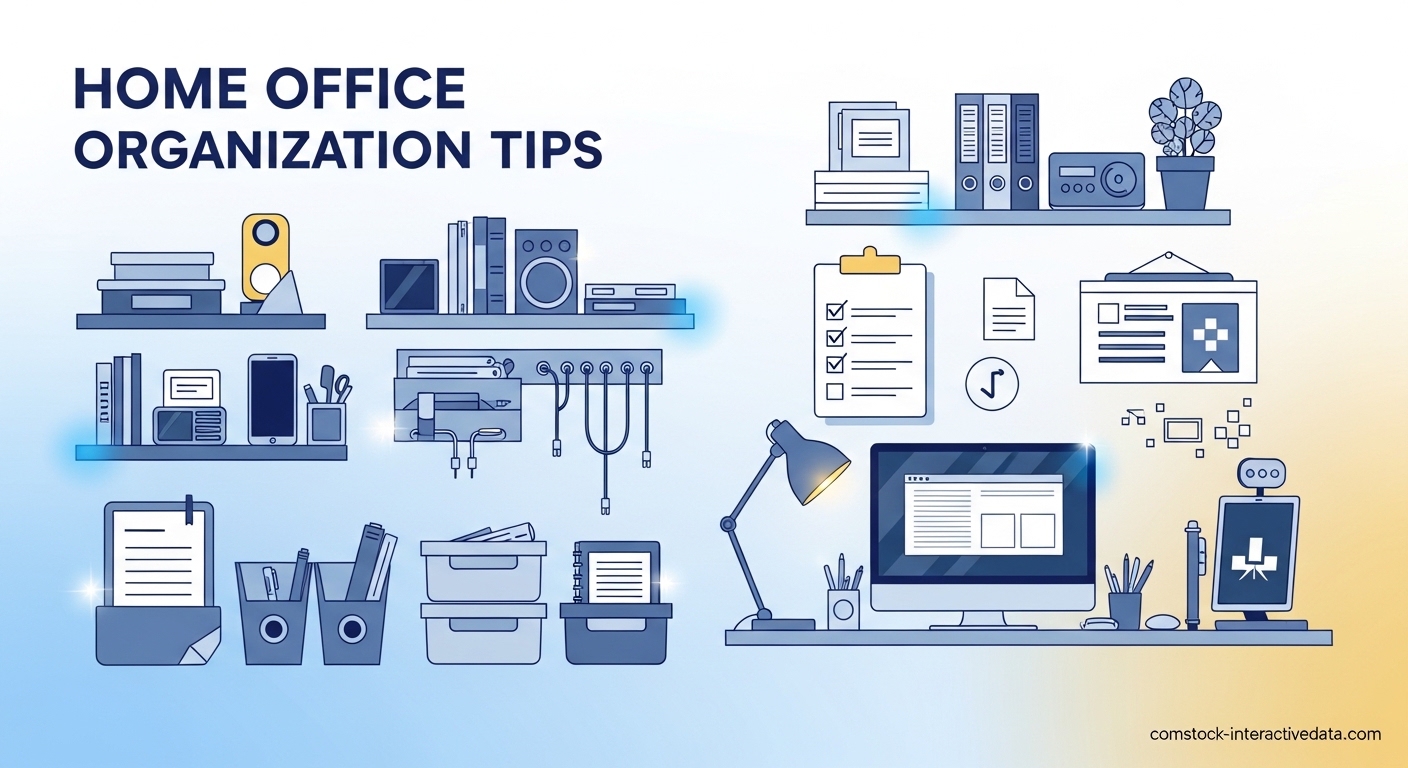
I’ve spent 15 years working from home, and if there’s one thing I’ve learned, it’s that a cluttered desk directly correlates to a cluttered mind. When my workspace piles up with papers, cables, and random household items, my productivity plummets and stress levels spike. These home office organization tips come from years of trial and error, multiple moves, and testing countless systems in spaces ranging from spacious dedicated offices to tiny corner desk setups.
The research backs this up. Studies show clutter is a leading predictor of procrastination, while organized spaces improve focus, reduce stress, and increase productivity. Whether you’re dealing with a full room or just a corner of your living room, these strategies will help you create and maintain a workspace that actually helps you work better.
Table of Contents
How to Organize a Cluttered Home Office: Quick Start Guide
If you’re staring at a disaster zone right now, here’s the fastest way to regain control:
1. Clear everything off your desk surface and sort into three piles: keep, donate/trash, belongs elsewhere
2. Deal with the “belongs elsewhere” pile immediately – put items where they actually go
3. Toss obvious trash and set aside donations
4. Group remaining items by category (office supplies, papers, tech accessories)
5. Designate specific homes for each category using drawers, containers, or vertical storage
6. Return only essential daily items to your desk surface
7. Set a timer for 15 minutes at end of each workday to reset your space
Home Office Organization Tips for Paper Management
Paper clutter is the biggest enemy of home office organization. Mail, documents, notes, and receipts multiply like rabbits if you don’t have a system. I’ve found the key is handling paper immediately, not letting it accumulate.
Start with an inbox system. All incoming paper goes into one designated tray or folder. Sort through it weekly, actioning each item: file, shred, scan, or act. This prevents paper from spreading across every surface.
For documents you must keep physically, create a simple filing system. I use color-coded folders: red for urgent financial items, blue for long-term records, green for current projects, yellow for reference materials. Label everything clearly and keep your filing cabinet within arm’s reach of your desk.
Consider going paperless for recurring documents. Most utilities, banks, and services now offer paperless billing. Scan important papers and store them in cloud storage with clear naming conventions. This reduces physical clutter while keeping documents accessible.
Storage Solutions That Maximize Your Space
Effective home office organization tips always come back to storage solutions. The right storage makes organization effortless; the wrong storage fights against you.
Vertical space is your best friend, especially in small offices. Wall-mounted shelves turn dead wall space into valuable storage. I installed three floating shelves above my desk and they hold reference books, supplies, and decorative items without eating up desk real estate.
Clear storage bins let you see contents at a glance while containing clutter. Group similar items together: printer supplies in one bin, cables in another, extra stationery in a third. Label each bin so you never have to wonder what’s inside.
Drawer dividers transform chaotic drawers into organized systems. Without dividers, drawers become junk drawers where items get lost. With dividers, every item has its own designated spot. I separate pens, pencils, markers, and miscellaneous supplies in my top desk drawer using adjustable dividers.
Don’t forget under-desk storage. Rolling carts or stackable drawers tucked under your desk provide substantial storage without taking up additional floor space. Many Reddit users recommend plastic three-drawer bins from Walmart as an affordable solution.
Desk Organization Strategies for Daily Focus
Your desk surface should support your current work, not store everything you own. The most effective home office organization tips focus on keeping your primary work surface clear and functional.
Start by identifying what you truly use daily. For me, that’s my laptop, notebook, pen, phone, and water bottle. Everything else has a designated home elsewhere. This minimalist approach keeps my workspace focused and distraction-free.
Desk organizers and trays corral small items that would otherwise scatter. A shallow tray holds items I need occasionally but not constantly – stapler, hole punch, calculator. This keeps them accessible without dominating my desk surface.
Consider your workflow when organizing desk items. Place frequently-used items within easy reach. Less-used items can go in drawers or on shelves. The goal is minimizing movement and friction during your workday.
The end-of-day reset is crucial. Before I close my laptop, I spend five minutes clearing my desk. Everything goes back to its designated home. This means I start every morning with a clean slate rather than yesterday’s clutter. Forum users consistently praise this habit as a game-changer.
Cable Management Solutions for a Tidy Tech Setup
Tangled cables create visual clutter and frustration. Effective cable management makes your workspace feel calmer and more professional.
Start by identifying what you actually need. Many of us have mystery cables from devices we no longer own. If you can’t identify what a cord belongs to, you probably don’t need it. Be ruthless about eliminating unnecessary cables.
Velcro cable ties are inexpensive and incredibly effective. Bundle cords together and secure them with ties. This prevents cables from tangling and makes them easier to manage. Label each bundle so you know what it connects to.
Mount your power strip under your desk rather than letting it sit on the floor. This keeps cords off the floor and makes plugging and unplugging easier. Many users recommend this simple change as transformative for their workspace organization.
Consider cable management boxes that hide power strips and excess cord length. These boxes sit on your desk or floor and contain the visual mess of cables while keeping everything accessible and organized.
Digital Organization for a Paperless Workflow
Physical clutter often mirrors digital clutter. Your computer desktop shouldn’t be a graveyard of random files and screenshots.
Create a logical folder structure for your digital files. I use broad categories: Finances, Health, Work Projects, Personal, Household. Within each category, I create subfolders as needed. This makes finding files intuitive and fast.
Apply the same principles to your email inbox. Create folders for different types of correspondence and process emails regularly. Unsubscribe from newsletters you never read. An organized digital workspace reduces cognitive load just like an organized physical space.
Your computer desktop should only contain files you’re actively working on. Once a project is complete, file it away in your folder system. A clean desktop reduces visual stress and helps you focus on current work.
Small Space Solutions for Compact Home Offices
Not everyone has a dedicated room for their home office. Many of us work in corners, nooks, or multi-purpose spaces. These home office organization tips are specifically designed for small spaces under 50 square feet.
Wall-mounted storage is essential in small spaces. When floor space is limited, you must go vertical. Wall shelves, pegboards, and magnetic boards provide storage without consuming valuable floor real estate. IKEA’s wall magazine racks are frequently recommended in forums as space-saving storage solutions.
Multi-functional furniture serves double duty in compact spaces. A desk with built-in shelves or drawers provides workspace and storage in one footprint. A folding wall-mounted desk can be tucked away when not in use, freeing up space for other activities.
Be ruthless about what you keep in your small office. If you don’t use it weekly, it doesn’t belong in your limited workspace. Store rarely-used items elsewhere in your home and retrieve them only when needed.
Mirrors can make small spaces feel larger and brighter. Position a mirror to reflect light and create the illusion of more space. This psychological trick makes compact offices feel less cramped and more pleasant to work in.
Daily Maintenance Habits for Lasting Organization
The best home office organization tips fail without maintenance systems. Organization isn’t a one-time project – it’s an ongoing practice supported by daily habits.
The end-of-day reset is your most important habit. Spend 5-15 minutes every evening clearing your desk, filing papers, and preparing your space for the next day. This simple practice prevents clutter from accumulating and ensures you always start fresh in the morning.
Weekly maintenance sessions catch issues before they become problems. Every Friday afternoon, I spend 30 minutes dealing with accumulated paper, reorganizing any areas that have gotten messy, and planning for the week ahead. This weekly reset keeps my office functioning smoothly.
Monthly reviews assess what’s working and what isn’t. Ask yourself: Are there items you never use that can be removed? Are there systems that aren’t serving you? Is your storage still adequate for your needs? Regular evaluation prevents small issues from becoming big problems.
Build habits gradually rather than attempting a complete overhaul. Start with the end-of-day reset and master it before adding weekly maintenance. Sustainable changes happen through consistent small actions, not dramatic one-time efforts.
Shared Office Organization Strategies
When multiple people share a home office, organization becomes more complex. Different working styles and standards can create conflict without clear systems.
Define personal zones within the shared space. Each person should have their own designated desk area and storage. Mixing personal items creates confusion and frustration. Clear boundaries prevent territorial disputes.
Establish shared systems for common areas and supplies. A communal supply station with shared items like the printer, paper, and basic office supplies prevents duplication and clutter. Agree on how these shared resources will be maintained.
Communicate about standards and expectations. One person’s organized might be another person’s chaotic. Discuss what level of tidiness each person needs and compromise on shared standards. Regular check-ins prevent resentment from building.
Consider individual storage solutions even in shared spaces. Personal drawers, bins, or shelves allow each person to organize according to their own needs without affecting the shared environment.
Psychological Benefits of an Organized Workspace
The impact of workspace organization extends beyond productivity. Research consistently shows that our physical environment affects our mental state and cognitive performance.
Clutter increases cortisol levels, the stress hormone. A cluttered environment constantly signals to your brain that there’s work to be done, preventing true relaxation. An organized space allows your nervous system to downregulate and recover.
Visual clutter competes for your attention. Every item on your desk is demanding a tiny bit of your mental energy. Clearing unnecessary items frees up cognitive resources for focused work. This is why a minimalist desk surface supports concentration and creativity.
An organized workspace creates positive momentum. When your environment supports your work, you feel more capable and motivated. This psychological boost translates to better work quality and greater satisfaction with your home office setup.
Sustainable Decluttering and Disposal Methods
As you organize your home office, you’ll accumulate items to discard. Responsible disposal keeps unnecessary items out of landfills and benefits your community.
Donate usable office supplies to schools, community centers, or nonprofits. Many organizations desperately need basic supplies like pens, paper, and folders. Your excess becomes their valuable resource.
Recycle electronics through proper channels. Many cities have electronic recycling programs that safely dispose of old computers, printers, and phones. Some retailers offer take-back programs for old electronics when you purchase new items.
Sell items in good condition through online marketplaces. Quality office furniture and supplies often find eager buyers. This recoups some of your investment while ensuring items get continued use rather than ending in landfills.
Shred sensitive documents rather than tossing them. Identity theft is a real risk, and financial documents contain valuable information for thieves. Many communities offer free shredding events, or you can invest in a home shredder for regular use.
FAQs
What is the 5 5 5 rule for decluttering?
The 5 5 5 rule is a simple decluttering method: throw away 5 items, donate 5 items, and return 5 items to their proper homes. This quick 15-item reset makes an immediate visible difference in your space and builds momentum for larger organizing projects.
What are the 4 C’s of organizing?
The 4 C’s of organizing are: Clear (remove unnecessary items), Categorize (group similar items together), Contain (assign specific storage spaces), and Control (maintain systems through regular habits). This framework guides both initial organization and ongoing maintenance.
What is the 50% rule in decluttering?
The 50% rule suggests you should eliminate 50% of items in any given category or space. This aggressive approach forces difficult decisions and prevents keeping ‘just in case’ items that contribute to clutter. It’s particularly effective for collections that have grown unwieldy.
What’s the 90-90 rule for decluttering?
The 90-90 rule asks: Have you used this item in the past 90 days? Will you use it in the next 90 days? If the answer is no to both questions, the item should be donated, sold, or discarded. This time-based framework removes emotional attachment and focuses on actual usage patterns.
What is the 12-12-12 rule for decluttering?
The 12-12-12 rule is a quick decluttering challenge: locate 12 items to throw away, 12 items to donate, and 12 items to return to their proper places. This 36-item reset creates noticeable improvement in just 15-20 minutes and helps overcome decision fatigue by providing specific targets.
Home Office Organization Tips: Moving Forward
Implementing these home office organization tips will transform your workspace and your work experience. Start with the quick start guide to address immediate clutter, then gradually incorporate storage solutions, daily habits, and maintenance routines.
Remember that organization is personal. What works perfectly for someone else might need adjustment for your specific situation, work style, and space constraints. Pay attention to what feels natural and sustainable for you rather than following rigid rules.
The goal isn’t perfection – it’s creating a workspace that supports your productivity and wellbeing. An organized home office reduces stress, improves focus, and makes working from home more enjoyable. These benefits are worth the initial effort of establishing systems and the ongoing practice of maintaining them.
Start today with just one small change. Clear your desk surface, implement an inbox system, or establish an end-of-day reset habit. Small consistent actions lead to significant transformations. Your future self will thank you every time you sit down to work in your clutter-free, organized home office.