
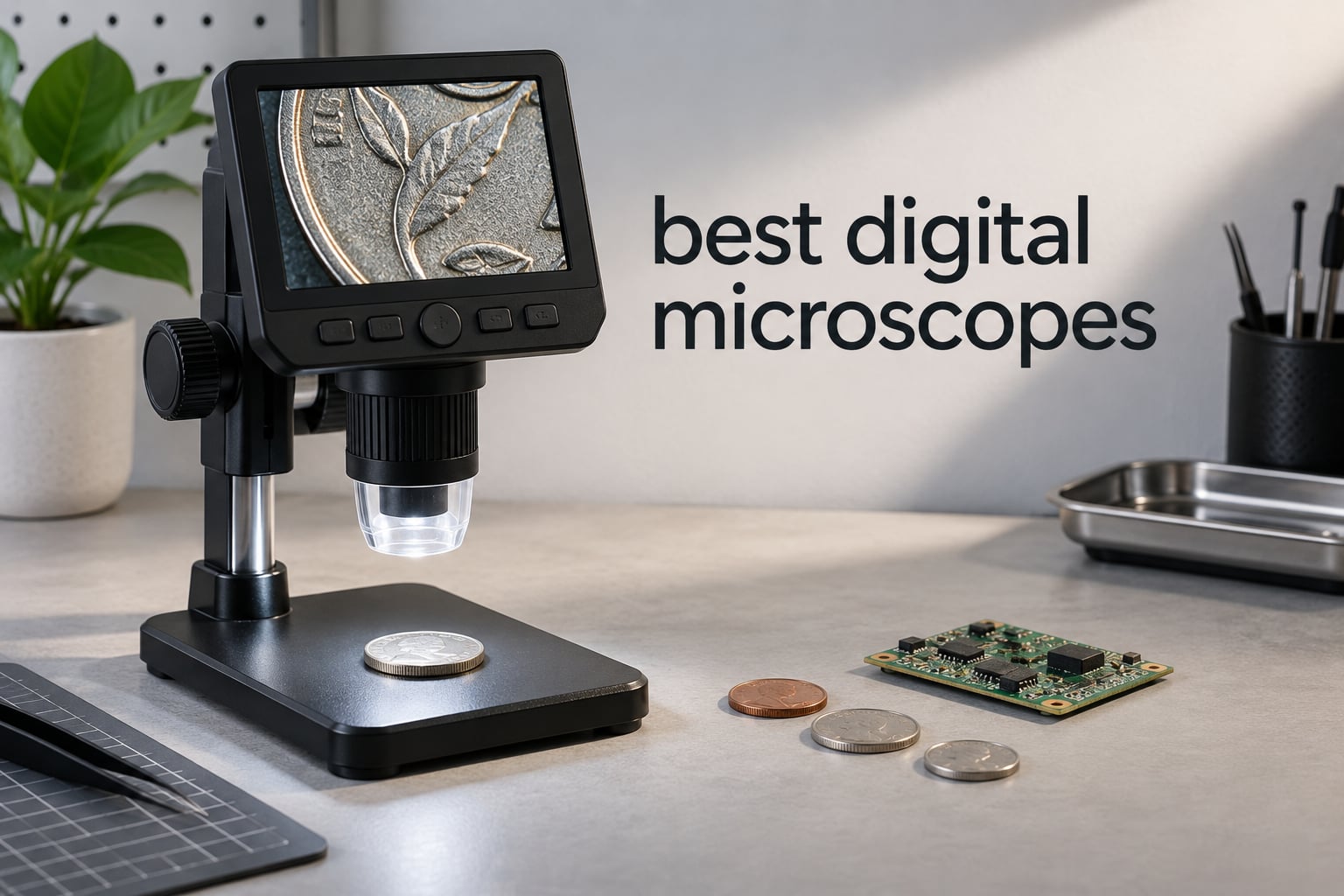
The single most common reason people buy a digital microscope in 2026 has nothing to do with megapixels. It is that their eyes are no longer what they used to be, or that the thing they need to look at is a solder joint the size of a grain of rice held at arm’s length. A digital microscope swaps eyepieces for a camera sensor and puts the image on a screen, which means no hunching, no neck craning, and no guessing.
We compared 10 of the most-reviewed digital microscopes available now, spanning everything from a simple budget USB endoscope to a three-lens HDMI bench system. We looked hard at the number that misleads buyers more than any other: the advertised magnification. Almost every listing here claims 1000x or more, and almost none of them deliver it in a way that matters for the work you actually want to do.
Before the picks, here is the shape of the category. There are three form factors, and choosing the wrong one is the most expensive mistake in this guide. A USB microscope plugs into a laptop or a phone and costs the least. A standalone microscope with a built-in screen works anywhere with no computer in the room. An HDMI desktop unit drives a big external monitor and is what serious electronics work eventually demands. Everything else is a variation on those three ideas.
If you are still narrowing the field, our complete microscope comparison covers optical and compound scopes alongside these, which matters if you plan to view prepared slides.
Table of Contents
Top 3 Digital Microscope Picks in 2026
These three cover the widest range of buyer situations. The Elikliv is the one we recommend to most people, the Jiusion 4K is the strongest budget upgrade, and the Jiusion endoscope is the simplest way to find out whether you like the hobby at all.

Elikliv EDM4 Coin Microscope
- 4.3 inch 720P LCD
- 8 adjustable LED lights
- 1000x claimed magnification
- Rechargeable battery

Jiusion 4K WiFi Microscope
- 4K 3840x2160 wireless video
- All-metal geared stand
- 50x-1000x claimed
- Phone and PC use
Jiusion USB 1000x Scope
- 40x-1000x variable zoom
- 8 LED lights with two knobs
- USB 2.0 plug and play
- Metal stand
All 10 Best Digital Microscopes
Every pick below, with the connection type and screen situation first, since those two facts eliminate more wrong purchases than any other specification. The best digital microscopes for soldering are the ones with a metal arm and real working distance, not the ones with the biggest number on the box.
| Product | Specifications | Action |
|---|---|---|
| Elikliv EDM4 4.3 Inch LCD Coin Microscope |
|
Check Latest Price |
| Jiusion 40-1000x USB Endoscope Microscope |
|
Check Latest Price |
 Skybasic WiFi 50X-1000X Handheld Microscope Skybasic WiFi 50X-1000X Handheld Microscope |
|
Check Latest Price |
 TOMLOV DM9 7 Inch 1080P Microscope TOMLOV DM9 7 Inch 1080P Microscope |
|
Check Latest Price |
| Jiusion 4K 50-1000x WiFi USB Microscope |
|
Check Latest Price |
 TOMLOV DM4W 4.3 Inch Microscope with Scale TOMLOV DM4W 4.3 Inch Microscope with Scale |
|
Check Latest Price |
 PalliPartners 4.3 Inch 1080P Coin Microscope PalliPartners 4.3 Inch 1080P Coin Microscope |
|
Check Latest Price |
 Andonstar AD246S-M 3 Lens HDMI Microscope Andonstar AD246S-M 3 Lens HDMI Microscope |
|
Check Latest Price |
 Andonstar AD210 10.1 Inch LCD Microscope Andonstar AD210 10.1 Inch LCD Microscope |
|
Check Latest Price |
 SKYEAR 4.3 Inch 1000X Coin Microscope SKYEAR 4.3 Inch 1000X Coin Microscope |
|
Check Latest Price |
1. Elikliv EDM4 4.3 Inch LCD Coin Microscope – Best Overall
Elikliv Microscope, Digital Coin Microscope 1000x with Lights, EDM4, 4.3”
4.3 inch 720P LCD
8 adjustable LED lights
1000x claimed zoom
3 hour battery
Pros
- Works with no computer or phone in the room
- Ranked first in its Amazon category
- Tall adjustable stand keeps coins steady
- Connects to Windows and Mac when you want a bigger view
Cons
- Real magnification on the small LCD is lower than the 1000x claim
- Photo and video saving needs a memory card that is not included
- Magnification shifts with screen size and working distance
The Elikliv EDM4 is the best digital microscope for most people because it removes every decision from the buying process. It has its own screen, its own lights, and its own battery, so there is no laptop to set up and no app to install before you can look at something.
That single decision changes how you use it. A USB scope is a desk tool that dies when you close the laptop. The EDM4 is a handheld inspection device you can carry to a drawer of coins, a workbench in a garage, or a kitchen table. The 4.3-inch 720P LCD shows live video of whatever the lens is pointed at, and the 8 adjustable LED fill lights handle low-light specimens that leave a single fixed light struggling.
Where it wins is endurance and reach. With more than 10k+ reviews behind it and a rank of first in the Lab Handheld Digital Microscopes category, this is the model buyers come back to. The height-adjustable stand lets you change the camera-to-object distance, and the roughly 3 hours of built-in rechargeable battery covers a long evening of cataloguing.
Where it frustrates is the number on the box. Buyers consistently report that the effective magnification through the small LCD is well short of the advertised 1000x, and that the result changes depending on the screen you view it on and how far the lens sits from the coin. For coin dates, mint marks, and hairline scratches, that is not a problem. For inspecting a 0201 component, it is.
Who the Elikliv EDM4 suits
Coin and stamp collectors who want to work away from a desk will find the standalone screen genuinely liberating. So will parents and teachers who need to hand a scope to a student without pairing it to a laptop first. The 4.3-inch panel is small enough to stay out of the way and large enough to see a full coin surface once you pull focus.
Who should skip it
Anyone doing serious soldering should look at a scope with a proper metal boom arm and much more working distance. Anyone expecting to save photos straight out of the box will be disappointed, because capture goes to a memory card and the card is not in the box. If your workflow is inspection and documentation on the move, this is the right tool. If it is continuous bench repair, keep reading.
2. Jiusion 40-1000x USB Endoscope Microscope – Best Budget Pick
Jiusion 40 to 1000x Magnification Endoscope, 8 LED USB 2.0 Digital Microscope, Mini Camera with OTG Adapter Metal Stand, Compatible with Mac Windows 7 8 10 11 Android Linux Chrome Not for iPhone/iPad
40x-1000x variable zoom
USB 2.0 plug and play
8 LEDs with two knobs
7.04 oz
Pros
- Best-selling entry point here with the largest review base
- Focus and brightness are separately adjustable
- Software includes on-screen measurement
- Works on Windows
- Mac
- Linux
- Chrome OS and Android
Cons
- No iPhone or iPad support at all
- No built-in screen so a device is always required
- Claimed magnification varies heavily with distance and software
The Jiusion endoscope is a straightforward way to find out whether digital microscopy is for you, and with more than 20k+ reviews it is also the most proven. It is a 7.04-ounce USB stick with a lens on the end, eight LEDs around that lens, and a small metal stand.
Everything happens on the device you plug it into. On Windows and Mac you get live view plus software for screenshots, video recording, and a measurement overlay that lets you size a component on screen. It also runs on Linux and Chrome OS, and over OTG on Android phones. That cross-platform reach is unusual at this cost and is the reason it appears in so many beginner threads.
The two control knobs are the detail most people miss when comparing budget scopes. One sets focus and the other sets brightness independently, which means you can tame glare on a shiny solder joint without also dimming the image everywhere else. Reviewers who compare it against more expensive hardware often conclude the optics are perfectly serviceable for electronics and coin work at close range.
Its rating of 4.1 is the lowest here, and the reason is consistent across reviews. The 58 percent five-star share tells you most buyers get exactly what they paid for. Complaints cluster around iOS incompatibility, the total absence of a screen, and the usual disappointment that 1000x is not a number you will see in practice.
Who the Jiusion endoscope suits
This is the right pick for students, casual hobbyists, and anyone who wants to test the waters without committing to a dedicated device. It is also a genuinely useful travel tool, since it weighs almost nothing and runs off the laptop in your bag. Our USB microscope guide for PCB and soldering covers how to get the most out of this style of scope.
Who should skip it
If you own an iPhone or iPad, cross this one off your list. There is no app and no workaround. Apple devices also tend to be the only screen most people have, so the requirement for a computer is not a small inconvenience for a large share of buyers. The tiny 120-degree angle of view also means a lot of repositioning to frame anything larger than a fingertip.
3. Skybasic WiFi 50X-1000X Handheld Microscope – Best for Wireless and Travel
Wireless Digital Microscope, Skybasic 50X-1000X Magnification WiFi Portable Handheld Microscopes with Adjustable Stand HD USB Microscope Camera Compatible with iPhone Android iPad Windows Mac Computer
WiFi and USB dual connection
2MP CMOS sensor
1080p to phone
8 LED lights
Pros
- Connects to iPhone
- iPad and Android over its own WiFi hotspot
- 1920x1080 images to a phone
- Weighs 0.31 kg for genuine field use
- One-button photo and video capture on the unit
Cons
- No real focus control
- so the wheel only changes zoom
- Included ball-and-pivot stand slips and its screw can break
- Requires the Max-see app and updates for reliable pairing
The Skybasic is the best digital microscope when the subject is not on your desk. It creates its own WiFi hotspot and streams 1920×1080 video to an iPhone, an iPad, or an Android device, or you can plug it into a computer over USB for 720P. Having both paths on one unit is unusual below the standalone tier.
Owners repeatedly single out image clarity as better than expected for the tier, and the 2MP CMOS sensor is genuinely capable of resolving fine detail on plants, fabrics, and small parts. There is also a physical capture button on the body, so you do not have to touch your phone mid-examination.
The 0.31 kg weight and a 3-60 mm optimal focal range make it a real handheld instrument rather than a desk accessory. Buyers use it for scalp and skin checks, for classroom exploration, and for field work where there is no screen, no laptop, and no mains power nearby. It ranks third in its Amazon category with more than 9k+ reviews behind it.
The honest weakness is focus. There is no focus ring. The wheel adjusts zoom only, which means you physically move the device toward or away from the subject to get it sharp. That is fine for a hand-held sweep and frustrating for anything requiring repeatability, which is also why the included stand is the part most often criticised.
Who the Skybasic suits
Anyone working away from a computer benefits most, and so does anyone who wants results on a large phone screen rather than a squinting 4.3-inch panel. Parents and teachers like that a phone or tablet is all a child needs to use it. The achromatic lens is a reasonable compromise when the alternative is paying twice as much.
Who should skip it
Skip it for soldering. Without a focus control and with a stand that reviewers describe as slipping, the unit will not hold a steady working position under an iron. Biology and specimen work is also a poor match for a fixed-focus design, and the Max-see app is a known source of frustration on some iPads.
4. TOMLOV DM9 7 Inch 1080P Microscope – Best for Soldering and PCB Work
TOMLOV DM9 7″ Digital Microscope: 1080P 1200X Coin Microscope Magnifier, 12MP Ultra-Precise Focusing LCD Soldering Microscopes for Adults, PC View, 16GB
7 inch LCD screen
12MP photos and 1080P video
8.5 inch metal stand
16GB card included
Pros
- Metal base and stand stay steady and tolerate light heat
- Two gooseneck lamps plus 8 LEDs cut glare and shadow
- 16GB microSD card in the box
- Large 7 inch screen avoids leaning in for long sessions
Cons
- Effective magnification is far below the 1200x claim
- Buttons and menus reported as unintuitive
- Some buyers report screen colours are not accurate
The TOMLOV DM9 is the best digital microscope for electronics work that stays on a bench, and the 7-inch screen is the reason. Most competitors put you on a 4.3-inch panel that forces you to bend toward the work; a 7-inch display lets you sit upright and keep both eyes open, which matters enormously over a multi-hour soldering session.
The build is what separates it from the cheap tier. It has an aluminum alloy housing, a heat-resistant metal base, and an 8.5-inch stand that tolerates light heat work without creeping. For PCB inspection and rework that stability is not a luxury, it is the difference between a usable image and a blurred one.
Storage is handled properly too. A 16GB microSD card comes in the box, which removes one of the most common frustrations in this category, and 12MP stills plus 1080P video give you something worth saving. Two flexible gooseneck lights sit alongside the 8 built-in LEDs, and the extra directional light is what lets you look into the shadow cast by a tall component.
Where reviewers push back is the software and the headline figure. The 1200x claim is marketing rather than usable magnification at normal working distances, and the on-device buttons and menu navigation draw repeated complaints about being unresponsive or hard to learn. Colour accuracy is also questioned by a minority of buyers, so it is a poor choice for judging gemstone or textile colour.
Who the TOMLOV DM9 suits
Hobbyist and semi-professional electronics repair is the sweet spot. The metal arm holds position, the working clearance fits a board plus a hand, and the large screen reduces eye strain for people who already need reading glasses. USB connection to Windows and Mac gives you an optional bigger view when you want one.
Who should skip it
Anyone expecting clinical-grade colour or truly fine component inspection should step up to a multi-lens HDMI system instead. If you need to move the scope between locations rather than keep it at a bench, the 8.19 by 3.23 by 9.45 inch footprint is an annoyance. Our electronics repair microscope comparison covers the higher-capacity options in detail.
5. Jiusion 4K 50-1000x WiFi USB Microscope – Best Value Upgrade
Jiusion 4K 50-1000x WiFi USB Digital Handheld Microscope with Metal Stand
4K 3840x2160 wireless
All-metal geared stand
50x-1000x claimed
0.2 kg
Pros
- Metal stand with geared height adjustment is unusual at this price
- Lockable at different angles for side or underside viewing
- Two knobs set focus and brightness separately
- Light enough at 0.2 kg for skin and scalp work
Cons
- No autofocus
- so the focus area is narrow
- LED brightness cannot be adjusted beyond the knob
- Zoom buttons do nothing on Windows
- Mac
- Linux or Chrome OS
The Jiusion 4K is the budget scope that most often gets compared favourably against hardware costing several times more, and the reason is the stand. It is all metal, with geared height adjustment that you can lock at different angles, which lets you inspect an object from the side or even from below. Few scopes in this bracket offer that.
Then there is the transfer. A new-generation WiFi chip pushes 3840×2160 video to a phone or tablet wirelessly, and the same unit works over cable on Windows, Mac, Linux, and Chrome OS. Several buyers note there is no lag when the battery is charged, which removes the screen-delay complaint that dominates the budget tier.
Two independent knobs handle focus and brightness, and reviewers single out the image quality as strong for the money across electronics, minerals, and skin work. It carries a lifetime warranty, which is a more generous commitment than most scopes in this roundup offer.
The complaints are honest ones. There is no autofocus, so fine adjustments are manual and the depth of field is narrow. The LED brightness stops at whatever the knob gives you. The companion phone app is described as poorly designed, and the on-device zoom buttons are phone and tablet only, doing nothing on a desktop. Buyers also dispute the 1000x and 4K claims, seeing interpolation and a smaller effective zoom in practice.
Who the Jiusion 4K suits
It is the pick for a buyer who has outgrown a plastic-stand USB scope but does not want to spend four-figure money. The lockable stand makes it good for solder-free inspection like board reviews, die shots, and electronics assembly checks. At 0.2 kg it also works as a handheld scope for skin, scalp, and fabric work.
Who should skip it
Anyone who needs repeatability will be frustrated by the absence of autofocus. If you work primarily on a desktop, the phone-only zoom buttons are a genuine limitation. And if colour fidelity matters, a low-end sensor paired with fixed lighting is the wrong tool. The narrow focus area also means constant refocusing as component heights change.
6. TOMLOV DM4W 4.3 Inch Microscope with Scale – Best for Coin Grading and Weighing
TOMLOV DM4W Microscope with Weighing Scale: 4.3″ Digital Coin Magnifier
Built-in scale to 0.1g
4.3 inch 500 cd/m2 IPS screen
10x-200x zoom
8 inch stand
Pros
- Only scope here that weighs as well as it magnifies
- Bright IPS true-colour panel reads in dark and lit rooms
- Tall 8 inch stand with metal support rod stays put
- USB to Windows and Mac plus a built-in battery
Cons
- 200x ceiling is low for serious electronics work
- Purity checks limited by the plus or minus 0.5g accuracy
- No HDMI output for sharing to a large screen
The TOMLOV DM4W is the best digital microscope for coin collectors, and the reason is the scale built into the base. It resolves to 0.1 grams with plus or minus 0.5 grams of accuracy and switches between grams, ounces, and carats, so you can check a coin’s weight and its surface in one device instead of two.
Collectors have been burned by the gimmicky end of this category, where a scale is bolted onto a toy and the result is meaningless. This one is different in a specific way: the 10x-200x range is honest, and it is honest because it is low. Two hundred times is more than enough to read a mint mark, a date, and surface texture, and the low ceiling means the image is sharp at the top of the range instead of pixelated.
The screen is a 4.3-inch HD IPS panel rated at 500 cd/m2 with a 178-degree viewing angle, which is a meaningful upgrade over the cheap LCDs most rivals use. It stays readable in a dim study and in a bright room, and the true-colour rendering suits grading. It ranks fourth in its Amazon category and holds a 4.5 with a 76 percent five-star share.
The 8-inch stand with an enlarged base and an internal metal support rod is the other reason this model works for tool work, because it does not shift when you reach into the frame. USB output to Windows and Mac gives you a larger shared view, and a built-in battery means you can take it to the collection.
Who the TOMLOV DM4W suits
Coin and stamp collectors, jewellers, and anyone weighing small items as part of their process. The 4.3-inch screen is small for long sessions, but for a coin-sized subject that is an advantage because the whole object fills more of the frame. The 178-degree viewing angle also lets you angle the specimen without losing the image.
Who should skip it
Heavy solder work is out. Two hundred times is simply not enough magnification for fine-pitch inspection, and no amount of screen quality compensates. The scale accuracy also cannot support real purity or counterfeit authentication, so treat any reading as a useful cross-check rather than a verdict. There is no large-screen output for teaching a group.
7. PalliPartners 4.3 Inch 1080P Coin Microscope – Best for Kids and Students
PalliPartners Digital Microscope for Coins with Light HD Screen
4.3 inch 1080P screen
2MP camera
32GB card included
4-5 hour battery
Pros
- Clear correctly oriented view that tracks as the object moves
- 32GB microSD card included so capture works immediately
- 8 dimmable LEDs make dark specimens viewable
- Rechargeable battery runs 4-5 hours
- Works as a PC camera for blur-free remote capture
Cons
- Pressing the on-device shutter bumps the scope and blurs photos
- Sensor is low resolution
- so settings above 5MP add no detail
- Focus is touchy and the 4.3 inch screen is small
The PalliPartners is the best digital microscope for kids and school projects, and the reason is that it works out of the box. A 32GB microSD card is in the package, so a student can photograph a leaf, a fabric weave, or a coin without an adult buying an accessory first.
That matters more than it sounds. In our experience the fastest way to lose a child or a teenager’s interest in a science project is a device that needs setup before the first observation. This one powers on, lights the subject, and captures. The 4.3-inch 1080P screen with a 2.0MP camera gives a correctly oriented image that tracks the object as you move it, and the rechargeable lithium battery runs 4 to 5 hours, long enough for a full lesson.
Reviewers also point out that it can run as a plain PC camera, which several parents prefer because capturing on the computer avoids any camera shake. Owners comparing it against costlier TOMLOV models report truer colours and better detail for a smaller outlay, and it handles receipts, plant macro shots, and coins well.
The friction points are real, though. Pressing the shutter on the device bumps the microscope and produces soft photos, so use the PC mode or a remote. The sensor is genuinely low resolution, and anything above about 5MP adds no detail. Focus adjustment is described as touchy, and the construction feels cheap in the hand.
Who the PalliPartners suits
Parents, teachers, and students who want a low-stakes tool for plant biology, insect observation, and general curiosity. The 8 dimmable LEDs are what make it usable on a dark soil sample or a coin in a drawer. It is also a good first scope for an adult who just wants to look at fabric, electronics, or a printed circuit board casually.
Who should skip it
Anyone wanting publication-quality stills will be let down by the 2MP sensor, so use the PC mode and a computer screen instead. Serious soldering is not a good match, because a touchy focus knob and a bump-sensitive shutter are exactly the wrong traits for that work. One owner also reported a jammed card holder, so test the card immediately.
8. Andonstar AD246S-M 3 Lens HDMI Microscope – Best for Multi-Lens Lab Work
Andonstar AD246S-M 3 Lens 2160P HDMI Digital Microscope 2000x for Adults
Three interchangeable lenses
2160P and HDMI output
Up to 2040x on Lens D
Pro boom arm stand
Pros
- Three lenses cover soldering
- whole coins
- and biological slides
- HDMI output drives a large monitor at 2160P
- Metal boom arm is rigid and heat tolerant
- Remote control avoids camera shake
- Windows software handles measurement
- area
- photo and video
Cons
- Largest desk footprint and heaviest unit in the roundup
- Changing lenses means removing and reinstalling screws
- High magnification figures only apply to biological slides
- Corded electric only with no battery option
The Andonstar AD246S-M is the best digital microscope for anyone who keeps changing what they look at, because it ships with three interchangeable lenses. Lens L covers 15-60x for soldering, Lens A covers 4.5-180x for whole objects like coins, and Lens D covers 450-510x for prepared biological slides on the built-in screen. Over HDMI with 3x digital zoom those become 240x, 720x, and 2040x.
It is also the only unit here with a true HDMI output, which means you can drive a large external monitor at 2160P. For teaching, for sharing a defect with a colleague, or for your own neck and back, that is a decisive advantage over a 4.3-inch panel.
The pro boom arm stand is adjustable in every direction and made of metal that tolerates heat, so it holds position when an iron goes near it. The package is unusually complete: three lenses, a slide holder, five prepared slides, a 32GB microSD card, a remote control, tweezers, and an observation box.
Windows measurement software handles length, area, photos, and video, and eight LED brightness levels let you tune for different specimens. The remote control solves the camera-shake problem entirely, and the 2.25 kg weight is a fair trade for a unit that stays put.
Who the Andonstar AD246S-M suits
Serious electronics repair, small-scale quality control, and anyone who also wants to view prepared slides. The rigid boom arm and large-screen output make it the most comfortable unit here for long sessions. If you already know you will outgrow a single-lens scope within a year, this is the one to start with instead of buying twice.
Who should skip it
It is the biggest and heaviest pick in the roundup and needs a permanent desk footprint, so it is wrong for a small work area or anyone who needs to move it. Swapping lenses involves removing and reinstalling screws, which is genuinely fiddly. And the headline 2040x figure applies to prepared slides, not to coins or solder joints, so do not buy it chasing a number.
9. Andonstar AD210 10.1 Inch LCD Microscope – Best for Large Coins and Specimens
Andonstar AD210 10.1 Inch LCD Digital Microscope for Soldering, Coin
10.1 inch IPS display
1cm-26cm working distance
Top, side and bottom light
12.6 inch stand
Pros
- Largest screen in the roundup at 10.1 inches IPS
- 10.2 inch working distance fits a 38.1 mm silver dollar whole
- Reinforced base and 12.6 inch height give real bench stability
- Top
- side and bottom illumination for coins
- joints and slides
- Remote control kills camera shake
- 32GB card and reader included
Cons
- Corded only
- so it is fixed to the bench
- Low magnification ceiling for fine electronics
- Nearly 2 kg weight and a large footprint limit portability
The Andonstar AD210 is the best digital microscope when you need to see a whole object at once rather than a corner of it. The 10.1-inch IPS display with a 178-degree viewing angle is the largest here by a wide margin, and combined with a 10.2-inch working distance it means a 38.1 mm silver dollar fits in frame with room to spare.
Working distance is the spec that matters most for hands-in-view work, and this is the unit that delivers it. The stand adjusts from 1cm to 26cm of clearance with a maximum height of 12.6 inches, so you can bring both hands, an iron, and tweezers into the frame without knocking anything.
It also has the most complete lighting arrangement in the roundup: top, side, and bottom illumination, plus a bottom light stage for slides. Side lighting is what makes a coin’s relief read properly instead of flattening into a bright disc, and this is the one pick here that gives you a genuine choice of angle on the bench.
Capture is handled well with 1080P video, 12MP photos, a wireless remote, and a 32GB card with reader included. It holds 4.5 stars on 761 reviews, which is a smaller review base than most picks here but a consistently positive one.
Who the Andonstar AD210 suits
Coin graders, jewellers, and anyone inspecting specimens that are physically too large for a 4.3-inch screen to frame. The top, side, and bottom lighting options make it the best choice here for henna, tattoo work, and printed circuit board inspection where shadow control decides whether you can see the defect.
Who should skip it
The 260x maximum magnification is low next to the 1000x-class scopes, and it is the wrong tool for fine-pitch electronics. Corded power with an AC adapter means it lives or dies on one bench. At 1.92 kg with a large footprint, it is also completely impractical for field work or a classroom that moves between rooms.
10. SKYEAR 4.3 Inch 1000X Coin Microscope – Best for Carry-and-Use Work
4.3″ Digital Microscope for Adults, SKYEAR Coin Microscope 1000X Magnification with 8 Ajustable LED Fill Lights, USB Microscope for Windows/MacOS, Coin Collection Supplies-Black
4.3 inch HD LCD
Coarse and fine focus
1080P capture
8 dimmable LEDs
Pros
- Coarse and fine focus gets you sharp faster
- 1080P photos work with no card needed
- About 100 photos held in internal storage
- Converts between handheld and desktop with a metal stand
- Two-year warranty
Cons
- Video recording requires an SD card sold separately
- USB powered so it needs a computer or powered hub
- Plastic enclosure feels less durable than metal bodies
The SKYEAR is the best digital microscope when you want one device that moves between roles. It is a handheld scope and a desktop scope in the same body, and the included metal stand is what converts it from the first to the second. That flexibility is unusual at this level and it is why it rounds out our list rather than being cut.
The detail that most improves the experience is dual-focus control. Coarse and fine focus lets you get close quickly and then dial in sharpness without restarting the process, which on a small 4.3-inch screen makes a real difference to how much work you get done.
Photos are the other strength. It captures 1080P stills with no card required, holding roughly 100 images internally, so the most common task works out of the box. The 8 dimmable LED fill lights reduce shadows, reflections, and dark spots, which is the single most cited reason a budget coin scope disappoints. A two-year warranty adds reassurance.
The trade-offs are predictable for the category. Video recording needs an SD card bought separately, and the unit is USB powered, so it will not run standalone without a computer or a powered hub. Real magnification again falls short of the 1000x figure on the small screen, and the plastic enclosure feels less durable than the metal-bodied models.
Who the SKYEAR suits
People who alternate between quick handheld looks and longer seated sessions, and anyone who wants photo capture to work without buying an accessory first. The dimmable fill lights make it a good budget choice for coins, fabric, and printed material where glare would otherwise ruin the image. It holds 4.4 stars on 786 reviews.
Who should skip it
Record video often and the separate SD card purchase will annoy you. Anyone who wants a truly standalone device will be stuck near a powered computer. The plastic body is the wrong choice for a soldering bench, where heat and a metal arm are not optional. For rock and mineral work, our metallurgical microscope guide covers more suitable instruments.
How to Choose a Digital Microscope in 2026
Choosing well comes down to four decisions in this order: is a digital microscope right for your task at all, how much magnification you genuinely need, which form factor fits your working style, and what your lighting and stand have to survive. Get those right and the model matters less than the marketing suggests.
Are digital microscopes worth it? An honest answer
Yes for inspection, documentation, and anything where your eyesight is the limiting factor, and no as a replacement for a proper optical bench for precision manual work. That is the honest split, and it is the same conclusion experienced users reach in electronics forums.
Where a digital microscope genuinely wins is diagnosis. You can show a blurred defect to someone else, take a screenshot, measure a dimension, and record a video of a failure happening. You can inspect without contorting your neck, and you can share the view with a student or a client on a large screen.
Where it falls short is tactile feedback and repeatability. Looking through a screen is a step removed from looking through an eyepiece, and screen lag, when it exists, is disruptive. The consensus among experienced solderers is that these scopes are excellent for inspection and only adequate for performing the work, which is a different job from the one most listings imply.
What 1000x magnification actually means
A digital microscope’s magnification figure is optical magnification multiplied by whatever digital zoom the software or screen applies, and the digital part adds no detail whatsoever. Nearly every scope in this roundup claims 1000x or 1200x, and almost none deliver useful detail at that number.
What you actually need is far lower than the packaging suggests. Coin dates, mint marks, and surface scratches resolve clearly at 20x to 30x. Solder joints and PCB traces are comfortable at 30x to 60x. Fabrics, weaves, and hair range from 10x to 40x. Only prepared biological slides and mineral thin sections push toward 400x and beyond.
So is there a digital microscope with 1000x magnification available? Yes, several, and the Andonstar AD246S-M reaches 2040x on its high-power lens. The honest qualifier is that figure is only meaningful on prepared slides. Judge every scope on the sharpness of the image at 30x, not on the number in the title.
Built-in screen or computer connection?
A built-in screen buys freedom, not quality. You can use the device anywhere, with no pairing step and no battery drain on your phone, but a 4.3-inch panel shows a smaller image than a laptop or monitor would.
A computer connection buys quality and flexibility. A laptop or a desktop monitor makes detail easier to see and gives you proper software for measurement, annotation, and recording, at the cost of being tied to a desk with power.
HDMI output is the third path and the one serious electronics work eventually favours, because it drives a large external monitor with no computer involved. Only the Andonstar AD246S-M in this roundup offers it. Choose the standalone screen if you work away from a desk, the computer if you care about detail and software, and HDMI if you repair boards for a living.
How much magnification you need by task
Matching magnification to the task is the fastest way to avoid overspending. Most buyers who feel disappointed by a scope simply asked it for more magnification than the subject required, then judged it on an empty field of view.
Coins, stamps, and banknotes: 10x to 30x, with side lighting for relief
Solder joints and PCB inspection: 20x to 60x, with 6 to 10 inches of working distance
Fabrics, textiles, and printed surfaces: 10x to 40x
Hair, skin, and nails: 20x to 60x
Prepared slides and thin sections: 400x and above, ideally with a bottom light stage
Beyond the range your task needs, extra magnification only produces a blurrier, more pixelated image of a smaller patch. That is the mechanism behind the 1200x-versus-200x difference in quality between the scopes in this roundup.
Lighting: why side and ring light decide the image
Lighting affects the result more than any other specification after magnification, and it is the most neglected. A ring of LEDs around the lens throws light straight down, which flattens relief and turns a coin’s surface into a bright disc with a dark centre.
Side lighting arrives at an angle and casts small shadows into every scratch, dent, and mint mark, which is exactly the contrast you need to judge metal surfaces. The Andonstar AD210 offers top, side, and bottom options, and its side illumination is the reason it grades large coins well. Dimming matters as much as direction, because glare on a shiny surface is a lighting problem, not a lens problem.
Working distance, stand stability, and focus
Working distance is the gap between the lens and the subject, and it decides whether you can put your hands in the frame. If you cannot get an iron, tweezers, and the board all under the lens at once, the scope is wrong for repair work no matter how good the image is.
Stand stability follows from the same logic. Metal bases and boom arms hold position under heat and pressure; plastic ball-and-socket stands drift, and reviewers describe wobble as one of the most common frustrations. For electronics, treat a solid metal arm as a requirement rather than an upgrade.
Focus behaviour is the third factor. Manual focus is cheaper and more predictable, but you will refocus constantly as component heights change. Autofocus is faster but hunts when the subject is low-contrast. Dual coarse and fine rings, as on the SKYEAR, get the best of both on a manual unit.
Compatibility checklist before you buy
Compatibility is the number one pre-purchase question in buyer forums, and it is the easiest to get wrong. Check these five things before you commit to any model.
iPhone and iPad: several budget USB scopes have no iOS support at all. Check for a listed app, not just a USB-C connector.
Desktop operating system: confirm Windows, macOS, Linux, or Chrome OS support before buying, since drivers vary.
Storage: many scopes save photos and video to a microSD card that is not included. Check what is in the box.
Power: USB-powered models need a computer or powered hub. Battery models are more portable.
Software longevity: app-based WiFi scopes depend on a vendor app being maintained. Wired models do not.
What digital microscopes cannot do
It is worth being blunt about the limits. A 1000x claim does not mean laboratory resolution, and no scope in this roundup replaces a compound microscope for anything involving a prepared slide at genuine high power.
Colour accuracy is a second limit. Screens run warm, and budget sensors shift colour, so do not rely on any of these units to judge gemstone, textile, or paint colour. A third limit is repeatability: without a measurement stage or calibration, an on-screen ruler is an estimate, useful for comparison and unsuitable for certification.
Common mistakes to avoid
The most common buying error is chasing the highest magnification number, which buys a blurrier image and wastes money. The second is buying a scope with no screen when you have no laptop within reach, and the third is buying on a whim before checking iOS compatibility.
A fourth mistake is underestimating stand quality. A cheap scope on a stable arm beats an expensive one on a plastic ball joint every time. If you can only make one upgrade beyond the entry tier, make it a metal base and arm. Our benchtop digital microscope comparison covers the higher-end options for people who want the upgrade.
Frequently Asked Questions
Are digital microscopes worth it?
Yes, for inspection, documentation, and any task where your eyesight is the limiting factor. They are less convincing as a replacement for a proper optical bench during precision manual work. Experienced electronics users generally treat them as diagnosis tools rather than working tools.
What digital microscope is best for coin collectors?
The TOMLOV DM4W is our pick for coin collectors because it is the only scope in this roundup with a built-in weighing scale, resolving to 0.1g with plus or minus 0.5g accuracy. Its honest 10x-200x range stays sharp at the top end, and the bright IPS panel reads well in bright and dim rooms.
What digital microscope is best for electronic repair?
The TOMLOV DM9 is our pick for electronics repair because of its metal base, 8.5-inch stand, and 7-inch screen. Working distance, a stable arm, and a display large enough to view without leaning in matter far more than headline magnification when you have an iron in one hand.
Is there a digital microscope with 1000X magnification available?
Yes, most scopes in this roundup advertise 1000x or more, and the Andonstar AD246S-M reaches 2040x on its high-power lens. The useful magnification is far lower, roughly 30x to 60x for solder joints and 20x to 30x for coins, because the rest is digital enlargement that adds no detail.
What kind of microscope is best for looking at coins?
A digital coin microscope with side or angled lighting is best for viewing, because raking light casts small shadows into relief that a straight-down ring light flattens. For minting condition grading, a 10x loupe or stereo microscope still gives better tactile feedback and truer colour than any screen-based unit.
The Verdict on the Best Digital Microscopes in 2026
The Elikliv EDM4 remains the best digital microscope for most buyers in 2026, because a standalone screen with eight lights and a battery removes every setup decision between you and the first observation. It carries more than 10k+ reviews and a 4.5 rating, and it is the one we hand to people who ask for a single recommendation.
Buy the TOMLOV DM9 if your hands go into the frame, the PalliPartners if a child or a student will be the one using it, and the TOMLOV DM4W if you weigh and grade what you look at. Step up to the Andonstar AD246S-M only when a large monitor and multiple lenses start to matter more than desk space.
Whatever you choose, ignore the magnification on the box and look at the sharpness of the image at 30x, the clearance under the lens, and how the light falls on your subject. Those three things decide whether a digital microscope becomes a tool you reach for or one that gathers dust in a drawer.