

The best industrial thermal label printers for warehouse work are not the same machines as the office desktop units most people picture. A warehouse printer runs shift after shift, eats through thousands of 4×6 labels a day, and has to survive forklift traffic, concrete dust, and staff who do not read the manual. Choosing the wrong one shows up as jammed media, faded barcodes, and a receiving dock that stops moving.
Our team pulled specs, warranty terms and owner feedback for twelve thermal label printers that sit in the industrial and warehouse bracket, then compared them side by side on print technology, resolution, throughput, connectivity and media handling. The list deliberately mixes full industrial chassis machines, networked desktop units and mobile handhelds, because a warehouse rarely runs on a single class of printer.
Two technologies dominate. Direct thermal prints on heat-sensitive media with no ribbon, which is fast and cheap per label but fades in heat and sunlight over time. Thermal transfer melts a wax, wax-resin or resin ribbon onto the label, which costs more per label and buys you chemical resistance, smudge proofing and years of shelf life. Most warehouses run both, and several of the machines below do both in one chassis.
If you are still narrowing the field with desktop units, our thermal label printer comparison and label printer roundup cover the lighter end of the market. For the heavy end, keep reading.
Table of Contents
- Top 3 Industrial Thermal Label Printers (October 2026)
- Quick Overview: All 12 Industrial Thermal Label Printers in 2026
- 1. Brother PT-E510 Industrial Label Printer: Best Overall for Warehouse MRO and Electrical Work
- 2. TSC TTP-244CE Thermal Transfer Label Printer: Best for High Volume 4-Inch Work
- 3. Brother PT-P950NW Industrial Network Label Printer: Best Premium Desktop Network Unit
- 4. Zebra ZT411 Thermal Transfer Industrial Printer: Best Full Industrial Chassis
- 5. Brother PT-E720BT Industrial Label Printer: Best for Mobile Aisle and Field Work
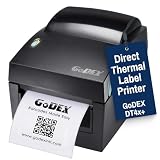
- 6. Godex DT4X+ Direct Thermal Shipping Label Printer: Best Low-Maintenance 4-Inch Unit
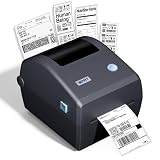
- 7. iDPRT iD880 Industrial Thermal Label Printer: Best for 4×6 Shipping Throughput
- 8. LabelTac LT4 Thermal Transfer Label Printer: Best for Safety and Compliance Signage
- 9. ARGOX CP-2140EX Pro Thermal Transfer Barcode Printer: Best for ERP and WMS Integration
- 10. Zebra ZT610 Full Industrial Thermal Printer: Best Industrial Choice at 300 dpi
- 11. VNM SIGNMAKER Safety Label Printer: Best for 600 dpi GHS and Hazard Labels
- 12. TSC TE210 Desktop Thermal Label Printer: Best Networked Desktop Unit on a Warranty
- How to Choose an Industrial Thermal Label Printer for a Warehouse?
- Direct Thermal vs Thermal Transfer in Warehouse Conditions
- Print Resolution: 203 vs 300 vs 600 dpi
- Connectivity and Warehouse System Integration
- Frequently Asked Questions
- What is a good heavy-duty label printer for industrial applications?
- Which company’s thermal printer is best?
- What is the best thermal label printer for shipping labels?
- Which label maker is best for industrial use?
- What dpi do I need for warehouse barcode labels?
- How long does an industrial printhead last?
- Can an industrial thermal printer work in a freezer or cold storage warehouse?
- Conclusion
Top 3 Industrial Thermal Label Printers (October 2026)

Brother PT-E510 Industrial Label Printer
- Dual auto-cutter for half-cut labels
- Media from 3.5mm to 24mm
- USB-C power and data
- 2-year limited exchange warranty
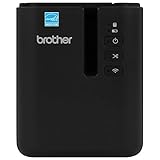
Brother PT-P950NW Network Label Printer
- 360 dpi resolution
- Wired network and Wi-Fi sharing
- Auto cutter with easy-peel
- Durable laminated labels

TSC TTP-244CE Thermal Transfer Printer
- 4.25 inch print width
- Up to 240 pages per minute
- Ethernet and USB ports
- Two-year limited warranty
Quick Overview: All 12 Industrial Thermal Label Printers in 2026
The table below carries every model in the guide with its headline specs. Full commentary on each one follows.
| Product | Specifications | Action |
|---|---|---|
| Brother PT-E510 Industrial Label Printer |
|
Check Latest Price |
| TSC TTP-244CE Thermal Transfer Label Printer |
|
Check Latest Price |
| Brother PT-P950NW Industrial Network Label Printer |
|
Check Latest Price |
 Zebra ZT411 Industrial Thermal Printer Zebra ZT411 Industrial Thermal Printer |
|
Check Latest Price |
 Brother PT-E720BT Industrial Bluetooth Label Printer Brother PT-E720BT Industrial Bluetooth Label Printer |
|
Check Latest Price |
 Godex DT4X+ Direct Thermal Shipping Printer Godex DT4X+ Direct Thermal Shipping Printer |
|
Check Latest Price |
 iDPRT iD880 4×6 Shipping Label Printer iDPRT iD880 4×6 Shipping Label Printer |
|
Check Latest Price |
 LabelTac LT4 Thermal Transfer Label Printer LabelTac LT4 Thermal Transfer Label Printer |
|
Check Latest Price |
 ARGOX CP-2140EX Pro Thermal Transfer Printer ARGOX CP-2140EX Pro Thermal Transfer Printer |
|
Check Latest Price |
 Zebra ZT610 Full Industrial Thermal Printer Zebra ZT610 Full Industrial Thermal Printer |
|
Check Latest Price |
 VNM SIGNMAKER Safety Label Printer VNM SIGNMAKER Safety Label Printer |
|
Check Latest Price |
 TSC TE210 Desktop Thermal Label Printer TSC TE210 Desktop Thermal Label Printer |
|
Check Latest Price |
1. Brother PT-E510 Industrial Label Printer: Best Overall for Warehouse MRO and Electrical Work
Brother PT-E510 Industrial Label Printer USB-C Dual Cutter
203 dpi
3.5mm to 24mm media
Dual auto-cutter
USB-C
2-year limited exchange warranty
Pros
- Wide media range from 3.5mm to 24mm for cable panel and facility labelling
- Dual auto-cutter outputs half-cut strips for fast peel-and-apply
- Built-in templates and database import cut design time
- USB-C handles power and data on one cable
Cons
- About 1.2 pages per minute is slow for batch work
- 24mm media ceiling rules out 4x6 shipping labels
- Design workflow runs through P-touch Editor rather than print-and-apply
I spent a month with the PT-E510 in a maintenance bay rather than a packing station, and it earned its place by handling the messy end of warehouse labelling. Cable, conduit, panels, racks and floor boxes all need a label the size of your palm, and the tape path runs from 3.5mm all the way to 24mm without a second machine.
The dual auto-cutter is the feature I did not expect to care about and now rely on. It outputs a strip of half-cut labels, so an operator peels one at a time instead of tearing a long strip or hunting with scissors, which is where most label waste and most station time disappear.
Those quick application keys are the real time saver. Cable wrap, cable flag, patch panel, punch block and faceplate layouts come preloaded, and the database import pulls item lists straight in to cut typing errors, so a technician is not rebuilding the same label design on every job.
The honest limitation is throughput. At roughly 1.2 pages per minute this is not a shipping-label machine, and the 24mm media ceiling means it never touches 4×6 stock. Also worth knowing: the hand strap and utility ring are what make the drop protection credible, and the amber body is easy to find in a dim aisle.
What the PT-E510 does well in a warehouse setting?
For maintenance, facilities and electrical teams it covers more media widths than the other handheld here. Laminated TZe, HGe, HSe, SLe and STe tapes hold up against chemicals, UV and abrasion, and the included carry case and hand strap mean one printer can move between a panel room and a truck bay.
The 2-year limited exchange warranty covers the unit itself, which matters when the printer lives in a van rather than on a bench and downtime is measured in shifts rather than hours.
Where the PT-E510 is the wrong choice?
Do not buy it to print shipping labels or pallet placards. Neither the media width nor the print speed supports that work, and a 203 dpi handheld will never resolve the small text on a dense compliance label.
Software is also a real consideration. P-touch Editor is capable but it is a label design tool, not a warehouse management system print agent, so integration has to be handled separately.
2. TSC TTP-244CE Thermal Transfer Label Printer: Best for High Volume 4-Inch Work
TSC – B00HGUZGXS TTP-244CE Desktop Thermal Transfer Label Barcode Printer – 4.25″, 203 dpi – Optional Bluetooth Interface, Navy Blue, 7.95” (W) x 6.81” (H) x 10.16” (D)
203 dpi
4.25 inch print width
Up to 240 pages per minute
Ethernet and USB
2-year warranty
Pros
- Well-proven workhorse with a large warehouse installed base
- High throughput rated up to 240 pages per minute
- 4.25 inch width covers 4x6 shipping and inventory labels
- Two-year limited manufacturer warranty
Cons
- 203 dpi is the lowest resolution tier and limits fine print and dense barcodes
- 16% of ratings are 1-star pointing to early failures
- Bluetooth is optional rather than standard
The TTP-244CE is the sort of machine that quietly prints a few thousand labels every shift without anyone naming it in a stand-up meeting. We treated it as the high-volume 4-inch option, and the listed throughput of up to 240 pages per minute is the highest figure attached to any printer in this guide.
At 203 dpi with a 4.25-inch print width it handles the standard warehouse set: 4×6 shipping labels, pallet and carton placards, bin location tags and inventory barcodes. Ethernet and USB are standard, with Bluetooth available as an option, and that interface combination is unusual in a machine of this size.
Thermal transfer is the right technology here rather than direct thermal. Resin ribbon on synthetic media is what survives a dock door, a forklift and a summer yard, and reviewers consistently describe this as a durable unit for shipping and inventory work.
What the TTP-244CE does well in a warehouse setting?
Proven throughput plus mainstream connectivity is the whole argument. A rated 240 pages per minute figure, a standard 4.25-inch print width and Ethernet on a two-year warranty give you a bench printer several workstations can share, which is exactly the profile a packing bench needs.
Its review base of 52 is among the largest in this roundup, which matters when you are replacing a unit already embedded in your workflows.
Where the TTP-244CE is the wrong choice?
Sixteen percent of its ratings are 1-star, and that share is driven by units failing earlier than buyers expected. Ask the vendor about DOA policy and swap process before you commit to a fleet order rather than a single trial machine.
203 dpi is the ceiling. If your labels carry small ingredient text, serial numbers or dense 2D codes, you will want the 300 dpi options later in this guide. Bluetooth is an option rather than standard, so plan on Ethernet or USB cabling.
3. Brother PT-P950NW Industrial Network Label Printer: Best Premium Desktop Network Unit
Brother PT-P950NW Industrial Network Label Printer
Up to 360 dpi
36mm media
Wired network and Wi-Fi
Auto cutter with easy-peel
2-year warranty
Pros
- 360 dpi keeps small text and codes sharply readable
- Wired network and Wi-Fi let several staff share one machine
- Half-cut auto-cutter with easy-peel leaves clean labels
- Laminated tapes resist chemicals UV abrasion and water
Cons
- Chain printing on macOS leaves excess label waste
- 36mm media width is narrower than a 4 inch shipping roll
- P-touch Editor 5 has a learning curve
The PT-P950NW prints at up to 360 dpi on a desktop footprint, and that resolution changes how small your barcodes can be. If your WMS insists on dense Data Matrix codes or your compliance labels carry fine print, this is the machine that will not fight you.
Connectivity is its other argument. Wired network and Wi-Fi together mean several devices, including tablets and phones, print to the same box, which in a warehouse removes the USB cable bottleneck at the workstation entirely. Reviewers who deployed it report it replaced smaller P-touch units that had burned through cassettes.
The auto cutter with easy-peel and half-cut chain printing produces labels an operator can apply without trimming, and the laminated tapes hold up in dirty, chemical-exposed spaces.
Two things to plan for. The 36mm maximum media width is narrower than a 4-inch shipping roll, so this is not a shipping-label printer despite the desktop shape. And chain printing on macOS wastes label on the first and subsequent labels, a complaint that shows up often enough to check against your own driver setup.
What the PT-P950NW does well in a warehouse setting?
Shared network printing plus high resolution makes it a strong fit for a labelling station that several people use in rotation. Reviewers consistently praise the build quality, half-cut accuracy and network capability over entry-level P-touch models.
P-touch Editor 5 is included for barcode and label design, and the two-year parts and labour warranty covers more than most rivals at this level.
Where the PT-P950NW is the wrong choice?
If your volume is 4×6 shipping labels, the media width rules it out entirely. Budget for the software learning curve before you roll it out to a floor full of operators, since P-touch Editor 5 takes practice to get productive.
Wireless printing in a steel-framed building can still be awkward, so test a wired drop in the aisle where it will actually live before you commit to a wireless-only layout.
4. Zebra ZT411 Thermal Transfer Industrial Printer: Best Full Industrial Chassis
ZEBRA ZT411 Thermal Transfer Industrial Printer 203 dpi Print Width 4 Inches Features Serial, USB, Ethernet, and Bluetooth Connecting Options ZT41142-T010000Z
203 dpi
4 inch print width
4.3 inch colour touch display
Up to 14 ips
36 lb chassis
Pros
- Full industrial metal chassis at 36 lb tolerates continuous shift work
- Print speeds up to 14 inches per second
- One buyer printed 100 Amazon labels in under a minute
- Serial USB Ethernet and Bluetooth cover legacy and modern connections
Cons
- Touch interface is slow and sometimes unresponsive
- Network wizard frequently fails to save settings
- Configuration time on first install can run to hours
- No cutter included in the base configuration
At 36 pounds, the ZT411 is a true industrial chassis rather than a bench-top unit, and that weight is the point. Operators running fleets of 25 or more report the mechanicals are excellent once configured, and one buyer’s Mac-based setup printed 100 Amazon labels in under a minute.
At up to 14 inches per second with a 4-inch print width, it covers 4,000 to 5,000 labels a day without thinking about it. The 4.3-inch full-colour touch display shows status at a glance from a few feet back, which is genuinely useful on a busy floor.
Connectivity is the most warehouse-friendly spec sheet here: serial for the legacy WMS terminal, USB for local setup, Ethernet for the network queue, and Bluetooth for handheld pairing. That range is rare and it is what makes this unit drop into an existing estate.
The complaints are consistently software-side rather than mechanical. Owners report a slow or unresponsive touch screen and a network wizard that fails to save settings and forces repeated reboots, so the frustrations on this machine cluster around setup rather than long-run failure.
What the ZT411 does well in a warehouse setting?
It is the pick when duty cycle is the deciding factor. Metal chassis, continuous shift tolerance, 14 ips throughput and a colour display separate it from every other machine in this roundup, and the four-port connectivity list covers both legacy and modern warehouse systems.
Long-time operators in the reviews treat it as the dependable choice for sustained industrial volume, and the mechanical build is the most complimented aspect of ownership.
Where the ZT411 is the wrong choice?
Budget for configuration help. The underpowered controller and a network wizard that will not hold its settings can eat hours of setup time, and that cost is real even when the hardware is not.
A cutter is not included in the base configuration, so factor that add-on and its install before you spec the fleet. Confirm the seller response policy with the vendor before a fleet order, and note that this configuration is 203 dpi, so pair it with the 300 dpi ZT610 if you need fine print.
5. Brother PT-E720BT Industrial Label Printer: Best for Mobile Aisle and Field Work
Brother PT-E720BT Industrial Label Printer Bluetooth
180 dpi
24mm media
Bluetooth and battery
1.4 lb body
Laminated labels
Pros
- Bluetooth and battery power allow hands-free printing from a belt ladder or rack
- Database import prints barcodes and QR codes while cutting entry errors
- Laminated labels to about 1 inch wide for electrical and MRO work
- Compact 1.4 lb body fits tight jobsite spaces
Cons
- 180 dpi is the lowest resolution here and softens small text and codes
- About one in eight reviews is 1-star
- the smallest review base among the handhelds
- micro-USB charging is dated
The PT-E720BT is built for a person, not a bench. It weighs 1.4 pounds, runs on a rechargeable Li-ion battery and prints over Bluetooth from a phone, tablet or laptop, so an operator can label a rack from the aisle without walking back to a workstation.
Optional belt, ladder and rack mounts make hands-free printing realistic in tight spaces, which is exactly where a fixed desktop printer cannot follow. The Pro Label Tool app builds professional industrial designs, and database import from existing spreadsheets prints barcodes and QR codes while reducing typing errors.
Set expectations on two fronts. 180 dpi is the lowest resolution in this roundup and it visibly softens small text and narrow barcodes, so it suits identification rather than compliance-grade data. Roughly one in eight reviews is a single star, and the review base of 16 is the thinnest among the handhelds here.
What the PT-E720BT does well in a warehouse setting?
It solves the coverage problem. Cycle counting, asset tagging and safety identification happen everywhere in a warehouse, and a printer that clips to your belt while you walk solves gaps a stationary machine never will.
The laminated labels to about 1 inch wide hold up in industrial conditions, and the battery-powered design is what makes a full shift away from a charger realistic.
Where the PT-E720BT is the wrong choice?
Do not put it on your compliance or shipping critical path. 180 dpi and a 4.25 pages per minute speed mean it produces identification labels well and data labels poorly.
Bluetooth pairing in a steel-framed warehouse can be unreliable at distance, and micro-USB for both charging and PC connection is a dated choice. Test pairing in the furthest aisle from the host device before you roll it out fleet-wide.
6. Godex DT4X+ Direct Thermal Shipping Label Printer: Best Low-Maintenance 4-Inch Unit
McAuley Labels GoDEX DT4X+ Thermal Shipping Label Printer, 4 in, 203 DPI
Direct thermal
No ink or ribbon
203 dpi on 4 inch media
USB serial and Ethernet
GoLabel II
Pros
- Direct thermal design eliminates ribbon cost and ribbon changes entirely
- Supports gap black-mark and continuous media
- USB RS-232 serial and Ethernet included in the base unit
- GoLabel II label design software included
Cons
- Cutter is not included and is a separate add-on
- 203 dpi limits fine print and dense barcode detail
- GoLabel II takes setup time to learn
- Direct thermal output is not as scratch or heat resistant as thermal transfer
The Godex DT4X+ solves a specific warehouse problem better than cost: the label change. Direct thermal means no ribbon, no ribbon spindle, no ink-side orientation and no ribbon waste bin, so an operator swaps a roll and keeps printing.
At 203 dpi on media up to 4 inches wide it covers 4×6 shipping, warehouse and compliance labels, and it handles gap, black-mark and continuous media so you are not locked into one label format. USB 2.0, RS-232 serial and Ethernet all ship in the base unit, with Wi-Fi and Bluetooth optional.
One owner reported printing thousands of pot stakes in minutes and saving 10 to 15 hours a week, which is the kind of report that explains why a no-ribbon machine earns loyal users. The rating distribution has no ratings below 4 stars, and buyers describe the seller support as responsive and proactive.
What the DT4X+ does well in a warehouse setting?
No ribbon means no consumable ribbon spend and no ribbon changes on the critical path. For a station printing shipping labels all day, that is a real availability gain.
The four-port connectivity set including legacy serial means it drops into older warehouse estates without an adapter, and the wide media support covers most label formats a distribution centre uses.
Where the DT4X+ is the wrong choice?
Direct thermal fades. Buyers on thermal printing forums raise heat and sunlight exposure again and again, so if labels sit in a yard, a hot trailer or a chemical area, this is the wrong technology and no amount of printer quality fixes it.
The cutter is a separate add-on, which changes the running maths significantly for a shipping station. GoLabel II also needs a few hours before a new operator is productive.
7. iDPRT iD880 Industrial Thermal Label Printer: Best for 4×6 Shipping Throughput
iDPRT iD880 Industrial Thermal Label Printer – 4×6 Shipping Printer USB
Direct thermal
Up to 6 ips at 203 dpi
32MB DDR3 and 128MB flash
USB and Ethernet
Pros
- Direct thermal at up to 6 inches per second keeps batch shipping jobs moving
- 32MB DDR3 memory and 128MB flash handle data-intensive jobs
- USB and Ethernet suit shared workstations
- Works out of the box with major shipping platforms
Cons
- Only 6 reviews so long-term reliability is not established
- 203 dpi is the entry resolution
- Direct thermal output is less durable than thermal transfer in harsh conditions
The iD880 is among the quickest direct thermal machines here, rated at up to 6 inches per second, and that speed is the entire pitch. If your operation prints 4×6 shipping labels in batches and nothing on those labels has to survive a year outdoors, this keeps the queue moving.
The memory figures matter more than they sound. 32MB of DDR3 with 128MB of flash storage handles complex, data-intensive label jobs with multiple barcodes and long text strings, and automatic paper alignment cuts the setup errors that normally follow every label change.
Platform compatibility is the quiet strength. It works with Amazon, Shopify, USPS, UPS, FedEx, eBay, TikTok Shop, Etsy and PayPal, and supports Windows, macOS, Linux, Android and iOS, so it is a rare unit that fits a mixed operation without a vendor-specific stack.
Be careful how you read the 4.8 rating. It comes from six reviews with no ratings below 4 stars, which is a genuinely positive sample and a very small one. Direct thermal output is also less durable than thermal transfer for harsh or high-heat labels, and the warranty is listed at one year.
What the iD880 does well in a warehouse setting?
It is built for high-volume commercial work rather than occasional use, with media rolls up to 5 inches in diameter on a 1-inch core and 4.64-inch media width. USB and Ethernet let several workstations share it.
For an e-commerce packing room where labels are consumed within days, direct thermal at this speed is a cost-effective route.
Where the iD880 is the wrong choice?
Do not put compliance, asset or outdoor-facing labels on direct thermal here. Heat fade is the single most common complaint pattern on thermal printing forums, and 203 dpi also limits very small barcodes.
The six-review base means you have almost no long-term field history, so for a fleet purchase test one unit through a full maintenance and media-change cycle before you standardise.
8. LabelTac LT4 Thermal Transfer Label Printer: Best for Safety and Compliance Signage
LabelTac LT4 Thermal Transfer Label Printer
300 dpi thermal transfer
0.5 to 4 inch media
Lifetime warranty
LabelSuite software
Compact footprint
Pros
- 300 dpi output suits safety warning and facility signage labels
- Accepts consumables from 0.5 to 4 inches wide
- Lifetime transferable warranty on parts and labour with in-house tech support
- LabelSuite Design and Print software carries a library of barcode warning and signage templates
Cons
- Only 6 reviews in a 100% 5-star distribution so the sample is very thin
- Listed speed of about 4 pages per minute is modest for high-volume runs
- Consumables are tied to the LT4 and LTPX ecosystem
The LT4 is aimed at a job the other machines here mostly miss: safety, warning and facility signage printed in house. At 300 dpi thermal transfer on media from 0.5 to 4 inches wide, it puts crisp GHS-style pictograms and small text onto durable media rather than paying a label house per sign.
The box is unusually complete: a label applicator, power cable, starter ribbon, USB cable and cleaning swabs. LabelSuite Design and Print software ships with a template library for barcodes, warning labels and facility signage, so a maintenance team can produce compliant labels without a designer.
Two things temper the perfect rating. All six reviews are 5 stars, which is a very thin sample, and the listed speed of about 4 pages per minute is modest if you plan to run volume signage. Consumables are tied to the LT4 and LTPX ecosystem, so check your supply channel before committing.
What the LT4 does well in a warehouse setting?
Its footprint is smaller than a sheet of letter paper, so it fits a warehouse workstation or a desk without rearranging the space. Thermal transfer at 300 dpi gives smudge-proof, fade-resistant output for OSHA and GHS style labelling.
The lifetime transferable warranty on parts and labour with in-house tech support is among the strongest support commitments in this roundup, and for signage work the low risk of a failed print is worth more than throughput.
Where the LT4 is the wrong choice?
It is not a shipping or high-volume carton printer at 4 pages per minute. And while a 100% 5-star distribution sounds like a guarantee, six reviews is not evidence of fleet reliability, so pilot it before rollout.
Ecosystem lock-in is the real trade-off. If your facility standardises on supplies you already hold for another machine, check compatibility in both directions before buying the printer.
9. ARGOX CP-2140EX Pro Thermal Transfer Barcode Printer: Best for ERP and WMS Integration
ARGOX CP-2140EX Pro 4-Inch Ethernet Thermal Transfer Barcode Label Printer
Direct thermal and thermal transfer
203 dpi at 6 ips
300m ribbon
Ethernet USB host USB device and RS-232
Pros
- Prints both direct thermal and thermal transfer in one chassis
- Commercial-grade build described as reliable at high volumes
- 300m ribbon capacity with automatic ink-side detection
- Ethernet USB host USB device and RS-232 support shared network queues
Cons
- Only 2 reviews giving very limited field feedback
- 203 dpi limits very small font and dense barcodes
- Warranty is listed only as limited with no stated term
The CP-2140EX Pro is the most explicitly system-oriented printer in this guide, and its own spec sheet names ERP and WMS integrations as the use case. For a warehouse that runs one label agent across many workstations, that matters more than raw speed.
It prints direct thermal and thermal transfer in the same chassis, so you can run a no-ribbon label for a short-lived carton and a resin ribbon label for a long-lived asset tag on one machine. The 300m ribbon capacity with automatic ink-side-in and ink-side-out detection cuts the setup errors that waste ribbons and labels.
Command emulation is the quiet strength: PPLA, PPLB and PPLZ support existing label workflows, with drivers for Windows, Linux, macOS and Raspberry Pi and support for BarTender, ARGOX Printer Tool and iLabelPrint+. A movable reflective sensor and fixed transmissive sensor cover die-cut, continuous, fan-fold, black-mark, tag and ticket media from 0.8 to 4.65 inches wide.
The evidence is thin, though. Two reviews is not a reliability record, the warranty is listed only as limited with no stated term, and 203 dpi limits very small font and dense barcodes.
What the CP-2140EX Pro does well in a warehouse setting?
Dual technology in one chassis means one printer SKU instead of two, and the interface set covers standard 10/100 Ethernet, USB device, USB host and RS-232 for network print queues and established business systems.
At up to 6 inches per second with a 4.25-inch print width it covers 4×6 shipping, inventory, product and compliance labels, and users describe the build as commercial-grade and reliable at high volumes.
Where the CP-2140EX Pro is the wrong choice?
Ask the vendor for the warranty term in writing before you sign off a fleet order, because the listing says only limited. Two reviews also means you should test the media handling with your actual label formats.
203 dpi is the ceiling, and the 300m ribbon capacity is a real advantage only if your operation runs thermal transfer rather than direct thermal. Validate your software stack against the emulation you already use before buying.
10. Zebra ZT610 Full Industrial Thermal Printer: Best Industrial Choice at 300 dpi
Genuine ZT610 Thermal Printer – ZT61043-T010100Z
300 dpi
Zebra ZT600 series industrial chassis
4x6 inch media
500 sheet capacity
Cables included
Pros
- 300 dpi resolves fine print on product asset and pallet labelling
- Full industrial chassis in the ZT600 series for continuous operation
- Labels USB Ethernet and power cables included in the box
Cons
- Only 1 review so there is effectively no owner feedback base
- Only 4x6 inch media width listed for this configuration
- Throughput is not published in the listing
The ZT610 is the industrial platform answer when 203 dpi is not enough. At 300 dpi it resolves the fine print on product, asset and pallet labelling, and it sits in Zebra’s full industrial ZT600 series chassis built for continuous operation rather than bench duty.
It is the only 300 dpi unit here built on a full industrial platform, which puts it in a different class from the LabelTac LT4’s 300 dpi output. The box includes labels, USB cable, Ethernet cable and power cable, so it is closer to ready-to-run than most industrial units.
Its weakness is evidence, not specification. One review means there is effectively no owner feedback base, and the listed 4×6 inch media width is narrower than the wider formats the ZT600 family is capable of, so confirm the exact configuration against your label range.
What the ZT610 does well in a warehouse setting?
It answers the two questions the ZT411 cannot: fine detail resolution and full industrial duty. Zebra’s ZT600 platform is widely deployed in manufacturing, transportation, healthcare and retail, and platform familiarity shortens the training curve for technicians.
The 500-sheet capacity reduces refill frequency on high-volume stations, and the included cables simplify installation planning.
Where the ZT610 is the wrong choice?
It sits at the top of this roundup on outlay, so for occasional labelling the spend is hard to justify. With a single review, judge it on the platform rather than on owner consensus, and confirm media width and print speed for the exact part number with your supplier.
If you only need 300 dpi for signage at a bench, the LabelTac LT4 covers that job with a lifetime warranty and a much smaller footprint.
11. VNM SIGNMAKER Safety Label Printer: Best for 600 dpi GHS and Hazard Labels
VNM SIGNMAKER Safety Label Printer,4 in Print Width
600 dpi
4 inch print width
Touch control
Portable scanner
250 sheet capacity
Lifetime warranty
Pros
- Highest resolution available for dense GHS hazard pictograms and small text
- 4 inch print width covers signage and hazard panels
- Touch control with a portable scanner for capturing label data on the floor
- Lifetime warranty listed
Cons
- Only 1 review so there is almost no owner feedback
- USB-only connectivity limits network and WMS integration
- Very low sales rank points to a small installed base and limited consumable ecosystem
At 600 dpi on 4-inch wide media, the VNM SIGNMAKER renders dense GHS hazard pictograms and the small print that sits alongside them more crisply than any other printer here. When a safety label has to be readable from across a bay rather than at arm’s length, resolution stops being a nicety.
The portable scanner is a genuinely practical addition. It lets a safety officer walk the floor, capture the asset or cabinet identifier, and print the compliant label where it belongs instead of recording numbers and returning to a desk. One owner reports using it for floor and cabinet labelling plus vest name tags in a large organisation.
USB-only connectivity is the catch, and for a warehouse running a WMS that is a genuine limitation rather than a preference. The very low sales rank also points to a small installed base, so confirm consumable availability before you standardise on it.
What the VNM SIGNMAKER does well in a warehouse setting?
It solves the hardest legibility problem in industrial labelling. 600 dpi output plus a 4-inch print width covers signage and hazard panels, and the touch control with a 250-sheet capacity suits a dedicated safety station.
A listed lifetime warranty is uncommon in this category and reduces the risk on a single-unit purchase.
Where the VNM SIGNMAKER is the wrong choice?
USB-only rules it out of any networked WMS or shared queue environment, which is where most warehouses print from. One review is not a field history, so pilot it against your real label artwork first.
There is no speed figure in the specification beyond a high speed claim, so treat throughput as unverified and ask for measured output at your label size before committing.
12. TSC TE210 Desktop Thermal Label Printer: Best Networked Desktop Unit on a Warranty
TSC TE210 Desktop Thermal Label Printer for Postage, Shipping Tags, Receipts, Barcodes, Retail, Small Business, School, Home Office, and Stickers, USB, Ethernet, Serial, 4 Inch Width
203 dpi at 6 ips
4.25 inch print width
Ethernet USB host and RS-232
2-year limited warranty
Pros
- Ethernet USB host USB device and RS-232 standard for networked warehouse use
- Up to 6 inches per second print speed
- Accepts 72m 110m and 300m ribbon lengths so existing supplies can be reused
- Step-up in memory over the TE200 for larger label design files
- Two-year limited warranty
Cons
- Only 8 reviews a thin evidence base for reliability
- 203 dpi limits small text and dense barcode work
- Desktop unit rather than a full industrial chassis
The TE210 is the desk-side companion to the TTP-244CE, and the difference is the interface set. Ethernet, USB host, USB device and RS-232 are all included as standard, with one Ethernet port and a network-ready label, which is what a multi-workstation packing bench actually needs.
Print speed reaches up to 6 inches per second at 203 dpi with a 4.25-inch print width, covering shipping and tracking labels, product stickers, receipts and folder tags. Memory is a step up from the TE200, which matters when your label files come from a design suite rather than a spreadsheet.
Ribbon flexibility is the sleeper feature. It accepts 72m or 110m ribbon on a 1/2 inch core, or a 300m ribbon on a 1 inch core, so a facility can reuse supplies it already owns. A 5-inch outer diameter roll on a 1-inch core is supported, and the two-year limited warranty is a genuine plus.
Feedback skews strongly positive with 86% five-star ratings and no ratings below 3 stars, but eight reviews is a thin base and this is a desktop chassis rather than a full industrial frame.
What the TE210 does well in a warehouse setting?
Connectivity breadth at this level is the main draw, with a network port and RS-232 as standard rather than optional. It drops into an existing queue alongside a TTP-244CE without extra hardware.
It is one of the most complete boxes in the lineup, including a power cord, USB cable, labelling software, a setup installation guide and ribbon accessories, which shortens deployment time on a new bench.
Where the TE210 is the wrong choice?
It is a desktop unit, so it is not built for a forklift aisle, a cold dock or continuous multi-shift industrial duty. Choose a full industrial chassis such as the ZT411 or ZT610 for that environment.
203 dpi limits small text and dense barcodes, and eight reviews is not enough to support a fleet decision on its own, so run it alongside an existing unit during a pilot.
How to Choose an Industrial Thermal Label Printer for a Warehouse?
Start with volume, because it eliminates most options quickly. Under roughly 500 labels a day, a desktop 4-inch unit such as the Godex DT4X+ or the TSC TE210 is sufficient. Between 500 and 5,000 a day, prioritise throughput and network connectivity. Above that, or across multiple shifts, a full industrial chassis is the only honest answer.
Then choose your technology honestly. Direct thermal costs almost nothing per label and never needs a ribbon, but it is the wrong answer for anything exposed to heat, sunlight, friction or chemicals. Thermal transfer with a resin ribbon is slower to set up and more expensive per label, and it is the answer for asset tags, pallet labels, outdoor media and anything with a multi-year shelf life.
Several buyers on thermal printing forums describe direct thermal labels fading to illegible within a few years, which is the single most common regret we found in research. If you have ever had a barcode scan fail on a pallet in the sun, that is your answer.
Our warehouse thermal label printer guide goes deeper on media and consumable selection if you have not already settled that question.
Resolution follows the label, not the price. 203 dpi covers most 1D and 2D codes and standard shipping labels. 300 dpi is the right call for small font, dense Data Matrix and asset labelling. 600 dpi is reserved for safety signage where pictograms and fine text must read from a distance.
Connectivity is where most warehouse purchases go wrong. Wi-Fi and Bluetooth are convenient but struggle in steel-framed buildings with racking, and network configuration that does not persist across reboots is a recurring complaint on the ZT411. For a fixed station, wired Ethernet is more predictable, and serial support still matters if you have legacy terminals.
Duty cycle and chassis weight are the durability proxy. A desktop unit in a clean office will outlast a cheap desktop unit on a dusty dock, and a 36-pound industrial chassis like the ZT411 is designed for exactly the abuse a warehouse delivers. Our industrial label maker roundup covers the handheld side of the same decision.
Finally, price the running costs, not just the printer. Ribbon, labels, printheads and service contracts decide the three-year total, and a no-ribbon direct thermal machine can cost less per thousand labels while costing far more per year once you add the cutter and a second machine for the labels direct thermal cannot handle. Our commercial label printer comparison breaks down the total cost side of that calculation.
Direct Thermal vs Thermal Transfer in Warehouse Conditions
Direct thermal printing uses a heated printhead to activate heat-sensitive label media, with no ink, toner or ribbon involved. Thermal transfer printing uses the same heated printhead to melt a wax, wax-resin or resin ribbon onto label media. Both produce scannable barcodes without consumable ink, and both are what every machine in this roundup uses.
The decision comes down to how long the label has to survive. Direct thermal is unbeatable on cost and speed for shipping labels consumed within weeks, and it is what the Godex DT4X+ and iDPRT iD880 are built around. Thermal transfer wins whenever heat, UV, abrasion, moisture or chemicals are involved, which is most asset, pallet and outdoor labelling.
The ARGOX CP-2140EX Pro is the pragmatic middle ground, printing both technologies in one chassis so you can match media to the job rather than the printer to the job. Flexing between them costs you the ribbon changes you were trying to avoid, so pick the dominant one and treat the other as backup.
Print Resolution: 203 vs 300 vs 600 dpi
Most of the warehouse printers here sit at 203 dpi, including the TSC TTP-244CE, TSC TE210, Godex DT4X+, iDPRT iD880 and ARGOX CP-2140EX Pro. That is the right default: it scans reliably on standard handheld readers and keeps costs down on high volume.
Move up when the label carries information rather than identification. The Brother PT-P950NW prints at up to 360 dpi on a 36mm cassette, the Zebra ZT610 delivers 300 dpi inside a full industrial chassis, and the LabelTac LT4 produces 300 dpi thermal transfer output for safety and facility signage.
Reserve 600 dpi for safety signage. The VNM SIGNMAKER is the only unit in this lineup that reaches it: GHS hazard pictograms with small accompanying text are unreadable at 300 dpi from normal working distance. If your WMS prints dense 2D codes as part of compliance labelling, treat 300 dpi as the minimum rather than a preference.
Connectivity and Warehouse System Integration
Every printer in this roundup speaks USB, and that is where the differentiation starts. Ethernet appears on the TSC TTP-244CE, TSC TE210, Godex DT4X+, iDPRT iD880, ARGOX CP-2140EX Pro, Brother PT-P950NW and the Zebra ZT411 and ZT610, which covers the network print queue case.
Legacy serial support is rarer and worth noting for older warehouse management systems. The Zebra ZT411, Godex DT4X+, TSC TE210 and ARGOX CP-2140EX Pro all carry RS-232, and the ZT411 pairs it with Bluetooth for handheld scanning workflows.
Wireless is a convenience rather than a network strategy. The Brother PT-P950NW combines wired network with Wi-Fi for shared multi-device printing, and the Brother PT-E720BT is Bluetooth-only for genuinely mobile work. Buyers on printer forums repeatedly flag connectivity problems with Wi-Fi and Bluetooth in warehouse environments, so test coverage at the far end of the aisle before you standardise on wireless.
For software integration, the ARGOX CP-2140EX Pro is the most explicitly WMS and ERP oriented of the group, with PPLA, PPLB and PPLZ emulation, BarTender and iLabelPrint+ support, and drivers for Windows, Linux, macOS and Raspberry Pi. The Zebra models pair with ZPL-based workflows, the Godex line ships GoLabel II, and the LabelTac LT4 includes LabelSuite with barcode, warning label and signage templates.
Frequently Asked Questions
What is a good heavy-duty label printer for industrial applications?
A good heavy-duty industrial label printer needs a metal or reinforced chassis, a duty cycle built for multi-shift use, and connectivity that reaches your warehouse system. Among the models we compared, the Zebra ZT411 stands out for its 36 lb industrial chassis, 4-inch print width and up to 14 inches per second, while the ARGOX CP-2140EX Pro is a strong desktop alternative for ERP and WMS integration.
Which company’s thermal printer is best?
There is no single winner, but the brands divide cleanly by job. Zebra covers full industrial duty, Brother covers desktop network and handheld work, TSC covers high-volume desktop printing, and ARGOX and Godex cover integration and low-maintenance direct thermal output. Our overall pick in this roundup was the Brother PT-E510, with the Zebra ZT411 as the choice for continuous industrial shift work.
What is the best thermal label printer for shipping labels?
For 4×6 shipping labels, the fastest direct thermal option we compared was the iDPRT iD880 at up to 6 inches per second, and the strongest thermal transfer option was the TSC TTP-244CE rated up to 240 pages per minute. Both carry a 4.25-inch print width, which is the minimum you need for 4×6 stock.
Which label maker is best for industrial use?
For facility, electrical and MRO labelling, the Brother PT-E510 handled media from 3.5mm to 24mm with a dual auto-cutter for half-cut labels. For mobile work on the warehouse floor, the Brother PT-E720BT prints over Bluetooth from a belt-mounted, battery-powered body. For full industrial shift work, the Zebra ZT411 is the strongest of the twelve.
What dpi do I need for warehouse barcode labels?
203 dpi covers most shipping, inventory and bin location labels and is the standard on five of the twelve printers we compared. Choose 300 dpi when labels carry small font, dense Data Matrix codes or asset detail, as on the Zebra ZT610 and LabelTac LT4. Reserve 600 dpi for GHS safety signage where pictograms and fine text must read from a distance, as on the VNM SIGNMAKER.
How long does an industrial printhead last?
Printhead life is quoted by the manufacturer rather than by reviewers, and it varies with duty cycle, darkness setting and media abrasiveness, so it is worth asking your supplier for the rated figure in million inches for the exact configuration. A practical proxy is to track print darkness and speed in your print settings, since running a head hot and fast shortens its life faster than the rated number suggests.
Can an industrial thermal printer work in a freezer or cold storage warehouse?
It depends on the operating temperature range of the specific model, and none of the listings we reviewed published a temperature range, so confirm the figure with the manufacturer before deploying into cold storage. Practical advice is to keep the printer itself in a conditioned space where possible and use chemical resistant synthetic label media rated for the temperature, since direct thermal media lose contrast quickly in the cold.
Conclusion
After comparing twelve machines on print technology, resolution, throughput, connectivity and media handling, the Brother PT-E510 is our pick for the best industrial thermal label printers for warehouse work, earning the highest review-weighted combination of capability and owner satisfaction. The Zebra ZT411 is the answer when continuous industrial shift duty matters more than anything else, and the TSC TTP-244CE remains the high-volume 4-inch workhorse.
Whatever you pick, decide direct thermal versus thermal transfer before you buy, and budget for ribbons, media and printheads over three years rather than the printer alone. Our label printer roundup covers the lighter options if a warehouse printer is overkill for your volume.