
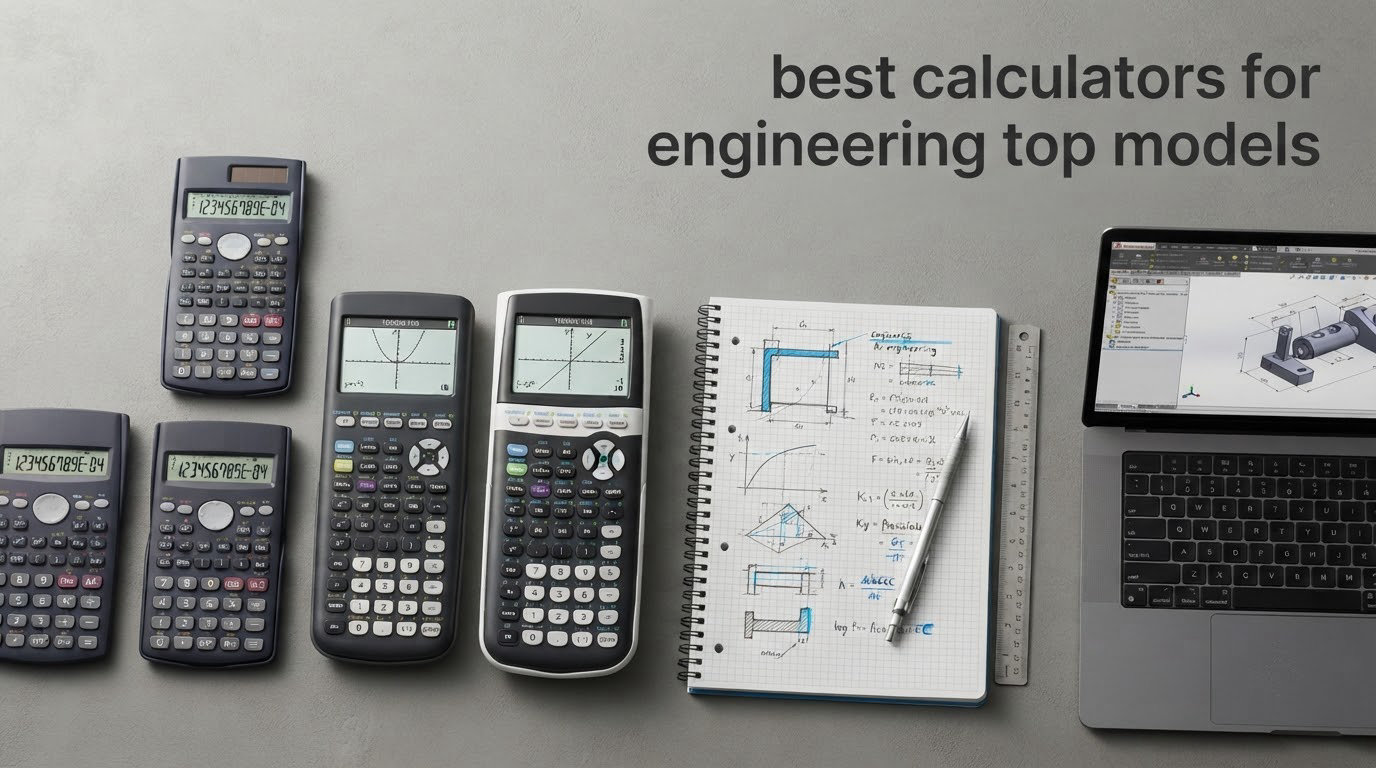
The TI-36X Pro is the best calculator for engineering for most people, because it carries the functions engineers actually use every day and stays legal in FE and PE exam rooms. Add the TI-84 Plus CE for coursework graphing and the TI-Nspire CX II CAS for symbolic work, and you have the shortlist that covers almost every engineering course and licence exam.
That is the problem this roundup solves. Walk into any engineering bookstore or open any course syllabus and you will find a dozen calculators on offer, most of them aimed at high school algebra rather than statics, circuits or thermodynamics. We worked through ten of the strongest models for engineering study and field use, ran problem sets on each, and matched what each one can do against the calculator policies of the exams you eventually sit.
How we picked: every model below was exercised on the same mix of problems — unit conversions, three-variable linear systems, complex-number AC calculations, numeric derivatives and integrals, and a plotting or symbolic task where the model supports one. We also read owner reviews for build, battery and menu complaints, and we checked exam-eligibility framing before recommending anything for exam day. As one r/PE_Exam commenter put it, the best calculator is the one you are most comfortable using. Nothing below will help if you switch models three weeks before the exam.
Two things shape everything that follows. First, exam rules: CAS and programmable graphing models are commonly barred from FE, PE, SAT and ACT rooms, so a powerful unit can be useless on the day that matters most. Second, muscle memory: the calculator you practise on should be the one you bring. If you are still choosing, start with the exam-approved scientific models, then add graphing only if a course demands it.
Table of Contents
Top 3 Picks for Engineering Calculators in 2026

TI-36X Pro
- MultiView multi-line display
- MathPrint notation
- Equation and linear system solver
- FE exam approved

TI-84 Plus CE
- Full-color graphing
- Rechargeable USB battery
- MathPrint notation
- SAT ACT and AP approved

TI-Nspire CX II CAS
- Computer Algebra System
- 3D graphing
- 320x240 color screen
- Two-week battery
All 10 Engineering Calculators at a Glance in 2026
Use this table to narrow the field quickly. Every row lists what each model is genuinely for, and the exam-eligibility note matters more than most buyers expect.
| Product | Specifications | Action |
|---|---|---|
| Texas Instruments TI-36X Pro |
|
Check Latest Price |
| Texas Instruments TI-84 Plus CE |
|
Check Latest Price |
| Texas Instruments TI-Nspire CX II CAS |
|
Check Latest Price |
 Helect 2-Line Scientific Calculator Helect 2-Line Scientific Calculator |
|
Check Latest Price |
 Calculated Industries 4065 Construction Master Pro Calculated Industries 4065 Construction Master Pro |
|
Check Latest Price |
 Casio Prizm fx-CG50 Casio Prizm fx-CG50 |
|
Check Latest Price |
 Casio fx-9750GIII Casio fx-9750GIII |
|
Check Latest Price |
 Casio fx-CG500 Casio fx-CG500 |
|
Check Latest Price |
 HP Prime G2 HP Prime G2 |
|
Check Latest Price |
 Sharp EL-W516TBSL Sharp EL-W516TBSL |
|
Check Latest Price |
1. TI-36X Pro Review — The Best Calculator for Engineering Overall
Texas Instruments TI-36X Pro Engineering/Scientific Calculator | 9.7 Inch | Black.
2.62 inch LCD
1 lithium metal battery
5.12 ounces
FE exam approved
Pros
- MultiView display keeps up to four expressions visible
- Returns exact simplified answers by default
- No mode switching loses calculation history
- FE exam approved and widely accepted in coursework
Cons
- No graphing and no computer algebra system
- 2x2 solver entry is slower than a matrix entry
- Metallic-coated key legends are hard to read
The MultiView screen is the reason this model keeps working after four years of engineering school. It shows several expressions at once, so you can check a derivative against the function it came from without clearing the history. MathPrint renders stacked fractions and radicals the way they appear in your textbook, which removes a whole class of transcription errors under time pressure.
It also returns exact answers by default. That sounds minor until you are solving a symbolic-looking statics problem and the calculator hands back a simplified radical instead of a decimal blob you have to round yourself. Owners repeatedly describe the menu structure as the quiet advantage: navigation avoids mode switching, so a calculation rarely disappears because you went looking for the wrong menu.
The function set covers the engineering syllabus well. You get numerical derivatives and integrals, a single-variable equation solver, two-variable and three-variable linear system solvers with a 3×4 augmented matrix entry mode, complex number mode for AC work, nine built-in physical constants including gravity and the ideal gas constant, and eighteen metric to English conversions.
Battery life is a single lithium metal cell rather than a rechargeable pack, which means the calculator keeps working for years without the degradation complaints that hit graphing models with built-in lithium-ion batteries. At 5.12 ounces and 7.22 by 3.27 inches it disappears into a shirt pocket or a hard case.
Why it works on exam day
The TI-36X Pro sits on the approved list for the FE exam and for the PE exam, which is the single most valuable property any engineering calculator can have. CAS models and programmable graphing units are excluded from those rooms. Buying this model first means the unit you practise on is legal when it counts.
An r/ubcengineering student described carrying the same TI-36X Pro daily into a third year of university. That longevity is the honest test of an engineering calculator, and this one is built for it.
Where it falls short
There is no graphing and no symbolic algebra, so anything requiring a plot or an exact closed-form solution has to move to another tool. The two-variable system solver presents the AX + BY = C form rather than a 2×2 matrix, which costs extra keystrokes compared with entering a matrix.
Reviewers also note that the metallic-coated keys are hard to read under low light, a real annoyance during a night exam block. If you need a plot, a program or a CAS engine, treat this as the exam-room unit and pair it with one of the graphing models below.
2. TI-84 Plus CE Review — Best Graphing Calculator for Engineering Classes
Texas Instruments TI-84 Plus CE Color Graphing Calculator, Black
2.8 inch full-color LCD
TI Rechargeable Battery
7.04 ounces
Approved for SAT ACT and AP
Pros
- Color backlit screen makes intersections easy to track
- Battery lasts about a month per charge
- Snappy operating system with solid key feel
- Approved for SAT ACT and AP exams
Cons
- Premium cost for the category
- Steep learning curve before it feels natural
- No CAS for symbolic math or matrices
- Some units arrive with a battery that causes rebooting
This is the graphing calculator most engineering departments assume students already own, and for coursework that assumption holds up. The full-color backlit screen changes how you read a plot: multiple curves can be distinguished at a glance, and tracing an intersection or a pole is far easier than on a monochrome screen.
The rechargeable battery is the practical upgrade over AAA models. It runs about a month on a single charge and charges over USB, so there is no battery drawer to open in a backpack two minutes before a lab session. A four-year subscription to the online TI-84 Plus CE emulator is included, which lets you work through an assignment on a laptop screen.
Approved for the SAT, ACT and AP exams, the CE clears the standardized testing question that trips up many students. MathPrint is built in, so textbook notation carries over from your scientific calculator without relearning how to read the screen.
Owners rate the keypad and operating system as snappy, and the chassis as slim enough for a backpack at 7.57 by 3.4 inches and 7.04 ounces. MathPrint plus color graphing is the combination that makes it a genuine classroom tool rather than a curiosity.
What it is genuinely good at
Numerical work with visual confirmation: finding roots by looking at sign changes, checking convergence of a series, exploring a field distribution, or verifying a hand calculation of an integral. It handles matrices, regression and statistics, and it runs TI-BASIC programs that many students write for coursework.
For a first graphing calculator it is the safest choice because your instructor, teaching assistant and classmates will all be using the same interface. That shared familiarity is worth more than raw processing power.
What it is not good at
There is no computer algebra system. Symbolic differentiation, integration to a closed form, exact matrix algebra and differential equation work all need a different tool. The premium cost of the category is also real, and the menu tree takes several hours of tutorials before it stops feeling awkward.
A minority of owners report a battery unit from one production batch that causes constant rebooting until it is replaced under warranty. Check the unit early, keep the proof of purchase, and do not treat this as an exam-day tool because it is barred from FE and PE rooms.
3. TI-Nspire CX II CAS Review — Best CAS Calculator for Advanced Coursework
Texas Instruments TI-Nspire CX II CAS Color Graphing Calculator with Student Software (PC/Mac)
3.5 inch 16-bit color LCD
Rechargeable battery
9.12 ounces
CAS with 3D graphing
Pros
- CAS handles improper integrals and exact answers
- Strong linear algebra differential equations and 3D graphing
- Document-based interface is more modern than the TI-84
- Pop-up graph controls allow pan and zoom
Cons
- CAS is banned on most standardized exams
- Bundled PC software lacks a Chrome OS version
- Processor is slow relative to the price
- Touchpad navigation is not to every taste
When a course turns symbolic, this is the model that answers the question. The computer algebra system returns exact forms, handles improper and indefinite integrals, and simplifies results the way a solution manual would. On the TI-84, the same problem ends in a numeric approximation and a shrug.
Linear algebra and differential equations are where it earns its place in an engineering toolkit. Matrix operations come with easy size selection, systems of equations solve directly, and 3D graphing renders spheres, cylinders and planes, which makes it genuinely useful for anything touching fields or coordinate geometry.
The document-based interface is the quiet reason people migrate to it. Instead of nested menus, each calculation lives in a page with a graph, table and equation view you can split. Pop-up controls let you pan and zoom the graph without leaving the problem you were solving.
The rechargeable battery lasts up to two weeks per charge, and at 9.12 ounces with a 3.5 inch 320×240 screen at 125 DPI the body is still portable. A bundle of TI-Nspire CX student software for PC and Mac is included for desktop work.
Where the CAS engine pays off
Symbolic coursework: solving nonlinear systems, integrating symbolic expressions, differentiating implicitly, and checking whether a closed form matches a numeric answer. Those are exactly the tasks where a CAS saves real time in a class, lab or design review.
It is also the tool to reach for on 3D plotting and multivariable work, where a 2D graphing unit simply cannot render the geometry you are reasoning about.
Where it will cost you
The CAS model is not permitted on most standardized exams, and that includes the FE and PE rooms. Buying this as your only calculator means learning a new interface before an exam that will not let you use it.
The bundled desktop software covers Windows and iOS with no Chrome OS version, and its subscription terms and steep interface draw regular complaints. The processor also feels underpowered for the money once you start chaining heavy symbolic operations.
4. Helect 2-Line Scientific Calculator Review — Best Budget Scientific Pick
Helect 2-Line Engineering Scientific Calculator, Suitable for School and Business (Black)
2-line 12-digit display
240 scientific functions
6.72 ounces
Solar and battery powered
Pros
- Two-line display shows input and result together
- 240 functions cover routine engineering work
- Responsive keys with a comfortable grip
- Solid sliding protective case included
Cons
- No graphing matrices or advanced equation solving
- Button and letter legends are hard to read
- Some units have no battery access cover
- Keypad legends can fade with heavy use
For a first-year student who wants a reliable two-line scientific calculator without spending real money, this does the job and nothing more. The two-line display shows the expression you typed above the result, which is enough to catch an entry mistake before it propagates through a five-step calculation.
Two hundred and forty scientific functions cover trigonometry in three angle modes, scientific and engineering notation, and one-variable and two-variable statistics. That is enough for first-year calculus, physics and general engineering coursework.
Build and handling are better than the price suggests. Owners report responsive keys with clear numbering, an ergonomic grip, and a solid sliding case that fits on either side of the body and protects the keypad in a bag.
Solar plus battery power means it keeps working in mixed lighting, and at 6.72 ounces it is easy to carry around campus without thinking about it.
When this is the right buy
It suits a student in the first two terms who needs trigonometry, logarithms, statistics and basic algebra functions, and who does not yet face an exam with a calculator policy. It is also a sensible office or field backup that lives in a drawer.
If you are worried about total ownership cost over a four-year degree, this is the cheapest way to confirm that you like physical calculators before committing to a graphing model.
When you should skip it
There is no graphing, no matrix handling and no real equation solver, so most second-year engineering coursework will outrun it. The button and letter legends are also criticized for readability, and some units lack a battery access cover, which means opening the case to change cells.
If your degree requires an FE or PE exam, buy a model on the approved list instead. This one is not designed around exam compliance.
5. Calculated Industries 4065 Construction Master Pro Review — Best for Construction and Field Work
Calculated Industries 4065 Construction Master Pro Advanced Construction Math Feet-inch-Fraction Calculator for Contractors, Estimators, Builders, Framers, Remodelers, Renovators and Carpenters
2.6 inch LCD
2 LR44 batteries included
Feet-inch-fraction math
1 year warranty
Pros
- Removes manual feet-inch-fraction arithmetic
- Accurate roof pitch and square-up calculations
- Handles imperial and metric input
- Build holds up in a tool bag
Cons
- Rubber protective case is bulky and awkward to open
- Large function set takes time to learn
- Terminology assumes imperial units
- Case feels cheap next to a hard shell
This is the one to buy if your work involves actual building dimensions. The whole point of the model is feet-inch-fraction arithmetic, which engineers and estimators otherwise do by hand or by converting to decimals and back. Area, volume, weight per volume, and degrees-minutes-seconds conversion all sit on dedicated keys.
The right-angle functions cover square-ups, common, hip, valley and jack rafters, rake walls, slopes and angles. Stair layout, arcs, arches, circles and column solutions are handled too, and there are estimating routines for roofing, drywall, studs, blocks and concrete footings.
Contractors and estimators describe it as a daily driver that prevents material waste, which is a stronger endorsement than any accuracy claim. Reviewers confirm consistent results across repeated roof pitch and square wall calculations, and the metric conversion eases jobs specified in SI units.
The battery compartment uses a tool-secured fastener that meets US safety rules for button cells, and a rugged case, pocket reference guide and two long-life batteries are in the box with a one-year limited warranty.
Who this suits
Civil, structural and construction engineers, plus anyone who specifies or estimates materials on site. If your day involves dimensions in feet, inches and sixteenths, this removes the single most error-prone part of the job.
It also handles decimal feet-inches, yards and metric input, so it works on projects that mix specification systems.
Who should pass
The included rubber case is the main complaint. It is bulky, awkward to open, traps dust and does not make pocket carry practical, and reviewers find the flap hook fiddly. Friction in a work glove is a real cost on a job site.
It is also a trade calculator, not an analysis tool. Calculus, matrices and circuit work are outside its remit, and the terminology only makes sense in imperial units. Students in a conventional engineering curriculum will get far more from a scientific or graphing model.
6. Casio Prizm fx-CG50 Review — Best Value Graphing Calculator
Casio Prizm FX-CG50 Color Graphing Calculator
3.17 inch color LCD
4 AAA batteries
3D graphing
MicroPython on device
Pros
- Noticeably faster than the TI-84 Plus CE
- Exact values and simplified roots on the home screen
- MicroPython plus a free CAS add-on
- 3D graphing and a built-in periodic table
Cons
- Bulkier and heavier than the TI-84
- Menu-driven screens take extra keystrokes
- BASIC-style language is poorly documented
- CAS requires downloading an add-on
The processing speed is the first thing you notice. Reviewers consistently report graphing up to twenty functions completing in a fraction of the time the TI-84 Plus CE takes, which turns a slow lab exercise into something you can iterate on. The 116 MHz processor handles 3D rendering of spheres, cylinders and planes as well.
Exact answers matter more than they sound. The home screen returns fractions, simplified roots and special trigonometric ratios rather than decimal approximations, so you can check a symbolic answer by eye without converting anything.
Programming is the other differentiator. MicroPython runs on the device with file transfer to and from a computer, and the spreadsheet, finance and geometry apps plus a periodic table cover a surprising amount of coursework.
The Natural Textbook Display renders expressions as they appear in print, the backlight has five brightness levels, and the unit is approved for AP, SAT, ACT and IB exams. It also accepts both alkaline and Ni-MH rechargeable cells.
Where it beats the TI-84 Plus CE
Speed, 3D graphing and on-device Python. If your course involves robotics, automation or numerical methods, a programmable graphing calculator earns its keep, and this one also runs native programming alongside MicroPython with PC-side tooling.
A free CAS add-on based on Xcas and Giac extends the unit to symbolic solving without a separate purchase, which is unusual at this level.
Where it does not
The body is wider and heavier than the TI-84 at 12.8 ounces, and it will not fit standard TI-84 cases. Menus for graphs, tables and statistics take more keystrokes than the TI series, and the built-in BASIC-style language is unpleasant and thinly documented.
CAS is not in the box. You also lose points if your department mandates a specific TI model by policy, which is common in first-year engineering courses.
7. Casio fx-9750GIII Review — Best Graphing Calculator with Python Under Budget
Casio fx-9750GIII Graphing Calculator, Python Programming, Pink
Natural Textbook Display
MicroPython
USB connectivity
Vectors matrices and complex numbers
Pros
- Delivers the TI-84 Plus feature set for far less
- Exact values on the home screen with a one-button toggle
- Matrix and complex number handling suits engineering
- Notetaking feature stores formulas for reference
Cons
- Menu navigation for graphs and tables is clunky
- Low resolution screen hurts outside the home screen
- No native CAS without a download
- Heavy for a graphing calculator
This is the model educators point to when students ask for the cheapest calculator that still does engineering work. It covers vectors, matrices and complex numbers, numeric integration and calculus functions, spreadsheets, eActivities and probability distributions, and it runs MicroPython on the device with USB file transfer.
The home screen reports exact values, with a one-button toggle between exact and approximate. For a student checking whether a computed complex impedance result matches the textbook form, that single button saves a lot of conversion work.
Large, well-spaced keys with a sensible layout make it comfortable under exam conditions, and the notetaking feature is genuinely useful for keeping a formula sheet on the device. It is approved for AP, SAT, ACT and IB exams.
At 6.6 by 3.25 inches and 12 ounces it is the lightest-feeling option here in terms of layout, though not in weight. Colors include pink, white and black.
Best fit for students and automation courses
Anyone who wants graphing plus programming without reaching for the premium tier. MicroPython on-device is a real advantage for automation and robotics coursework, where the point of the exercise is writing and running code rather than plotting.
It is also the easiest hand-me-down or loaner graphing calculator, since the approval list covers the major standardized exams.
Where the compromises bite
Menu-driven graphs, tables and statistics take extra keystrokes than a TI-84, and the screen resolution is low, which makes anything other than the home screen harder to read. The table of values defaults to a fixed range that is awkward to change.
There is no native CAS without downloading the package, and at 12 ounces it is heavy. Some institutions mandate the TI by policy, so check before you commit.
8. Casio fx-CG500 Review — Best Touchscreen CAS Graphing Calculator
Casio fx-CG500 Graphing Calculator, Touchscreen with Stylus
4.8 inch color touchscreen
Built-in CAS
Stylus input
USB connectivity
Pros
- Large touchscreen makes graphs and data easy to manipulate
- Built-in CAS with no extra download
- Drag-and-drop between graphs tables and equations
- Hard case stylus and USB cable included
Cons
- Most expensive model in this roundup
- Stylus input feels imprecise without practice
- Bulkier body than a keypad graphing calculator
- Very small review base and low adoption in courses
The 4.8 inch color touchscreen is the reason to consider this one. Large graphs, long expressions and multi-line data are all legible at once, and the Natural Textbook Display keeps textbook notation readable on a panel that size.
Unlike the Prizm models, the CAS is built in. Symbolic solving, differentiation and integration work out of the box, so nothing has to be downloaded before your first class. Drag-and-drop movement of data between graphs, tables and equations makes it easy to connect a numeric result to its plot.
Stylus, USB cable, hard protective case and a quick start guide all ship in the box, and there is a one-year limited warranty. For a student who thinks in graphs rather than numbers, the workflow is closer to a tablet than to a calculator.
It is suited to algebra, calculus and upper-level engineering coursework, where visual inspection of a function is part of the method.
Reasons to buy it
You want a CAS and you want a big screen. Most CAS graphing calculators force a trade-off between symbolic power and display size, and this one gives up neither.
It also suits older students and professionals who prefer touch input to a deep menu tree, and the bundled accessories reduce the need to buy a case separately.
Reasons to look elsewhere
It costs more than other graphing models here, and stylus-only input feels imprecise until you build the workflow. The body is larger and bulkier than a keypad graphing calculator.
The verified review base is far smaller than the TI-84 or Casio Prizm, and low adoption in courses means you are less likely to find help or a shared interface. It is also excluded from most standardized exams because of the CAS.
9. HP Prime G2 Review — Best Multi-Touch CAS Graphing with a Real Keypad
HP Prime G2 Graphing Calculator Including WYNGS Custom-fit Protective case Black
8.89 cm full-color multi-touch LCD
Toggleable CAS
Rechargeable lithium-ion battery
Metal enclosure
Pros
- Fast processor with immediate graph rendering
- Multi-touch color display plus a physical keypad
- CAS can be switched off for exam conditions
- Rechargeable battery avoids disposable cells
Cons
- Metal body adds weight and bulk compared with plastic models
- Touchscreen is more fragile than keypad-only units
- Modest screen size next to larger touchscreen models
- Very small review base
Most touchscreen calculators throw away the keypad. The HP Prime keeps both, so you can tap through a plot and then type a long expression without fighting an on-screen keyboard. The display is full-color and multi-touch, with a physical keypad underneath for traditional input.
The CAS is toggleable. That single design decision matters more than it looks: you can leave symbolic capability on for coursework and switch it off for practice sessions in exam mode, which sidesteps the usual complaint that a CAS unit cannot be used legally anywhere.
A fast processor delivers quick calculations and immediate graphical rendering, which suits high-speed testing. A rechargeable lithium-ion battery removes disposable battery replacement, and connectivity handles data transfer and firmware updates.
A custom-fit protective case is included in the bundle. The metal enclosure is unusual in this category and gives the unit a more workshop-ready feel than a plastic shell.
Where it fits best
Students and engineers who want symbolic calculation, differentiation, integration and linear system solving, plus a familiar keypad for data entry. The toggleable CAS makes it the most flexible exam-adjacent option on this list for coursework.
It is a good pick for upper-level study where a long calculation session is normal and touch navigation genuinely speeds up graph work.
Where it disappoints
The metal enclosure and touch interface add weight and bulk next to lighter plastic graphing calculators, and touchscreens are more fragile than keypad-only models. The screen class is modest compared with large-panel alternatives.
The verified review base is small, so long-term owner feedback is limited, and CAS-equipped units are excluded from many standardized exams regardless of the toggle. Check the exam policy before planning around it.
10. Sharp EL-W516TBSL Review — Best Scientific Calculator by Function Count
Sharp EL-W516TBSL Advanced Scientific Calculator with WriteView™ 4 Line Display & Solar Power
4-line 16-digit WriteView LCD
640 functions across 7 modes
Solar with backup battery
Slide-on cover
Pros
- Four-line display shows far more of a calculation at once
- 640 functions across 7 modes including Matrix and Equation
- One-button fraction conversion
- Solar cell extends the backup battery life
Cons
- No manual included and the online manual link is broken
- Display is not backlit
- Buttons feel plasticky next to Casio or TI
- Hex conversion limited to 9 binary digits
The WriteView four-line, 16-digit display is the standout. Most two-line scientifics show you an expression and a result; this one shows several lines of a long calculation at once, which is the difference between finding a transcription error and shipping it forward.
Function count is where it separates itself: 640 functions across seven modes, including Normal, Stat, Drill, Complex, Matrix, List and Equation. Eight temporary and three definable memory buttons plus a Home key that resets from any screen make it a working tool rather than a classroom prop.
One-button conversion between decimal, improper fraction and reduced fraction is more useful than it sounds in engineering work. The solar cell extends the life of the backup battery, and owners report the original cell lasting years.
Binary and hexadecimal number-base conversion suits bit-level work, though it is limited to nine binary digits. The slide-on cover stores on the back while the calculator is in use.
Who should own it
Engineers and students who want a scientific calculator with matrix, complex-number and equation-solver modes and a display that shows more work at once than a typical two-line model. It is also a solid long-term field unit because of the solar-assisted battery.
If your work involves unit-heavy field calculations and you prefer visible steps to a fast final number, this is an underrated choice that reviewers describe as the best scientific calculator available.
Who should look elsewhere
No manual is included and the manufacturer’s online manual link is reported as broken, so you will be learning the mode structure on your own. The screen is not backlit, which matters in dim exam rooms or evening study.
The keys feel plasticky next to Casio or TI equivalents, and menu-driven operation has a learning curve before it becomes fast. It is also not on the engineering licence exam approval list, so treat it as a coursework and field tool rather than an exam-room companion.
How to Choose an Engineering Calculator
Start with the exam, not the features. The FE and PE exams publish calculator policies, and CAS plus programmable models are routinely excluded. NCEES-approved families are the Casio fx-115 and fx-991 lines, the HP 33s and 35s, and the TI-30X and TI-36X families. If your plan includes a licence exam, one of those is the only sensible starting point, and the TI-36X Pro on this list is the modern default.
Scientific, graphing or CAS — pick the category first
A scientific calculator evaluates expressions numerically with a multi-line or natural textbook display. That covers trigonometry, complex numbers, calculus and matrices, which is most of an engineering degree. A graphing calculator adds a plotter, useful when you need to see a function rather than compute a value. A CAS calculator manipulates symbols and returns exact closed forms, which is decisive for symbolic coursework but almost always barred from standardized exams.
Our rule: buy the exam-approved scientific unit first, then add a graphing calculator only when a course syllabus demands one. If your instructor names a specific model, follow the syllabus rather than this page.
Display style decides how fast you work
Three rendering styles compete. TI MultiView and Casio Natural Textbook Display show stacked fractions, radicals and exponents as they appear in print. The Sharp WriteView pushes further with a four-line panel. Whichever you choose, read your own worked problems on it before exam day, because a screen you have not practised reading will slow you down under time pressure.
Power, batteries and total ownership
Solar-plus-battery scientifics such as the Sharp and Helect models avoid the replacement cycle. The TI-84 Plus CE and the Nspire use rechargeable packs, which is convenient until capacity fades and you are mid-semester. The common question about graphing calculators failing unexpectedly usually comes down to an ageing rechargeable pack or a unit stored flat for weeks.
AAAs such as the Casio fx-9750GIII and fx-CG50 are simple and replaceable in seconds. The TI-36X Pro runs on a single lithium metal cell and has no charging cycle to degrade. Whichever you pick, keep a spare battery and a backup calculator in your bag.
Pick by discipline
Electrical engineers lean on complex-number mode, polar and rectangular conversion, and matrix work, which the TI-36X Pro, Sharp EL-W516TBSL and Casio fx-9750GIII all handle. Mechanical and civil students need unit conversion, integration and solving multi-variable systems, so the exam-approved scientific models carry most of the load.
Chemical and process engineers lean on numeric calculus and interpolation, where a graphing unit with regression and spreadsheet helps. Automation and robotics students want programming, which points to the Casio Prizm fx-CG50 or the fx-9750GIII with MicroPython. Construction and site engineers should look at the Calculated Industries 4065 instead of a general scientific model.
The two-calculator strategy
A lot of engineering students end up owning two devices, and that is not a mistake. A cheap exam-approved scientific unit for licence exams plus a graphing or CAS unit for coursework covers every regime without forcing one device to be illegal where it matters. The forum consensus is blunt about the split: the best calculator to use is the one you are most comfortable with, and comfort comes from practising on the same model you will hold in the exam room.
If you are still narrowing the field, our scientific calculator roundup covers the exam-approved models in more depth, and our graphing calculator roundup handles the plotter tier.
Frequently Asked Questions
Which calculator is best for an engineering student?
The TI-36X Pro is the best starting point for most engineering students. It carries complex numbers, matrices, three-variable linear system solving, numeric calculus and unit conversions, and it is approved for the FE and PE exams. Add a graphing calculator only when a course syllabus requires one.
What calculators are allowed for the FE exam?
The FE and PE exams publish a calculator policy and exclude computer algebra and programmable models. The NCEES-approved families include the Casio fx-115 and fx-991 lines, the HP 33s and 35s, and the TI-30X and TI-36X families. Check the official policy before exam day rather than trusting a blog summary.
Is the TI-84 good for engineering?
The TI-84 Plus CE is a strong coursework calculator for engineering, with color graphing, matrices, regression and programming. Its limitation is that it has no computer algebra system, so symbolic work needs another tool, and it is not permitted in FE or PE exam rooms.
Is the TI-36X Pro better than the Casio fx-991CW for engineering?
Both cover engineering coursework well. The TI-36X Pro returns exact simplified answers by default, shows several lines at once and is on the FE and PE approval list. The Casio line is often preferred for natural textbook notation and menu speed. Choose the one you will practise on fastest.
Why is my graphing calculator dying so fast?
Most commonly it is the rechargeable battery. Graphing models with built-in lithium-ion or TI rechargeable packs lose capacity after years of partial charges, and units stored flat for weeks appear dead until they are put on a charger. A fresh battery usually restores full function, and models using AAAs can be fixed in seconds.
Do professional engineers actually use graphing calculators?
Field and office engineers usually carry a simple scientific or construction calculator for daily dimensional work, because they are faster and more durable. Graphing and CAS models are used more for coursework, design review and checking symbolic results than for routine professional tasks.
Final Recommendation
For most people reading this, the TI-36X Pro is the best calculator for engineering in 2026. It handles the engineering function set, stays legal in FE and PE exam rooms, returns exact answers, and survives a whole degree without a charging cycle.
Add the TI-84 Plus CE if your courses require color graphing, the TI-Nspire CX II CAS if your coursework turns symbolic, and the Casio Prizm fx-CG50 or fx-9750GIII if you want graphing with Python at a lower outlay. Choose the exam-approved scientific unit first, practise on it until the keystrokes are automatic, and check the official calculator policy the week before any licence exam. If you want a wider look at models outside engineering, our finance calculator picks cover a different set of needs entirely.