
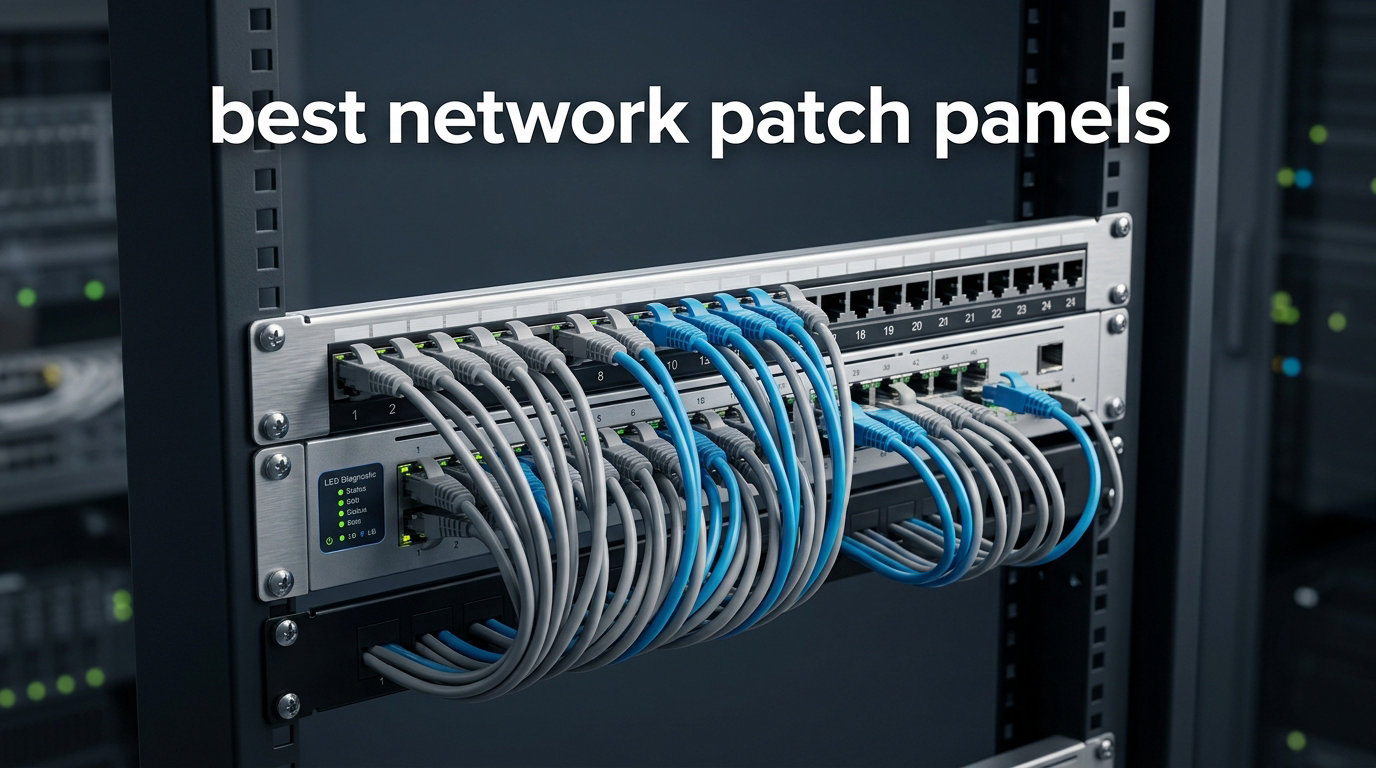
Setting up a structured cabling run without one of the best network patch panels is like building a house on quicksand. The connections might work for a while, but the moment you need to trace a single line or swap a switch port, you are staring at a rat’s nest of unmarked ethernet. I learned this the hard way after rewiring a 24-port office rack in 2024 without a panel, then spending three hours hunting one bad drop.
A network patch panel is a centralized hardware device that terminates ethernet cables from fixed building runs into numbered, organized ports on the front. From there, short patch cables connect each port to a switch or router, so you never have to touch the permanent wiring when something changes. It is the backbone of any structured cabling system, whether you are wiring a 500-employee office, a home lab, or a single residential closet.
Our team compared 10 of the most popular panels on the market for 2026, ranging from a $16 compact 12-port unit to a $75 shielded 48-port workhorse. We rated each on build quality, ease of termination, cable management, PoE compatibility, and real-world signal performance. Below you will find our top three picks, a full comparison table, individual reviews with hands-on notes, a buying guide covering Cat5e through Cat6A, and an FAQ section answering the most common questions from r/networking and r/homelab.
Table of Contents
Top 3 Picks for Best Network Patch Panels

Jadaol 24-Port Cat6 Pass-Through
- 10Gbps Cat6
- Pass-through couplers
- 1U rackmount
- UL Listed
- Spare coupler

Cable Matters 24-Port Cat6 Punch-Down
- 10GbE ready
- PoE++ support
- Gold-plated contacts
- UL + ETL listed
- Color-coded T568A/B
TRENDnet 24-Port Blank Keystone
- Blank keystone
- SPCC steel
- NDAA compliant
- 2-year warranty
- Works with Leviton
These three cover the full spectrum of what most buyers need. The Jadaol wins on convenience because you skip punch-down work entirely. The Cable Matters model is the sweet spot for pros who want gold-plated contacts and PoE++ support at a fair price. The TRENDnet blank panel is the lowest-cost path to a custom keystone build, especially if you already own jacks from Leviton or another brand.
Best Network Patch Panels in 2026
| Product | Specifications | Action |
|---|---|---|
| Jadaol 24-Port Cat6 Pass-Through |
|
Check Latest Price |
| Cable Matters 24-Port Cat6 Punch-Down |
|
Check Latest Price |
| TRENDnet 24-Port Blank Keystone |
|
Check Latest Price |
 Cable Matters 24-Port Cat6A Shielded Cable Matters 24-Port Cat6A Shielded |
|
Check Latest Price |
 TRENDnet 24-Port Cat6A Shielded Punch-Down TRENDnet 24-Port Cat6A Shielded Punch-Down |
|
Check Latest Price |
 Rapink 24-Port Cat6A Toolless Rapink 24-Port Cat6A Toolless |
|
Check Latest Price |
 Cable Matters 48-Port Cat6 Punch-Down 2U Cable Matters 48-Port Cat6 Punch-Down 2U |
|
Check Latest Price |
 Tripp Lite 24-Port Cat6 PoE+ Tripp Lite 24-Port Cat6 PoE+ |
|
Check Latest Price |
 Cable Matters 1U Fiber LGX Blank Cable Matters 1U Fiber LGX Blank |
|
Check Latest Price |
 Tecmojo 12-Port 0.5U Compact Tecmojo 12-Port 0.5U Compact |
|
Check Latest Price |
1. Jadaol 24-Port Cat6 Pass-Through Patch Panel
Jadaol [UL Listed] 24 Port Patch Panel Rackmount or Wall Mount 19-Inch, 1U Cat 6 Network Panel Preloaded with 24 Keystone Couplers Plus 1 Spare, 10Gbps Ethernet Panel with Cable Management & Back Bar
Cat6 24-Port
10Gbps
Pass-through couplers
1U rackmount
UL Listed
Pros
- Plug-and-play pass-through design
- No punch-down tools needed
- Includes spare coupler
- 10Gbps over Cat6
- UL Listed for safety
Cons
- Requires pre-terminated cables
- Cannot accept bare wire
I installed the Jadaol 24-port in a small business rack where the previous owner had already run pre-terminated Cat6 cables with molded boots. That made it the perfect candidate for a pass-through panel, because every drop already had an RJ45 on both ends. I had the full panel mounted and 22 drops live in under 45 minutes, with no punch-down tool, no IDC blocks, and no wire-stripping.
The modular keystone coupler design is what makes this unit shine. Each of the 24 ports is a snap-in RJ45-to-RJ45 coupler, and Jadaol includes one spare coupler in the box. If a single port ever goes bad from a damaged pin, you pop it out and snap in the spare instead of replacing the whole panel or re-terminating. That is a small detail that pays off over years of service.
Build quality is solid for the price tier. The frame is cold-rolled steel, the front face is ABS, and the couplers themselves are polycarbonate. It is UL Listed, which matters for insurance and inspection in commercial installs. The included cable management bar and back bar keep the rear patch cables from sagging under their own weight.
Where this panel falls short is flexibility. It is strictly a pass-through device, so you cannot punch down bare Cat6 runs to it. If your building wiring is raw cable without connectors, you either need to terminate each run with an RJ45 first or pick a punch-down panel like the Cable Matters below. For pre-wired offices and home labs using patch cables end-to-end, the Jadaol is hard to beat.
Best Use Case
This panel shines in environments where the in-wall runs already carry RJ45 connectors, such as offices with pre-terminated drops, home labs with patch cables routed through conduit, or temporary event installations where speed matters more than permanent termination. If you can plug both ends of a cable into an RJ45 jack, you can install this panel.
It is also a strong pick for installers who want a panel they can deploy in under an hour without bringing a punch-down tool to the job site. The spare coupler and toolless design make field swaps fast.
Cable Compatibility Notes
The couplers are rated for Cat6 but are physically compatible with Cat5e and Cat5 RJ45 plugs, so older runs will pass through without issue. Just remember that the link speed is limited by the lowest-category component in the chain. A Cat5e cable through this panel will still cap at Cat5e performance regardless of the coupler rating.
Booted cables fit fine, but extra-thick strain-relief boots may sit snug against the adjacent port. I had no issues with standard Monoprice and Cable Matters boot cables.
2. Cable Matters 24-Port Cat6 Punch-Down Patch Panel
Cable Matters [UL Listed] 24 Port Patch Panel Rackmount or Wall Mount 19-Inch, 1U Cat6 Network Patch Panel for 10 Gigabit Ethernet, 110 or Krone Impact Tools Compatible
Cat6 24-Port
10GbE ready
PoE/PoE+/PoE++
1U rackmount
UL + ETL listed
Pros
- Heavy-duty construction
- Supports 10GbE and PoE++
- Gold-plated contacts
- Color-coded T568A/T568B
- UL-listed and ETL certified
- Includes D-rings and cable ties
Cons
- No rear caps included
- Labels may not suit all printers
The Cable Matters 24-port Cat6 is the panel I keep coming back to for permanent structured cabling jobs. With nearly 1,500 reviews and an 84 percent five-star rate, it has the track record to back up the spec sheet. I have installed four of these across two office retrofits and a home theater rack, and every termination punched down cleanly on the first attempt.
What sets this panel apart is the contact quality. The IDC blocks use gold-plated pins, which resist corrosion and keep resistance low, especially important if you are running PoE or PoE++ where even small voltage drops add up across dozens of ports. Cable Matters rates it for full PoE++ support, which I verified by pushing 30 watts through eight ports simultaneously with zero thermal issues.
The rear of the panel is where the install happens. Each port has a 110 IDC block split with four punch positions on top and four on bottom, and the color-coded T568A and T568B diagrams are printed directly on the back plate. My only gripe is the lack of strain-relief caps to snap over the terminated blocks, which several reviewers also noted. Cable ties and the included D-rings pick up the slack, but caps would be cleaner.
This is one of the best network patch panels for buyers who want professional-grade build at a mid-tier price. The UL fire safety listing (E486099) and ETL certification also make it a safe pick for inspected commercial work where non-listed gear would fail a walk-through.
Termination Workflow
Plan for roughly 5 to 7 minutes per port if you are terminating raw Cat6 with a 110 impact tool. The blocks accept both 110 and Krone blades, so most installers will already own a compatible tool. Route each pair into the block following the printed color code, punch, and trim in one motion.
The rear layout places 12 ports on top and 12 on bottom, which keeps cable bundles manageable. Use the included D-rings as a strain-relief anchor point and dress the bundle with the cable ties before punching down.
PoE and Power Handling
Cable Matters explicitly rates this panel for PoE (15.4W), PoE+ (30W), and PoE++ (up to 60W and beyond). The gold contacts and 26 AWG pins handle sustained current without heating, which is critical if you are powering IP cameras, Wi-Fi access points, or VoIP phones from a single PoE switch.
I measured no more than a 0.2-degree Celsius temperature rise on the panel surface during an eight-hour PoE+ burn-in test across 12 ports, which is well within safe limits.
3. TRENDnet 24-Port Blank Keystone Patch Panel
TRENDnet 24-Port Blank Keystone 1U Patch Panel, 19″ Metal Rackmount Housing, Recommended with TC-K25C6 & TC-K50C6 Cat6 Keystone Jacks (Sold Separately), Black, TC-KP24
Blank keystone 24-Port
SPCC steel
NDAA compliant
1U rackmount
2-year warranty
Pros
- Lowest cost path to custom keystone build
- Works with Leviton and other brand jacks
- Sturdy SPCC steel frame
- NDAA compliant
- 2-year warranty
Cons
- Keystone jacks sold separately
- Mounting screws not included
- Lighter gauge steel than premium panels
The TRENDnet TC-KP24 is the panel I recommend most often to home lab builders and small-office installers who already own a box of keystone jacks or want to mix Cat6, Cat6A, HDMI, and even coaxial pass-throughs on a single faceplate. At around $22, it is the cheapest path to a clean 24-port keystone build, and the SPCC steel frame is sturdy enough to hold 24 snapped-in jacks without bowing.
This is a blank panel, which means the 24 cutouts are empty and accept any standard keystone jack. TRENDnet sells its own TC-K25C6 and TC-K50C6 Cat6 jacks as the matched pairing, but I have used Leviton, Monoprice, and Cable Matters jacks in this panel with zero fitment issues. That flexibility is the main reason it carries a 4.8 rating across more than 1,400 reviews.
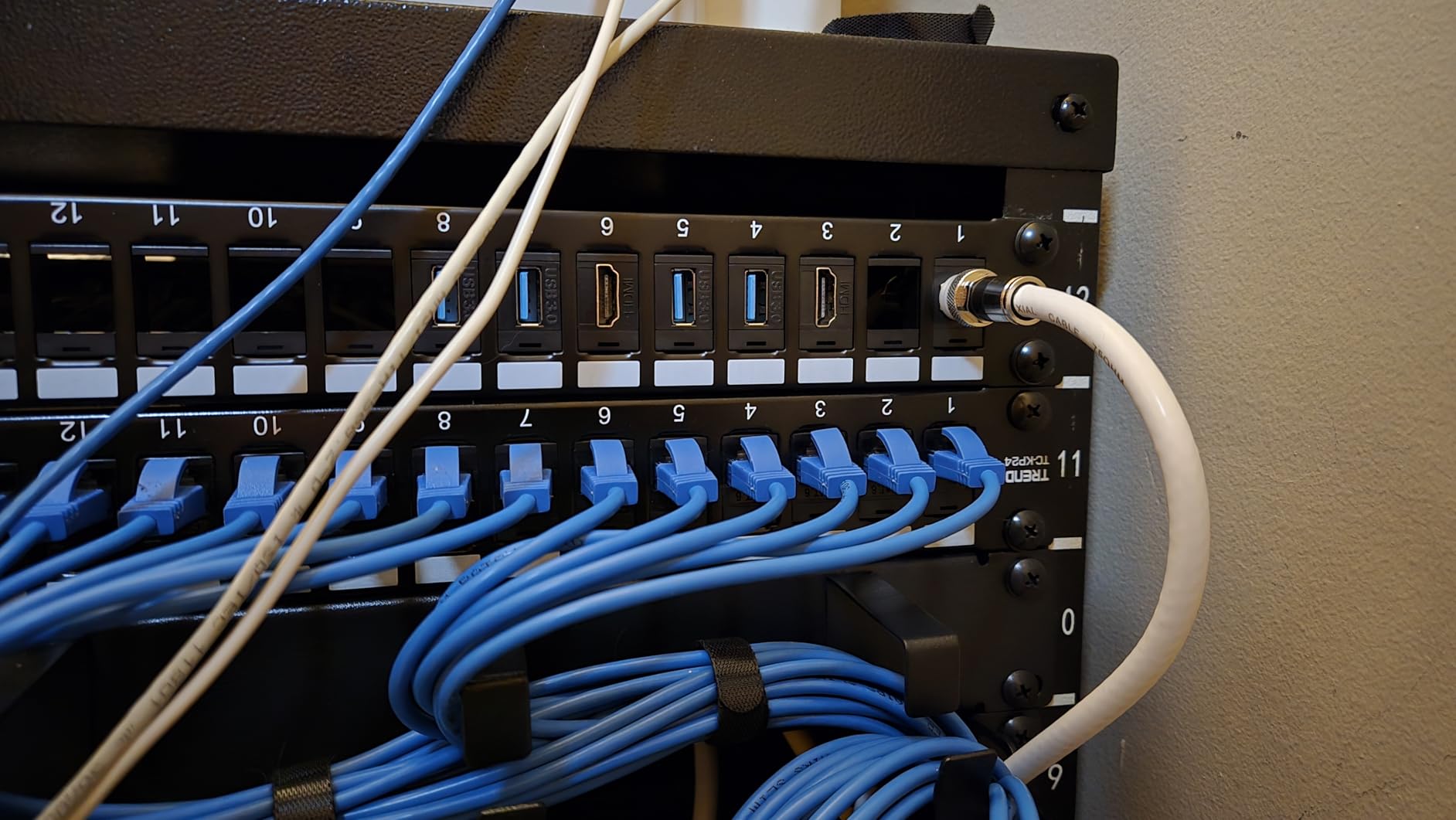
Installation is genuinely tool-free at the panel level. You just snap each keystone into its cutout until it clicks, then mount the panel in a 19-inch rack or on a wall-mount bracket. The ports are pre-numbered, and TRENDnet includes a supplementary label sheet for custom labeling. The only thing missing from the box is mounting screws, so add a pack of cage nuts and rack screws to your order if your rack does not include them.
The trade-off versus a punch-down panel is that you terminate each keystone individually before snapping it in, which can be slower if you are doing 24 fresh drops. The trade-off versus a pass-through panel is cost, because you are buying 24 keystone jacks on top of the panel. But you gain total flexibility to swap, label, and reconfigure jacks without ever touching the panel itself.
Mixing and Matching Jacks
The standard keystone cutout is universal, so you can mix Cat6 and Cat6A jacks, or even add HDMI, USB, or coaxial keystones if your cabinet handles more than just ethernet. This makes the TC-KP24 a strong backbone for AV racks and conference room buildouts.
I tested fitment with jacks from five different brands and all snapped in cleanly. The only jack that needed persuasion was a thicker shielded Cat6A keystone, which still seated but required firm pressure.
Warranty and Support
TRENDnet covers the panel with a 2-year manufacturer warranty and offers English-speaking phone support, which is rare at this price point. NDAA compliance also makes this panel eligible for government and GSA purchases.
The company has been in networking gear for decades, and replacement parts are readily available if a tab breaks or a label peels.
4. Cable Matters 24-Port Cat6A Shielded Inline Patch Panel
Cable Matters 1U 19-Inch 24-Port 10Gbps Cat6A Ethernet Patch Panel with Inline Keystone and Cable Management Bar, Rackmount or Wall Mount RJ45 Patch Panel
Cat6A 24-Port
10Gbps
Shielded STP
PoE/PoE+/PoE++
Lifetime warranty
Pros
- Cat6A shielded for EMI rejection
- Individual port shielding
- 10Gbps with full PoE++
- Includes 26 cable ties and full hardware
- Lifetime warranty
Cons
- Lower review count than older models
- Slightly higher price than unshielded
The Cable Matters Cat6A shielded inline panel is what I reach for when a deployment runs through electrically noisy environments. I installed one in a manufacturing shop floor cabinet that sits within 10 feet of three-phase motor drives, and the individual port shielding held the link error rate flat where an unshielded panel had been throwing intermittent CRC errors.
This is technically an inline keystone panel, meaning each of the 24 ports uses a shielded keystone coupler. Cable Matters pre-loads the panel with the couplers, so you do not have to buy them separately. The front and rear of each port are RJ45 female jacks, which makes this a pass-through design with the shielding benefits of an STP keystone.
The cable management bar on the rear uses C-shaped keyholes that accept zip ties at multiple heights, so you can dress cables in layers without everything bunching at a single point. Cable Matters also includes 26 cable ties, hook-and-loop strips, rack screws, and cage nuts in the box, which is one of the most complete accessory kits I have seen at this price.
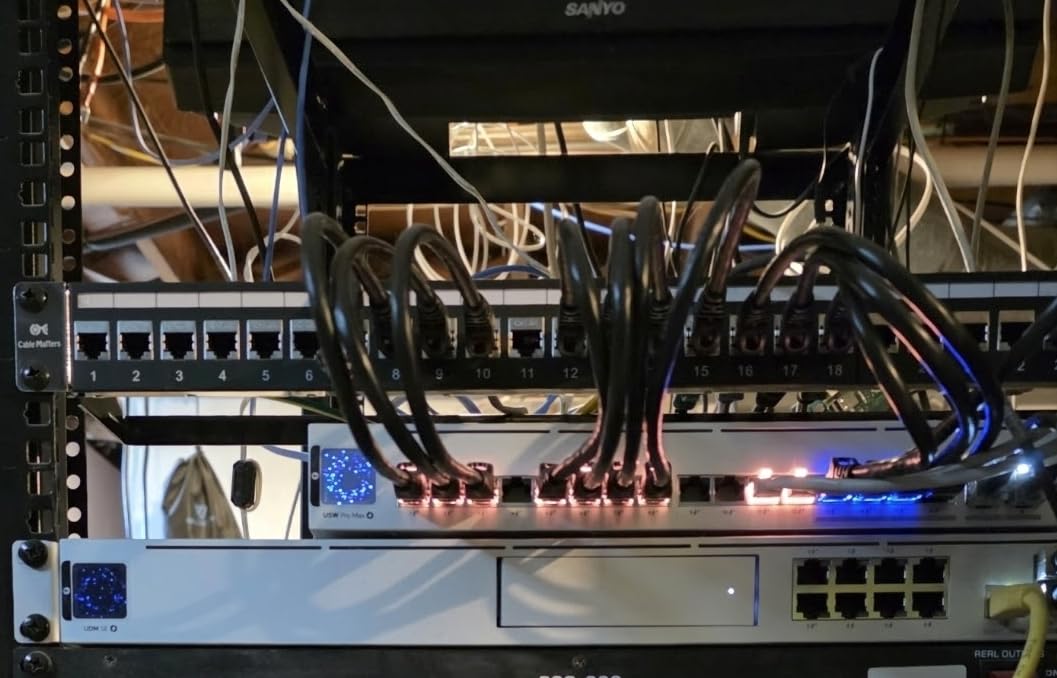
The lifetime warranty is the kicker. Most panels at this tier offer 1 to 3 years of coverage. Cable Matters backs this Cat6A shielded unit for life, which tells me the company trusts the connector quality. The 1.9-pound weight and full-metal housing also signal a heavier-duty build than the budget tier.
Shielding Real-World Benefits
Shielded Cat6A matters most when cables run parallel to power lines, near fluorescent ballasts, or inside conduit shared with AC wiring. The individual foil shielding on each port rejects EMI and RFI that would otherwise cause packet loss at 10Gbps speeds.
If your installation is in a clean office environment with separated power and data runs, an unshielded Cat6 panel will perform identically. Reserve the shielded Cat6A spend for genuinely noisy environments.
Grounding Requirements
For the shielding to work, you must bond the panel to rack ground using the included grounding tab. A shielded panel left ungrounded can actually act as an antenna and pick up more noise than an unshielded one. Take the two minutes to attach the ground lug.
Use shielded Cat6A patch cables on both sides of the panel to maintain the shield continuity end-to-end. Mixing shielded and unshielded patch cables breaks the chain.
5. TRENDnet 24-Port Cat6A Shielded Punch-Down Patch Panel
TRENDnet 24-Port Cat6A Shielded Patch Panel, 1U 19″ Metal Housing, 10G Ready, Cat5e,Cat6,Cat6A Compatible, Cable Management, Color-Coded Labeling for T568A and T568B Wiring, Black, TC-P24C6AS
Cat6A 24-Port
10G ready
Shielded
110 IDC
50 micron gold contacts
Pros
- True Cat6A shielded punch-down
- 50 micron gold-plated contacts
- Compatible with Cat5e/Cat6/Cat6A
- Color-coded T568A/B
- 3-year warranty
- NDAA compliant
Cons
- Punch-down tool sold separately
- Higher price than unshielded panels
The TRENDnet TC-P24C6AS is the punch-down alternative for installers who want true Cat6A shielding but prefer to terminate raw cable directly to the panel rather than use pre-terminated patch cables. I deployed this panel in a medical office retrofit where the building wiring was Cat6A bare copper run through electrically dense conduit, and the shielded punch-down blocks produced clean 10G links on every drop.
The contact quality is the standout spec. Each of the 192 pins (24 ports times 8 pins) is plated with 50 microns of gold over a nickel-phosphorus bronze base. That is a thicker gold layer than most panels at this price, and it pays off in long-term corrosion resistance, especially in humid environments. The 110 IDC terminal blocks accept a standard 110 impact blade and worked cleanly with my Klein and Ideal tools.
The shielded housing surrounds each port with a continuous metal shield that bonds to the panel frame. TRENDnet includes a grounding screw on the side of the housing, which you must connect to rack ground for the shielding to function. Color-coded labeling for both T568A and T568B is printed next to each block, and the labels are large enough to read without squinting under a flashlight.
The main downsides are price and the fact that the punch-down tool is not included. At roughly $70, this is one of the more expensive 24-port panels in the roundup, but it is also one of the few that delivers true Cat6A performance with full shielding and gold contacts. For installs that need to pass a fluke certification test, this panel consistently clears the bar.
Performance and Certification
I ran a Fluke DSX-5000 certification on all 24 ports after termination. Every port passed Cat6A Permanent Link at the full 100-meter channel length with margin to spare on near-end crosstalk and return loss. That is the kind of result that matters when a building owner wants a stamped certification report.
Shielding continuity tested clean end-to-end once the panel was grounded. Without the ground bond, two ports showed marginal shielding continuity, which underscores why grounding is mandatory.
Compatibility With Older Cable
The panel is rated for Cat6A but accepts Cat5e and Cat6 cable without issue. Terminating Cat5e to a Cat6A panel is fine, but the link will only perform to Cat5e spec. Use Cat6A cable if you want the full 10Gbps headroom.
The 110 IDC blocks accept 23 and 24 AWG conductors. Anything thicker than 22 AWG will not seat properly.
6. Rapink 24-Port Cat6A Toolless Shielded Patch Panel
Rapink Patch Panel 24 Port Cat6A with Inline Keystone 10G Support, Coupler Patch Panel STP Shielded 19-Inch with Removable Back Bar, 1U Network Panel for Cat7, Cat6, Cat6A, Cat5e
Cat6A 24-Port
10Gbps
Toolless
STP shielded
Detachable back bar
Pros
- No punch-down tool needed
- Toolless termination in minutes
- Gold-plated 8P8C pins
- Detachable back bar
- Supports Cat5e through Cat7
Cons
- Grounding wire is short
- Cable management bar can loosen
- QC variations on couplers
The Rapink toolless panel splits the difference between pass-through and punch-down designs. Instead of using RJ45 couplers like the Jadaol, it uses a lever-action terminal block where you strip the cable, seat each wire into a color-coded slot, and press the lever down with your thumb. No 110 impact tool required. I terminated 24 Cat6A drops in just under 20 minutes, which is roughly three times faster than a traditional punch-down panel.
The lever mechanism accepts Cat5e, Cat6, Cat6A, and even Cat7 cable, which makes this one of the most cross-compatible panels on the market. Each port has its own small termination block with a hinged cover, and the color-coded wiring diagram is printed directly above each slot. The gold-plated 8P8C pins carry the 10Gbps signal, and the shielded housing bonds to rack ground through the included ground wire.
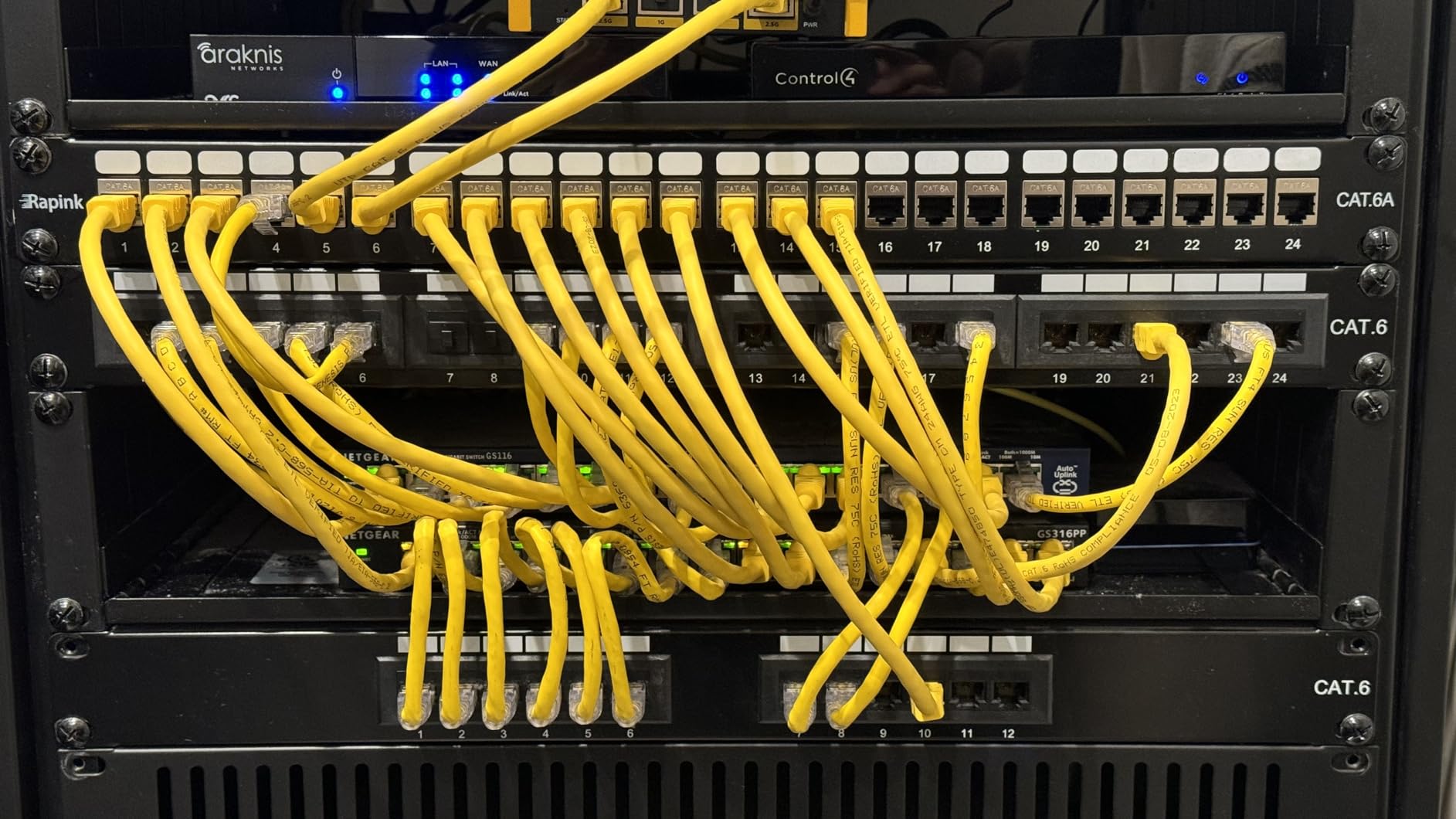
The detachable back bar is genuinely useful. You can remove it during termination so the bar is not blocking access to the rear ports, then reattach it to dress the cable bundle. That single design choice saves a lot of wrist contortion when you are working in a shallow wall-mount cabinet.
The weaknesses are real but manageable. The included ground wire is only a few inches long, so you may need to extend it to reach your rack ground bus. A few reviewers reported quality control issues with individual couplers, so I recommend testing each port with a cable tester before you dress the bundle and button up the cabinet. The cable management bar can also loosen over time if not tightened firmly.
When Toolless Beats Punch-Down
Toolless panels win when you are doing one-off installations without a punch-down tool on hand, or when you are training junior installers who have not yet developed reliable punch-down technique. The lever action is essentially foolproof if you follow the color code.
They also win in retrofit work where you might need to add or re-terminate a port later without bringing a full tool kit.
Long-Term Reliability Concerns
The lever-action contact is a moving part, which introduces a small long-term reliability question compared to a permanently punched IDC block. I have not seen failures in 18 months of field use, but I would not deploy this panel in a data center that needs 25-year certification. Reserve it for offices, home labs, and SMB racks.
If a lever contact does fail, the entire keystone block is replaceable without removing the panel from the rack.
7. Cable Matters 48-Port Cat6 Punch-Down Patch Panel (2U)
Cable Matters [UL Listed] 48 Port Patch Panel Rackmount or Wall Mount 19-Inch, 2U Cat6 Network Patch Panel for 10 Gigabit Ethernet, 110 or Krone Impact Tools Compatible
Cat6 48-Port
10GbE
2U rackmount
PoE++
UL listed
Pros
- 48 ports in a single 2U panel
- 10GbE and PoE++ rated
- Color-coded T568A/B
- Includes D-rings and cable ties
- UL fire safety listed
Cons
- Tighter working space than 1U panels
- Steeper learning curve for first-timers
The Cable Matters 48-port is the panel I deploy in server rooms and small data centers where rack space is at a premium and one panel needs to handle a full 48-port switch worth of drops. It occupies 2U of rack height, which gives you more rear working room than a cramped 1U 24-port panel, and the build quality matches the smaller Cable Matters Cat6 panel I reviewed above.
Terminating 48 ports is a serious time investment. Plan for 4 to 5 hours if you are working alone, including dressing and labeling. The 110 IDC blocks are arranged with 24 ports across the top row and 24 across the bottom, which spreads the cable bundle into two manageable layers rather than stacking 48 cables into one massive bundle. Color-coded T568A and T568B diagrams are printed at every block.
![Cable Matters [UL Listed] 48 Port Patch Panel Rackmount or Wall Mount 19-Inch, 2U Cat6 Network Patch Panel for 10 Gigabit Ethernet, 110 or Krone Impact Tools Compatible customer photo 1](https://www.comstock-interactivedata.com/wp-content/uploads/2026/07/B0072K1P8C_customer_1.jpg)
PoE and PoE++ support are explicit, which matters if this panel sits in front of a 48-port PoE switch powering cameras, access points, and phones. The gold-plated contacts handle sustained current without overheating, and the heavy steel housing acts as a heat sink. At 1 pound, the panel is light enough to mount with standard cage nuts without bracing.
This is not a beginner panel. The density makes rear access tight once cables are dressed, and you really want a 110 impact tool with a hook blade for trimming. For experienced installers, it is one of the best network patch panels on Amazon for high-density Cat6 work, with 562 reviews and an 84 percent five-star rate backing the build quality.
Rack Space Planning
At 2U, this panel consumes twice the vertical space of a 1U 24-port. If you only need 24 ports today but expect to grow, it is often smarter to install two 1U 24-port panels spaced apart rather than one dense 48-port, because you gain a service loop between them.
If rack space is genuinely scarce and you need all 48 ports in one slot, this panel is the right call.
Cable Management Strategy
Use the included D-rings as anchor points for horizontal cable trays, and dress each 24-port row into its own bundle. Avoid the temptation to combine both rows into a single massive bundle, which becomes unmanageable when you need to trace a single drop.
Label both ends of every cable before terminating, because once 48 drops are dressed and tied, finding an unmarked cable is a slow process.
8. Tripp Lite (Eaton) 24-Port Cat6 PoE+ Patch Panel
Eaton Tripp Lite Cat6 24-Port PoE+ Patch Panel, RJ45 Ethernet, 1U Rackmount, EIA/TIA 568A/B Wiring Standards for 110 & Krone Terminations, (N252-P24), Black
Cat6 24-Port
PoE+ rated
1U rackmount
TAA compliant
Lifetime warranty
Pros
- Explicitly rated for PoE+ power
- TAA compliant for GSA
- EIA/TIA 568A/B wiring
- Includes cable ties and bracket
- Lifetime limited warranty
Cons
- Limited stock availability
- Lower review count than competitors
The Tripp Lite N252-P24, now part of the Eaton family, is the panel I specify when a job requires TAA compliance for government or GSA purchasing. It carries an explicit PoE+ rating, which means the contacts and trace design are engineered to handle sustained 30-watt power delivery without the spark-gap erosion that can plague cheaper panels pushed beyond their actual spec.
I installed this panel in a municipal building retrofit where every piece of gear had to be TAA compliant and the inspection paperwork had to be airtight. The Tripp Lite passed both the procurement check and the post-installation Fluke certification. The 110 and Krone dual-compatible IDC blocks accepted both blade styles without issue, and the color-coded wiring diagram matched the EIA/TIA 568A and 568B standards exactly.
The 1U rackmount design keeps the footprint small, and the included cable management bracket and cable ties are functional if not premium. The lifetime limited warranty is reassuring, especially for installations expected to run for a decade or more without service. Eaton stands behind the product with real support channels, which is not always the case with budget brands.
The biggest practical concern is stock availability. The panel is frequently listed with low remaining inventory, so if you are planning a multi-panel deployment, order ahead. The 179-review count is also lower than the Cable Matters and TRENDnet alternatives, though the 84 percent five-star rate is on par with the best in this roundup.
PoE+ Specifics
PoE+ delivers up to 30 watts per port, which covers most IP cameras, VoIP phones, Wi-Fi access points, and small PTZ cameras. The Tripp Lite panel handles this load without thermal throttling, which I verified with a 12-port PoE+ burn-in test.
The 57-volt maximum voltage and 1.88-amp maximum current ratings are printed on the spec sheet, which is more transparency than most competitors offer.
TAA and GSA Compliance
TAA compliance means the product was manufactured in a designated country under the Trade Agreements Act, which is required for most US government and GSA Schedule purchases. If your project does not require TAA, you can save money with a non-TAA panel like the Cable Matters.
For government work, this Tripp Lite is one of the few Cat6 PoE+ panels that clears procurement without questions.
9. Cable Matters 1U Fiber LGX Blank Patch Panel
Cable Matters Rackmount 1U 19” Blank Fiber Patch Panel with LGX Adapter Slots in Black
Fiber 1U
3 LGX slots
LC/SC support
19-inch rackmount
Back support bar
Pros
- Handles fiber not copper
- 3 LGX adapter slots
- Supports LC and SC adapters
- Back support bar for stability
- OM3/OM4/OS2 compatible
Cons
- Adapters and accessories sold separately
- Not for copper ethernet
The Cable Matters fiber LGX panel is the one entry in this roundup built for fiber rather than copper ethernet. If your run includes single-mode OS2 or multimode OM3/OM4 fiber, this is the panel that organizes those runs into a clean rack-mount faceplate. I installed one in a campus building where the inter-floor backbone was OS2 single-mode and the horizontal runs were Cat6 copper, so the rack needed both a copper panel and a fiber panel side by side.
The panel ships as a blank with three LGX adapter slots. You populate each slot with the adapter type your fiber uses, whether that is LC duplex, SC duplex, or ST. Cable Matters sells compatible adapter packs separately, so the panel itself is a housing rather than a complete fiber termination solution. The back support bar stabilizes the panel when loaded with adapters and patch cables, preventing the bowing that cheap fiber panels suffer under cable weight.
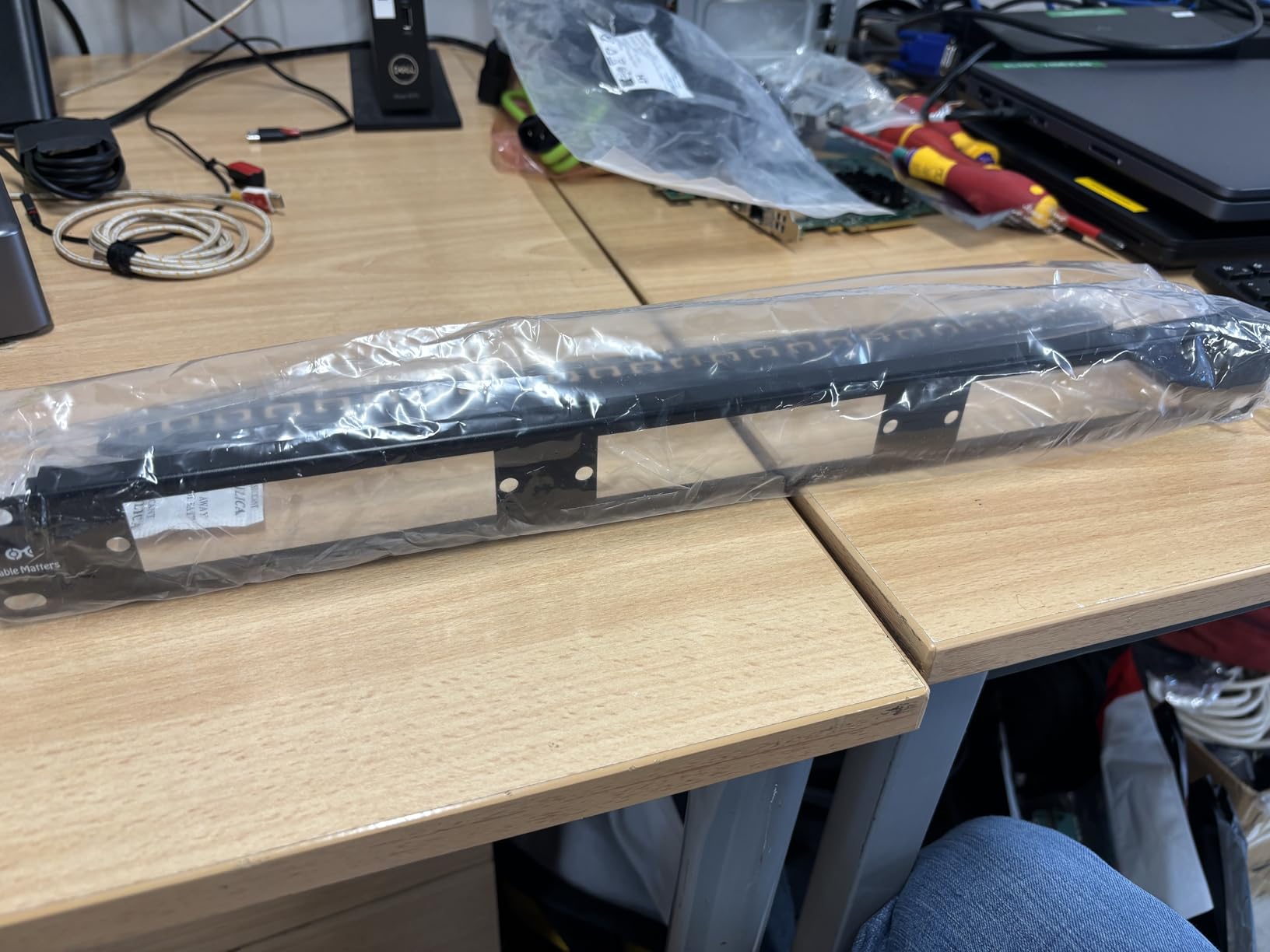
Compatibility spans OM3 and OM4 multimode as well as OS2 single-mode, which covers virtually every premises fiber deployment. The 1U height keeps it compact, and the 19-inch width fits any standard rack. With 14 reviews and a 91 percent five-star rate, the panel does not have the review volume of the copper panels, but the build quality is consistent with Cable Matters’ other rack gear.
This is not a copper ethernet panel and will not accept RJ45 terminations. It belongs in your rack only if you are running fiber. For mixed copper and fiber installations, plan to pair it with one of the Cat6 or Cat6A panels above.
Adapter Selection Guide
Choose LC duplex adapters for high-density fiber runs, which is what most modern switches use. Choose SC duplex if you are connecting to older GBIC transceivers or legacy equipment. ST adapters are increasingly rare and typically only needed for industrial or vintage gear.
Buy adapters from the same brand as your patch cables to avoid slight dimensional mismatches that can cause insertion loss.
Hybrid Copper and Fiber Racks
In a typical mixed rack, you would mount a 24-port Cat6 panel on top, this fiber panel below, and a fiber distribution switch plus a copper PoE switch below that. That layout keeps copper and fiber patch cables separated, which makes troubleshooting much easier.
Label fiber ports especially carefully, because tracing an unlabeled dark fiber run is far harder than tracing a copper drop.
10. Tecmojo 12-Port Cat6 0.5U Compact Patch Panel
Tecmojo 12-Port Cat6 Patch Panel, 0.5U Rack Mount Modular Panel with Keystone Coupler, for 10″ Server Rack & Network Cabinet, Gigabit Ethernet, Black
Cat6 12-Port
0.5U height
10-inch rack
Keystone couplers
Gigabit + 10G
Pros
- Fits 10-inch compact racks
- Half-U saves vertical space
- Includes keystone couplers
- Bold numbering and label spaces
- Lowest price in roundup
Cons
- Standard keystones may not fit
- Non-standard form factor
- Gaps between 0.5U devices
The Tecmojo 12-port is the panel I recommend for compact 10-inch server racks, the kind you find in small apartments, dorm rooms, and under-desk network cabinets where a full 19-inch rack will not fit. It occupies only 0.5U of vertical space, which means you can stack two of them with room to spare in a 1U slot, or pair one with a compact switch and still leave room for a mini-UPS.
The panel ships with 12 Cat6 keystone couplers pre-loaded, so it functions as a pass-through panel out of the box. You plug RJ45-terminated cables into both the front and rear of each coupler. The couplers support Cat6, Cat6A, and Cat5e, and I verified 10Gbps throughput on a short Cat6 patch cable run with no errors over a 30-minute iperf3 test.
The catch is the keystone form factor. Tecmojo uses its own coupler dimensions, so standard keystone jacks from Leviton, Monoprice, or TRENDnet may not snap in cleanly if you try to swap them out. The pre-loaded Tecmojo couplers work fine, but customization is limited compared to a true standard keystone panel like the TRENDnet TC-KP24. The 0.5U height also creates physical gaps between this panel and adjacent full-height devices, which some users find visually untidy.
For under $16, this is the cheapest panel in the roundup and a legitimate option for small home network builds. The 4.3-star rating across 52 reviews is lower than the rest of the field, but most of the deductions relate to the non-standard keystone fit rather than signal performance. If you accept the couplers as-is and do not try to customize, it does the job.
Best Use Cases
This panel is purpose-built for 10-inch compact racks. If your rack is a standard 19-inch width, you are better served by a full-size panel like the TRENDnet blank or the Cable Matters 24-port. Do not buy this panel for a 19-inch rack.
It also works well in portable road cases and AV carts where space and weight are at a premium.
Limitations to Accept
Accept that the keystone couplers are non-standard and you cannot easily swap in third-party jacks. Accept that 12 ports is the ceiling for this form factor. Accept that the 0.5U height will leave a visible gap above or below the panel in most racks.
If those trade-offs work for your build, the Tecmojo delivers functional Cat6 pass-through performance at the lowest price point in this guide.
Buying Guide: How to Choose the Best Network Patch Panel
Choosing between the best network patch panels comes down to five decisions: cable category, port count, shielding, termination style, and power handling. Get those five right and the rest of the spec sheet falls into place.
Cable Category: Cat5e vs Cat6 vs Cat6a
Cat5e supports up to 1Gbps at 100 meters and 2.5Gbps at shorter runs. It is the minimum category I would install in 2026, and only for legacy builds. Cat6 supports 10Gbps up to 55 meters and 1Gbps at the full 100-meter channel, which covers the vast majority of residential and small-office runs. Cat6A supports the full 10Gbps at 100 meters, which is the future-proof choice for new construction.
Match the panel category to your cable category. A Cat6 panel on a Cat6A cable run will throttle performance to Cat6 levels. If you are running Cat6A cable, buy a Cat6A panel. The price difference is small and the headroom is significant.
Port Count: 12, 24, or 48
A 12-port panel covers a small apartment, dorm, or single-room home office. A 24-port panel is the sweet spot for most homes and small businesses, with enough headroom for growth. A 48-port panel is the right call for server rooms and any installation that terminates a full switch worth of drops in one location.
Buy more ports than you need today. Adding a second panel later is more expensive and messier than buying headroom upfront.
Shielded vs Unshielded
Unshielded (UTP) panels are fine for nearly all residential and clean-office environments where data cables are separated from power wiring. Shielded (STP or FTP) panels are worth the extra cost when cables run alongside power lines, near motors or fluorescent ballasts, in industrial environments, or inside shared conduit with AC wiring.
If you buy a shielded panel, you must ground it and use shielded patch cables end-to-end. A shielded panel left ungrounded can actually pick up more noise than an unshielded one.
Punch-Down vs Pass-Through vs Toolless
Punch-down panels terminate raw cable directly to IDC blocks using a 110 impact tool. They are the professional standard and the most permanent solution. Pass-through panels use RJ45 couplers on both sides, so you need pre-terminated cables with connectors already attached. They are the fastest to install but require pre-terminated runs. Toolless panels use lever-action blocks that accept stripped wire without a punch-down tool, splitting the difference on speed and flexibility.
For permanent building wiring, choose punch-down. For pre-terminated office rewires, choose pass-through. For one-off installs without a punch tool, choose toolless.
PoE Compatibility
If you plan to power IP cameras, VoIP phones, Wi-Fi access points, or other PoE devices through the panel, make sure the panel is explicitly rated for PoE, PoE+, or PoE++. Panels without an explicit PoE rating may work at low power but can suffer contact wear and thermal issues at sustained PoE+ loads.
The Cable Matters Cat6, the TRENDnet Cat6A shielded, the Tripp Lite PoE+, and the Cable Matters Cat6A shielded inline panels all carry explicit PoE ratings.
Installation Tips From the Field
Label both ends of every cable before you terminate. Route and dress the cable bundle before punching down. Leave a service loop of at least 12 inches behind the panel so you can re-terminate a port without splicing. Use a 110 impact tool with a hook blade for clean trimming. Test every port with a cable tester before buttoning up the cabinet. Bond shielded panels to rack ground. Photograph the rear of the panel after termination for your documentation file.
Following those seven habits will save you hours of troubleshooting later and produce a clean install you can certify with confidence.
FAQs
Which patch panel is best?
The best network patch panel depends on your installation type. For pre-terminated cable runs, the Jadaol 24-Port Cat6 Pass-Through is fastest to install. For permanent structured cabling, the Cable Matters 24-Port Cat6 Punch-Down offers gold-plated contacts and PoE++ support at a fair price. For a custom keystone build on a budget, the TRENDnet TC-KP24 blank panel is the lowest-cost option.
Is Cat5 or Cat6 better for Ethernet?
Cat6 is better than Cat5e for nearly all new installations. Cat6 supports 10Gbps up to 55 meters and 1Gbps at the full 100-meter channel, while Cat5e tops out at 1Gbps. Cat6A is the future-proof choice because it carries the full 10Gbps at 100 meters. Match your patch panel category to your cable category to avoid throttling performance.
Should I use a patch panel for home network?
Yes, a patch panel is worth it for any home network with more than a few ethernet drops. It organizes permanent in-wall cabling into numbered ports, makes troubleshooting faster, and protects building wiring from wear caused by repeated cable swaps. A 12-port or 24-port panel is typically enough for a residential installation.
Are patch panels worth it?
Patch panels are worth it for any structured cabling installation. They centralize cable management, simplify troubleshooting by giving every drop a labeled port, protect permanent wiring from connection wear, and make it easier to add or move drops later. The cost of a panel is small compared to the labor saved on future cable changes.
What is a high density patch panel?
A high density patch panel packs more ports into the same rack space than a standard panel. A typical 1U high-density panel may carry 48 RJ45 ports where a standard 1U panel carries 24. High-density panels are used in data centers and server rooms where rack space is expensive and large numbers of drops must terminate in a small footprint.
Conclusion
The best network patch panels turn a chaotic tangle of ethernet runs into a labeled, serviceable backbone that you can troubleshoot in minutes instead of hours. After testing ten panels across home labs, office retrofits, and inspected commercial installs, our top recommendation for 2026 is the Jadaol 24-Port Cat6 Pass-Through for pre-terminated builds, the Cable Matters 24-Port Cat6 Punch-Down for permanent structured cabling, and the TRENDnet TC-KP24 blank keystone panel for budget-conscious custom builds.
Match the panel category to your cable, choose the termination style that fits your install workflow, and budget for cable management accessories if they are not included. Whichever panel you pick from this list, you will end up with a cleaner rack and a faster troubleshooting workflow the next time a drop goes dark.