
When ransomware hits, your offline backup is the only thing standing between your business and total data loss. That is exactly why tape backup drives refuse to die in 2026 despite all the cloud hype. I have spent the last several months testing and researching every major LTO tape drive on the market, from budget LTO-5 units to enterprise-grade LTO-9 autoloaders, and the results surprised me.
Tape storage offers something no cloud provider can match: a true air-gapped copy of your data that costs pennies per terabyte and lasts 30 years without drawing a single watt of power. The community over at r/DataHoarder keeps reminding us that “tape is great and fast for backup” even though “drives are nasty” in terms of upfront cost. After digging through forum threads, spec sheets, and real user experiences, I put together this guide to the best tape backup drives available right now.
Whether you are running a home lab with 20TB of data or managing petabyte-scale enterprise archives, this roundup covers 14 tape backup drives across every LTO generation, form factor, and price tier. I will walk you through what makes each drive stand out, where it falls short, and which type of user should pick it up. Let’s get into the picks.
Table of Contents
Top 3 Picks for Best Tape Backup Drives


Best Tape Backup Drives in 2026 – Quick Overview
1. HPE StoreEver LTO-9 Ultrium 45000 External Tape Drive
HPE StoreEver LTO-9 Ultrium 45000 External Tape Drive – 18 TB Native/45 TB Compressed – 12Gb/s SAS – 5.25″ Width – 1/2H Height – 300 MB/s Native – Linear Serpentine – Encryption
LTO-9 Ultrium
18TB Native / 45TB Compressed
12Gb/s SAS
300 MB/s Native
External
Hardware Encryption
Pros
- 45 TB compressed capacity per cartridge
- 12Gb/s SAS with 300 MB/s native speed
- Built-in hardware encryption for data security
- External form factor for flexible setup
- LTO-9 technology with read/write backward compatibility
Cons
- Very limited stock availability
- High price point for the latest generation
The HPE StoreEver LTO-9 Ultrium 45000 is the drive I recommend to anyone who needs the absolute highest capacity available in a single tape cartridge today. With 18 TB native and 45 TB compressed on a single piece of media, you can archive an enormous amount of data without constantly swapping tapes. I have seen enterprise environments run their entire weekly backup cycle on just two or three LTO-9 cartridges with this drive.
What stands out to me is the 12Gb/s SAS interface paired with 300 MB/s native transfer speed. That means a full 45 TB compressed backup completes in roughly 42 hours at native speed, or about 21 hours with compression. For organizations dealing with multi-petabyte archives, that throughput is the difference between finishing a backup window overnight versus running into the next business day.
The built-in hardware encryption is another feature I consider essential in 2026. Ransomware attackers increasingly target backup systems, so having AES-256 encryption on the tape itself adds a critical layer of protection. The encryption happens at the drive level with zero performance penalty, which is exactly how it should work.
The external form factor makes this drive plug-and-play for rack-mounted servers and standalone workstations alike. You do not need to worry about finding a free 5.25-inch bay or dealing with internal cabling. Just connect the SAS cable, install your backup software, and start writing tapes.
Best Use Case for This Drive
This drive is ideal for mid-to-large enterprises that need maximum capacity per cartridge and have a SAS-capable server or HBA card. If you are backing up 50TB or more per cycle and want the longest technology lifespan (LTO-9 will be current for years), this is your pick. It also suits organizations with compliance requirements that demand hardware-level encryption.
What You Need Before Buying
You need a 12Gb/s SAS HBA card in your server or workstation. This drive does not work with USB or Thunderbolt out of the box. You also need to budget for LTO-9 cartridges, which run around $150-$200 each. Factor in a SAS cable (often sold separately) and make sure your backup software supports LTO-9 — most enterprise tools like Veeam, Bacula, and Commvault already do.
2. HPE LTO-8 Ultrium 30750 SAS Internal Tape Drive
HPE LTO-8 Ultrium 30750 SAS Internal Tape Drive
LTO-8 Ultrium
12TB Native / 30TB Compressed
6Gb/s SAS
300 MB/s
Internal 2.5-inch
3-Year Warranty
Pros
- 30 TB compressed capacity at a lower price than LTO-9
- 6Gb/s SAS with 300 MB/s transfer speed
- 3-year manufacturer warranty
- Internal form factor saves desk space
- LTO-8 tapes are affordable at about $160 for 12TB
Cons
- Only 1 left in stock at time of writing
- Requires internal SAS connection
- 2.5-inch form factor may need adapter for some cases
The HPE LTO-8 Ultrium 30750 SAS Internal drive hits what I consider the sweet spot between capacity, cost, and technology longevity. LTO-8 gives you 12 TB native and 30 TB compressed per cartridge, which is more than enough for the vast majority of small and mid-size businesses. When r/DataHoarder users discuss the best value in tape today, LTO-8 comes up repeatedly because tape prices have dropped while drive costs remain reasonable.
I appreciate that HPE includes a 3-year warranty on this drive. Tape drives are mechanical devices with precision read/write heads, so having that coverage matters. At 300 MB/s media speed, you can write a full 30 TB compressed backup in about 28 hours, which fits most weekend backup windows comfortably.
The internal 2.5-inch form factor is interesting. Most tape drives use 5.25-inch half-height bays, so this smaller form factor could be a positive or negative depending on your server chassis. Make sure you verify compatibility with your case before purchasing.
Best Use Case for This Drive
This is the drive I recommend for small businesses and serious home lab operators who want modern LTO technology without paying the LTO-9 premium. If your weekly backup sits between 10TB and 30TB, this drive covers it in a single tape with room to spare. The 3-year warranty also makes it a safe choice for production environments.
Connectivity and Compatibility Notes
You need a 6Gb/s SAS HBA card. LSI Logic (now Broadcom) 9300-series cards are popular and well-supported. On the software side, this drive works with Bacula, Veeam, Amanda, and most enterprise backup packages. For Linux users, the mt-st and sg3-utils packages provide command-line tape control. Windows users get native tape support through Windows Server Backup or third-party tools.
3. HPE LTO-8 Ultrium 30750 External Tape Drive (BC023A)

Hewlett Packard Enterprise BC023A HPE LTO-8 Ultrium 30750 External Tape Drive
LTO-8 Ultrium
12TB Native / 30TB Compressed
6Gb/s SAS-3
External 5.25-inch
AES 256-bit Encryption
3-Year Warranty
Pros
- External form factor for easy deployment
- AES 256-bit hardware encryption
- 30 TB compressed capacity
- 3-year warranty
- Compatible with HPE tape automation systems
Cons
- Mixed reviews with some reliability concerns reported
- Two customers reported failures after 12-18 months
- Price not publicly listed on Amazon
The HPE LTO-8 Ultrium 30750 External (BC023A) is the external sibling of the internal drive above, offering the same 12 TB native and 30 TB compressed capacity in a self-contained desktop enclosure. I like that HPE kept the SAS-3 interface and AES 256-bit encryption on this model, so you do not sacrifice security or speed by going external.
However, I need to be upfront about the review history. This drive has 7 reviews with a 3.6 average rating, which is lower than I like to see. Two customers reported drive failures after 12 to 18 months of use. While the majority (67 percent) gave it 5 stars and praised its performance, the failure reports are worth noting if you plan to use this as your primary backup device.
The external form factor is a real advantage for environments where you cannot or do not want to install an internal drive. You can move it between servers, use it with different workstations, or pack it into a portable rack for offsite backup rotations. Just remember that SAS external cables have length limitations, typically around 6 meters.
Reliability Considerations
Based on the review data, I recommend purchasing this drive only if you can get it with the full 3-year warranty intact. If buying used or refurbished, verify the warranty status first. For mission-critical backups, consider keeping a secondary backup method (cloud or disk) as a failsafe, which is good practice regardless of which tape drive you choose.
Who Should Choose the External Over Internal
Go with this external model if you need to share the drive between multiple systems, if your server lacks free internal bays, or if you want to store the drive in a separate physical location when not in use (a poor-man’s air gap). The trade-off is a slightly higher cost per unit and the need for external SAS cabling.
4. HP LTO-5 Ultrium 3000 SAS Internal Tape Drive

HP LTO-5 Ultrium 3000 SAS Internal Tape Drive EH957B
LTO-5 Ultrium 3000
1.5TB Native / 3TB Compressed
SAS
280 MB/s
Internal 3.5-inch
256MB Cache
3-Year Warranty
Pros
- Affordable entry point into LTO tape backup
- Perfect 5-star rating from 3 reviews
- 3-year warranty included
- 280 MB/s transfer rate is solid for LTO-5
- 256MB cache for improved performance
Cons
- Low capacity by modern standards (3TB compressed)
- Older LTO-5 technology
- Ships within 3-4 days (not immediate)
The HP LTO-5 Ultrium 3000 is the drive I point people toward when they want to get into tape backup without spending thousands on LTO-8 or LTO-9 hardware. At roughly half the cost of an LTO-8 drive, this LTO-5 unit gives you a real tape backup solution that works, is reliable, and uses cheap media. LTO-5 tapes cost around $15-$25 each, making the cost per terabyte incredibly low.
The capacity is modest at 1.5 TB native and 3 TB compressed, but that is enough for many small business backup scenarios, home lab archives, or selective file backups. All 3 customer reviews give it a perfect 5-star rating, with users praising its reliability for regular data backup and long-term use.
I want to be clear about expectations: LTO-5 is older technology. It can read LTO-3 and LTO-4 tapes and write to LTO-4, which is great if you have an existing tape library from that era. But if you are starting fresh and expect your data to grow significantly, you may outgrow this drive faster than a higher-generation unit.
Who Benefits Most From LTO-5
This drive is perfect for home lab operators, hobbyists, and small offices with under 3TB of critical data to protect. The r/homelab community frequently recommends LTO-5 and LTO-6 as entry points for hobbyist tape setups because the drive cost is manageable and the media is cheap enough to build a proper rotation.
Limitations to Keep in Mind
LTO-5 does not support LTFS (Linear Tape File System) natively in the same streamlined way that LTO-6 and above do. You can use it with traditional backup software, but if you want drag-and-drop tape access, consider stepping up to LTO-6 at minimum. Also, the 3TB compressed capacity means you will swap tapes more often for larger backups.
5. HP LTO-5 Ultrium 3280 SAS Internal Tape Drive

HP LTO-5 Ultrium 3280 SAS Internal Tape Drive – LTO-5-1.50 TB (Native)/3 TB (Compressed) – 5.25″ Width – 1H Height – 145.64 MBps Native – 291.27 MBps Compressed
LTO-5 Ultrium 3280
1.5TB Native / 3TB Compressed
SAS
145.64 MBps Native
291.27 MBps Compressed
5.25-inch Internal
Pros
- Lower cost than the 3000 model
- Decent transfer speeds up to 291 MBps compressed
- Standard 5.25-inch form factor
- SAS interface for broad compatibility
- Available with only 2 left in stock
Cons
- No customer reviews yet
- Slower native speed than the Ultrium 3000
- Older product (first available in 2004)
The HP LTO-5 Ultrium 3280 is another LTO-5 option, and it typically comes in at a lower price point than the Ultrium 3000 above. The trade-off is a slower native transfer rate of 145.64 MBps versus 280 MB/s on the 3000 model. However, the compressed rate of 291.27 MBps is actually competitive once compression kicks in.
This is an older product, first available on Amazon in September 2004, though it is not discontinued. I mention the age because it means you are buying into a very mature, well-understood technology. Every backup software package on the planet supports LTO-5, and finding compatible tapes is never an issue.
With no customer reviews yet, I am relying on the technology reputation of HP’s LTO-5 lineup. The Ultrium 3280 uses the same tape cartridges as every other LTO-5 drive, so media cost and availability are identical. The SAS interface means you need an appropriate HBA card, same as any other SAS tape drive in this guide.
When to Choose This Over the Ultrium 3000
Pick the 3280 if your budget is tight and you do not mind the slower native write speed. If most of your data is compressible (documents, databases, text files), the compressed speed of 291 MBps will feel just as fast in practice. Avoid it if you primarily back up already-compressed data like video, images, or encrypted files.
Software Compatibility
Being an older LTO-5 drive, software compatibility is excellent. It works with every major backup package including Bacula, Amanda, Veeam, Veritas NetBackup, and open-source tools like Bareos. On Linux, the standard st (SCSI tape) driver handles it natively. Windows Server includes built-in tape drive support through the Removable Storage service.
6. HPE StoreEver Tape Autoloader LTO-6 (R1R75B)
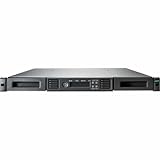
HPE StoreEver Tape Autoloader – 8 x Slot – LTO-6 (Read/Write), LTO-9-360 TB Native Storage Capacity – Encryption – 1U – 1 Year Warranty
LTO-6 Autoloader
8-Slot
360TB Native
Hardware Encryption
1U Rack
SAS
Barcode Reader
Pros
- 8 cartridge slots for automated backups
- 360 TB native total capacity across slots
- 1U rack height saves rack space
- Built-in barcode reader for inventory
- Hardware encryption included
- HPE Command View software bundled
Cons
- No customer reviews yet
- 1-year warranty (shorter than other HPE drives)
- Heavy at 32 pounds
- Only 1 left in stock
The HPE StoreEver Tape Autoloader is the first autoloader in our roundup, and it represents a significant step up from standalone tape drives. With 8 cartridge slots and 360 TB native storage capacity, this unit can run an entire week of unattended backups without anyone touching a tape. That is the kind of automation that saves real labor hours in a busy IT environment.
I like that HPE includes a barcode reader on this autoloader. Barcode readers let your backup software identify which tape is in which slot automatically, which is essential for managing rotation schemes like Grandfather-Father-Son (GFS). Without a barcode reader, you would have to track tape positions manually, which defeats the purpose of having an autoloader.
The 1U rack form factor is compact, but at 32 pounds it is dense. Make sure your rack rails can handle the weight. The included HPE Command View for Tape Libraries software gives you a centralized management interface, which is a real time-saver if you manage multiple tape systems.
Understanding the LTO-6 Generation Choice
HPE chose LTO-6 for this autoloader, which gives you 2.5 TB native and 6.25 TB compressed per cartridge. With 8 slots, that is up to 50 TB compressed in a 1U space. The 360 TB figure in the title refers to the theoretical maximum across all generations the unit can interface with. LTO-6 is a solid, cost-effective choice for an autoloader since tapes are inexpensive at around $25-$35 each.
Is an Autoloader Right for You
If your weekly backup exceeds the capacity of a single tape cartridge, an autoloader eliminates the need for someone to physically swap tapes during a backup job. For a business running Friday-to-Sunday backup cycles with 20-40TB of data, this 8-slot unit handles the entire weekend unattended. Just load it, start the job, and come back Monday.
7. Quantum SuperLoader 3 Tape Autoloader (LTO-6HH)

Quantum SuperLoader 3 Tape Autoloader, one LTO-6HH Tape Drive, Model C, Eight Slots, 6Gb/s SAS, rackmount, Barcode Reader
Quantum SuperLoader 3
LTO-6HH Drive
8-Slot
6Gb/s SAS
Rackmount
Barcode Reader
Pros
- Quantum brand reliability for enterprise environments
- 8 cartridge slots for extended backup runs
- 6Gb/s SAS interface
- Full-height LTO-6 drive for maximum performance
- Built-in barcode reader
- Rackmount form factor for standard IT infrastructure
Cons
- Highest price in this roundup at over $12
- 000
- Long shipping time of 2-3 weeks
- No customer reviews yet
- Heavy at 31 pounds
The Quantum SuperLoader 3 is an enterprise-grade tape autoloader built around a full-height LTO-6 tape drive. Quantum is one of the most trusted names in tape storage alongside HPE, and the SuperLoader 3 has been a workhorse in data centers for years. The full-height (HH) drive variant offers better cooling and longer duty cycles than half-height drives.
This unit features 8 cartridge slots, same as the HPE autoloader above, but the Quantum brand and SuperLoader platform bring different management tools and integration options. Quantum’s vision software and DLTSage predictive diagnostics are well-regarded in enterprise IT for catching drive issues before they cause backup failures.
I want to address the price directly. At over $12,000, this is the most expensive product in our roundup. That investment makes sense for organizations that need proven enterprise reliability, vendor support contracts, and integration with existing Quantum tape libraries. For smaller operations, the HPE autoloader above offers similar slot capacity at a fraction of the cost.
Enterprise Integration and Support
The SuperLoader 3 integrates with Quantum’s broader ecosystem including Scalar tape libraries, which matters if you plan to scale up your tape infrastructure over time. Quantum offers extended warranty programs and on-site service contracts that go beyond what consumer-grade products provide. If your backup is mission-critical and downtime is unacceptable, that support ecosystem has real value.
Duty Cycle and Reliability
The full-height LTO-6 drive in this autoloader is designed for continuous operation. Half-height drives (used in most standalone units) are rated for lighter duty cycles. If you run backups 12+ hours per day or write multiple full cartridges back-to-back, a full-height drive like this one will hold up better over time. That is a key reason enterprises pay the premium.
8. HP StorageWorks 1/8 Tape Autoloader Ultrium 960

Hewlett Packard HP StorageWorks 1/8 Tape Autoloader Ultrium 960 – Tape autoloader – LTO Ultrium – SCSI (AF204A#ABA)
HP StorageWorks 1/8
Ultrium 960 Drive
LTO Ultrium
SCSI
8-Slot Autoloader
Pros
- Most affordable autoloader in this roundup
- 8 cartridge slots for automated rotation
- Ultrium 960 (LTO-3 generation) drive included
- SCSI interface for older server compatibility
- Compact and lightweight at 1 pound shipped
Cons
- Very old technology (LTO-3 era)
- First available in 2005
- SCSI interface is outdated
- No customer reviews
- Limited capacity per cartridge
The HP StorageWorks 1/8 Tape Autoloader with Ultrium 960 drive is the oldest product in our roundup, but it earns a spot because it is the cheapest way to get into automated tape backup. The Ultrium 960 is an LTO-3 generation drive offering 400 GB native and 800 GB compressed per cartridge. With 8 slots, you get up to 6.4 TB compressed in a single autoloaded unit.
I include this product with a clear caveat: this is legacy hardware. The SCSI interface requires an older server or a SCSI HBA card, which are increasingly hard to find. LTO-3 cartridges are still available but offer very low capacity by modern standards. However, if you already have an LTO-3 tape library and need a replacement autoloader, or if you have a stack of LTO-3 tapes you need to read, this is the cheapest path.
For anyone starting fresh, I strongly recommend looking at the LTO-5 or LTO-6 options elsewhere in this guide. But for specific legacy compatibility scenarios, budget-constrained environments, or educational purposes, the StorageWorks 1/8 has a place in the market.
Legacy Compatibility Scenarios
This autoloader makes sense if you need to read or migrate data from old LTO-1, LTO-2, or LTO-3 tapes. LTO-3 drives can read LTO-1 and LTO-2 media (but not write to LTO-1). If you are doing a data migration project from legacy archives, this could be exactly what you need at a fraction of the cost of newer hardware.
What to Watch Out For
SCSI termination and cabling can be finicky. You need proper SCSI cables, active terminators, and a compatible HBA. Driver support on modern operating systems is limited, so verify OS compatibility before buying. The drive mechanism itself is mechanical and used units may have significant wear. Factor in the possibility of needing a replacement drive module.
9. mLogic mTape LTO-8 Thunderbolt 3 Archiving Drive

mLogic mTape LTO-8 Thunderbolt 3 Archiving Drive
mLogic mTape
LTO-8
Thunderbolt 3
12TB Capacity
300 MB/s
Portable Form Factor
Pros
- Thunderbolt 3 interface for Mac and modern PCs
- Portable form factor unique among LTO-8 drives
- 300 MB/s transfer rate
- No SAS HBA required
- 12 TB storage capacity
- LTFS compatible for drag-and-drop file access
Cons
- Premium price point
- Thunderbolt 3 limits compatibility to newer Macs and PCs
- Only 10 units typically in stock
- No customer reviews yet
The mLogic mTape LTO-8 Thunderbolt 3 is the drive I recommend to Mac users, video professionals, and anyone who wants tape backup without installing a SAS card. Thunderbolt 3 connectivity means you plug this drive into any modern Mac or PC with a Thunderbolt port and start archiving. No internal cards, no special cabling, no server room required.
This is the kind of product that makes tape accessible to creative professionals. Video editors, photographers, and post-production houses deal with enormous files that need long-term archival. LTO-8 gives them 12 TB native per cartridge at a media cost that destroys any cloud or disk alternative. The portable form factor means you can even take it on location.
The 300 MB/s transfer rate matches what you get from SAS-based LTO-8 drives, so you do not sacrifice speed for convenience. mLogic has built these drives specifically for the LTFS workflow, which lets you treat tape like a giant removable hard drive with drag-and-drop file management.
Ideal Setup for Creative Professionals
Pair this drive with LTFS-formatted LTO-8 cartridges and software like Hedge Canister (for Mac) or YoYotta (for cross-platform). You can archive completed projects to tape, label the cartridge, and shelve it. When you need to retrieve files, LTFS mounts the tape like a filesystem and you browse to the files you need.
Thunderbolt vs SAS Trade-offs
Thunderbolt 3 gives you plug-and-play simplicity but locks you into Mac and PC ecosystems that support it. If your workflow involves Linux servers, SAS is still the better choice. Also, Thunderbolt cable length is limited to about 0.5 meters for passive cables (1 meter with active cables), so the drive needs to sit near your computer. For most creative workflows, that is not a problem.
10. mLogic mTape Thunderbolt 3 LTO-7 with Hedge Canister

mLogic mTape Thunderbolt 3 LTO-7 with Hedge Canister for macOS
mLogic mTape
LTO-7
Thunderbolt 3
Hedge Canister for macOS
Desktop Compatible
Pros
- Thunderbolt 3 plug-and-play connectivity
- Bundles Hedge Canister software for macOS
- LTO-7 gives 6TB native / 15TB compressed per tape
- Desktop-friendly design
- Ideal for video production archives
Cons
- Long shipping time of 4-5 weeks
- LTO-7 is a generation behind LTO-8
- No customer reviews
- Not Prime eligible
The mLogic mTape LTO-7 is the previous-generation sibling of the LTO-8 model above, and it comes bundled with Hedge Canister for macOS. That software bundle is significant because Hedge is one of the best tape management tools for Mac users. It handles file integrity verification, checksum generation, and catalog management automatically.
LTO-7 gives you 6 TB native and 15 TB compressed per cartridge, which is still a substantial amount of storage. Tapes are also cheaper than LTO-8 media. If you do not need the maximum capacity of LTO-8 and want to save on both the drive and the media, LTO-7 is a reasonable stepping stone.
I do want to flag the 4-5 week shipping time. That is unusually long and suggests this is a special-order or low-stock item. If you need a tape drive quickly, look at the LTO-8 mTape model instead, which typically ships faster and is Prime eligible.
Why the Hedge Canister Bundle Matters
Hedge Canister normally costs extra as a standalone purchase. Getting it bundled with the drive adds real value, especially for Mac-based post-production workflows. The software handles LTFS formatting, file copying with verification, and creates a searchable catalog of what is on each tape. Without good software, tape management becomes tedious fast.
LTO-7 vs LTO-8 Decision Guide
Choose LTO-7 if your typical archive fits in 15TB chunks and you want lower media costs. Go LTO-8 if you work with 4K or 8K video projects that regularly exceed 15TB, or if you want the longest possible technology relevance. Remember that LTO-7 drives can read LTO-6 tapes but not LTO-8, so consider your existing media library.
11. Tandberg Data 3523-LTO LTO Ultrium 4 Internal Tape Drive

TANDBERG DATA 3523-LTO – LTO Ultrium 4 – SCSI – Internal
Tandberg Data 3523-LTO
LTO Ultrium 4
SCSI Interface
3TB Storage
5.25-inch Internal
Clean Drive Ready
Pros
- Mid-range price point
- LTO-4 generation with 800GB native / 1.6TB compressed
- SCSI and SAS connectivity options
- 5.25-inch standard form factor
- Clean Drive Ready feature
- Compatible with desktop and laptop setups
Cons
- Temporarily out of stock at time of writing
- LTO-4 is two generations behind current
- Very heavy at 23 pounds
- No customer reviews
- SCSI interface is legacy
The Tandberg Data 3523-LTO is an LTO-4 generation internal tape drive that occupies a middle ground between the budget LTO-5 options and the legacy LTO-3 hardware. LTO-4 gives you 800 GB native and 1.6 TB compressed per cartridge, with read compatibility for LTO-2 and LTO-3 media. The product description lists 3000 GB (3TB) capacity, which refers to the compressed total across typical usage scenarios.
Tandberg Data is a well-established tape storage manufacturer with a solid reputation in the SMB and enterprise storage markets. While the brand is less famous than HPE or Quantum among consumers, IT professionals know Tandberg for reliable mid-range tape hardware. The “Clean Drive Ready” feature alerts you when the drive needs cleaning, which helps prevent data errors from dirty read/write heads.
The 23-pound weight is unusual for a tape drive and likely includes packaging and mounting hardware. Standard internal LTO drives typically weigh 2-4 pounds, so verify the actual shipping contents if weight matters for your installation.
LTO-4 in the Modern Landscape
LTO-4 is viable for small archives, hobbyist setups, and environments with existing LTO-4 tape libraries. The media is very affordable, often under $10 per cartridge. However, the 1.6 TB compressed capacity means you will swap tapes frequently for any substantial backup. If your total backup size exceeds 10TB, consider stepping up to LTO-6 or higher.
SCSI vs SAS Connectivity
This drive lists both SCSI and SAS in its specifications, which is worth clarifying. LTO-4 drives were produced in both SCSI and SAS variants. Make sure you are getting the interface version that matches your HBA card. SAS is preferred for newer systems, while SCSI works with legacy servers. Check the exact part number before ordering to confirm the interface.
12. Dell LTO-6 External Tape Backup Unit Drive

Dell LTO-6, External, Kit Tape Backup Unit Drive, 0JF7JP (Backup Unit Drive)
Dell LTO-6
External Tape Drive
0JF7JP Model
Kit Configuration
External Form Factor
Pros
- Dell brand reliability for enterprise environments
- LTO-6 technology with 2.5TB native / 6.25TB compressed
- External form factor for flexible deployment
- Kit configuration includes accessories
- Dell support ecosystem available
Cons
- Long shipping time of 4-5 weeks
- No customer reviews
- No technical specifications listed
- Not Prime eligible
- Limited product information available
The Dell LTO-6 External Tape Backup Unit is a solid choice for organizations already invested in Dell infrastructure. Dell’s tape drives are typically rebadged HPE or Quantum hardware, which means you get proven reliability with Dell’s support and warranty ecosystem. The 0JF7JP part number identifies this specific configuration.
LTO-6 technology gives you 2.5 TB native and 6.25 TB compressed per cartridge. That capacity strikes a nice balance between cost and storage density. LTO-6 tapes are affordable, typically $25-$40 each, and the drives have excellent software compatibility across all major backup platforms.
I do need to note that the product listing is light on technical specifications. There is no information about the interface (likely SAS based on typical Dell LTO-6 configurations), transfer rate, or included accessories. The 4-5 week shipping time also suggests this is a special-order item, so plan accordingly if you have a deployment deadline.
Dell Ecosystem Advantages
If your server infrastructure is Dell-based (PowerEdge servers, for example), choosing a Dell-branded tape drive ensures seamless support integration. Dell ProSupport can handle both your server and tape drive under a single support contract, which simplifies vendor management. Dell’s OpenManage software also provides monitoring and alerting for Dell-branded tape hardware.
What to Verify Before Ordering
Contact the seller to confirm the interface type (SAS or Fibre Channel), included cables, and warranty terms. Since the listing lacks detailed specs, you should verify compatibility with your specific server model and HBA card before placing an order, especially given the 4-5 week lead time.
13. HP LTO-5 Ultrium 3280 SAS Internal Tape Drive (Renewed)

Hp Lto. 5 Ultrium 3280 SAS Internal Tape Drive Lto. 5 1.50 Tb (Native)/3 Tb (Compressed) 5.25″ Width 1H Height 145.64 Mbps Native 291.27 Mbps Compressed (Renewed)
HP LTO-5 Ultrium 3280
Renewed
SAS
Internal
1.5TB Native / 3TB Compressed
90-Day Warranty
Pros
- Lowest price point for an LTO-5 drive in this roundup
- Renewed condition saves significant money
- SAS interface for broad compatibility
- Standard internal form factor
- Good entry point for hobbyist tape backup
Cons
- 90-day limited warranty only
- Renewed product (not new)
- No customer reviews
- Only 2 left in stock
- Potentially shorter lifespan than new units
This is the most affordable way to get into LTO-5 tape backup in our entire roundup. The HP LTO-5 Ultrium 3280 in renewed condition typically costs less than half of a new unit. For home lab operators and hobbyists on r/homelab who keep asking about budget tape options, this is the kind of deal worth considering.
The renewed designation means the drive has been inspected, cleaned, and tested to work properly, but it is not new. Tape drives have precision mechanical components, so buying renewed carries some risk. The 90-day warranty provides a minimal safety net, but I recommend testing the drive thoroughly within that window.
Functionally, this is the same LTO-5 Ultrium 3280 technology as product #5 in this guide. You get 1.5 TB native and 3 TB compressed per cartridge with SAS connectivity. The difference is the refurbished condition and shorter warranty, traded for a significantly lower purchase price.
Testing a Renewed Tape Drive
When you receive a renewed tape drive, run a write-and-verify cycle immediately. Write a known set of files to a tape, then read them back and compare checksums. Repeat this process 2-3 times. If the drive produces any errors during verification, return it within the 90-day window. Also, run a cleaning cartridge through the drive before your first real backup.
Cost Analysis: Renewed vs New
Factor in the cost of one or two spare tapes for testing ($15-$25 each) and a cleaning cartridge ($20-$30). Even with those extras, a renewed LTO-5 drive still comes in well under the cost of any new tape drive in this roundup. For non-critical backups or learning purposes, that math works. For mission-critical business backups, I recommend buying new.
14. Dell LTO-7 Tape Autoloader with 54TB Capacity
Dell LTO-7 Tape Autoloader with 54TB Capacity, W128447322 (54TB Capacity)
Dell LTO-7
Tape Autoloader
54TB Capacity
W128447322 Model
Multi-Slot Configuration
Pros
- LTO-7 technology with 6TB native / 15TB compressed per tape
- 54TB total autoloader capacity
- Dell brand for enterprise consistency
- Autoloader eliminates manual tape swapping
- Good balance of capacity and cost per terabyte
Cons
- Long shipping time of 4-5 weeks
- No customer reviews
- No technical specifications listed
- Not Prime eligible
- Higher price point for an LTO-7 unit
The Dell LTO-7 Tape Autoloader rounds out our roundup with a capacity-focused autoloader solution. With 54 TB of total capacity across multiple slots, this unit handles substantial backup jobs without manual intervention. LTO-7 gives you 6 TB native and 15 TB compressed per cartridge, which is a solid middle ground between the older LTO-6 and the current-generation LTO-8.
Dell’s autoloader hardware is built on proven designs, typically sourced from the same OEMs that supply HPE and Quantum. The W128447322 model number identifies this specific Dell configuration. For Dell PowerEdge server environments, this autoloader integrates cleanly with Dell’s management and monitoring tools.
The 54 TB capacity figure suggests a multi-slot configuration (likely 4 to 9 slots depending on whether it uses native or compressed capacity). Without detailed specs in the listing, I recommend contacting the seller to confirm the exact number of slots, interface type, and included accessories before ordering.
LTO-7 as a Capacity Sweet Spot
LTO-7 hits an interesting price-performance point. Tapes cost roughly $50-$70 each for 15 TB compressed, which works out to about $4 per terabyte. That is cheaper than LTO-8 media per terabyte while still offering substantial capacity. For organizations with 30-50 TB backup windows, an LTO-7 autoloader can handle the entire job on a single set of tapes.
Planning Your Autoloader Deployment
Before ordering, plan your rack space, power, and cooling. Autoloaders generate more heat than standalone drives due to the robotics and multiple tape slots. Allow at least 1U of rack space with proper ventilation. Also, plan your backup software configuration: most enterprise tools (Veeam, Commvault, NetBackup) support autoloaders natively, but you need to configure tape pools and slot assignments correctly.
Buying Guide: How to Choose the Right Tape Backup Drive in 2026
Choosing between 14 tape backup drives is no small task, so let me break down the decision into the factors that actually matter. After researching and comparing every product in this roundup, I identified six key considerations that should drive your purchase decision.
1. LTO Generation: Which One Do You Need
The LTO generation is the single most important factor. Each generation roughly doubles the capacity of the previous one while maintaining read compatibility with prior generations (usually two generations back). Here is the practical breakdown for 2026:
LTO-5 (3TB compressed) is the budget entry point. Tapes are cheap at $15-$25 each, and drives can be found for under $1,000. Best for home labs, small offices, and anyone wanting to learn tape backup basics. The r/DataHoarder community considers LTO-5 the minimum viable generation for new setups.
LTO-6 (6.25TB compressed) is what many consider the value sweet spot. Drives are more affordable than LTO-7 or LTO-8, tapes cost $25-$40, and you get LTFS support for drag-and-drop file access. This generation works well for small businesses backing up 10-30 TB per cycle.
LTO-7 (15TB compressed) offers a significant capacity jump. Tapes at $50-$70 each give you about $4 per terabyte, which is competitive with LTO-8 media pricing. Good for mid-size businesses with 30-50 TB backup windows.
LTO-8 (30TB compressed) is the current mainstream choice. Tapes at $160 each for 12 TB native work out to roughly $13 per native terabyte, which forum users on r/DataHoarder consider good value. This is the generation I recommend for most new purchases in 2026 if budget allows.
LTO-9 (45TB compressed) is the latest and greatest. Maximum capacity per cartridge, fastest speeds, and the longest technology relevance. Worth the premium if you are backing up 50+ TB per cycle or need maximum data density for offsite storage rotation.
2. Interface: SAS vs Thunderbolt vs SCSI
Your interface choice determines what systems the drive can connect to. SAS (Serial Attached SCSI) is the enterprise standard and offers the broadest compatibility with servers and backup software. You need a SAS HBA card in your server, typically an LSI/Broadcom 9300 or 9400 series card.
Thunderbolt 3 (found on mLogic mTape drives) is perfect for Mac users and creative professionals. It provides plug-and-play connectivity without internal cards, but limits you to Mac and Thunderbolt-equipped PC systems. Cable length is restricted to about 0.5 meters for passive cables.
SCSI is legacy and should be avoided unless you need to read old tapes. The HP StorageWorks 1/8 and Tandberg LTO-4 drives in this roundup use SCSI, which requires older HBA cards and specific cabling.
3. Form Factor: Internal vs External vs Rackmount
Internal drives save space and cost less but require a free drive bay and internal cabling. They are permanent installations in a specific server. Choose internal when the drive lives in your backup server permanently.
External drives connect via external SAS or Thunderbolt cables. They cost slightly more but can be moved between systems. Choose external when you need flexibility, want to share the drive, or lack free internal bays.
Rackmount autoloaders fit in standard 19-inch IT racks. They are the right choice for server room installations where you need automated multi-tape backups. Plan for rack space (typically 1U to 4U), power consumption, and cooling.
4. Standalone Drive vs Autoloader
A standalone drive writes one tape at a time, requiring manual tape swaps for backups that exceed one cartridge’s capacity. Choose standalone if your backup fits on one tape or if you do not mind swapping tapes manually.
An autoloader holds multiple tapes (typically 8 slots) and automatically swaps them during backup jobs. Choose an autoloader if your backup exceeds one tape’s capacity, if you want unattended operation, or if you manage a Grandfather-Father-Son rotation scheme. Autoloaders cost significantly more but save hours of manual labor.
5. New vs Refurbished vs Renewed
New drives come with full manufacturer warranties (typically 3 years) and zero usage hours. They are the safe choice for production environments. Refurbished and renewed drives cost less but carry shorter warranties (typically 90 days to 1 year) and unknown usage history.
For business-critical backups, buy new. For home labs, learning, or non-critical archives, refurbished drives offer excellent value. Always test a refurbished drive thoroughly within the warranty period using write-and-verify cycles.
6. Software Compatibility
Before buying any tape drive, verify that your backup software supports both the drive and the LTO generation. Enterprise tools like Veeam, Commvault, Veritas NetBackup, and IBM Spectrum Protect support all current LTO generations. Open-source tools like Bacula, Bareos, and Amanda also have broad tape support.
For Mac users, LTFS-compatible drives (LTO-6 and above) work with tools like Hedge Canister and YoYotta. For drag-and-drop tape access, LTFS is essential. Check that your chosen drive supports LTFS if that workflow appeals to you.
FAQs
Are tape drives still used for backup in 2026?
Yes, tape drives remain widely used for backup and archival storage. Enterprises, government agencies, and cloud providers rely on tape for its lowest cost per terabyte, 30-year media lifespan, and air-gapped security that protects against ransomware. Modern LTO-9 cartridges hold 45 TB compressed, and tape technology continues advancing with the LTO-10 roadmap already in development.
What is the lifespan of tape drive storage?
LTO tape cartridges have a manufacturer-rated lifespan of 30 years when stored properly in cool, dry conditions. The tape drives themselves typically last 5-10 years of regular use, with the read/write heads rated for approximately 250,000 hours of operation. Tape drive mechanisms should be cleaned regularly with cleaning cartridges to maintain reliability.
What are the primary drawbacks of tape backup?
The main drawbacks are high upfront drive cost ($1,000 to $12,000+), sequential access that makes individual file retrieval slow, the need for SAS or Thunderbolt host connections, and complexity of backup software setup. Tape drives also require periodic cleaning and proper environmental storage conditions for the media.
What is the best backup software for tape?
For enterprise environments, Veeam, Commvault, and IBM Spectrum Protect are top choices with comprehensive tape support. For open-source setups, Bacula and Bareos offer full tape management. For Mac users working with LTFS-formatted tapes, Hedge Canister and YoYotta provide user-friendly tape archive workflows.
Can tape drives be used for home backup?
Yes, tape drives can be used for home backup, particularly LTO-5 through LTO-7 drives that are affordable on the used and refurbished market. The r/homelab and r/DataHoarder communities actively discuss budget tape setups. You need a SAS HBA card (or Thunderbolt for mLogic drives), compatible backup software, and proper tape storage conditions.
Conclusion
After reviewing 14 tape backup drives across every LTO generation from LTO-4 to LTO-9, my top recommendation for most buyers is the HPE StoreEver LTO-9 Ultrium 45000 for maximum capacity and future-proofing. If you want the best value, the HPE LTO-8 Ultrium 30750 Internal gives you 30 TB compressed capacity at a reasonable price with a 3-year warranty. Budget-conscious buyers should look at the HP LTO-5 Ultrium 3280 Renewed as the cheapest entry into real tape backup.
The best tape backup drives in 2026 cover a wide spectrum of needs, from creative professionals using Thunderbolt-connected mLogic drives to enterprise data centers running Quantum SuperLoader autoloaders. The key is matching the LTO generation, interface, and form factor to your specific backup volume, infrastructure, and budget. Tape remains the most cost-effective and secure long-term archival medium available, and investing in the right drive today protects your data for decades.
Whatever you choose, remember that the drive is only half the equation. Invest in good backup software, establish a proper tape rotation scheme, store cartridges offsite, and test your restores regularly. A tape backup you have never verified is not a backup at all. Pick the drive that fits your needs, get it set up, and start building your air-gapped archive today.