
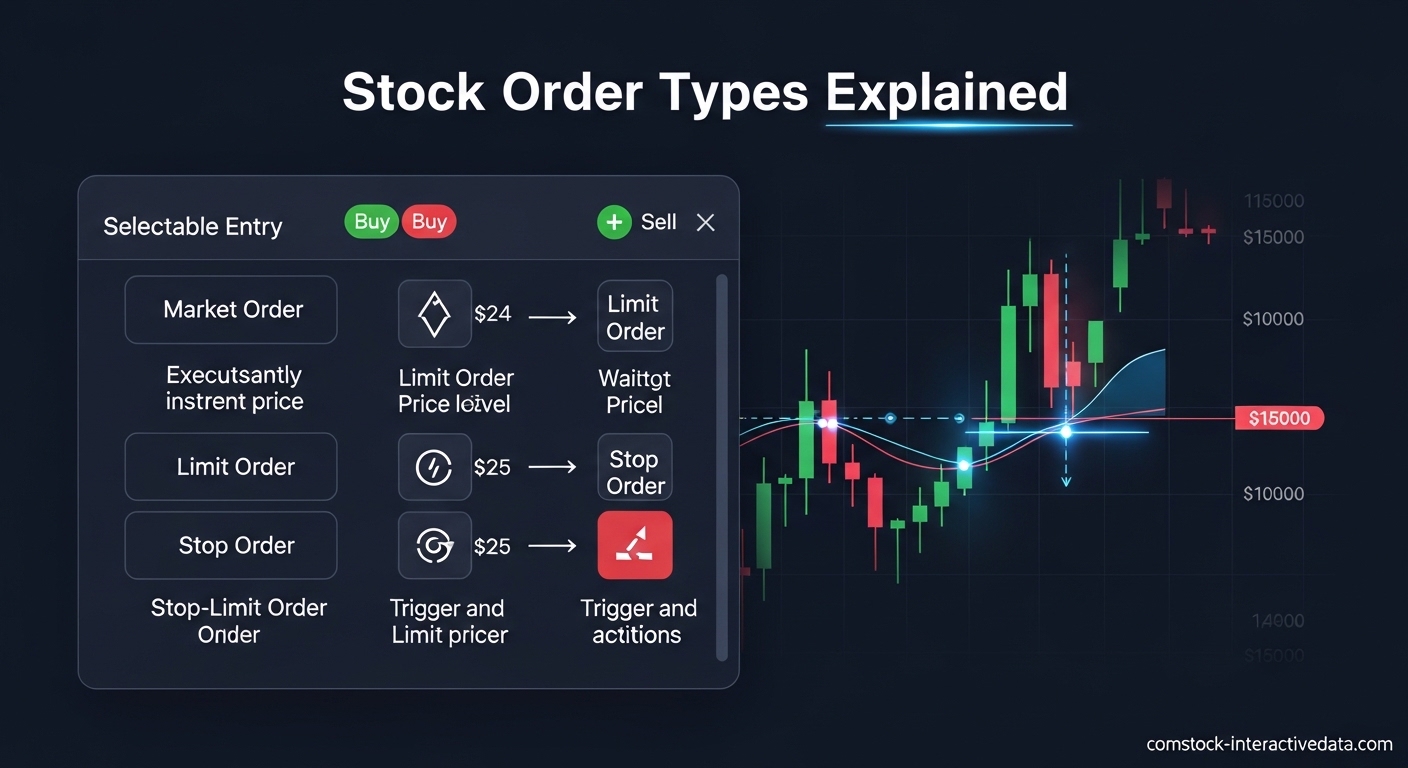
Every time you buy or sell a stock, you’re using a stock order type. Most beginners don’t realize this choice matters enormously until they watch a market order fill at a price they never expected, or see a limit order sit unfilled while a stock rallies without them.
Understanding stock order types separates informed investors from those who blindly click “buy” and hope for the best. In this guide, I’ll explain the four main order types you’ll encounter: market orders, limit orders, stop orders, and stop-limit orders. By the end, you’ll know exactly which type to use based on your goals, the stock you’re trading, and current market conditions.
I’ve been trading for over a decade, and I still remember the confusion of my first trades. The terminology felt foreign, and I didn’t understand why my orders sometimes filled immediately while other times they sat pending for hours. This guide answers those questions with clear explanations and real examples.
Table of Contents
Stock Order Types at a Glance
Before diving into each order type, here’s a quick reference table showing how they compare on the factors that matter most.
| Order Type | Execution Speed | Price Control | Guaranteed Execution | Best For |
|---|---|---|---|---|
| Market Order | Immediate | None | Yes (during hours) | Highly liquid stocks, urgent execution |
| Limit Order | When price hits | Full control | No | Specific entry/exit prices, volatile stocks |
| Stop Order | After trigger | None (market after trigger) | Yes (after trigger) | Loss protection, breakout entries |
| Stop-Limit | After trigger, at limit | Partial (limit after trigger) | No | Controlled exits, volatile markets |
Keep this table handy as you read through each section. The trade-off is always the same: more control over price means less certainty of execution, and vice versa.
What Is a Market Order?
A market order is an instruction to buy or sell a stock immediately at the best available current price. When you place a market order, you’re telling your broker: “Execute this trade now, regardless of the exact price.” This order type prioritizes speed of execution over price precision.
Market orders are the simplest and most common order type, especially for beginners. When you click “buy” or “sell” in most brokerage apps without changing any settings, you’re typically placing a market order. The trade executes within seconds during regular market hours, assuming the stock has sufficient liquidity.
How Market Orders Work?
When you submit a market order, your broker sends it to the exchange where it matches with the best available opposing order. For a buy market order, you get filled at the lowest ask price currently available. For a sell market order, you get filled at the highest bid price.
The bid-ask spread is the difference between what buyers are willing to pay (bid) and what sellers are asking (ask). On heavily traded stocks like Apple or Microsoft, this spread might be just one cent. On thinly traded stocks, the spread could be 50 cents, a dollar, or even more. You pay this spread when using market orders.
Here’s a real example. Suppose you want to buy 100 shares of XYZ stock. The current quote shows:
- Bid: $50.00 (what sellers will accept)
- Ask: $50.05 (what buyers must pay)
Your market buy order fills at $50.05 per share. If you immediately sold with a market order, you’d receive $50.00 per share. That $0.05 difference multiplied by 100 shares equals a $5 round-trip cost just from the spread.
When to Use Market Orders?
Market orders work best when execution certainty matters more than price precision. I use them primarily in three situations.
First, when trading highly liquid large-cap stocks where bid-ask spreads are minimal. Stocks like those in the S&P 500 typically have spreads of one to five cents. The convenience of immediate execution outweighs the tiny cost of the spread.
Second, when I need to exit a position urgently. If a stock is dropping rapidly and I want out now, a market order ensures I’m not left holding while the price falls further. The certainty of exit trumps getting a slightly better price.
Third, for long-term investors using dollar-cost averaging strategies. If you’re buying $500 of an index fund ETF every month regardless of price, the few cents of spread won’t matter over a multi-year holding period.
Risks and Limitations of Market Orders
The biggest risk with market orders is slippage, especially in volatile or thinly traded stocks. Slippage occurs when the price moves between the time you place your order and when it executes. You might see a quote at $50.00, click buy, and get filled at $50.25.
During fast-moving markets, this slippage can be severe. I’ve seen market orders fill 2-3% away from the quoted price during earnings announcements or breaking news events. That transforms a planned $1,000 trade into an unexpected $1,020 or $1,030 position.
Extended hours trading presents additional risks. After-hours markets have lower liquidity and wider spreads. A market order placed at 7 PM might fill at a price significantly different from the 4 PM closing price. Most brokers require you to explicitly enable extended hours trading for market orders.
Price gaps also affect market orders. If a stock closes at $50 and opens the next day at $45 due to overnight news, your market order will fill near $45, not near $50. There’s no protection against gap risk with market orders.
What Is a Limit Order?
A limit order is an instruction to buy or sell a stock at a specific price or better. Unlike market orders, limit orders give you complete control over the execution price. The trade-off is that your order might not execute at all if the market never reaches your specified price.
When you place a limit buy order, you set the maximum price you’re willing to pay. When you place a limit sell order, you set the minimum price you’re willing to accept. Your broker will only execute the trade if they can meet these price requirements.
Limit orders are essential tools for disciplined investors who know exactly what price they’re willing to pay or receive. They remove emotion from trading decisions and prevent overpaying during volatile moments.
Buy Limit vs Sell Limit Orders
Buy limit orders are placed below the current market price. If XYZ stock trades at $50 and you place a buy limit at $48, your order will only execute if the price drops to $48 or lower. You use buy limits when you want to purchase a stock but believe the current price is too high.
Sell limit orders are placed above the current market price. If you own XYZ at $50 and place a sell limit at $55, your order will only execute if the price rises to $55 or higher. You use sell limits to take profits at predetermined target prices.
One common mistake beginners make is placing buy limits above the current price or sell limits below it. This essentially functions like a market order but with unnecessary restrictions. Always set buy limits at or below current price, and sell limits at or above current price.
Time-in-Force Options for Limit Orders
When placing a limit order, you must specify how long it remains active. This setting is called “time in force.” The two most common options are day orders and good-til-canceled (GTC) orders.
Day orders expire at the end of the trading session if not filled. If you place a day order at 10 AM and the stock doesn’t hit your limit price by 4 PM, the order cancels automatically. Day orders are the default on most platforms and work well for short-term price targets.
Good-til-canceled (GTC) orders remain active until filled or manually canceled, typically up to 60-90 days depending on your broker. GTC orders suit long-term investors waiting for significant price moves. You can set a buy limit at a 20% discount to current price and let it sit for months.
Some brokers offer additional time-in-force options. Fill-or-kill (FOK) orders must execute immediately in their entirety or cancel. Immediate-or-cancel (IOC) orders execute any portion possible immediately and cancel the remainder. These advanced options are rarely needed by individual investors.
Why Limit Orders Don’t Always Fill?
A common frustration I see in trading forums is the question: “Why didn’t my limit order fill?” There are several reasons why a limit order might remain unfilled even when the stock appears to have reached your price.
The stock might have touched your limit price briefly without sufficient volume at that level. If you placed a buy limit at $48 and the stock dipped to exactly $48.00 for only a few seconds with limited sellers, your order might not have priority in the queue.
Orders fill based on price priority and then time priority. If 5,000 shares are offered at $48 and you’re number 100 in the buy queue with a 100-share order, you’ll only fill if all 99 orders ahead of you fill first. In fast markets, the price might bounce away before your turn comes.
Partial fills are another possibility. If you place an order for 500 shares at $48 and only 200 shares are available at that price before the stock moves up, you might receive a partial fill of 200 shares. The remaining 300 shares stay open until more sellers appear at $48 or the order expires.
Extended Hours Trading with Limit Orders
Limit orders behave differently during extended hours trading (before 9:30 AM or after 4:00 PM ET). Most brokers only accept limit orders during these sessions, not market orders. This protects traders from extreme price volatility when liquidity is low.
When trading extended hours, your limit order only executes against other extended hours orders. It won’t match with regular session orders sitting in the book. This creates a separate liquidity pool with potentially different prices.
I’ve found that limit orders are essential for after-hours trading. Spreads widen dramatically, and prices can swing 5-10% on modest volume. Never use market orders after hours unless you enjoy unpleasant surprises. Even with limit orders, be prepared for partial fills and unexpected execution prices.
What Is a Stop Order?
A stop order, also called a stop-loss order, is an instruction to buy or sell a stock once it reaches a specified price called the stop price. Once the stop price triggers, the order becomes a market order and executes at the best available price.
Stop orders are primarily risk management tools. Investors use sell stop orders to limit potential losses on positions they own. Traders use buy stop orders to enter positions when stocks break above resistance levels. The key feature is automatic activation when your trigger condition is met.
Think of stop orders as conditional market orders. They sit dormant until the market moves against your position (for sell stops) or breaks out (for buy stops). Then they activate and execute as market orders with all the speed and slippage risks that entails.
How Stop Orders Work?
For sell stop orders, you set a stop price below the current market price. If you own XYZ at $50 and place a sell stop at $45, the order activates only if XYZ drops to $45 or lower. At that point, it becomes a market sell order.
For buy stop orders, you set a stop price above the current market price. If XYZ trades at $50 and you place a buy stop at $55, the order activates only if XYZ rises to $55 or higher. This is commonly used for breakout trading strategies.
The critical distinction is that stop orders don’t guarantee execution at your stop price. They guarantee triggering at your stop price, followed by market order execution. In volatile markets, the actual fill price could be significantly different from the stop price.
Stop-Loss Orders for Protection
The most common use of stop orders is as stop-loss protection. You buy a stock at $50 believing it will rise, but you want to limit your downside if you’re wrong. Placing a sell stop at $45 limits your potential loss to roughly 10%.
Many investors use percentage-based stop losses. The famous “7% rule” suggests selling any position that drops 7% below your purchase price. This enforces disciplined loss-cutting without emotional decision-making during market stress.
Stop losses aren’t perfect protection. If a stock gaps down from $50 to $40 overnight on bad earnings, your stop at $45 triggers at the open and sells near $40, not $45. The 7% rule becomes a 20% loss in this scenario.
Despite gap risk, I always use stop losses for speculative positions. They prevent the psychological trap of holding losers hoping they’ll “come back.” A stop loss enforces your predetermined risk limit automatically.
Buy Stop Orders for Breakout Trading
Buy stop orders serve a completely different purpose than sell stops. Traders use them to enter positions when stocks break above key resistance levels. This automates breakout entries without constant market monitoring.
Suppose XYZ has traded between $40 and $50 for six months. You believe that if it breaks above $50, it could run to $60. Rather than watching the screen all day, you place a buy stop at $50.50. If XYZ breaks out, your order triggers automatically.
Breakout traders often use buy stops just above resistance and sell stops just below support. This creates a disciplined system for trading range breakouts without emotional interference. The order executes when technical conditions are met.
Price Gaps and Stop Order Execution
Price gaps create the biggest surprises for stop order users. A gap occurs when a stock opens significantly higher or lower than its previous close without trading in between. This usually happens due to overnight news or earnings announcements.
If you own XYZ at $50 with a sell stop at $45, and XYZ announces terrible earnings after the close, it might open the next day at $35. Your stop triggers at the open, and you sell near $35, not $45. The stop provided protection, but not at the expected price.
Gaps can also work in your favor. If you have a buy stop at $55 for a breakout and XYZ announces a merger overnight, opening at $65, your order triggers at the open and you buy near $65. You’ve captured the breakout, but at a much higher price than planned.
Understanding gap risk is essential for stop order users. Many forum posts I’ve read express confusion about stop orders filling “at the wrong price.” The stop price is a trigger, not a guaranteed execution price. Once triggered, it’s a market order subject to whatever price is available.
What Is a Stop-Limit Order?
A stop-limit order combines features of both stop orders and limit orders. It has two prices: a stop price that triggers the order, and a limit price that controls execution. When the stop price triggers, the order becomes a limit order instead of a market order.
Stop-limit orders give you more control than regular stop orders. You can specify the worst price you’re willing to accept after the stop triggers. However, this control comes with a significant trade-off: if the market moves past your limit price without filling your order, you won’t be executed at all.
This order type works well in moderately volatile markets where you want protection but also want to avoid bad fills from temporary price spikes. It’s popular among traders who’ve been burned by stop orders filling at terrible prices during fast markets.
How Stop-Limit Orders Combine Both Concepts?
When you place a stop-limit order, you set both a stop price and a limit price. For a sell stop-limit on XYZ at $50, you might set a stop at $45 and a limit at $44. If XYZ drops to $45, your order activates as a limit sell at $44 or better.
The stop price is the trigger mechanism. The limit price is the execution constraint. Together they create a conditional limit order that only becomes active when your stop condition is met.
The gap between stop and limit prices matters significantly. A tight gap (stop $45, limit $44.95) provides precise control but high non-execution risk. A wide gap (stop $45, limit $40) behaves more like a regular stop order with just slight price protection.
Stop Price vs Limit Price Explained
Beginners often confuse the two prices in stop-limit orders. Here’s how to think about them clearly.
The stop price answers: “When should this order become active?” It’s the market condition you’re waiting for. Until the stop price is hit, your order sits dormant like a regular stop order.
The limit price answers: “What’s the worst price I’ll accept once active?” It applies only after the stop triggers. The limit constraint prevents execution at prices you consider unacceptable.
For sell stop-limits, the limit price must be at or below the stop price. For buy stop-limits, the limit price must be at or above the stop price. Your broker’s platform will typically enforce these relationships.
When Stop-Limit Orders Fail to Execute?
The biggest risk with stop-limit orders is non-execution during fast moves. Here’s a scenario I’ve seen repeatedly in trading forums.
You own XYZ at $50 and place a sell stop-limit with stop at $45 and limit at $44.50. Bad news hits, and XYZ drops rapidly from $46 to $44 in seconds. Your stop triggers at $45, activating your limit sell at $44.50. But the price is already at $44 and falling. Buyers at $44.50 are gone.
Your order is now active but can’t fill because the market is below your limit. You watch helplessly as XYZ continues dropping to $42, $40, $38 while your sell order sits unfilled. The protection you wanted didn’t work because the limit constraint prevented execution.
This is the trade-off every stop-limit user must understand. You gain price control but lose execution certainty. In severe downturns, you might end up holding a falling stock with an active but unfilled sell order.
Best Use Cases for Stop-Limit Orders
Despite non-execution risk, stop-limit orders serve valuable purposes in specific situations.
Use them for thinly traded stocks where stop orders might fill at wild prices due to low liquidity. A penny stock with wide spreads could see a stop order fill 10% away from the trigger price. A stop-limit prevents this while still providing automated exit capability.
Use them when you can accept some non-execution risk to avoid terrible fills. If you’re monitoring the market and can manually adjust or cancel orders if needed, stop-limits provide useful guardrails without complete automation.
Avoid stop-limit orders for critical risk management where execution certainty matters more than price. If you must exit a position, use regular stop orders and accept that some slippage is the cost of guaranteed execution.
Market Order vs Limit Order vs Stop Order
Choosing between order types depends on your priorities. Here’s a comprehensive comparison to guide your decisions.
| Factor | Market Order | Limit Order | Stop Order | Stop-Limit |
|---|---|---|---|---|
| Execution Speed | Immediate | Delayed until price hits | After trigger, immediate | After trigger, price dependent |
| Price Precision | Market price only | Exact price or better | Market after trigger | Limited range after trigger |
| Execution Certainty | High (during hours) | Low (may never fill) | High after trigger | Medium (may not fill after trigger) |
| Primary Purpose | Speed and certainty | Price control | Risk management | Controlled risk management |
| Best Market Condition | Stable, liquid | Any (especially volatile) | Trending markets | Moderately volatile |
| Gap Risk | High | None (won’t fill if gapped) | High | Medium (won’t fill if beyond limit) |
The fundamental question is: what’s more important to you right now, price or execution? If you need the trade done now and accept whatever price the market offers, use market orders. If you have a specific price target and can wait, use limit orders. If you need automatic protection, use stop orders.
Decision Framework: Which Order Type Should You Use?
Here’s my personal framework developed from years of trading experience.
For buying quality stocks to hold long-term: Use limit orders set at a price you’d be happy to own the stock. If it’s a great company trading at $50 and you’d love to own it at $45, set a GTC buy limit at $45 and wait. Patience often rewards limit order users.
For entering momentum trades: Use market orders during active trading hours for liquid stocks. When a breakout is happening now and you want in, don’t quibble over a few cents. The move matters more than the fill price.
For protecting profits or limiting losses: Use stop orders for positions where you must exit. Use stop-limit orders for positions where you’d rather hold than accept a terrible fill price.
For volatile earnings plays: Avoid market orders entirely. Use limit orders with wide ranges (limit $48-52 for a $50 stock) to catch fills without accepting extreme slippage.
Best Order Type for Beginners
New investors should understand all order types but typically benefit most from starting with limit orders. Limit orders prevent the most common beginner mistake: overpaying due to FOMO or market volatility.
When I teach friends to trade, I tell them to use limit orders for their first 50 trades. This builds discipline around price planning. You must decide what a stock is worth to you before clicking buy.
After gaining experience with limit orders, add stop orders for risk management. Start with simple stop-losses on speculative positions. Never risk more than you’re willing to lose completely.
Save stop-limit orders for after you understand both components separately. The complexity isn’t necessary for most beginner strategies and can create confusion.
Advanced Order Type: Trailing Stop Orders
Trailing stop orders are an advanced variation of stop orders that automatically adjust as the stock price moves in your favor. They combine profit protection with dynamic adaptation, making them popular among swing traders and position traders.
A trailing stop is set at a percentage or dollar amount below the market price for long positions. As the stock rises, the stop price rises with it, maintaining the specified distance. If the stock falls, the stop price stays fixed, triggering a sale when the trailing distance is breached.
For example, you buy XYZ at $50 and set a 10% trailing stop. Initially, your stop is at $45. If XYZ rises to $60, your stop automatically adjusts to $54 (10% below $60). If XYZ then drops to $54, your order triggers and you sell, locking in most of your gains.
How Trailing Stops Automatically Adjust?
The automatic adjustment is what makes trailing stops powerful. You don’t need to manually move your stop as the stock rises. The system does it for you, maintaining your predetermined risk parameters while allowing profits to run.
Most brokers offer two ways to set trailing stops: by percentage or by dollar amount. A 10% trailing stop works proportionally across any stock price. A $5 trailing stop maintains a fixed dollar distance regardless of stock price.
Percentage trailing stops are generally more flexible. They automatically scale with the stock’s price level, maintaining consistent relative risk. Dollar-based trailing stops might be too tight for expensive stocks or too loose for cheap stocks.
Trailing Stop vs Regular Stop Order
Regular stop orders protect against downside from your entry point. Trailing stops protect against downside from the highest price achieved. This subtle difference significantly impacts profit protection.
With a regular stop at $45 on a $50 entry, you exit if the price drops to $45 regardless of what happened in between. If the stock ran to $80 first, your stop is still at $45, potentially giving back $35 of gains.
With a 10% trailing stop on the same $50 entry, if the stock runs to $80, your stop adjusts to $72. A drop to $72 triggers your sale, preserving $22 of gains instead of just $5. The trailing stop captured the uptrend protection.
The trade-off is that trailing stops can trigger on normal pullbacks within an uptrend. A stock that rises from $50 to $80 might naturally pull back to $70 before continuing higher. A 10% trailing stop would have sold at $72, missing the continued advance.
When to Use Trailing Stops?
I use trailing stops primarily for momentum positions where I want to ride trends but protect against sharp reversals. They’re ideal when you believe a stock has significant upside but want an automatic exit plan.
Trailing stops work well for position traders who can’t monitor markets constantly. You can set them and focus on other activities, knowing your downside is protected while upside isn’t capped.
Avoid trailing stops in choppy, range-bound markets. The frequent adjustments can trigger premature exits on normal volatility. Save them for trending stocks with clear directional movement.
Frequently Asked Questions About Stock Order Types
What is the 7% rule in stop loss?
The 7% rule suggests selling any stock that drops 7% below your purchase price regardless of other factors. This rule enforces disciplined loss-cutting and prevents small losses from becoming large ones. While the exact percentage can be adjusted based on your risk tolerance and the stock’s volatility, the core principle is establishing a predetermined exit point before entering any trade.
Are stop-limit orders a good idea?
Stop-limit orders are good when you need price control after a trigger but can accept non-execution risk. They work well in moderately volatile markets and for thinly traded stocks where stop orders might fill at extreme prices. However, they’re risky in fast-moving markets where prices can gap past your limit before execution. For critical risk management where execution matters more than price, regular stop orders are safer.
Is it better to limit order or market order?
Limit orders are generally better for most situations because they give you price control. Use limit orders when you know what price you want and can wait for it. Use market orders only when execution speed matters more than price precision, such as exiting urgent positions or trading highly liquid large-cap stocks with tight bid-ask spreads. For beginners, limit orders are almost always the safer choice.
What are the 4 types of market orders?
The four main order types are: 1) Market orders – execute immediately at the best available price; 2) Limit orders – execute only at your specified price or better; 3) Stop orders – become market orders when a trigger price is hit; 4) Stop-limit orders – become limit orders when a trigger price is hit. Some brokers also offer trailing stops as a fifth type, which are stop orders that automatically adjust as the price moves favorably.
Which order type is best for beginners?
Limit orders are best for beginners because they prevent overpaying and encourage price discipline. Start with limit orders for your first trades to build good habits around planning your entry and exit prices. Once comfortable, add stop orders for risk management on speculative positions. Avoid complex order combinations until you fully understand the basics.
What is the 3-5-7 rule in trading?
The 3-5-7 rule is a risk management framework suggesting you risk no more than 3% of your portfolio on a single trade, cut losses at 5% decline, and let winners run until they drop 7% from their peak. This creates asymmetric risk where losses are small and contained while profits can grow larger. The specific percentages can be adjusted, but the principle of tighter stops on losers than winners remains valuable.
Why did my limit order not fill even when the price hit my limit?
Limit orders may not fill even when the price touches your limit due to order queue priority and volume availability. Orders fill by price priority first, then time priority. If 5,000 shares are available at your limit price and you’re 100th in the queue with a 500-share order, you’ll only fill if the 99 orders ahead of you all complete first. In fast markets, the price often moves away before your turn comes.
Conclusion: Mastering Stock Order Types for Smarter Trading
Understanding stock order types transforms you from a passive order-clicker into an active trader who controls execution. The four main types – market, limit, stop, and stop-limit – each serve specific purposes depending on whether you prioritize speed, price control, risk management, or a combination.
Remember the core trade-off: you can control price or guarantee execution, but rarely both simultaneously. Market orders give you certainty of execution at uncertain prices. Limit orders give you price certainty but no execution guarantee. Stop orders automate protection but expose you to gap risk and slippage. Stop-limit orders try to balance both but can leave you unprotected in fast markets.
For 2026 and beyond, start with limit orders to build discipline. Add stop orders once you understand your risk tolerance. Save advanced combinations for after you’ve mastered the basics. And always remember that no order type eliminates risk – they simply manage how that risk manifests.
Before risking real money, practice with paper trading or small positions until placing each order type feels automatic. The time you invest in understanding these concepts will pay dividends through better fills, smaller losses, and greater confidence in your trading decisions.